Nearly 60 percent of American tech startups report that inconsistent task tracking leads to missed deadlines and frustrated teams. For project managers juggling rapid pivots and tight timelines, keeping every detail visible and actionable is essential. This guide explains how organized task progress tracking systems transform abstract goals into clear, measurable steps, equipping managers with efficient methods to improve productivity and keep their team aligned from Los Angeles to Berlin.
Structured methodologies help monitor and analyze work activities, transforming goals into measurable components for improved team performance.
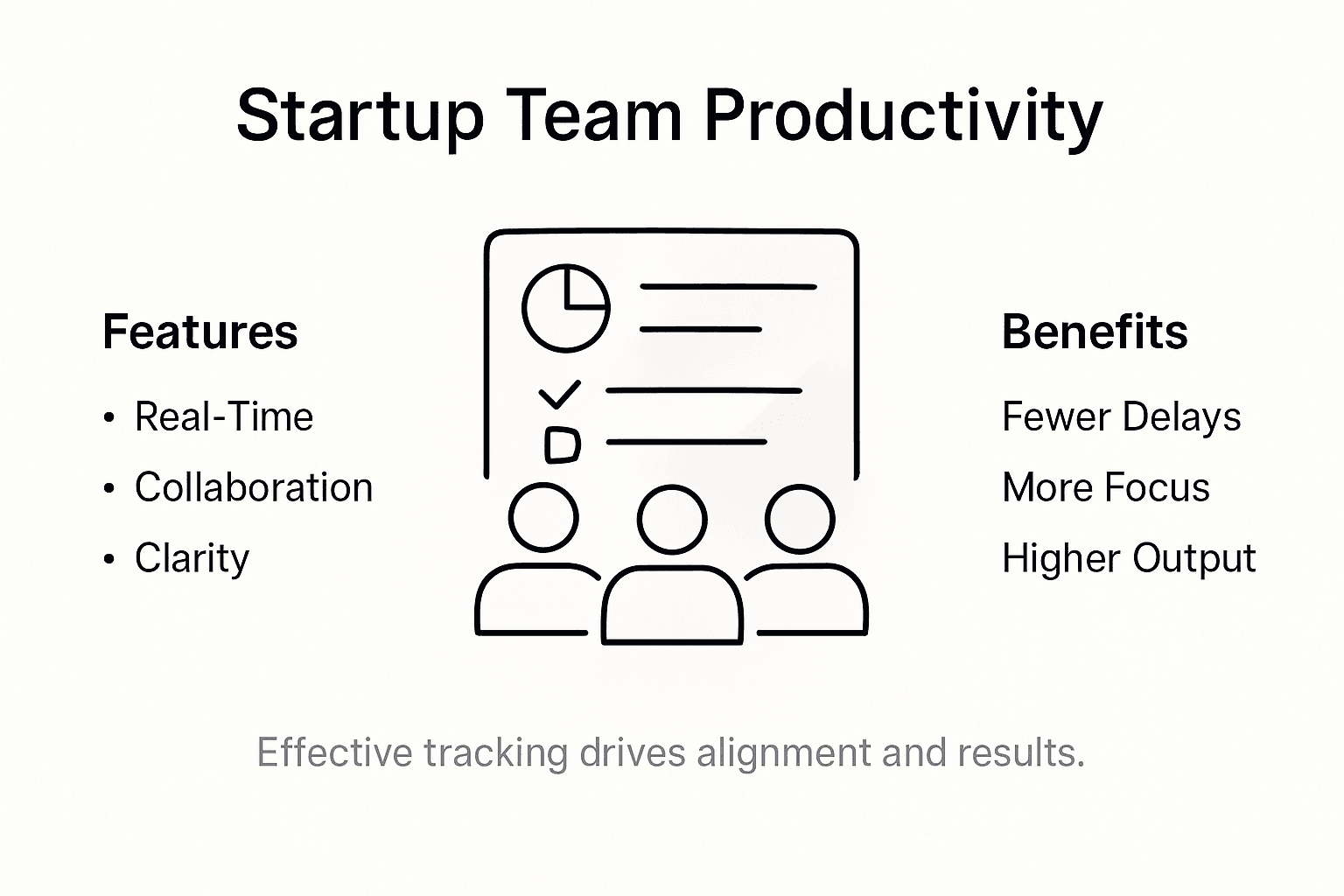
Real-Time Monitoring Benefits
Features like live dashboards and predictive analytics enable faster decision-making and proactive problem-solving for enhanced operational efficiency.
Risks of Poor Tracking
Ineffective tracking can cause miscommunication and reduced accountability, leading to duplicated efforts and decreased team motivation.
Adaptable Tracking Approaches
Select a flexible tracking system that allows for method integration and seamless evolution alongside changing project requirements.
Defining Task Progress Tracking Systems
Task progress tracking systems represent structured methodologies designed to monitor, document, and analyze work activities across professional environments. These systems transform abstract project goals into measurable, trackable components that enable teams to understand their exact performance trajectory. Comprehensive task tracking frameworks allow organizations to break down complex objectives into granular, manageable steps.
At their core, progress tracking systems function as strategic documentation tools that capture critical workflow details. They range from simple spreadsheet-based approaches to sophisticated digital platforms with real-time analytics. The primary objective remains consistent: providing transparent visibility into task completion rates, team productivity, and project milestone achievements. Teams can quickly identify bottlenecks, redistribute workloads, and maintain accountability through these systematic approaches.
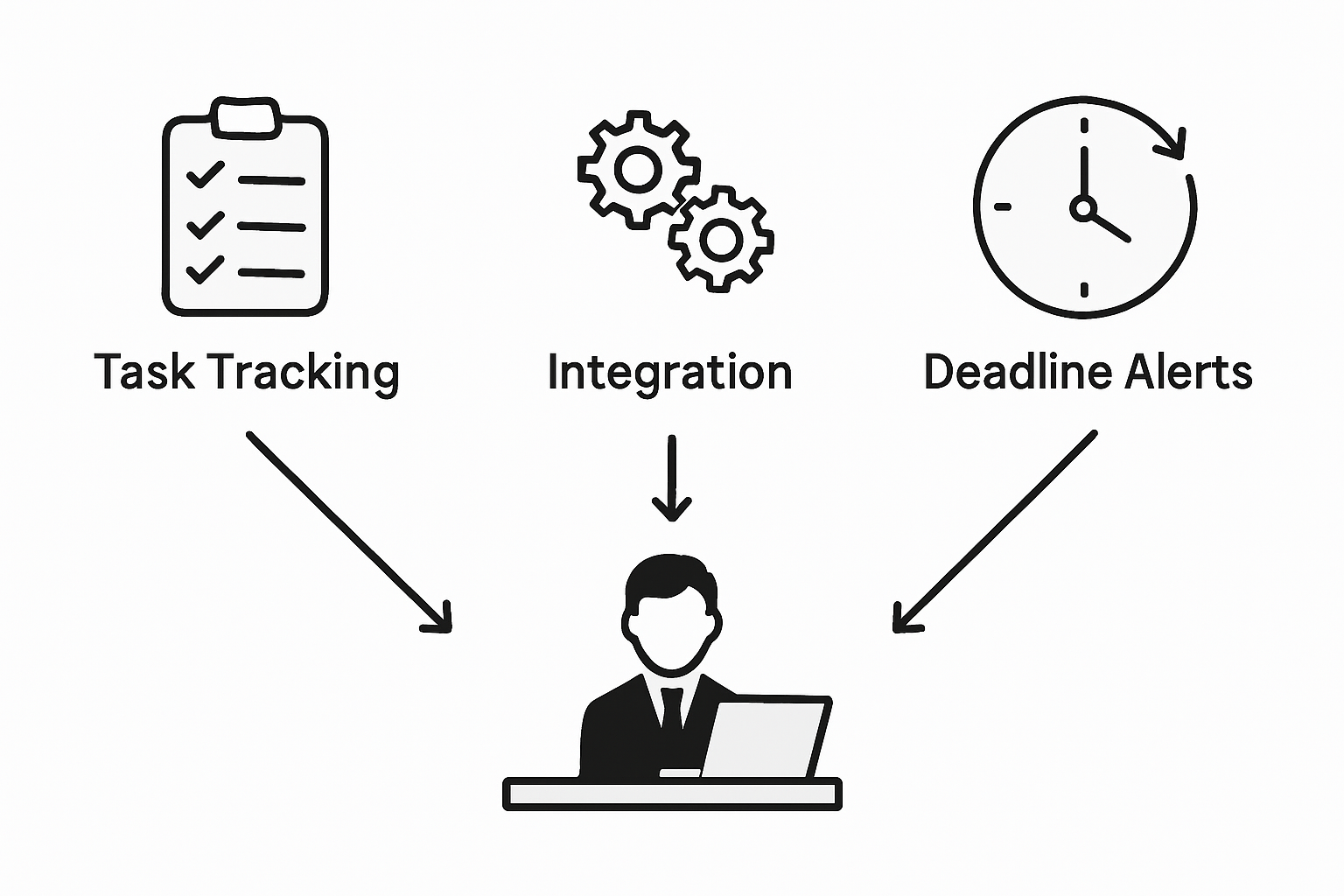
Modern tracking systems integrate multiple components to deliver comprehensive insights. These typically include features like deadline tracking, responsibility assignment, status visualization, and performance metrics. Some advanced platforms even incorporate predictive analytics that help teams anticipate potential delays or resource constraints before they become critical issues. Innovative tracking frameworks now leverage artificial intelligence and machine learning to provide increasingly sophisticated project management capabilities.
Pro Tip: Start Simple: Begin your task tracking journey with a straightforward system that tracks three key elements – task owner, current status, and expected completion date. Gradually add complexity as your team becomes more comfortable with the tracking process.
Key System Components:
Task description
Assigned team member
Current status
Priority level
Expected completion date
Actual completion timestamp
Key Types and Approaches to Tracking
Task tracking approaches represent diverse strategies for monitoring project progression, each offering unique advantages for different organizational needs. Comprehensive tracking methodologies range from milestone-based systems to goal-focused frameworks, enabling teams to capture performance metrics with precision and flexibility. The selection of a tracking approach depends on project complexity, team dynamics, and specific organizational objectives.
Digital tracking systems dominate modern project management landscapes, presenting multiple implementation strategies. Tracking system architectures typically fall into four primary categories: digital project management software, physical task boards, spreadsheet-based solutions, and hybrid models. Each approach provides distinct benefits, from real-time collaboration capabilities to visual workflow representation. Startups often prefer flexible digital platforms that allow rapid adaptation and comprehensive performance visualization.
Here’s a comparison of popular task tracking system types and their business impacts:
System Type
Key Strength
Ideal Use Case
Digital PM Software
Real-time analytics
Large or remote teams
Physical Task Boards
Visual workflow clarity
Small on-site teams
Spreadsheet-based Solutions
Cost-effective flexibility
Freelancers, simple projects
Hybrid Models
Method integration
Growing, evolving startups
The most effective tracking approaches integrate multiple methods to provide holistic project insights. This might include combining time-based tracking with milestone monitoring, enabling teams to understand both granular progress and overarching project trajectory. Advanced systems now incorporate predictive analytics, allowing organizations to forecast potential bottlenecks and proactively manage resource allocation. Machine learning algorithms further enhance these capabilities by identifying patterns and suggesting optimization strategies.
Pro Tip: Flexible Tracking: Choose a tracking system that allows seamless method switching and supports multiple visualization formats. Ensure your chosen approach can evolve alongside your project’s changing requirements.
Tracking Method Spectrum:
Milestone-based tracking
Time-based monitoring
Goal-focused frameworks
Real-time collaborative systems
Predictive performance tracking
Hybrid approach integration
Core Features: Real-Time Monitoring and Reporting
Real-time monitoring represents a transformative approach to project management, enabling teams to track task progression with unprecedented accuracy and immediacy. Advanced progress tracking technologies now deliver instantaneous insights into team performance, breaking down traditional communication barriers and creating transparent, responsive workflows. This approach eliminates delayed reporting cycles, allowing organizations to make data-driven decisions at the moment they become relevant.
The core components of real-time monitoring typically include comprehensive dashboards, instant notification systems, and dynamic progress visualization tools. These features work in concert to provide a holistic view of project status, tracking individual task completion, team productivity, and potential bottlenecks in nanoseconds. Modern tracking systems integrate multiple data points, including time spent, task complexity, individual contributor performance, and resource allocation, creating a nuanced understanding of project dynamics that goes far beyond traditional tracking methods.
Technology has dramatically expanded the capabilities of real-time monitoring, introducing predictive analytics and machine learning algorithms that can anticipate project challenges before they emerge. These sophisticated systems analyze historical performance data, current workflow patterns, and external variables to generate actionable insights. Startup teams can now access granular performance metrics, identify potential delays, redistribute workloads dynamically, and maintain unprecedented levels of operational transparency and efficiency.
This summary outlines how real-time monitoring features drive team performance:
Real-Time Feature
Operational Benefit
Team Impact
Instant status updates
Faster decision-making
Enhanced responsiveness
Live dashboards
Continuous project visibility
Improved transparency
Automated tracking
Reduced manual workload
Higher productivity
Predictive analytics
Early risk detection
Proactive problem solving
Pro Tip: Notification Strategy: Configure your tracking system to send targeted, role-specific notifications that provide meaningful updates without creating information overload. Focus on alerts that require immediate action or represent significant workflow changes.
Key Real-Time Monitoring Features:
Instant task status updates
Live performance dashboards
Automated progress tracking
Predictive bottleneck identification
Customizable alert systems
Cross-team collaboration visualization
Benefits for Team Alignment and Productivity
Team alignment represents a critical competitive advantage for startup environments, where communication and collaborative efficiency can determine organizational success. Strategic progress tracking methodologies enable teams to crystallize shared objectives, clarify individual responsibilities, and create transparent performance expectations. By establishing clear performance metrics and visualization mechanisms, organizations can transform abstract goals into measurable, actionable workflows that drive collective momentum.
The fundamental power of effective tracking systems lies in their ability to foster enhanced communication and mutual accountability. Collaborative tracking approaches help teams visualize task dependencies, prevent potential misunderstandings, and maintain consistent motivation across different work environments. These systems provide real-time insights into project progression, allowing team members to understand how their individual contributions interconnect and support broader organizational objectives. This transparency reduces friction, minimizes duplicate efforts, and creates a more cohesive work culture where everyone understands their role in achieving collective goals.
Productivity gains emerge naturally from well-implemented tracking systems that provide clear performance visibility. By offering granular insights into individual and team performance, these tools enable rapid identification of potential bottlenecks, more efficient resource allocation, and data-driven decision making. Startup teams can quickly adapt to changing priorities, redistribute workloads strategically, and maintain high levels of operational agility. The psychological benefits are equally significant, as team members feel more connected, understood, and motivated when their progress is recognized and their contributions are systematically documented.
Pro Tip: Alignment Strategy: Schedule brief weekly alignment meetings where team members share progress using your tracking system, focusing on collaborative problem solving and mutual support rather than punitive performance reviews.
Key Alignment Benefits:
Enhanced team communication
Clear performance expectations
Reduced organizational friction
Improved resource allocation
Increased individual accountability
Transparent goal visualization
Risks of Poor Tracking and Common Pitfalls
Project tracking failures can undermine startup team performance with devastating consequences, transforming potentially successful initiatives into organizational nightmares. Systematic project tracking challenges emerge from fundamental communication breakdowns, blurred responsibilities, and inconsistent documentation practices. These risks compound quickly, creating cascading problems that can derail entire organizational efforts and destroy team morale.
The most significant risks associated with poor tracking include chronic miscommunication, resource misallocation, and widespread confusion about project priorities. When teams lack clear tracking mechanisms, individual team members operate in isolation, leading to duplicated efforts, conflicting workflows, and substantial time waste. Critical project milestones become moving targets, accountability dissolves, and team members struggle to understand their precise roles and contributions. This environment breeds frustration, reduces overall productivity, and creates an atmosphere of uncertainty that can rapidly erode team cohesion.
Technology and human factors intersect dramatically in tracking system failures. Inadequate tracking tools often result from either over-complicated systems that overwhelm team members or overly simplistic approaches that fail to capture nuanced project dynamics. Some organizations implement tracking mechanisms that feel punitive rather than supportive, causing team members to view progress monitoring as a threat instead of a collaborative tool. The psychological impact can be profound, potentially creating defensive behaviors that further obstruct transparent, productive communication and genuine performance improvement.
Pro Tip: Tracking Calibration: Regularly review and adjust your tracking approach, soliciting direct feedback from team members about what works and what feels burdensome in your current system.
Primary Tracking Failure Risks:
Miscommunication
Duplicated work efforts
Blurred team responsibilities
Reduced accountability
Decreased team motivation
Inefficient resource allocation
Streamline Your Startup’s Task Progress Tracking Today
The challenges of unclear task ownership, real-time monitoring, and preventing miscommunication are significant hurdles for any startup team looking to improve their productivity and alignment. If you are dealing with risks like duplicated work or blurred responsibilities discussed in “Why Track Task Progress: Boosting Startup Teams,” then it is time to embrace a smarter system that brings clarity and actionable insights into every project phase. Using terms like real-time monitoring, predictive analytics, and collaborative workflows from the article, you can create a transparent task management environment that drives accountability and boosts team engagement.
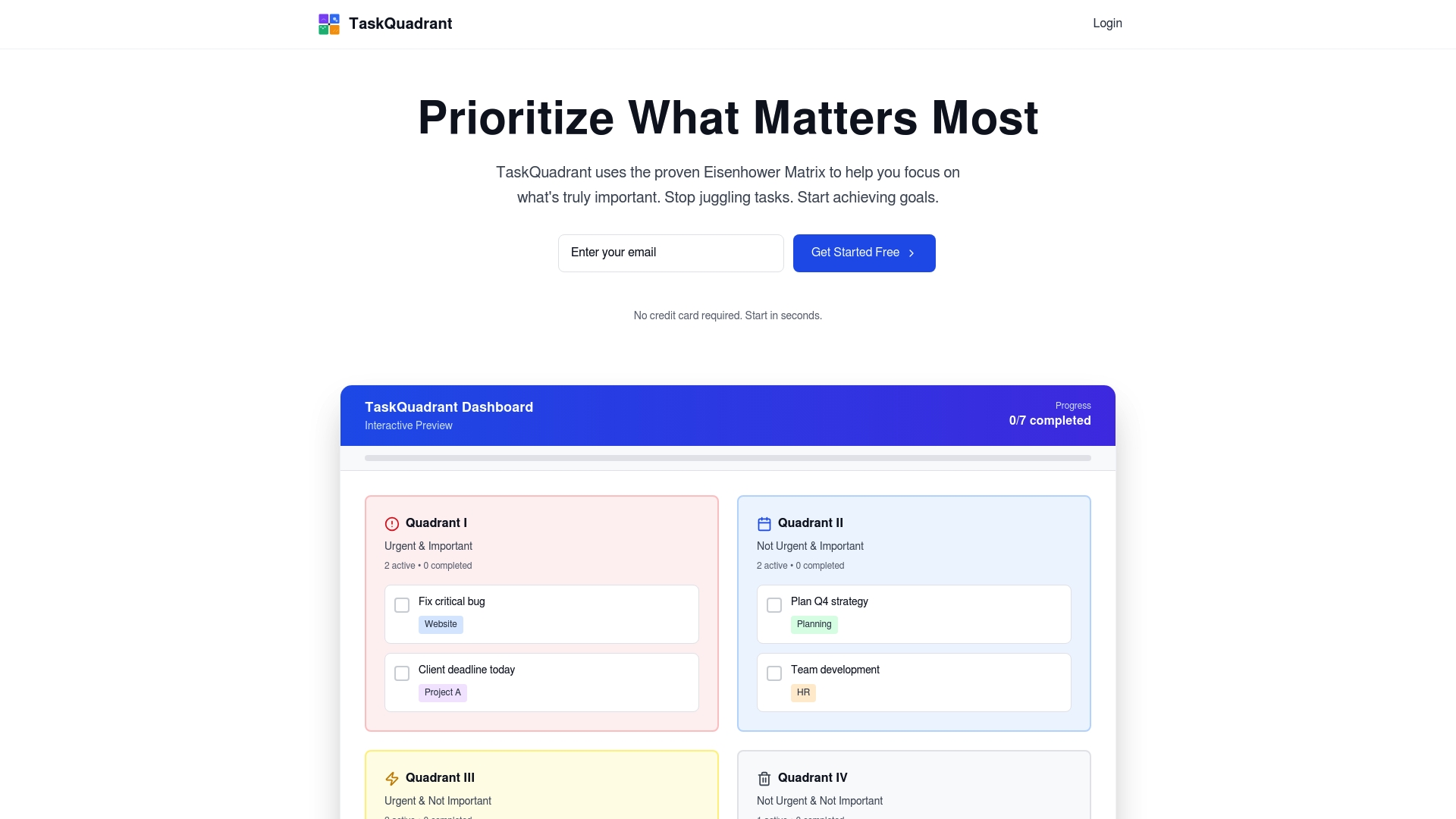
Discover how TaskQuadrant.io, a powerful SaaS platform, can transform your startup’s workflow by organizing tasks visually with the Eisenhower Matrix, tracking progress via intuitive dashboards, and automating repetitive activities. Whether you want to reduce decision fatigue, clarify performance expectations, or align your team around shared goals, our simple and fast onboarding system is built for startups ready to scale. Take control of your project timelines, avoid costly pitfalls, and keep your team motivated by exploring more about progress tracking through visual dashboards and goal-oriented project organization with TaskQuadrant.io.
Start today and experience a new level of productivity that keeps your startup moving forward with confidence.
Frequently Asked Questions
What are task progress tracking systems?
Task progress tracking systems are structured methodologies designed to monitor, document, and analyze work activities, transforming project goals into measurable components for effective team performance evaluation.
How can real-time monitoring benefit my startup team?
Real-time monitoring provides instantaneous insights into task progression, enhancing decision-making, transparency, and responsiveness within teams, ultimately leading to improved operational efficiency and productivity.
What are the key features of an effective tracking system?
An effective tracking system typically includes task descriptions, assigned team members, current statuses, priority levels, expected completion dates, and real-time progress visualizations to facilitate team collaboration and accountability.
What risks can arise from poor task tracking?
Poor task tracking can lead to chronic miscommunication, resource misallocation, decreased team motivation, and overall project chaos, undermining the potential success of initiatives and harming team morale.
Nearly every American tech team faces a familiar challenge—inefficient task management leads to missed deadlines and wasted effort. For project managers in fast-moving companies, the difference between chaos and clarity often comes down to the tools used for work prioritization. Task management platforms are changing the game by delivering focused interfaces and collaboration features that help teams worldwide improve productivity and regain control over complex workflows.
These platforms streamline work organization, enabling teams to collaborate effectively and track performance without information overload.
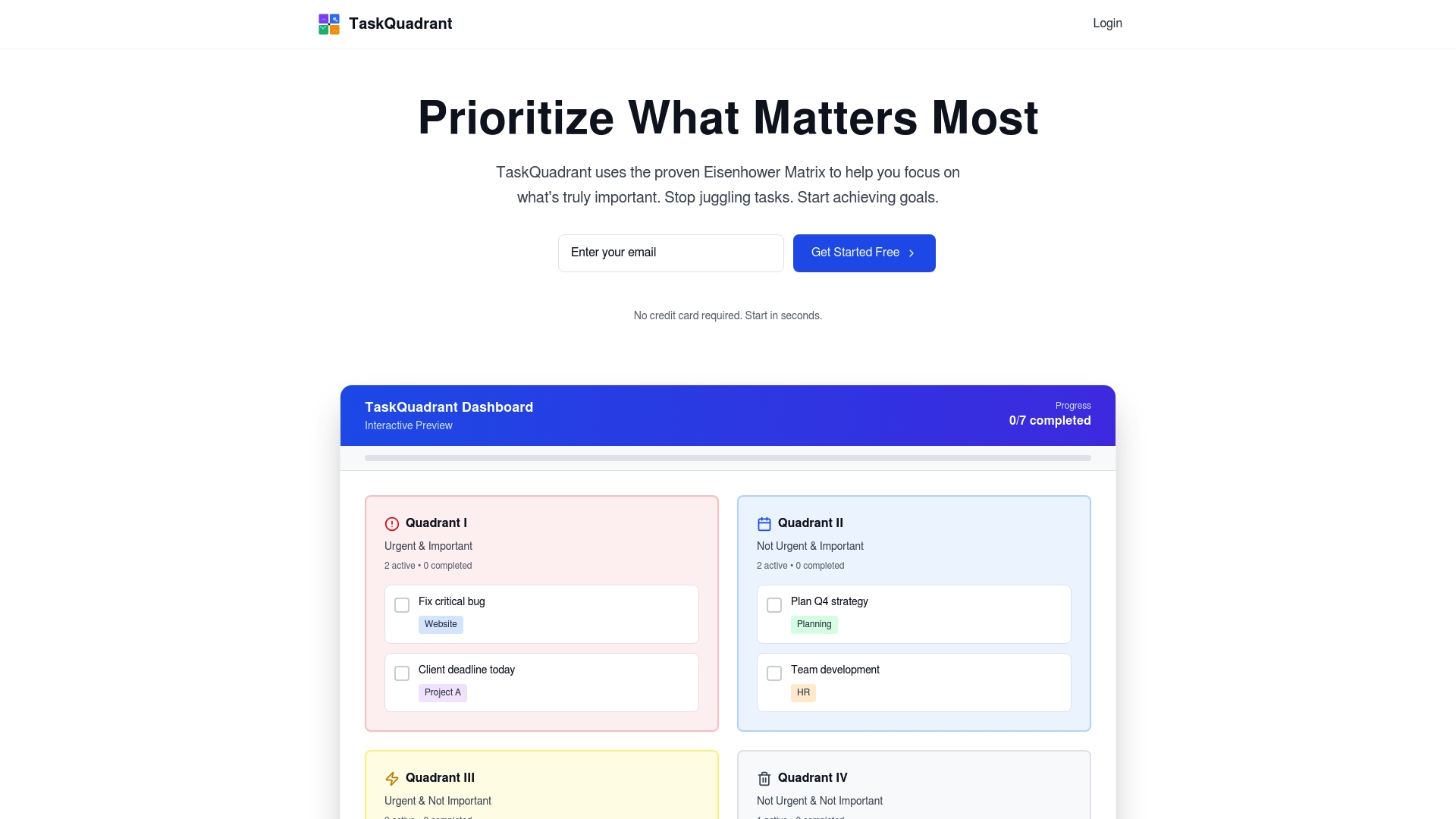
Eisenhower Matrix for Task Prioritization
Implementing this matrix helps professionals categorize tasks based on urgency and importance, improving decision-making and workflow efficiency.
Advanced Features for Effective Management
Features like real-time communication, analytics, and resource allocation optimize team performance and enhance strategic task execution.
Risks and Best Practices
To maximize platform effectiveness, organizations must address adoption challenges, ensure thorough training, and periodically assess platform relevance.
Defining Task Management Platforms and Their Purpose
Task management platforms represent sophisticated digital ecosystems designed to transform how professional teams organize, prioritize, and execute work. These technological solutions go beyond simple to-do lists, offering complex infrastructures that enable strategic workflow coordination and productivity optimization. Modern task management platforms recognize that effective work management requires more than tracking tasks – they facilitate comprehensive team collaboration and performance tracking.
At their core, these platforms provide a task-focused interface that makes tasks the primary unit of interaction, reducing information overload by presenting only relevant information for current work objectives. By centralizing task creation, assignment, tracking, and completion, these systems eliminate communication bottlenecks and provide transparent visibility into team progress. Key functionalities typically include task categorization, priority setting, deadline tracking, collaboration features, and performance analytics.
Effective task management platforms recognize the nuanced requirements of professional teams. They support multiple project types, from sprint-based software development to long-term strategic initiatives. Advanced platforms integrate features like time tracking, resource allocation, workload balancing, and real-time communication channels. These comprehensive tools transform task management from a mechanical tracking process into a strategic organizational capability that drives team performance and individual productivity.
Pro Tip: Implement a consistent task categorization method using urgency and importance matrices to help your team quickly distinguish between critical and low-priority work, reducing decision fatigue and improving overall workflow efficiency.
Task Categorization Methods and the Eisenhower Matrix
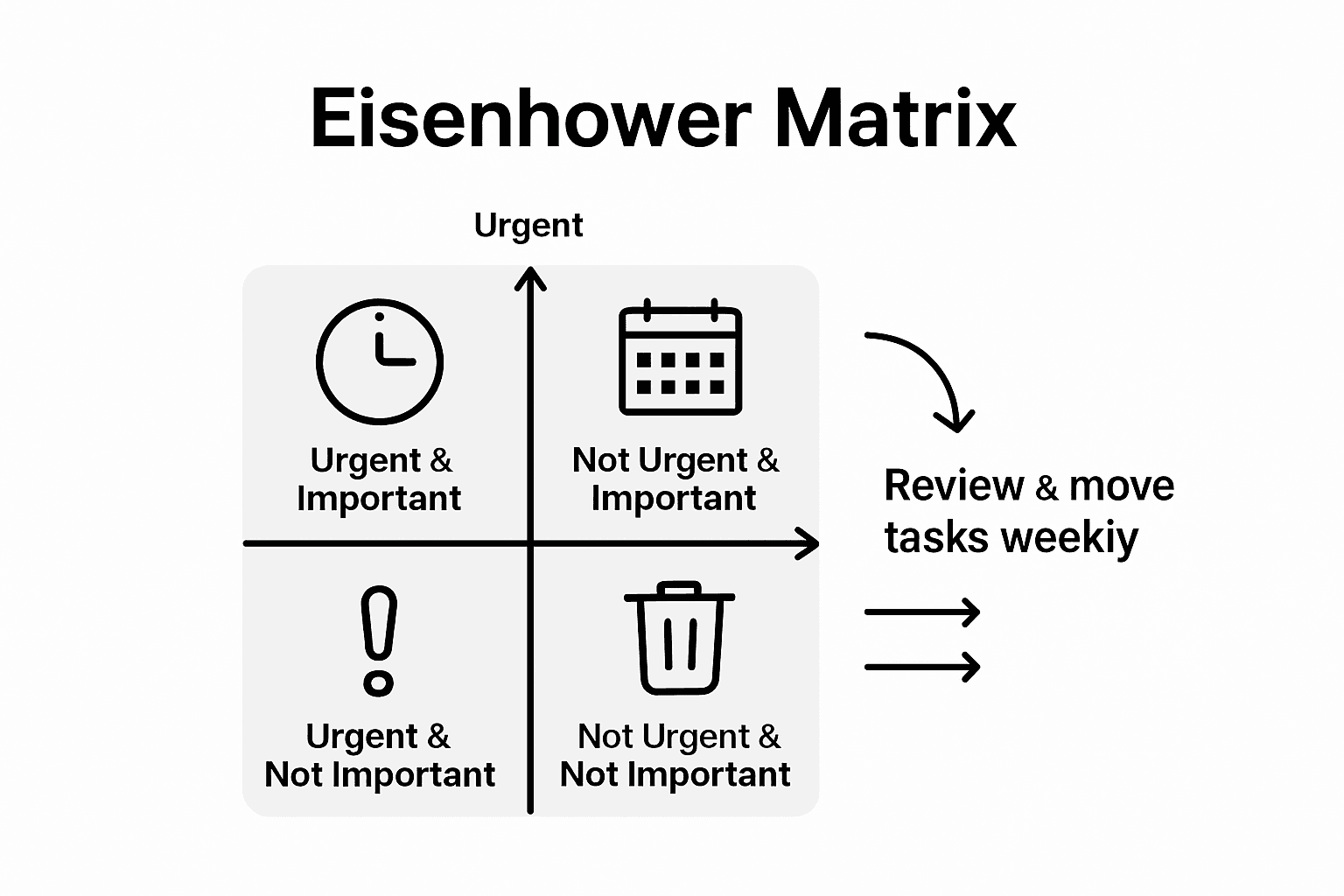
Implementing the Eisenhower Matrix requires a nuanced understanding of task evaluation. The first quadrant (Do) focuses on critical tasks that demand immediate attention and have significant consequences. The second quadrant (Schedule) includes strategic activities that contribute to long-term goals but do not require immediate action. The third quadrant (Delegate) captures urgent tasks that can be effectively handled by team members, while the fourth quadrant (Delete) helps eliminate time-wasting activities that provide minimal value to overall productivity.
Here’s a summary of how the Eisenhower Matrix quadrants guide decision-making:
Quadrant
Urgency
Importance
Recommended Action
Do
High
High
Complete immediately
Schedule
Low
High
Plan for future effort
Delegate
High
Low
Assign to another team member
Delete
Low
Low
Eliminate from workload
Pro Tip: Conduct a weekly review of your task matrix, reassessing each quadrant to ensure you’re consistently focusing on high-impact activities and strategically managing your workload for maximum efficiency.
Core Features Powering Team Productivity
Modern task management platforms integrate sophisticated features designed to dramatically enhance team performance and workflow efficiency. Task-focused interfaces play a critical role by presenting only the subset of information relevant to current tasks, effectively reducing information overload and enabling team members to concentrate on their specific responsibilities without unnecessary distractions.
Advanced task management platforms go beyond basic tracking by offering intelligent analytics and reporting capabilities. These features provide deep insights into team performance, individual productivity, time allocation, and project progress. Sophisticated platforms incorporate machine learning algorithms that can predict potential bottlenecks, recommend optimal task assignments, and help managers make data-driven decisions about resource allocation and workflow optimization.
Pro Tip: Implement a monthly team audit of your task management platform’s analytics, identifying patterns in productivity, communication gaps, and potential areas for process improvement to continuously refine your team’s operational efficiency.
Real-World Applications in Tech Teams
Tech teams leverage task management platforms to transform complex project workflows, creating sophisticated ecosystems that streamline collaboration, track performance, and optimize team productivity. These platforms have become essential tools for software development teams, enabling precise task allocation, real-time communication, and comprehensive project tracking across distributed and hybrid work environments.
Software Development Workflows benefit significantly from advanced task management solutions. Task-focused interfaces help developers manage intricate codebases by presenting only the most relevant code portions, dramatically reducing cognitive load and improving individual and team productivity. These platforms support agile methodologies like Scrum and Kanban, allowing engineering teams to break down complex projects into manageable sprints, track individual and team progress, and maintain transparency throughout the development lifecycle.
Beyond traditional project tracking, modern task management platforms provide sophisticated analytics that offer deep insights into team dynamics. These tools enable tech leaders to understand individual and collective performance patterns, identify potential bottlenecks, optimize resource allocation, and make data-driven decisions about team composition, skill development, and project prioritization. Features like automated time tracking, skill mapping, and predictive workload analysis help organizations create more efficient and responsive software development ecosystems.
Pro Tip: Implement a weekly cross-team retrospective using your task management platform’s analytics, encouraging open discussions about workflow improvements, identifying communication gaps, and continuously refining your team’s collaborative processes.
Risks, Limitations, and Best Practices
Task management platforms, while powerful, are not without potential challenges that organizations must carefully navigate. Task-focused interfaces can inadvertently create information blind spots by presenting only a subset of available data, potentially leading to critical oversights if not implemented with strategic nuance. The risk of tunnel vision emerges when platforms filter information too aggressively, potentially causing teams to miss important contextual details that could impact project outcomes.
Adoption Challenges represent another significant consideration for organizations implementing new task management systems. Successful integration requires comprehensive user training, seamless workflow alignment, and addressing potential resistance to technological change, which can create friction during implementation. Key limitations often stem from insufficient onboarding, lack of customization options, and failure to align the platform’s capabilities with specific team dynamics and organizational requirements.
To mitigate risks and maximize platform effectiveness, organizations must develop a holistic implementation strategy. This approach involves conducting thorough needs assessments, selecting platforms with flexible configuration options, providing extensive user training, and establishing clear guidelines for platform usage. Critical best practices include maintaining transparent communication about platform expectations, creating feedback mechanisms for continuous improvement, and periodically reassessing the platform’s alignment with evolving team and organizational needs.
Pro Tip: Conduct a quarterly platform effectiveness audit, gathering structured feedback from team members about usability, identifying potential workflow bottlenecks, and making incremental adjustments to ensure continued platform relevance and team productivity.
Comparing Task Management Platforms and Alternatives
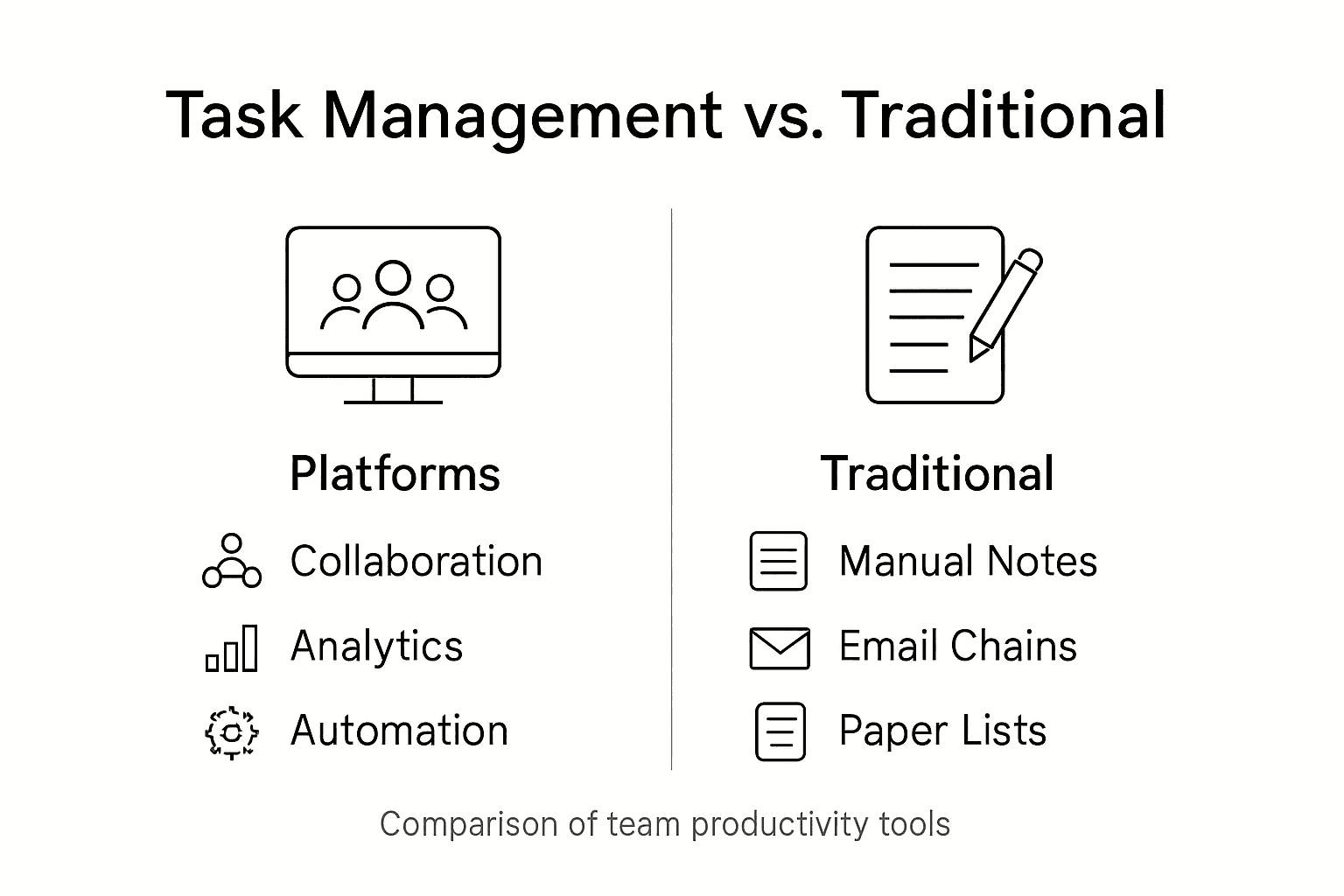
Task management platforms represent a paradigm shift from traditional productivity tools, offering comprehensive ecosystems that go far beyond simple checklist applications. Traditional alternatives like spreadsheets, email-based task tracking, and basic project management software lack the sophisticated collaborative and analytical capabilities of modern task management platforms, which integrate real-time communication, performance tracking, and intelligent workflow optimization.
Comparative Functionality reveals significant distinctions between task management platforms and legacy alternatives. Unlike file-based systems that organize work around documents and folders, modern platforms prioritize tasks as the primary unit of interaction, dramatically reducing information overload and enhancing team focus. Key differentiators include advanced features like automated task prioritization, cross-team collaboration tools, machine learning-powered insights, and integrated communication channels that traditional alternatives cannot match.
The evolution of task management platforms has transformed them from simple tracking tools to strategic productivity ecosystems. While spreadsheets and basic project management software offer rudimentary task tracking, contemporary platforms provide holistic workflow solutions. These advanced systems integrate multiple dimensions of work management, including real-time collaboration, predictive analytics, resource allocation optimization, performance tracking, and seamless communication tools that create a unified work environment far more sophisticated than disjointed traditional alternatives.
This table compares advanced task management platforms with traditional alternatives:
Criteria
Task Management Platforms
Traditional Methods
Collaboration Tools
Built-in chat, sharing
Email, scattered files
Real-Time Visibility
Instant task progress
Manual status updates
Analytics & Reporting
Automated performance insights
Little to no analytics
Workflow Optimization
AI and automation
Manual adjustment
Pro Tip: Conduct a comprehensive feature comparison across potential task management platforms, evaluating not just current capabilities but also scalability, integration potential, and alignment with your specific team’s workflow requirements.
Unlock True Team Productivity with Strategic Task Prioritization
The article highlights common challenges teams face such as information overload, decision fatigue, and inefficient task categorization. It explains how leveraging frameworks like the Eisenhower Matrix can transform work management by prioritizing tasks based on urgency and importance. If you are struggling to streamline your workflow, avoid bottlenecks, or clearly visualize project progress, these pain points show why a focused, intuitive task management platform is essential.
TaskQuadrant.io directly addresses these challenges by merging the power of the Eisenhower Matrix with user-friendly technology. Whether you manually input tasks or generate them through visual mind maps, our platform automatically organizes your workload into the four critical quadrants ensuring you prioritize what truly matters every day. With progress tracking via dynamic dashboards and features such as recurring task automation and Gantt chart visualizations, TaskQuadrant empowers you to reduce decision fatigue and keep your team on track effortlessly.
Boost your productivity today by exploring how TaskQuadrant.io simplifies complex project workflows.
Experience the clarity of strategic task management and start achieving your goals faster. Visit TaskQuadrant.io now to begin your free trial and discover productivity aligned with your priorities.
Frequently Asked Questions
What are task management platforms?
Task management platforms are digital tools designed to help teams organize, prioritize, and execute work efficiently. They enable better collaboration and performance tracking beyond simple to-do lists.
How does the Eisenhower Matrix help with task prioritization?
The Eisenhower Matrix is a time-management framework that categorizes tasks based on their urgency and importance, allowing individuals and teams to make informed decisions about what to do, schedule, delegate, or eliminate.
What core features should I look for in a task management platform?
Key features to consider include task categorization, priority setting, deadline tracking, collaboration tools, real-time communication, and performance analytics to enhance team productivity.
What are some risks associated with using task management platforms?
Potential risks include information blind spots due to overly focused interfaces, challenges with user adoption, insufficient training, and alignment issues between platform capabilities and team needs.
Most advice about workflow improvement overlooks a vital truth. Many American businesses spend hours every week on repetitive tasks that could be handled in minutes with the right automation. Streamlining work through automated task management not only saves time but also reduces stress and human error. This guide explains how you can harness cutting-edge tools and smart strategies to make your daily operations more efficient and less overwhelming.
Streamlining work processes through technology allows organizations to reduce manual intervention and improve productivity significantly.
Types of Automation Solutions
Task automation encompasses various approaches including Rule-Based Automation and AI-Powered Automation, each suited for different operational needs.
Benefits for Teams
Automation enhances collaboration, optimizes resource allocation, and reduces stress, leading to greater team efficiency and productivity.
Common Pitfalls
Organizations must avoid risks like over-automation and inadequate training by implementing gradual automation with human oversight to ensure effective transition.
Defining Automated Task Management Workflows
Automated task management workflows represent a strategic approach to streamlining work processes through technological integration and intelligent task restructuring. At its core, this methodology transforms how organizations handle complex operational activities by systematically mapping computational management procedures that reduce manual intervention and optimize productivity.
The fundamental framework of automated task management involves three critical components: task identification, workflow mapping, and intelligent automation. By breaking down complex processes into discrete, manageable steps, professionals can leverage technology to handle repetitive tasks, minimize human error, and allocate human resources toward higher-value strategic activities. Scientific workflow systems provide a comprehensive terminology that helps organizations understand how interdependent computational tasks can be seamlessly integrated and managed.
Key characteristics of effective automated task management workflows include:
Modular task design that allows for easy reconfiguration
Clear decision points and conditional logic
Integration capabilities with existing technological ecosystems
Real-time tracking and performance monitoring
Scalable architecture that adapts to changing organizational needs
Pro Tip – Workflow Optimization: Start by mapping your current manual processes visually, identifying bottlenecks and repetitive tasks before implementing any automation solution. This strategic approach ensures you automate the right activities and create meaningful efficiency gains.
Types of Task Automation Solutions
Task automation solutions have evolved dramatically, offering organizations sophisticated tools to streamline complex workflows and enhance operational efficiency. Modular approaches like ‘Flow’ demonstrate the potential for dynamic workflow generation, enabling systems to adapt and adjust tasks in real-time based on emerging challenges and organizational needs.
The primary categories of task automation solutions include:
Rule-Based Automation: Predefined workflows with clear conditional logic
AI-Powered Automation: Intelligent systems that learn and optimize processes
Robotic Process Automation (RPA): Software bots that mimic human interactions with digital systems
Cognitive Automation: Advanced systems that integrate machine learning and decision-making capabilities
Proactive management mechanisms with uncertainty-aware algorithms represent a cutting-edge approach to task automation. These solutions go beyond simple task execution by incorporating sophisticated resource selection and scheduling strategies that can handle complex computational environments.
Effective task automation solutions typically feature:
Below is a summary comparing the main types of task automation solutions and their ideal business uses:
Solution Type
Typical Technologies
Best Use Case
Key Advantage
Rule-Based Automation
Workflow engines
Routine approvals and validations
Reliable, predictable
AI-Powered Automation
Machine learning, NLP
Dynamic, data-driven decisions
Learns and adapts
Robotic Process Automation
Bots, macros
High-volume data entry tasks
Fast, scalable execution
Cognitive Automation
Advanced AI, deep learning
Unstructured, complex process flows
Handles ambiguity
Seamless integration with existing technological infrastructure
Scalable architectures that grow with organizational complexity
Advanced analytics and performance tracking
Customizable workflows that adapt to specific business requirements
Intelligent error detection and self-correction mechanisms
Pro Tip – Automation Strategy: Start with low-complexity, high-repetition tasks when implementing automation solutions to build organizational confidence and demonstrate tangible productivity gains before scaling to more complex workflows.
How Automation Works in Task Prioritization
Task prioritization automation transforms how professionals manage complex workloads by introducing intelligent decision-making algorithms that dynamically assess and rank tasks. Analytical Hierarchy Process (AHP) techniques enable sophisticated multi-criteria task evaluation, allowing systems to analyze tasks beyond simple time-based scheduling and consider nuanced factors like strategic importance, resource requirements, and potential impact.
The core mechanisms of automated task prioritization involve several sophisticated strategies:
Contextual Assessment: Evaluating tasks within broader organizational goals
Dynamic Weighting: Adjusting task priorities based on real-time changes
Dependency Mapping: Understanding interconnections between different tasks
Resource Optimization: Allocating computational and human resources efficiently
Effective task prioritization automation typically incorporates:
Machine learning algorithms for predictive task ranking
Real-time performance tracking and adjustment mechanisms
Customizable priority rules aligned with organizational objectives
Transparent decision-making processes
Adaptive learning capabilities that improve over time
Pro Tip – Priority Calibration: Regularly review and recalibrate your automation rules to ensure they continue to reflect your evolving business priorities and organizational goals.
For busy professionals, automation delivers critical advantages:
Eliminates repetitive administrative work
Provides data-driven insights for decision making
Supports remote and distributed team collaboration
Enables consistent performance monitoring
Facilitates continuous productivity improvement
Pro Tip – Automation Adoption: Start by automating low-complexity, high-frequency tasks to build team confidence and demonstrate immediate productivity gains before expanding to more complex workflow automation.
Maintaining human oversight and intervention capabilities
Investing in continuous employee reskilling and training
Developing flexible workflow architectures
Creating feedback mechanisms for system improvement
Pro Tip – Risk Mitigation: Regularly conduct comprehensive audits of your automated systems, focusing on identifying potential failure points and creating contingency plans before they become critical issues.
Manual vs. Automated Task Management Compared
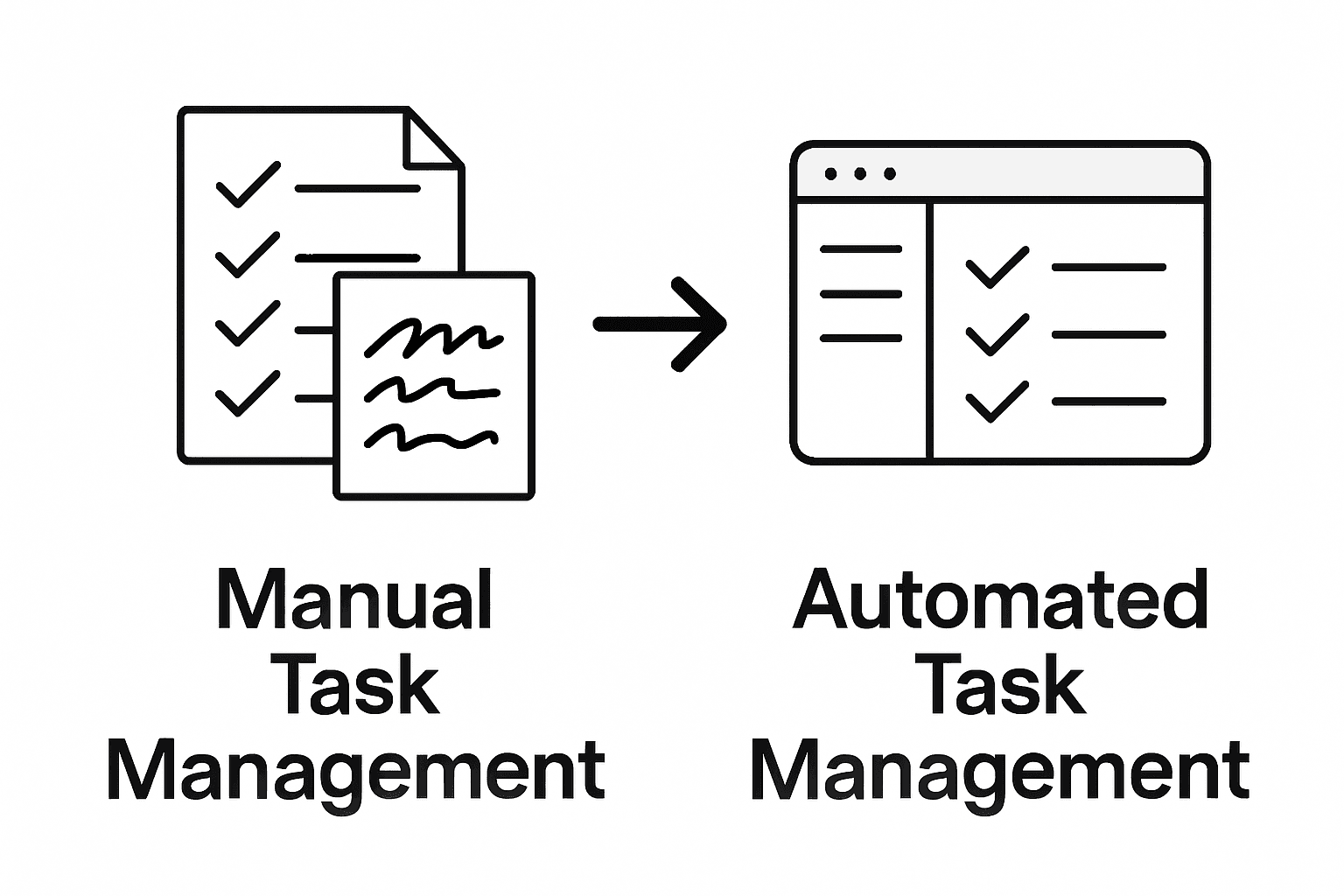
Time and motion studies reveal fundamental differences between manual and automated task management approaches, highlighting the transformative potential of technological intervention in workplace productivity. While manual methods rely heavily on individual effort and cognitive processing, automated systems introduce unprecedented efficiency and precision.
Key comparative aspects between manual and automated task management include:
Processing Speed: Automated systems complete tasks exponentially faster
Error Rate: Significant reduction in human error with automation
Scalability: Automated solutions can handle increasingly complex workloads
Consistency: Uniform task execution without human variability
Resource Allocation: More strategic deployment of human intelligence
Pro Tip – Transition Strategy: Begin automation implementation with low-complexity, high-volume tasks to build organizational confidence and demonstrate immediate productivity gains before scaling to more complex workflows.
Unlock True Productivity with Smart Task Automation
Struggling with manual task prioritization and overwhelmed by complex workflows You are not alone. This article highlights key challenges like inefficient task management, decision fatigue, and the need for dynamic prioritization. Concepts such as automated task prioritization and workflow mapping resonate with the daily struggles professionals face in managing urgency and importance effectively. TaskQuadrant.io specializes in transforming these challenges into opportunities by applying the proven Eisenhower Matrix methodology to simplify prioritization and boost productivity.
Experience how TaskQuadrant.io empowers busy professionals and teams by automating task categorization and progress tracking with visually intuitive dashboards and Gantt charts. Start managing your tasks according to urgency and importance so you can focus on what truly matters. Don’t let repetitive scheduling drain your energy Act now to streamline your workflows and watch your productivity soar by visiting TaskQuadrant.io and discover the power of effortless task prioritization today.
Frequently Asked Questions
What are the benefits of automating task management?
Automating task management delivers several benefits, including time optimization, enhanced collaboration, strategic resource allocation, real-time performance tracking, and stress reduction for busy professionals and teams.
How can automation improve task prioritization?
Automation enhances task prioritization by using intelligent algorithms that dynamically assess and rank tasks based on factors like strategic importance and resource requirements, ensuring critical activities get immediate attention.
What are the main types of task automation solutions?
The primary types of task automation solutions include rule-based automation, AI-powered automation, robotic process automation (RPA), and cognitive automation, each with specific use cases and advantages for different organizational needs.
What common pitfalls should be avoided when implementing automation?
Common pitfalls in task management automation include over-automation, inflexible workflows, inadequate training, poor integration with existing systems, and neglecting human factors. To mitigate these risks, organizations should maintain oversight, invest in training, and develop flexible systems.
Over 60 percent of American professionals identify task overload as their biggest productivity barrier. Rapid workdays and endless to-do lists make it easy to fall into the trap of doing more but achieving less. Discover proven strategies that help American workers manage priorities, set realistic deadlines, and maximize efficiency—turning chaotic schedules into clear action plans that drive meaningful results.
Categorize tasks by urgency and importance to focus on high-impact activities.
2. Break Projects Into Steps
Decompose large tasks into smaller, manageable actions for better progress.
3. Set Realistic Deadlines
Establish achievable timelines that motivate without overwhelming you.
4. Automate and Delegate Tasks
Identify repetitive tasks to delegate or automate for greater efficiency.
5. Regularly Review Priorities
Reassess your tasks and goals frequently to stay aligned with changing circumstances.
1. Prioritize Tasks Using the Eisenhower Matrix
Busy professionals constantly struggle with task overload, but the Eisenhower Matrix offers a powerful solution for strategic time management. This method transforms how you approach productivity by categorizing tasks based on their urgency and importance, helping you focus on what truly matters.
The matrix divides your workload into four critical quadrants, creating a simple yet profound framework for decision making. Professional task management strategies demonstrate that this approach allows you to quickly assess which tasks deserve immediate attention and which can be reconsidered or eliminated.
Here’s how the quadrants break down:
Quadrant 1: Do Immediately
Urgent and important tasks
Requires immediate action
Examples: Critical deadlines, emergencies, important meetings
Quadrant 2: Schedule
Important but not urgent tasks
Requires planned time allocation
Examples: Strategic planning, skill development, relationship building
Quadrant 3: Delegate
Urgent but not important tasks
Can be assigned to others
Examples: Some emails, routine administrative work
Quadrant 4: Delete
Neither urgent nor important tasks
Should be eliminated
Examples: Excessive social media browsing, unnecessary meetings
By systematically categorizing your tasks, you create a visual roadmap that prevents burnout and ensures you invest your energy in high impact activities. This approach helps professionals shift from reactive task management to proactive goal achievement.
Pro tip: Review your task list at the start of each week and intentionally move items between quadrants as priorities shift. Flexibility is key to effective time management.
2. Break Down Projects Into Manageable Steps
Successful project completion starts with transforming complex challenges into bite sized tasks that feel approachable and achievable. Task decomposition techniques reveal that breaking down large projects into smaller actionable steps dramatically improves productivity and reduces overwhelm.
Most professionals struggle with massive projects that seem insurmountable at first glance. The key is to deconstruct these complex initiatives into clear actionable components that can be systematically addressed. Think of this approach like building a house one brick at a time rather than attempting to construct the entire structure simultaneously.
Effective Project Breakdown Strategy:
Start with the End Goal
Clearly define your ultimate project objective
Visualize the completed project in detail
Work backward from the final destination
Identify Major Milestones
Create 3-5 significant checkpoints
Outline broad categories of work required
Establish realistic timelines for each milestone
Segment Milestones into Specific Tasks
Break each milestone into 3-7 concrete actions
Make tasks specific and measurable
Assign estimated time requirements
Prioritize and Sequence Tasks
Determine logical task order
Identify dependencies between tasks
Create a sequential workflow
Estimate Resource Requirements
Assess skills needed for each task
Allocate necessary tools and support
Identify potential bottlenecks in advance
By systematically deconstructing complex projects into manageable steps, you transform overwhelming challenges into structured pathways to success. This approach reduces psychological barriers and creates momentum through consistent progress.
Pro tip: Use visual project management tools that allow drag and drop task organization, helping you continuously refine and adjust your project breakdown as you progress.
3. Set Clear and Achievable Deadlines
Deadlines are the heartbeat of productivity, transforming abstract goals into concrete achievements. Goal setting strategies reveal that well structured deadlines dramatically increase motivation and performance.
The art of setting achievable deadlines is more nuanced than simply marking a date on the calendar. Professionals must craft deadlines that are challenging yet realistic, creating a sense of urgency without inducing paralyzing stress.
Effective Deadline Setting Framework:
Assess Task Complexity
Evaluate the total scope of work required
Consider potential obstacles and contingencies
Estimate realistic time needed for completion
Break Down Intermediate Milestones
Create smaller checkpoints within the larger deadline
Assign specific dates for each milestone
Build buffer time for unexpected challenges
Use the SMART Criteria
Specific: Clearly define what needs to be accomplished
Measurable: Establish concrete criteria for progress
Achievable: Ensure the goal is within realistic reach
Relevant: Align deadline with broader project objectives
Time Bound: Set a precise target date
Implement Accountability Mechanisms
Share deadlines with teammates or supervisors
Use visual tracking tools
Schedule regular progress check ins
Build Flexibility Into Your Timeline
Allow 15 20% buffer time for unexpected complications
Create contingency plans for potential delays
Be prepared to adjust timelines strategically
By transforming deadlines from rigid constraints to dynamic planning tools, you create a powerful framework for consistent professional achievement. The goal is not perfection but steady, purposeful progress.
Pro tip: Color code your deadlines using red for critical tasks, yellow for important tasks, and green for flexible tasks to visually prioritize your workflow.
4. Automate and Delegate Recurring Tasks
Professional productivity hinges on recognizing which tasks consume your time without generating meaningful value. Task delegation strategies reveal that systematically automating and delegating recurring tasks can dramatically free up your mental bandwidth for high impact work.
Most professionals waste countless hours performing repetitive tasks that could be easily automated or assigned to team members with appropriate skills. The key is identifying these tasks and implementing smart systems that minimize your direct involvement.
Strategic Task Automation Framework:
Identify Repetitive Tasks
Track time spent on routine activities
List tasks performed weekly or monthly
Recognize patterns in your workflow
Evaluate Automation Potential
Determine which tasks have standardized processes
Look for digital tools that can replace manual work
Consider software with recurring task capabilities
Select Appropriate Delegation Targets
Identify tasks that do not require your specific expertise
Match tasks to team members skills
Establish clear instructions and expectations
Implement Robust Tracking Systems
Use project management platforms
Create templates for recurring assignments
Set up automated notifications and reminders
Develop Clear Delegation Protocols
Document task requirements precisely
Establish performance benchmarks
Create feedback loops for continuous improvement
By systematically removing low value tasks from your personal workflow, you create space for strategic thinking and high impact professional growth. Automation and delegation are not about working less but about working smarter.
Pro tip: Conduct a quarterly review of your recurring tasks to continuously refine your automation and delegation strategies, ensuring maximum efficiency and team productivity.
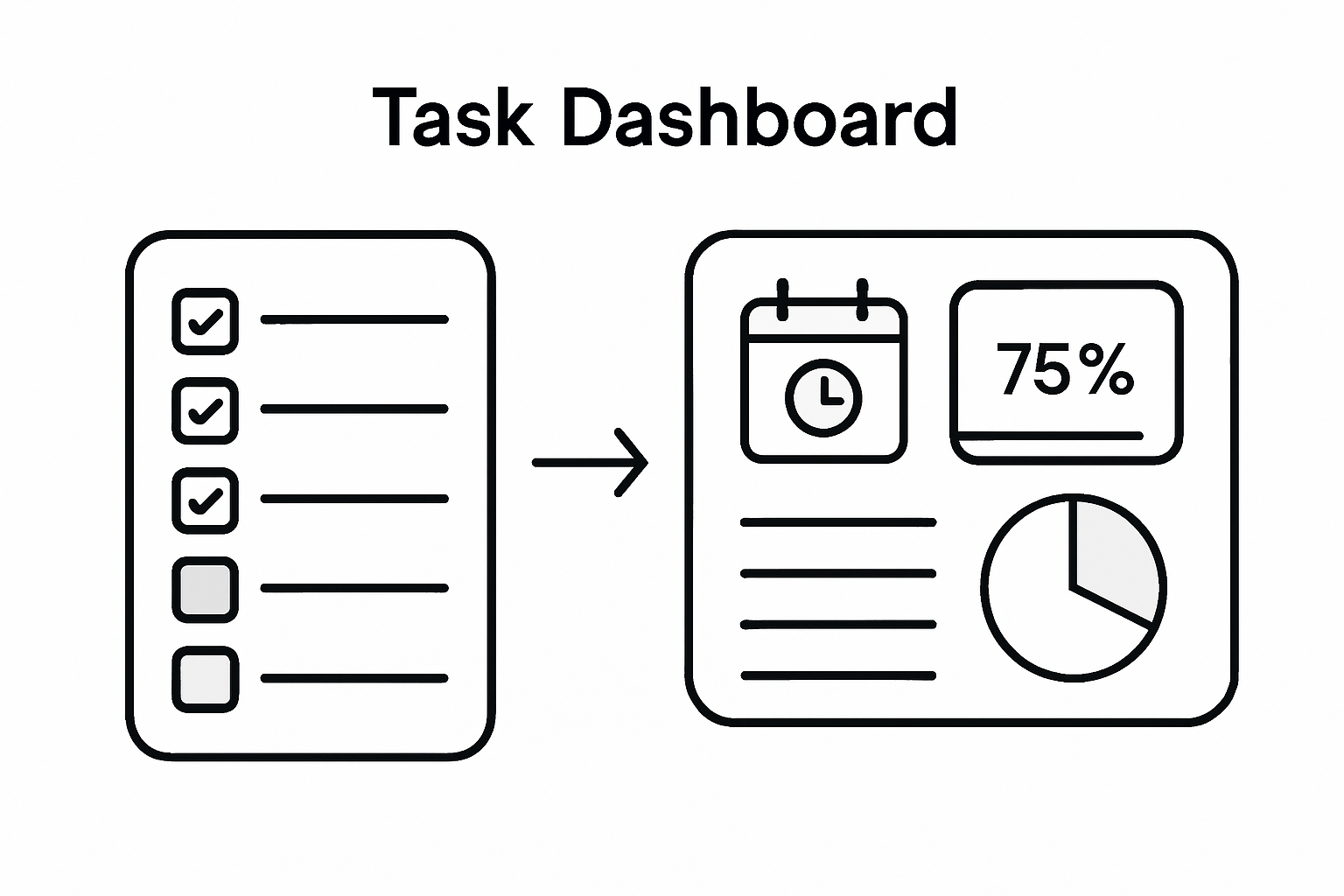
5. Track Progress With Visual Dashboards
Visual dashboards transform abstract data into powerful insights that drive professional performance. Digital task tracking strategies reveal how real time visual representations can revolutionize productivity and decision making.
Most professionals struggle with understanding their progress because traditional tracking methods are complex and unintuitive. Visual dashboards solve this problem by converting scattered information into clear actionable graphics that instantly communicate project status.
Key Components of Effective Visual Dashboards:
Real Time Progress Indicators
Track completion percentages
Show task status at a glance
Highlight upcoming deadlines
Performance Metrics
Visualize productivity trends
Compare current performance against historical data
Identify potential bottlenecks
Color Coded Task Categorization
Use intuitive color systems
Green for completed tasks
Yellow for in progress items
Red for overdue or critical tasks
Interactive Data Visualization
Allow drill down capabilities
Customize view preferences
Integrate multiple project perspectives
Comprehensive Reporting Features
Generate automated progress reports
Export data in multiple formats
Enable team wide visibility
Successful visual dashboards transform raw data into strategic insights that empower professionals to make informed decisions quickly. They serve as mission control centers for your productivity ecosystem.
Pro tip: Spend 10 minutes each morning reviewing your dashboard to align daily activities with overall project goals and identify potential obstacles before they become critical issues.
6. Review and Adjust Priorities Regularly
Professional success demands constant recalibration of your priorities as work environments shift and opportunities emerge. Priority management techniques reveal that regular strategic review prevents task stagnation and maintains peak productivity.
Most professionals fall into the trap of rigidly adhering to outdated plans, missing critical opportunities for optimization. Effective priority management requires a dynamic approach that embraces flexibility and strategic reassessment.
Comprehensive Priority Review Framework:
Schedule Regular Review Sessions
Conduct weekly priority assessments
Block dedicated time for strategic planning
Create consistent review rhythms
Evaluate Current Task Landscape
Assess completed and pending tasks
Analyze alignment with broader goals
Identify emerging high priority items
Implement Adaptive Prioritization
Use flexible task categorization systems
Remain open to unexpected opportunities
Adjust timelines based on changing circumstances
Conduct Honest Performance Audits
Measure actual task completion rates
Identify persistent bottlenecks
Recognize personal productivity patterns
Create Contingency Strategies
Develop backup plans for key projects
Build buffer time into critical workflows
Anticipate potential disruption scenarios
Successful professionals understand that priorities are not static blueprints but living documents that require continuous refinement. Your ability to adapt quickly separates exceptional performers from average workers.
Pro tip: Keep a dynamic task list that allows instant reprioritization, using visual tools that enable drag and drop task reorganization for maximum flexibility.
7. Leverage Seamless Workflows for Team Collaboration
Modern professional success depends on transforming individual efforts into synchronized team performance. Collaborative workflow strategies demonstrate that seamless communication and task alignment are critical for achieving collective goals.
Team collaboration is more than simply working together. It requires creating integrated systems that enable transparent communication, clear task ownership, and synchronized productivity across diverse skill sets and work styles.
Strategic Team Workflow Architecture:
Establish Clear Communication Protocols
Define preferred communication channels
Set response time expectations
Create transparent information sharing guidelines
Implement Centralized Project Management
Use unified digital collaboration platforms
Ensure real time task tracking
Enable instant status updates
Define Precise Role Boundaries
Clarify individual responsibilities
Create accountability mechanisms
Minimize task overlap and confusion
Design Collaborative Task Handoff Processes
Develop standardized task transition scripts
Create comprehensive documentation templates
Establish quality control checkpoints
Foster Psychological Safety
Encourage open feedback
Normalize discussing challenges
Create supportive team environments
Successful team workflows transform potential friction points into opportunities for collective achievement. The goal is creating an ecosystem where individual talents combine seamlessly toward shared objectives.
Pro tip: Schedule monthly workflow optimization meetings where team members can collaboratively review and refine collaboration processes, ensuring continuous improvement and adaptation.
This table summarizes key time management and productivity strategies for professionals, focusing on techniques such as the Eisenhower Matrix, project breakdown, deadline setting, automation, visual dashboards, priority adjustment, and team collaboration.
Strategy
Implementation
Expected Results
Eisenhower Matrix
Use four quadrants to categorize tasks by urgency and importance.
Focus on high-impact activities, reduce burnout.
Project Breakdown
Break projects into smaller, actionable steps with clear milestones.
The article highlights common challenges professionals face such as task overload, difficulty in prioritizing urgent and important tasks, and managing complex projects effectively. You need a simple solution that helps categorize your work, automate repetitive tasks, and track progress visually to maintain focus and reduce decision fatigue. Concepts like the Eisenhower Matrix, deadline setting, and visual dashboards are essential but often complicated to implement manually.
TaskQuadrant.io is designed precisely to solve these pain points by automatically sorting your tasks into four clear quadrants based on urgency and importance, making prioritization intuitive. Its features include goal setting, progress tracking through visual dashboards, and automation of recurring tasks to save your valuable time. The platform’s simplicity and seamless workflows let you spend less time organizing and more time achieving. Whether you are managing individual goals or collaborating with a team, TaskQuadrant.io equips you with the tools to boost productivity efficiently.
Take control of your productivity now by trying the platform that turns complex task management into a clear, actionable process. Visit TaskQuadrant.io to start your free plan and experience how prioritizing tasks effectively leads to meaningful results.
Frequently Asked Questions
How can I prioritize tasks using the Eisenhower Matrix?
You can prioritize tasks by categorizing them into four quadrants based on urgency and importance. Start by making a list of your tasks, then place each one in the appropriate quadrant to decide which to address immediately, schedule, delegate, or delete.
What are effective ways to break down a project into manageable steps?
To break down a project, start by clearly defining your end goal and then identify major milestones. Segment these into specific tasks, prioritize them logically, and create a timeline to follow.
How do I set clear and achievable deadlines for my tasks?
To set achievable deadlines, assess the complexity of each task and break it down into smaller milestones with specific dates. Use the SMART criteria to ensure your deadlines are specific, measurable, achievable, relevant, and time-bound.
What tasks should I consider automating or delegating?
Identify repetitive tasks that consume a lot of your time but do not require your specific expertise, such as routine administrative work. Once identified, look for tools to automate these tasks or delegate them to team members who can handle them effectively.
How can I track my progress visually?
You can track progress visually by creating a dashboard that includes real-time updates, performance metrics, and color-coded task statuses. Spend a few minutes each day reviewing this dashboard to align your daily activities with your overall project goals.
Why is it important to regularly review and adjust my priorities?
Regularly reviewing and adjusting your priorities is crucial because it allows you to adapt to changing work environments and seize emerging opportunities. Schedule dedicated time each week to reassess your tasks and make necessary adjustments to stay on track.
Most American professionals spend nearly half their workweek on low-value tasks, yet clear priorities could change everything. In a world where distractions multiply by the minute, understanding how to define objectives and organize your workflow becomes critical to staying ahead. This guide reveals proven strategies that will help you turn overwhelming task lists into focused, productive action that delivers real results.
Set specific, measurable goals for each task using the SMART framework to enhance clarity and focus.
2. Use the Eisenhower Matrix
Prioritize tasks based on urgency and importance to improve productivity and clear focus on critical tasks.
3. Break Tasks into Steps
Decompose large projects into smaller, manageable components to reduce overwhelm and facilitate progress.
4. Set Realistic Deadlines
Establish achievable timelines for tasks and projects by factoring in complexity and using backward planning.
5. Regularly Review Checklists
Continuously optimize your task management process and workflows through systematic performance assessments and adjustments.
1. Define Clear Project Objectives for Each Task
Successful task management begins with crystal clear project objectives that transform abstract goals into actionable steps. When you define precise objectives for each task, you create a strategic roadmap that eliminates guesswork and drives focused productivity.
Objectives serve as the strategic compass for your entire project workflow. Without well defined objectives, tasks become scattered and team efforts can quickly become misaligned. By establishing specific, measurable goals upfront, you provide your team with a shared understanding of what needs to be accomplished and why.
To craft effective project objectives, use the SMART framework: Specific, Measurable, Achievable, Relevant, and Time bound. This approach ensures your objectives are not just wishful thinking but concrete targets with clear milestones. For instance, instead of saying “improve sales”, a SMART objective would read “Increase quarterly sales revenue by 15% through targeted digital marketing campaigns by December 31st”.
Break down complex objectives into smaller, manageable subtasks that create a logical progression. This approach helps team members understand their individual responsibilities and how their work contributes to the larger project goals. Visual tools like task management dashboards can help track these objectives and maintain team alignment.
When documenting objectives, include key details such as expected outcomes, required resources, potential constraints, and success metrics. This comprehensive approach provides context and helps team members understand the full scope of their responsibilities.
Pro Tip: Schedule quarterly objective review meetings to assess progress, adjust strategies, and realign tasks with evolving project needs. These check ins ensure your project remains dynamic and responsive to changing circumstances.
2. Categorize Tasks Using the Eisenhower Matrix
The Eisenhower Matrix transforms task management from overwhelming chaos into a strategic prioritization system that separates urgent work from truly important work. By visually mapping tasks across four distinct quadrants, you gain unprecedented clarity about where to focus your limited time and energy.
This powerful method categorizes tasks based on two critical dimensions: urgency and importance. The matrix creates four distinct quadrants that help you understand the real priority of each task you encounter. These quadrants range from critical activities you must do immediately to tasks that should be eliminated completely.
The four quadrants break down as follows:
Quadrant 1: Urgent and Important • Emergencies • Critical deadlines • Immediate problem solving tasks
Quadrant 2: Important but Not Urgent • Strategic planning • Personal development • Long term goal activities
Quadrant 3: Urgent but Not Important • Interruptions • Some meetings • Certain communication requests
Quadrant 4: Neither Urgent nor Important • Time wasting activities • Excessive social media • Trivial tasks
Implementing the Eisenhower Matrix task management approach requires honest self assessment and disciplined categorization. Most professionals discover they spend too much time in Quadrants 3 and 4, which drain productivity and prevent meaningful progress.
To apply this method effectively, review your current task list and deliberately place each item into its appropriate quadrant. Focus maximum energy on Quadrant 2 activities these are the strategic tasks that drive long term success but often get neglected amid daily urgencies.
Pro Tip: Color code your task matrix to create visual differentiation between quadrants. Use red for urgent tasks, green for important activities, and yellow for tasks requiring careful evaluation.
3. Break Down Large Tasks Into Manageable Steps
Large projects can feel overwhelming when viewed as a monolithic challenge. Breaking complex tasks into smaller actionable steps transforms intimidating work into achievable progress by making each component feel more approachable and less daunting.
The psychological impact of task fragmentation cannot be overstated. Manpower estimation tools reveal that complex projects often require strategic decomposition to optimize workflow and reduce individual task complexity. By dividing substantial projects into granular steps, you create a clear roadmap that minimizes mental resistance and accelerates overall productivity.
Effective Task Breakdown Strategies:
Identify the Ultimate Goal • Understand the final objective • Clarify desired end result
Create Major Milestones • Segment project into 3-5 primary phases • Establish clear transition points
Define Specific Subtasks • Break each milestone into actionable items • Estimate time required for each subtask
Assign Realistic Timeframes • Estimate duration for each subtask • Build in buffer time for unexpected challenges
The most successful project managers recognize that granular task decomposition reduces psychological friction. By transforming abstract goals into concrete steps, you create a sense of momentum that propels continuous progress.
When approaching a complex project, start by writing down the ultimate objective. Then systematically deconstruct that goal into smaller components that feel manageable and less intimidating. Each subtask becomes a mini achievement that builds confidence and motivation.
Pro Tip: Use visual tracking methods like kanban boards or digital task management platforms to monitor progress across your broken down tasks. Seeing incremental advancement provides powerful psychological motivation to continue pushing forward.
4. Set Realistic Deadlines and Assign Priorities
Deadline setting is a critical skill that separates successful professionals from those perpetually playing catch up. Establishing realistic timelines requires a nuanced approach that balances ambition with practical constraints and individual work rhythms.
Strategic Deadline Setting Framework:
Understand Task Complexity • Assess actual time requirements • Consider potential unexpected challenges • Factor in resource availability
Use Backward Planning • Start with final project deadline • Work backward to create intermediate milestones • Build buffer time into each stage
Prioritization Techniques • Apply Eisenhower Matrix principles • Distinguish between urgent and important tasks • Allocate energy proportionally
Professionals who master task management with strategic deadline approaches understand that realistic timelines are not about working harder but working smarter. By creating achievable schedules, you reduce stress and increase the likelihood of consistent project completion.
Consider implementing the 80/20 rule when prioritizing tasks. This principle suggests that 20% of your efforts typically produce 80% of your results. Identify and focus on those high impact activities that drive meaningful progress.
When assigning priorities, create a visual ranking system. Use numbered categories or color coding to distinguish task importance. Red might indicate critical urgent tasks while green represents strategic long term objectives.
Pro Tip: Schedule weekly priority review sessions to reassess task timelines and adjust expectations proactively. This practice allows for dynamic scheduling and prevents deadline burnout.
5. Leverage Visual Tools for Progress Tracking
The human brain processes visual information exponentially faster than text or numerical data. Visual progress tracking transforms abstract project metrics into intuitive, immediately comprehensible insights that motivate and guide your workflow.
Core Visual Tracking Strategies:
Kanban Boards • Visualize task progression • Show work stages clearly • Enable instant status understanding
Progress Bar Techniques • Display percentage completion • Provide psychological motivation • Highlight incremental achievements
Color Coded Systems • Red for blocked tasks • Yellow for in progress work • Green for completed items
Modern task management dashboards revolutionize how professionals monitor project advancement. By converting complex workflows into graphical representations, these tools eliminate communication barriers and provide transparent performance insights.
Visualization methods tap into powerful psychological triggers. When you see tangible progress represented graphically, your brain releases dopamine reinforcing positive work behaviors. This neurological reward mechanism transforms tracking from a mundane administrative task into an engaging motivation strategy.
Key visualization principles include simplicity, consistency, and real time updates. Choose tools that offer customizable views allowing you to zoom in on granular details or zoom out for comprehensive project perspectives. The goal is creating an intuitive visual language that communicates project status instantly.
Pro Tip: Implement a weekly visual review ritual where you analyze your progress tracking dashboard. Screenshot your progress to create a motivational portfolio documenting your professional growth and project achievements.
6. Automate Recurring Tasks for Consistency
Automation transforms repetitive work from tedious manual labor into streamlined productivity. By creating systematic processes for recurring tasks, professionals can reclaim significant time and mental energy previously consumed by routine activities.
Professionals who master task automation techniques understand that consistency is the foundation of high performance. By removing manual intervention from predictable tasks, you minimize human error and create reliable operational rhythms.
Automation goes beyond simple time saving. It represents a strategic approach to work design that allows you to redirect cognitive resources toward creative problem solving and strategic thinking. Each automated process becomes a micro efficiency engine driving overall productivity.
When implementing automation strategies, start small. Choose one recurring task with clear parameters and design a systematic approach. Gradually expand your automation ecosystem as you gain confidence and understand potential workflow improvements.
Pro Tip: Conduct a quarterly automation audit to review and refine your automated processes. Technology and work requirements evolve constantly, so your automation strategies should remain dynamic and adaptable.
7. Review and Optimize Your Checklist Regularly
Task management is not a static process but a dynamic journey of continuous improvement. Regular checklist optimization transforms your productivity system from a rigid framework into an adaptive strategy that evolves with your changing professional landscape.
Systematic Review Approach:
Quarterly Performance Assessment • Analyze task completion rates • Identify workflow bottlenecks • Evaluate time spent on different activities
Metrics Based Optimization • Track task success percentages • Measure time efficiency • Calculate resource allocation
Iterative Refinement Process • Remove unnecessary steps • Streamline complex workflows • Add new productivity techniques
Professionals who master task management optimization understand that productivity systems are living organisms requiring consistent nurturing and strategic adjustment. Your checklist should not remain static but dynamically respond to your evolving work demands and personal growth.
Think of your task management approach like a high performance athlete continuously fine tuning their training regimen. Small incremental improvements compound over time creating significant performance gains. By implementing a structured review process, you transform your checklist from a simple to do list into a sophisticated productivity ecosystem.
Consider creating a dedicated review session at the end of each quarter. During this time systematically deconstruct your current workflow. Ask critical questions about what is working well and what needs modification. Document your insights and experiment with new approaches to task management.
Pro Tip: Maintain a running document of workflow experiments and their outcomes. This personal productivity journal will become an invaluable resource for understanding your most effective work strategies over time.
Below is a comprehensive table summarizing the key strategies and steps for effective task and project management discussed throughout the article.
Strategy/Step
Key Actions
Benefits/Outcomes
Define Clear Project Objectives
Use SMART framework; Document objectives with details
Aligned team efforts; Measurable progress
Categorize Tasks with Eisenhower Matrix
Map tasks by urgency and importance; Focus on Quadrant 2 activities
Improved prioritization; Focus on long-term success
Break Down Large Tasks
Identify goals; Create milestones and subtasks; Assign timeframes
Reduced overwhelm; Increased productivity
Set Realistic Deadlines
Assess complexity; Use backward planning; Apply prioritization techniques
Achievable schedules; Reduced stress
Leverage Visual Tools
Use Kanban boards; Implement color-coded systems; Track progress visually
The challenge of creating an effective task management checklist lies in clear prioritization, realistic deadlines, and maintaining consistent progress. This article highlights how breaking down tasks, using the Eisenhower Matrix, and leveraging visual tracking can help reduce overwhelm and boost productivity. If you want to take these principles further and eliminate decision fatigue, our platform can help.
Discover how TaskQuadrant.io brings these essential steps to life with powerful automation of recurring tasks, advanced visual dashboards, and intuitive task categorization using the Eisenhower Matrix. Designed for professionals and teams seeking real results, our tools simplify project organization and keep your goals front and center. Start prioritizing smarter today by exploring how TaskQuadrant.io’s landing page can help you build a checklist that drives success. Don’t wait to turn task management frustration into focused achievement.
Frequently Asked Questions
What are the first steps to create an effective task management checklist?
Start by defining clear project objectives for each task. Use the SMART framework to transform your goals into specific, measurable, achievable, relevant, and time-bound targets.
How can I prioritize tasks effectively within my checklist?
Utilize the Eisenhower Matrix to categorize tasks based on urgency and importance. Focus on tasks in the Important but Not Urgent quadrant to drive long-term success.
What techniques can I use to break down large projects into manageable steps?
Decompose large tasks into smaller, actionable subtasks by identifying the ultimate goal and creating major milestones. Ensure each subtask has a clear timeframe and logical sequence to follow.
How can I ensure my deadlines are realistic and achievable?
Assess the complexity of tasks, use backward planning, and incorporate buffer time for unexpected challenges. Regularly review your deadlines to maintain a manageable workflow and adjust expectations as needed.
What visual tools can I incorporate into my task management system?
Consider utilizing kanban boards, progress bars, and color-coded systems to visualize task status. These visualizations improve clarity and accountability, keeping your team engaged.
How often should I review and optimize my task management checklist?
Aim to conduct a quarterly performance assessment of your checklist. Regularly refine your processes by removing unnecessary steps, streamlining workflows, and adding new productivity techniques.
Over 80 percent of American professionals report that poor task visibility slows team progress and leads to missed deadlines. Managing complex workflows can quickly overwhelm even the most organized teams, especially when communication breaks down. By exploring visual task planning methods, you will discover proven ways to make priorities clear and boost collaboration—whether you are coordinating a startup, a marketing team, or a large technology project.
Creating visual representations of tasks improves team communication and project coordination.
Hierarchical Task Representation is Vital
Methods like ConcurTaskTrees break down workflows into manageable components, allowing for better understanding of task relationships.
Eisenhower Matrix for Task Prioritization
Categorizing tasks by urgency and importance maximizes productivity and helps in efficient scheduling.
Avoid Common Mistakes
Ensure visuals are clear and concise; avoid overcomplicated layouts and maintain consistent updates for effectiveness.
Defining Visual Task Planning Methods
Visual task planning transforms abstract workflow management into a concrete, actionable strategy. By creating visual representations of tasks, teams can dramatically improve communication, prioritization, and project coordination. At its core, visual task planning turns complex projects into clear, comprehensible maps that anyone can understand.
One prominent approach in visual task planning involves the hierarchical task representation used in ConcurTaskTrees, which allows teams to break down complex workflows into interconnected components. This method provides a graphical syntax that reveals task relationships, dependencies, and potential bottlenecks before they become problematic. Teams using visual planning techniques can quickly identify critical paths, allocate resources more effectively, and maintain a holistic view of project progress.
Visual task planning isn’t just about creating pretty diagrams – it’s a strategic approach to understanding work complexity. By mapping tasks visually, professionals can reduce cognitive load, improve team alignment, and create more transparent project management processes.
Pro Tip for Visual Task Planning: Experiment with different visual mapping techniques like mind maps, Kanban boards, or Gantt charts to find the representation that best suits your team’s unique workflow and communication style.
Key Features and Visual Tools Compared
Visual task planning tools have revolutionized how professionals manage complex workflows, offering an array of features designed to transform abstract concepts into actionable strategies. These tools range from simple mind-mapping software to sophisticated project management platforms that provide comprehensive visual representations of tasks and team progress.
One critical aspect of visual task planning involves creating clear, digestible visual representations. Graphical abstracts demonstrate how single images can dramatically improve information comprehension, a principle that extends directly to task management tools. Modern visual planning platforms leverage this insight by creating intuitive interfaces that allow users to quickly understand project structures, dependencies, and potential bottlenecks at a glance.
Mind mapping tools for brainstorming and conceptual planning
Interactive dashboards with real-time progress visualization
Professionals should evaluate visual task planning tools based on their specific workflow needs, team size, and project complexity. Some tools excel at individual task tracking, while others shine in collaborative team environments.
Here’s a comparison of popular visual task planning tools and their ideal use cases:
Tool Type
Best For
Unique Strength
Kanban Board
Ongoing team collaboration
Visual workflow flex
Gantt Chart
Timeline and dependency view
Detailed scheduling
Mind Map
Brainstorming new projects
Idea association
Dashboard
Real-time progress tracking
Data at a glance
Pro Tip for Selecting Visual Tools: Test multiple visual task planning tools using free trials, focusing on how intuitively they represent your specific workflow and how easily team members can adapt to the interface.
Using the Eisenhower Matrix for Prioritization
The Eisenhower Matrix transforms task management from chaotic guesswork into a strategic approach for maximum productivity. By categorizing tasks across four critical quadrants based on urgency and importance, professionals can systematically prioritize their workload and eliminate time-wasting activities.
Successful implementation requires consistent practice and honest self-assessment. Professionals must critically evaluate each task’s true importance, avoiding the trap of mistaking busyness for productivity.
Pro Tip for Matrix Mastery: Conduct a weekly review of your task quadrants, ruthlessly eliminating activities that consistently fall into the “neither urgent nor important” category to maintain peak productivity.
Real-World Scenarios and Success Stories
Visual task planning transforms theoretical productivity concepts into tangible organizational strategies across diverse professional environments. From healthcare to technology startups, professionals are discovering how systematic visual approaches can revolutionize workflow management and team collaboration.
Successful implementation of visual task planning varies across industries but consistently reveals several key benefits:
This table summarizes key benefits that organizations gain from visual task planning:
Benefit
How It Helps Teams
Example Impact
Improved Alignment
Ensures shared project understanding
Fewer miscommunications
Faster Adaptation
Enables quick response to change
Rapid task reprioritization
Resource Efficiency
Optimizes staff and time allocation
Project cost reduction
Lower Cognitive Load
Makes complex info easier to process
Less decision fatigue
Improved team communication
Enhanced project transparency
Faster problem identification
More efficient resource allocation
Reduced cognitive load for team members
Real-world examples span multiple sectors, including technology companies streamlining software development, marketing teams coordinating complex campaigns, and remote workforces maintaining productive collaboration across geographic boundaries.
Pro Tip for Success Stories: Document your team’s visual task planning journey, tracking specific metrics before and after implementation to demonstrate concrete productivity improvements and motivate continued adoption.
Avoiding Mistakes With Visual Task Planning
Visual task planning can dramatically improve productivity, but numerous pitfalls can derail even the most well-intentioned efforts. Understanding and anticipating common mistakes is crucial for successful implementation across professional environments.
Common mistakes in visual representations often stem from overcomplicating graphics and misrepresenting critical information, a challenge that extends directly to task management strategies. Professionals frequently make errors that undermine their visual planning effectiveness:
Overcomplicated Layouts
Cramming too much information into a single view
Using complex color schemes that confuse rather than clarify
Creating visuals that require extensive interpretation
Lack of Actionable Details
Missing specific task ownership
Unclear priority indicators
Insufficient context for task completion
Inconsistent Update Practices
Failing to maintain real-time task status
Neglecting to remove completed or irrelevant tasks
Inconsistent tracking across team members
Effective visual representations should remain clear, concise, and accurately represent project dynamics, principles that are equally applicable to task management visualization. Successful visual task planning requires a delicate balance between comprehensive information and intuitive design.
The most successful teams approach visual task planning as a dynamic, evolving process. They regularly review and refine their visual management strategies, ensuring that the tools remain flexible and responsive to changing project needs.
Pro Tip for Visual Clarity: Conduct monthly visual task planning audits, critically examining whether your current system communicates information quickly and accurately without requiring extensive mental processing.
Boost Your Productivity with Visual Task Planning and the Eisenhower Matrix
Struggling to organize your tasks and avoid decision fatigue? This article highlights the power of visual task planning methods and the Eisenhower Matrix to help professionals untangle complex workflows, prioritize effectively, and improve team communication. If you want to move beyond chaotic to-do lists and minimize wasted time on low-value activities, embracing a clear visual framework is essential.
Discover how TaskQuadrant.io leverages these exact concepts by combining intuitive visual mind maps with Eisenhower Matrix task categorization. Whether you are managing urgent projects or scheduling long-term goals, TaskQuadrant.io helps you track progress using visual dashboards and Gantt charts to keep your team aligned and efficient. Start your journey toward smarter task prioritization and experience reduced cognitive load today. Visit TaskQuadrant.io now and transform how you manage work.
Frequently Asked Questions
What is visual task planning?
Visual task planning is a method that transforms abstract workflows into concrete visual representations, helping teams enhance communication, prioritize tasks, and improve project coordination.
How can the Eisenhower Matrix improve my productivity?
The Eisenhower Matrix categorizes tasks into four quadrants based on urgency and importance, helping individuals prioritize their workload and eliminate time-wasting activities effectively.
What are some tools used in visual task planning?
Common tools for visual task planning include Kanban boards for ongoing collaboration, Gantt charts for timeline tracking, mind mapping tools for brainstorming, and interactive dashboards for real-time progress visualization.
What are the benefits of using visual task planning methods?
Using visual task planning methods can lead to improved team communication, faster adaptation to changes, optimized resource allocation, and reduced cognitive load, which collectively enhance overall productivity.
Over 60 percent of American professionals say recurring tasks are the secret weapon behind their daily productivity. With packed schedules and constant project demands, missing a key routine can quickly throw off an entire workflow. Understanding how recurring tasks work in modern productivity platforms saves time and mental energy, helping American teams transform repetitive work into manageable, reliable systems that keep projects moving smoothly.
Recurring tasks automate routine work, enabling professionals to focus more on strategic execution than on repetitive scheduling.
Types of Recurring Tasks
Fixed-interval, flexible-schedule, and context-dependent tasks serve different organizational needs, each offering unique benefits.
Automation Benefits
Intelligent automation streamlines workflows by dynamically adjusting task parameters, ensuring efficiency and relevance.
Avoiding Pitfalls
Regular audits and maintenance prevent over-automation and task fatigue, ensuring tasks align with organizational goals and retain their value.
Defining Recurring Tasks in Productivity Platforms
Productivity platforms recognize recurring tasks as systematic activities scheduled to repeat at consistent intervals, transforming routine work into predictable, automated processes. These tasks represent critical workflow elements that require regular execution without manual rescheduling. For professionals managing complex projects, understanding the mechanics of recurring task management becomes essential for maintaining operational consistency.
At their core, recurring tasks are predefined work items programmed to automatically reappear according to specific time-based patterns. These can range from daily check-ins and weekly team meetings to monthly financial reconciliations or quarterly performance reviews. Unlike one-time tasks, recurring tasks eliminate the mental load of manually recreating identical assignments, allowing professionals to focus their cognitive energy on strategic execution rather than administrative overhead.
Modern productivity platforms offer sophisticated recurring task configurations that adapt to diverse organizational needs. Users can typically customize recurrence patterns with granular controls – selecting exact frequencies like every 3 days, specific weekdays, or complex schedules like “third Thursday of each month.” Advanced systems integrate intelligent features that automatically adjust for holidays, track completion status, and provide visual progress indicators, transforming repetitive work into streamlined, manageable workflows.
Pro Tip: Smart Recurring Task Strategy: Design recurring tasks with built-in flexibility by setting reasonable completion windows and establishing clear ownership to prevent task accumulation and potential workflow bottlenecks.
Types of Recurring Tasks and Key Variations
Recurring tasks manifest in diverse patterns, each serving unique organizational and personal productivity needs. These variations range from simple time-based repetitions to complex, conditional recurrence models that adapt to specific workflow requirements. The primary categories include fixed-interval tasks, flexible-schedule tasks, and context-dependent recurring assignments, each offering distinct advantages for different work environments.
Fixed-interval recurring tasks represent the most straightforward type, executing at predictable and consistent time frames. These include daily morning team check-ins, weekly project status reports, monthly financial reviews, and quarterly performance evaluations. Such tasks follow a rigid schedule, making them ideal for standardized processes that require absolute regularity. In contrast, flexible-schedule recurring tasks provide more adaptability, allowing slight variations in timing while maintaining the core periodic nature. TaskQuadrant features enable professionals to customize these recurring assignments with nuanced scheduling options that accommodate real-world complexity.
Context-dependent recurring tasks represent the most sophisticated variation, where task recurrence depends on specific conditions or previous task completion. These intelligent tasks might trigger based on project milestones, workload capacity, or external dependencies. For instance, a follow-up task might automatically schedule itself after the completion of a preceding assignment, or a maintenance check could recur only after certain performance metrics are met. This dynamic approach ensures that recurring tasks remain responsive to evolving organizational needs, preventing unnecessary administrative overhead and maintaining workflow efficiency.
Pro Tip: Recurring Task Optimization: Regularly audit and refine your recurring task configurations, removing or adjusting tasks that no longer align with current project goals or organizational priorities to maintain lean and effective workflow management.
Here’s a comparison of key recurring task types and when to use them:
Task Type
Defining Characteristic
Best Use Case
Fixed-Interval
Same schedule every cycle
Standard reports or check-ins
Flexible-Schedule
Adjustable timing within limits
Projects with shifting deadlines
Context-Dependent
Triggered by conditions
Tasks linked to milestones
How Recurring Task Automation Works
Recurring task automation represents a sophisticated technological approach to streamlining repetitive work processes by leveraging intelligent software mechanisms. At its core, this automation relies on predefined rules and algorithmic configurations that enable tasks to regenerate automatically without manual intervention. The underlying system uses complex scheduling engines that can interpret multiple parameters, including time intervals, task dependencies, completion status, and contextual triggers.
The automation process typically follows a structured workflow with several key components. First, users define the initial task parameters, specifying exact recurrence patterns such as daily, weekly, monthly, or custom intervals. Advanced task management platforms integrate intelligent algorithms that can adapt these recurring tasks based on real-time project conditions. These systems can automatically adjust scheduling, reassign responsibilities, and track completion rates, transforming routine work into a seamless, self-managing ecosystem.
Modern recurring task automation goes beyond simple time-based repetition, incorporating sophisticated conditional logic and intelligent routing mechanisms. These advanced systems can trigger tasks based on complex conditions like project milestones, workload capacity, team member availability, or specific performance metrics. For instance, a follow-up task might automatically generate only after its predecessor is completed, or a maintenance check could be scheduled contingent upon specific operational thresholds being met. This dynamic approach ensures that recurring tasks remain responsive and contextually relevant, preventing unnecessary administrative overhead and maintaining organizational agility.
Pro Tip: Automation Calibration: Periodically review and fine-tune your automated task rules, ensuring they remain aligned with evolving project goals and organizational workflows to maximize efficiency and prevent potential system rigidity.
The table below summarizes recurring task automation features and their business benefits:
Automation Feature
What It Does
Business Benefit
Intelligent Scheduling
Automatically adjusts task timing
Reduces manual rescheduling
Completion Tracking
Monitors task progress
Improves accountability and visibility
Conditional Triggers
Activates based on set conditions
Ensures task relevance and timeliness
Role of Recurring Tasks in Professional Workflows
Recurring tasks function as the critical structural backbone of professional workflows, providing systematic consistency and predictability in complex organizational environments. These structured assignments create a rhythm of productivity that transforms sporadic, unpredictable work patterns into reliable, repeatable processes. By establishing clear expectations and standardized execution mechanisms, recurring tasks enable teams to maintain operational momentum and reduce cognitive overhead associated with constant task recreation and scheduling.
Professional workflows leverage recurring tasks across multiple dimensions of organizational function. In project management, they ensure critical checkpoints like status reporting, resource allocation reviews, and milestone tracking happen consistently. For administrative processes, recurring tasks manage essential activities such as financial reconciliations, compliance documentation, and performance evaluations. TaskQuadrant professional task management platforms demonstrate how these automated workflows can seamlessly integrate recurring assignments across different operational domains, creating a synchronized and efficient work ecosystem.
Beyond mere scheduling, recurring tasks play a strategic role in performance optimization and organizational learning. They create predictable data collection points that allow teams to track progress, identify bottlenecks, and continuously refine workflow efficiency. Complex recurring task frameworks enable dynamic adaptation, where task parameters can evolve based on historical performance metrics, team capacity, and changing strategic objectives. This intelligent approach transforms recurring tasks from simple administrative tools into sophisticated mechanisms for continuous improvement and organizational agility.
Pro Tip: Workflow Calibration: Conduct quarterly audits of your recurring task configurations, examining their alignment with current organizational goals and removing or modifying tasks that no longer contribute meaningful value to your operational processes.
Common Pitfalls and How to Avoid Them
Recurring task management presents numerous potential challenges that can undermine productivity and organizational efficiency. One primary pitfall involves over-automation, where teams create so many recurring tasks that they become overwhelmed by administrative complexity. This phenomenon leads to task fatigue, where team members start ignoring or mechanically completing tasks without meaningful engagement, effectively neutralizing the potential benefits of systematic workflow management.
Another critical challenge emerges from inadequate task configuration and maintenance. Recurring tasks require periodic review and refinement to remain relevant and valuable. TaskQuadrant professional task management emphasizes the importance of dynamic task parameters that can adapt to changing organizational needs. Common configuration mistakes include setting overly rigid recurrence patterns, failing to assign clear ownership, and neglecting to establish meaningful completion criteria. These errors can transform potentially useful recurring tasks into bureaucratic exercises that consume time without generating substantive value.
The most sophisticated recurring task strategies recognize the delicate balance between structured consistency and adaptive flexibility. Professionals must develop nuanced approaches that allow for intelligent task modification, contextual understanding, and periodic reassessment. Potential risks include creating tasks that become disconnected from strategic objectives, generating redundant work, or establishing workflows that generate more administrative overhead than they eliminate. Successful recurring task management requires a holistic approach that continuously evaluates task utility, team capacity, and alignment with broader organizational goals.
Pro Tip: Task Maintenance Strategy: Implement a quarterly recurring task audit where you systematically review, consolidate, and streamline your existing task configurations, ensuring each assignment remains purposeful and directly contributes to organizational productivity.
Maximize Productivity with Smart Recurring Task Automation
Recurring tasks can create frustration when they become overwhelming or lose relevance because of poor management. The challenge is clear: how do you maintain consistent workflow momentum without drowning in administrative overload or task fatigue? This article highlights the importance of thoughtful recurring task configuration and continuous refinement as key to sustaining productivity and operational agility.
At TaskQuadrant.io, we understand these pain points deeply. Our platform offers advanced yet simple solutions for recurring task automation that adapt intelligently to your project’s needs. By integrating features like automated scheduling, conditional triggers, and intuitive progress tracking, TaskQuadrant empowers teams and professionals to focus on what matters most rather than getting stuck in repetitive manual updates. Experience the seamless merging of Eisenhower Matrix prioritization with dynamic task automation for consistent and meaningful workflow improvements.
Discover how to transform your recurring task strategy today. Visit TaskQuadrant to start your free plan and unlock professional tools that streamline task management and elevate productivity. Don’t wait until recurring tasks slow your team down, take control now with advanced features and easy onboarding designed for immediate impact.
Frequently Asked Questions
What are recurring tasks?
Recurring tasks are systematic activities scheduled to repeat at consistent intervals, allowing for predictable and automated processes in professional workflows.
How can recurring tasks improve productivity?
By eliminating the need for manual rescheduling and reducing administrative overhead, recurring tasks enable professionals to focus on strategic execution rather than repetitive task recreation.
What types of recurring tasks are there?
The main types include fixed-interval tasks, flexible-schedule tasks, and context-dependent tasks, each serving unique organizational productivity needs.
How does recurring task automation work?
Recurring task automation relies on predefined rules and algorithms to schedule tasks to regenerate automatically, adapting to real-time project conditions and ensuring tasks remain relevant and timely.
Over seventy percent of American professionals report losing valuable work hours each week due to poor task organization. With rising demands in the modern workplace, finding efficient ways to manage daily tasks is no longer optional. Mastering task management creates a clear structure for progress and productivity, helping American teams and individuals achieve goals while minimizing stress and wasted effort.
Task management is essential for translating professional objectives into actionable steps, improving clarity and focus.
Types of Systems
Modern task management systems include basic, project management, collaborative, and advanced matrix-based options tailored to different organizational needs.
Core Features
Effective tools provide task detailing, priority management, collaboration capabilities, and reporting to enhance productivity.
Risks of Ineffectiveness
Poor task management can lead to operational inefficiencies, psychological impacts, financial consequences, and jeopardize organizational sustainability.
Defining Task Management and Its Role
Task management represents the strategic process of planning, tracking, and executing work activities to achieve specific goals efficiently. At its core, task management involves overseeing tasks through their entire lifecycle, which includes critical phases like planning, testing, tracking, and reporting. This systematic approach enables professionals to transform complex workflows into manageable, actionable steps.
The fundamental purpose of task management extends beyond mere organization. It serves as a critical framework for translating professional objectives into concrete actions. By breaking down larger projects into smaller, trackable tasks, individuals can maintain clarity, prioritize effectively, and monitor progress with precision. Management fundamentally coordinates human, material, and information resources within an organizational environment, ensuring that every effort contributes meaningfully toward overarching goals.
Successful task management requires several key components. These typically include:
Precise task definition and scope
Clear priority assignments
Realistic time estimates
Resource allocation tracking
Progress monitoring mechanisms
Adaptable workflow strategies
Pro Tip: Systematic Approach: Dedicate 10 minutes each morning to review and prioritize your tasks using a structured method like the Eisenhower Matrix, which helps distinguish between urgent and important work priorities.
Modern task management systems can be categorized into several key types, each addressing unique organizational needs:
Basic List-Based Systems
Simple digital checklists
Linear task tracking
Best for individual users
Limited collaboration features
Project Management Platforms
Complex workflow tracking
Team collaboration tools
Resource allocation features
Gantt chart visualizations
Collaborative Digital Workspaces
Multi-user task coordination platforms
Real-time communication integration
Shared task assignments
Progress tracking across teams
Advanced Matrix-Based Systems
Priority-driven task categorization
Quadrant-based organization
Strategic importance mapping
Automated workflow suggestions
Pro Tip: System Selection Strategy: Evaluate your specific workflow requirements and team size before selecting a task management system, focusing on scalability and integration capabilities rather than just feature count.
Here is a comparison of key types of task management systems based on collaboration, complexity, and ideal user fit:
System Type
Collaboration Level
Workflow Complexity Support
Ideal User Profile
Basic List-Based Systems
Individual only
Simple tasks
Solo professionals
Project Management Platforms
Team collaboration
Complex, multi-phase
Project managers, teams
Collaborative Digital Workspaces
Real-time group
Flexible, cross-team
Remote or hybrid teams
Advanced Matrix-Based Systems
Strategic alignment
Prioritization-intensive
Executives, planners
Core Features and How Task Tools Work
Task management tools represent sophisticated digital solutions designed to streamline professional workflows. These systems enable comprehensive task creation, prioritization, and assignment, transforming complex work environments into manageable, structured processes.
At their core, modern task management platforms include several critical features that distinguish them from basic to-do list applications:
Task Creation and Detail Mapping
Comprehensive task description fields
Attachment capabilities
Subtask breakdown
Context and metadata tracking
Priority and Urgency Management
Color-coded urgency indicators
Quadrant-based prioritization
Dynamic reranking abilities
Automated deadline tracking
Collaboration and Communication
Multi-user task coordination capabilities
Real-time commenting
Team member assignment
Notification and alert systems
Reporting and Analytics
Performance visualization
Productivity metrics
Completion rate tracking
Resource utilization insights
Pro Tip: Feature Selection Strategy: Prioritize task management tools that offer flexible customization and integrate seamlessly with your existing workflow, rather than forcing your team to adapt to rigid system constraints.
Below is a summary of core feature groups in modern task management tools and their business impact:
The productivity benefits of systematic task management extend far beyond simple organization. Research reveals fascinating insights into how structured task approaches impact work performance:
Pro Tip: Performance Optimization: Schedule a weekly 30-minute review session to reassess your task priorities, identifying completed achievements and recalibrating upcoming objectives for maximum productivity.
Pro Tip: Risk Mitigation Strategy: Implement a quarterly task management audit to systematically identify workflow bottlenecks, reassess task allocation strategies, and proactively address potential inefficiencies before they escalate.
Boost Your Productivity with Smart Task Management
Busy professionals face the challenge of managing multiple tasks with varying urgency and importance while avoiding overwhelm and inefficiency. This article highlights the critical role of structured task management and the Eisenhower Matrix in clarifying priorities and reducing decision fatigue. If you struggle to keep track of deadlines, delegate effectively, or maintain focus on what truly matters, TaskQuadrant.io offers the perfect solution.
Discover how TaskQuadrant.io helps you break down your workload into actionable priorities by automatically categorizing tasks into four distinct quadrants based on urgency and importance. Enjoy seamless task creation whether by manual input or visual mind maps, plus real-time progress tracking through intuitive dashboards and powerful project timeline tools like Gantt charts. Start achieving your goals faster while minimizing stress and boosting your team’s collaboration. Visit TaskQuadrant.io today and transform your task management approach into a productivity powerhouse. Learn more about the importance of task prioritization and why thousands of professionals trust our platform for smarter work organizing.
Frequently Asked Questions
What is task management and why is it important for busy professionals?
Task management is the strategic process of planning, tracking, and executing work activities to achieve specific goals efficiently. It is vital for busy professionals as it helps break larger projects into manageable tasks, allowing for better organization, priority setting, and progress monitoring.
What are the key components of effective task management?
Effective task management includes precise task definition, clear priority assignments, realistic time estimates, resource allocation tracking, progress monitoring mechanisms, and adaptable workflow strategies.
How can task management systems improve productivity?
Task management systems streamline workflows by enabling better task prioritization, collaboration among team members, and effective tracking of progress. This leads to enhanced focus on urgent deliverables, minimized procrastination, and accelerated goal completion.
What are the risks of poor task management practices?
Poor task management practices can lead to operational inefficiencies, elevated stress levels, financial losses, and compromised organizational sustainability. Without systematic approaches, professionals may struggle with deadlines, resource misallocation, and overall productivity.
Most American professionals spend nearly half their workday on unplanned tasks, losing valuable time and focus. When demands constantly pile up, it becomes challenging to keep projects on track. With clear strategies for defining objectives, prioritizing work, and tracking progress, anyone can cut the clutter and reclaim hours each week. This practical guide shows how to build a streamlined system that boosts productivity and empowers every American worker to achieve better results.
Use Specific, Measurable, Achievable, Relevant, and Time-bound goals to create actionable targets and track progress.
2. Utilize the Eisenhower Matrix
Categorize tasks by urgency and importance to prioritize effectively and focus on high-impact activities.
3. Create intuitive workflows
Design workflows that streamline processes and reduce complexity to enhance productivity and minimize bottlenecks.
4. Implement visual dashboards
Develop dashboards that provide real-time updates on task progress, using visual indicators for clarity and efficiency.
5. Commit to continuous improvement
Regularly review and optimize your task management practices using the Plan-Do-Check-Act cycle to eliminate inefficiencies.
Step 1: Define key tasks and objectives
Defining key tasks and objectives is the foundational blueprint for successful productivity. By creating clear, strategic targets, you transform abstract goals into actionable roadmaps that guide your work and measure progress.
Start by adopting the SMART criteria framework for setting objectives that are Specific, Measurable, Achievable, Relevant, and Time-bound. This approach ensures your goals are not just wishful thinking but concrete, trackable targets. For instance, instead of saying “I want to improve my work performance,” frame it as “I will increase my project completion rate by 20% over the next quarter by implementing structured daily planning.”
To systematically approach task definition, leverage Management by Objectives principles which recommend aligning individual goals with broader organizational or personal outcomes. Break down larger objectives into smaller, manageable tasks. Ask yourself key questions like: What exactly needs to be accomplished? What specific actions will move me closer to this goal? What metrics will demonstrate successful completion?
Pro tip: Always include a timeline and specific success indicators for each task. Vague objectives lead to scattered efforts, while precise targets create focused momentum.
With your key tasks and objectives clearly defined, you are now ready to move into prioritization and strategic planning.
Step 2: Prioritize activities using the Eisenhower Matrix
The Eisenhower Matrix transforms how you approach task management by providing a strategic framework for evaluating and organizing your workload. This powerful time management tool helps you distinguish between tasks that truly matter and those that merely consume your energy.
To effectively use the matrix, divide your tasks into four distinct quadrants based on their urgency and importance. Quadrant 1 contains critical and time-sensitive tasks that require immediate attention. Quadrant 2 focuses on important but not urgent activities like strategic planning and personal development. Quadrant 3 includes urgent but less important tasks that often feel pressing but can be delegated. Quadrant 4 captures low-priority tasks that should be minimized or eliminated.
When applying the decision matrix approach, systematically evaluate each task by asking two key questions: How urgent is this task? How important is this task to my overall goals? By consistently applying this method, you will reduce decision fatigue, focus on high-impact activities, and create a more intentional workflow.
Pro tip: Spend 80% of your time in Quadrant 2 activities to proactively manage your goals and prevent future emergencies.
With your tasks now strategically prioritized, you are prepared to move forward with focused and purposeful execution.
Step 3: Organize tasks with intuitive workflows
Creating intuitive workflows transforms chaos into systematic productivity. Your goal is to design a workflow process that moves tasks seamlessly from initiation to completion, eliminating unnecessary complexity and maximizing efficiency.
Start by mapping out your typical task sequence using visual techniques like flowcharts or mind maps. Identify natural progression points and potential bottlenecks in your current approach. When applying business process modeling principles, focus on creating logical connections between tasks that minimize cognitive load and streamline decision making. Group similar activities together, establish clear handoff points, and create consistent triggers that automatically move tasks through different stages of completion.
Break down complex projects into modular components with defined input and output requirements. This approach allows you to create repeatable systems that can be easily adjusted and scaled as your workload or priorities change. Implement clear status indicators or color coding to quickly communicate task progress and reduce communication overhead.
Pro tip: Review and optimize your workflow quarterly to ensure it continues meeting your evolving productivity needs.
With an intuitive workflow in place, you are now prepared to track and monitor your task progression systematically.
Step 4: Track progress with visual dashboards
Visual dashboards transform abstract performance data into actionable insights. Your goal is to create a business dashboard) that provides an instant snapshot of your task progress, enabling quick decision making and strategic adjustments.
Design your dashboard to highlight key performance indicators that matter most to your workflow. Focus on metrics that directly reflect task completion rates, time investment, and overall productivity. Use color coding to create immediate visual recognition colors like green for completed tasks, yellow for in progress, and red for overdue activities. Incorporate graphical representations such as progress bars, pie charts, and trend lines that quickly communicate your advancement toward project goals.
Implement real time tracking mechanisms that update automatically, reducing manual data entry and providing continuous visibility into your work patterns. Configure your dashboard to show both micro level task details and macro level project progression, allowing you to zoom in and out of your performance landscape. Customize view settings to match your specific work style and information processing preferences.
Pro tip: Review your dashboard weekly to identify productivity trends and potential optimization opportunities.
With a comprehensive visual tracking system in place, you are now equipped to analyze and improve your task management strategy continuously.
Step 5: Review and optimize your task process
Optimizing your task management approach is an ongoing journey of incremental improvements. Your goal is to implement a continuous improvement process that systematically identifies and eliminates inefficiencies in your workflow.
Adopt the Plan-Do-Check-Act cycle as your primary optimization framework. In the planning phase, analyze your current task management performance and identify specific areas for enhancement. During the execution phase, implement targeted changes and carefully monitor their impact. The checking phase involves rigorous assessment of these modifications comparing actual results against expected outcomes. Finally, in the action phase, standardize successful improvements or reset and retry alternative strategies.
Create a monthly review ritual where you critically examine your productivity metrics. Look for patterns in task completion times, identify recurring bottlenecks, and assess the effectiveness of your current prioritization methods. Pay special attention to tasks that consistently get delayed or consume more time than anticipated. Consider experimenting with different techniques like time blocking, batching similar tasks, or adjusting your working environment to support more efficient work patterns.
Pro tip: Treat your task management system as a living document that evolves with your changing professional demands.
By committing to continuous refinement, you transform task management from a static process into a dynamic, adaptive strategy that grows alongside your professional capabilities.
Take Control of Your Productivity with Smart Task Management
Managing tasks effectively and prioritizing with clarity can be overwhelming. The article highlights the struggle to define clear objectives, prioritize using the Eisenhower Matrix, and track progress visually to avoid scattered focus and decision fatigue. If you want to move beyond theory and empower your productivity with a proven system that organizes your workload intuitively, TaskQuadrant.io offers exactly that. Our platform brings the Eisenhower Matrix to life by automatically sorting your tasks by urgency and importance, helping you focus on what truly matters.
Start transforming your task management today by visiting TaskQuadrant.io. See how easy it is to set SMART goals, create visual workflows, and track progress on dynamic dashboards. The longer you wait, the more decision fatigue grows. Take the first step to regain control and boost your productivity now.
Frequently Asked Questions
How can I define key tasks and objectives for better productivity?
To define key tasks and objectives, start by using the SMART criteria: make your goals Specific, Measurable, Achievable, Relevant, and Time-bound. Transform vague ambitions into concrete targets, like increasing your project completion rate by 20% over the next quarter.
What is the Eisenhower Matrix and how can it help prioritize tasks?
The Eisenhower Matrix is a time management tool that helps you categorize tasks based on urgency and importance. Divide your tasks into four quadrants to focus on critical activities while delegating or minimizing less important ones, ensuring you spend about 80% of your time on Quadrant 2 tasks.
How do I create an intuitive workflow for managing tasks?
To create an intuitive workflow, map out the sequence of your typical tasks using flowcharts or mind maps. Organize tasks logically and break larger projects into manageable steps to streamline decision-making and reduce complexity.
What should I include in a visual dashboard for tracking task progress?
A visual dashboard should highlight key performance indicators that reflect task completion rates and overall productivity. Use color coding and graphical representations like progress bars to quickly communicate status and make adjustments as necessary.
How can I implement continuous improvement in my task management process?
To implement continuous improvement, follow the Plan-Do-Check-Act cycle: analyze your current performance and implement changes, then assess their impact. Set aside time monthly to review productivity metrics and identify areas for enhancement, aiming for incremental improvements.
Finding the right tools to tackle projects or daily tasks can feel overwhelming with so many choices on the market. Some options promise simplicity and speed, while others offer deep customization and powerful features. Whether you want a visual way to manage your workload, automation for repeated routines, or advanced planning with calendars and mind maps, there is a solution designed to match nearly any style of working. Ready to see which approach fits your needs best and might surprise you with unexpected benefits
TaskQuadrant is a focused task management platform that applies the Eisenhower Matrix to turn overwhelm into clear priorities. It combines visual dashboards, mind maps, and Gantt charts into a single, low-friction workspace so you can prioritize, plan, and execute without a complex setup. The result is a tool aimed squarely at professionals and teams who need fast onboarding, reliable automation, and visual clarity to reduce decision fatigue.
Core Features
TaskQuadrant centers around four core capabilities: Eisenhower-matrix prioritization, interactive visual dashboards, mind maps that convert into actionable projects and tasks, and timeline visualization via Gantt charts. It includes recurring-task automation and the ability to export and share reports in PNG and PDF formats. Project templates and collaboration tools round out the offering, making the platform useful for both solo contributors and growing teams.
Pros
Rapid onboarding and no complex setup: You can start organizing tasks immediately without lengthy configuration, which saves time and reduces friction for busy teams.
Visual and intuitive interface: Dashboards, color-coded quadrants, and mind maps make priorities obvious at a glance, helping you see what matters without scrolling through lists.
Multiple planning tools in one place: With mind maps, automatic conversion to projects, and Gantt charts, you can brainstorm, plan timelines, and track progress without switching apps.
Automation with recurring tasks: Built-in recurring-task support automates routine workflows so your team spends less time recreating repetitive items.
Flexible plans for individuals and teams: Tiered pricing accommodates solo professionals who need a free or low-cost option and teams that require more advanced features.
Who It’s For
TaskQuadrant is ideal for professionals, project managers, and teams who want a straightforward, visual approach to prioritization and project planning. If you lead campaigns, coordinate recurring routines like standups and reviews, or need a quick way to turn brainstorming into an organized plan, TaskQuadrant fits naturally into your workflow. It’s especially valuable for users who value clarity and speed over feature overload.
Unique Value Proposition
TaskQuadrant’s real advantage is the combination of the Eisenhower Matrix with mind-map-driven project creation and visual dashboards—an uncommon blend that turns strategic thinking into execution. Rather than forcing indirect prioritization or buried labels, TaskQuadrant places urgency and importance front and center, then lets you sketch ideas in a mind map and instantly convert them into tasks and project timelines. This reduces decision friction and shortens the loop from idea to deliverable. The platform also emphasizes simplicity: quick onboarding, minimal setup, and direct exports (PNG/PDF) mean stakeholders get clear reports fast. For teams that need both high-level prioritization and detailed timelines, TaskQuadrant replaces the need to patch together multiple specialized apps, delivering a cohesive workflow that saves time and keeps focus.
Real World Use Case
A marketing team uses TaskQuadrant to brainstorm campaign concepts in mind maps, convert selected ideas into projects, prioritize tasks with the Eisenhower quadrants, and then schedule milestones with Gantt charts. Recurring tasks automate weekly standups and review notes, while PNG/PDF exports provide polished status summaries for stakeholders.
Pricing
Free plan available with limited features; Pro plan at $4.99 per month; Enterprise plan at $9.99 per month.
Todoist is a lightweight, widely adopted to-do list app trusted by more than 50 million professionals for personal and team productivity. It excels at fast task capture via natural language, clear Today and Upcoming views, and straightforward team collaboration. The app balances simplicity with power, but advanced customization and full feature access are gated behind paid plans. If you want a dependable, long-term task hub that won’t overwhelm new users, Todoist delivers — with trade-offs for power users.
Core Features
Todoist’s core capabilities center on rapid task entry and flexible organization: natural language task input, Today and Upcoming views for short- and mid-term planning, custom filters to surface priority tasks, scheduling with due dates and calendar visualization, and recurring task management to automate routine work. The platform also supports team workflows, template reuse, and enterprise-grade security, which positions it as both a personal planner and a lightweight team workspace.
Quick note.
Pros
Fast task capture with natural language: Typing “Submit report tomorrow at 9am” turns into a scheduled task instantly, which cuts friction when ideas strike.
Clear planning views and filters: Today and Upcoming screens plus custom filters let you focus on what matters now without losing sight of longer-term work.
Team collaboration and shared workspaces: Shared projects and templates make onboarding teammates and standardizing processes straightforward and repeatable.
Enterprise-grade security and compliance: Organizations get security controls suitable for professional use, which helps when handling sensitive workflows.
Broad templates and integrations: A variety of ready-made templates and integrations reduce setup time and help you adapt Todoist to common workflows quickly.
Cons
Pricing can block feature parity: Several advanced capabilities are available only on paid tiers, which means free users may quickly hit limits.
Paid plans required for team features: To unlock full team collaboration and management features, you need a Pro or Business subscription billed per user.
Advanced customization has a learning curve: Power users who want deep filters, automation, or complex recurring rules will face setup time and configuration decisions.
Who It’s For
Todoist fits individuals and teams that want a dependable, easy-to-adopt task manager rather than a heavyweight project management suite. It works best for professionals who prioritize fast capture, recurring task automation, and simple collaboration across small to medium teams.
Unique Value Proposition
Todoist’s strength is its blend of speed and clarity: natural language input plus concise planning views make capturing and scheduling tasks almost instantaneous. Combined with templates and enterprise security, it becomes a practical single-pane solution for both personal productivity and light team coordination.
Real World Use Case
A group of project managers uses Todoist to share project templates, assign recurring pre-launch checklists, and track milestone due dates in Upcoming views. Automation of repeating tasks reduces manual follow-up and keeps onboarding consistent for new members.
Pricing
A Free plan offers basic features; paid plans begin at $5 per user/month for Pro and $8 per user/month for Business when billed yearly, with monthly billing options also available.
ClickUp is a comprehensive productivity platform that consolidates project management, AI assistance, and collaboration tools into a single workspace. It aims to reduce app switching by bringing Docs, whiteboards, calendars, time tracking, automations, and dashboards under one roof. There’s a generous Free Forever tier, and paid plans start affordably, but the breadth of features can feel overwhelming at first. Bottom line: powerful and flexible, best for teams willing to invest time in setup and adoption.
Core Features
ClickUp’s core capabilities focus on end-to-end work management: project and task tracking with multiple views, built-in time tracking, calendars and scheduling, collaborative Docs and whiteboards, plus automations and dashboards for reporting and workflow optimization. The platform also integrates AI-powered assistance—branded tools help generate content, suggest automations, and speed routine work. In short, ClickUp packs planning, execution, and analysis tools into one ecosystem designed to replace several single-purpose apps.
Pros
All-in-one platform replacing multiple apps: ClickUp centralizes tasks, docs, and tracking so you can cut down on app context switching and consolidate vendor contracts.
Wide range of features and integrations: From calendars to Gantt-style views and dashboards, ClickUp supports diverse workflows across teams and connects with common tools your organization already uses.
AI-powered tools like Brain for automation and assistance: Built-in AI features accelerate drafting, task generation, and routine automation, saving time on repetitive work.
Free forever option available: The Free Forever tier gives teams meaningful access to core features so you can evaluate the platform without upfront cost.
Trusted by over 10 million teams: A large user base indicates mature feature sets and continuous investment in the product.
Cons
Can be overwhelming with the number of features for new users: The interface and options can create decision fatigue during initial setup, requiring a deliberate onboarding plan.
Pricing can be high for large teams on the enterprise plan: While individual paid tiers start affordably, enterprise-level customization and scale drive costs upward for bigger organizations.
Some features may require a steep learning curve: Advanced automations, reporting, and custom workflows take time to master and may need a dedicated admin or champion.
Who It’s For
ClickUp is best for teams and organizations of various sizes that want a unified platform to streamline work, automate tasks, and improve productivity. If your group juggles multiple tools, manages cross-functional projects, or needs robust reporting and AI assistance, ClickUp scales from solo contributors to enterprise teams—provided you allocate time for configuration and training.
Unique Value Proposition
ClickUp’s strongest proposition is consolidation: it combines planning, documentation, automation, and AI-driven assistance into one extensible workspace. That unified approach reduces friction from tool sprawl and enables teams to build consistent processes and measurable dashboards without stitching many apps together.
Real World Use Case
A marketing team uses ClickUp to coordinate campaigns by managing content calendars, assigning tasks, tracking deadlines, collaborating in Docs, and automating handoffs between design and publishing—keeping everything visible in one environment to reduce missed deadlines and repetitive status meetings.
Pricing
Free forever with optional paid plans starting at $7 per user per month (billed annually) and custom enterprise solutions available for larger organizations.
Asana is a mature work management platform that helps teams organize, track, and manage work with clarity and accountability. It combines list, board, and calendar views with automation, goal tracking, resource planning, and advanced reporting to support teams from startup scrums to enterprise programs. The interface is approachable and customizable, but advanced capabilities can create a learning curve and higher cost for large organizations. Bottom line: powerful and versatile, best for teams that need enterprise-grade features and broad integrations.
Core Features
Asana’s core capabilities center on flexible task and project management across list, board, and calendar views, plus workflow automation to reduce routine work. Goal tracking and organizational planning help align work to strategy, while resource management and capacity planning guide who does what and when. Advanced reporting and dashboards surface progress and bottlenecks, and a large integration ecosystem connects Asana to many other tools your team already uses.
Short. Practical.
Pros
Comprehensive work management features tailored for teams of all sizes: Asana provides structured task lists, Kanban-style boards, and calendar views that support both day-to-day work and longer initiatives.
Strong integration ecosystem with over 300 apps: You can link Asana to communication, file storage, and developer tools, keeping work centralized across platforms.
User-friendly interface and customizable workflows: The layout and templates let teams adopt workflows quickly and adapt fields, rules, and sections to match existing processes.
Supports goal alignment and strategic planning within teams: Built-in goal tracking helps translate high-level objectives into measurable work and milestones.
Enterprise-grade security and compliance features: For larger organizations, Asana offers controls and safeguards needed for governance and data protection.
Cons
Pricing can be high for larger teams or enterprise features: Per-user fees and tiered plans mean costs can escalate as you add users or need advanced capabilities.
Some advanced features require steep learning curve: Automation, resource planning, and custom reporting take time to configure effectively and may need administrator expertise.
Features may be too complex for very small or personal use: Solo users or tiny teams may find the breadth of features unnecessary and prefer a simpler tool.
Dependence on internet connectivity for real-time updates: Because Asana is cloud-based, offline or intermittent connections reduce functionality and can interrupt workflows.
Who It’s For
Asana fits teams of all sizes that want a cloud-based, scalable work management system with strong collaboration and reporting tools. It’s especially useful if you need integrations with other enterprise applications, centralized goal tracking, and the ability to automate repetitive workflows. If you value structure and control over simplicity, Asana will likely meet your needs.
Unique Value Proposition
Asana’s strength lies in combining flexible task views, organizational goal tracking, and a robust automation layer within a single platform. That blend makes it easier to move from high-level strategy to day-to-day execution without stitching together multiple point solutions.
Real World Use Case
A marketing team uses Asana to coordinate campaigns: they create project templates for content production, assign tasks with deadlines, automate approval steps, and monitor campaign health via dashboards to keep launches on schedule.
Pricing
Free for basic features; paid plans start at $10.99 per user/month for the Starter plan, $24.99 per user/month for the Business plan, with custom pricing available for enterprise requirements.
Trello is a visually driven task and project organizer that makes it easy for teams and individuals to manage work with minimal setup. Its board-and-card model is intuitive, which speeds onboarding and keeps daily workflows visible at a glance. Automation and integrations extend its usefulness beyond simple checklists, but teams with heavier storage or advanced needs may need paid plans. Overall, Trello is excellent for teams that value visual clarity and straightforward collaboration.
Core Features
Trello centers on visual boards and cards for task and project management, letting you map workflows in a familiar Kanban-style layout. It supports automation of repetitive tasks, templates for common project types, activity logs and notifications, and collaboration tools such as comments and attachments. Power-Ups enable integrations with other apps and tools to centralize work, while templates and simple signup help teams get started quickly.
Pros
User-friendly and visually intuitive interface: The board-and-card layout reduces friction for new users and keeps priorities visible without heavy configuration.
Flexible plans for different team sizes and needs: A free tier and tiered paid options let individuals and growing teams pick the plan that fits their budget and feature needs.
Wide range of integrations and automation options: Power-Ups and built-in automation let you connect other tools and automate routine actions, saving time on repetitive work.
Supports remote and hybrid work arrangements: Activity logs, notifications, and collaboration features make it easy for distributed teams to stay aligned and exchange context.
Strong security and administrative controls: Enterprise-oriented controls and admin features help teams maintain governance as they scale across departments.
Cons
Some advanced features require paid plans: Key capabilities such as higher-power automation, advanced admin controls, or extended Power-Up use may be gated behind paid tiers, which could impact adoption for budget-conscious teams.
Limited storage on lower-tier plans: Storage limits on entry-level plans can force teams to upgrade or manage attachments externally to avoid hitting caps.
Can become cluttered with many boards and cards if not managed well: Without disciplined board hygiene or naming conventions, visual boards can grow chaotic and undermine clarity rather than enhance it.
Who It’s For
Trello is ideal for teams and individuals who want an easy-to-use, visual collaboration platform to organize tasks and projects across roles and functions. It fits small teams, marketing groups, content creators, freelancers, and departments in larger organizations that prefer lightweight workflows and rapid adoption over heavy process enforcement.
Unique Value Proposition
Trello’s unique value lies in its simplicity and visual clarity: it converts complex project activity into boards you can scan at a glance, while offering enough automation and integration to scale workflows without losing the straightforward experience that teams appreciate.
Real World Use Case
A marketing team uses Trello to plan campaigns, track content production, and collaborate across departments. They apply templates for recurring campaign setups, use Power-Ups to link assets, and automate status updates so handoffs occur smoothly between writers, designers, and managers.
Pricing
Free plan available; paid plans start at $5/user/month for Standard, $10/user/month for Premium, and custom pricing for Enterprise.
Monday.com is an AI-powered work platform that centralizes project management, CRM, development workflows, and service operations in one place. It emphasizes customizable workflows, automation, and AI-driven insights to reduce manual work and surface project risks. Trusted by over 60% of the Fortune 500, it scales from departmental teams to enterprise portfolios. If you need a single platform to unite varied teams and data, Monday.com is a strong contender.
Core Features
Monday.com consolidates work management for diverse use cases: project and portfolio oversight, CRM tracking, development lifecycle coordination, and service management with automation. The platform layers AI-powered risk detection and analytics on top of customizable workflows, so teams can automate routine actions and surface insights without building complex integrations from scratch. Integrations and templates speed onboarding, while automation rules and AI insights aim to keep teams focused on outcomes rather than status updates.
Pros
Highly customizable workflows: You can tailor boards, automations, and templates to match complex processes rather than forcing teams to adapt to rigid structures.
AI capabilities for automation and insights: Built-in AI assists with risk detection and project analytics, helping teams catch issues earlier and prioritize work more effectively.
Broad range of integrations and features: The platform supports cross-functional workflows by connecting CRM, development, and service processes within one environment.
Suitable for enterprise-scale organizations: Monday.com’s feature set and scale make it a practical choice for larger organizations managing multiple portfolios.
User-friendly interface with extensive templates: The interface and prebuilt templates reduce onboarding friction for teams moving into a unified work platform.
Cons
Pricing complexity based on features and team size: Costs vary by plan and seat, and feature availability across tiers can make total pricing hard to estimate upfront.
Potentially overwhelming due to feature richness for smaller teams: The breadth of capabilities can feel excessive for simple task lists or solo users who need minimal tooling.
Some advanced features only available on higher-tier plans: Key AI and enterprise-grade functions may require the Pro or Enterprise levels, increasing the overall investment.
Who It’s For
Monday.com fits medium to large organizations and teams that require a configurable, AI-enabled work management platform capable of integrating multiple tools and supporting complex workflows. If your team coordinates cross-department initiatives, maintains CRM processes, or manages software delivery at scale, this platform is built to adapt to those demands.
Unique Value Proposition
Monday.com combines broad functional coverage with AI-driven insights and deep customization, offering a single system to run project work, customer pipelines, and service operations together. That convergence—plus enterprise readiness—lets organizations reduce tool sprawl and surface automated insights across teams.
Real World Use Case
A multinational corporation uses Monday.com to coordinate several project teams, automate recurring administrative tasks, monitor project risks with AI insights, and produce real-time reports for executives—shortening decision cycles and centralizing status data.
Pricing
Pricing starts with a free plan that includes basic features and then progresses through tiered paid plans—Standard, Pro, and Enterprise—with per-seat costs and additional capabilities unlocked at higher tiers. Exact pricing varies by team size and selected features.
To Do (by Microsoft) is a lightweight, no-cost task manager that keeps the focus on simplicity and daily productivity. It syncs across devices via Microsoft accounts and supports voice-driven input through the built-in “hey copilot” integration, which speeds quick additions and brainstorming. If you want a straightforward way to prioritize personal and work tasks without a steep learning curve, To Do delivers. It is not a full project management suite, though, so don’t expect advanced collaboration or timeline features.
Core Features
To Do centers on task organization and prioritization with a user-friendly interface that makes list creation and daily planning fast and visual. Key capabilities include voice command integration using the phrase “hey copilot” for hands-free task entry, deep platform integration with the Microsoft ecosystem for seamless syncing, and cross-device accessibility so your lists follow you. The app emphasizes straightforward to-do list workflows rather than complex project structures.
Pros
Easy to use and integrate with Microsoft accounts: The app links directly to your Microsoft Account, which reduces setup friction and keeps tasks synced across devices.
Supports voice commands for hands-free operation: Using “hey copilot” lets you add tasks, ask questions, or talk through ideas without typing, which speeds capture.
Focuses on task prioritization and organization: Built-in list and prioritization tools help you separate must-do items from lower-priority work efficiently.
Accessible across devices with Microsoft account syncs: Changes made on one device appear across your phone, tablet, and desktop, so you always have the latest list.
Free to use: There is no cost barrier, making it an attractive option for individuals and teams already in the Microsoft ecosystem.
Cons
Limited feature set compared to more comprehensive project management tools: The app lacks advanced features like Gantt charts, detailed dependencies, and in-depth reporting.
Dependence on Microsoft ecosystem for full functionality: To get the smoothest experience you generally need to use other Microsoft services, which can lock you into the platform.
Requires internet connection for syncing and full features: Offline functionality is limited, so reliable access to the internet is necessary for seamless sync.
Who It’s For
To Do is ideal for individuals and professionals who want a simple, integrated task manager inside the Microsoft ecosystem. If you already use Microsoft Teams, Outlook, or Office apps and need a lightweight way to organize daily tasks and reminders, this tool fits neatly into that workflow. It’s also a good pick for people who prefer voice-driven capture.
Unique Value Proposition
The unique value of To Do lies in its blend of zero cost, tight Microsoft integration, and voice-command capabilities. It trades complexity for clarity: you get fast task capture, prioritized lists, and device sync without training or heavy configuration.
Real World Use Case
An employee uses To Do to organize daily tasks, set reminders, and coordinate with team members through Microsoft Teams. They add new action items by saying “hey copilot,” quickly check off completed items during the day, and rely on synced lists when switching devices.
TickTick is an all-in-one task management app that combines to-do lists, rich calendar views, habit tracking, and a Pomodoro timer into a single, cross-device workspace. It helps you capture ideas, prioritize work with tools like the Eisenhower matrix and Kanban, and keep focus with built-in timers. For individuals and small teams who want a compact but feature-rich productivity hub, TickTick strikes a strong balance between functionality and simplicity. Expect a short learning curve if you explore its deeper customization and collaboration features.
Core Features
TickTick’s core capabilities center on flexible task organization and time management: traditional to-do lists, calendar views (monthly, weekly, daily, agenda), and rich planning modes such as Kanban, timeline, and an Eisenhower matrix. It also includes a Pomodoro timer for focused sessions, a habit tracker to build routines, smart time recognition and input filtering for quick entry, repeat reminders with custom rules, keyboard shortcuts, list sharing and collaboration, subscription to external calendars, task statistics and progress tracking, themes for personalization, and seamless cross-platform sync across phones, tablets, and computers.
Pros
Comprehensive feature set in one app: TickTick combines tasks, calendar, habits, and a Pomodoro timer so you don’t need separate tools to manage daily work and routines.
Cross-device real-time sync: Changes on one device appear on others instantly, which keeps your workflow continuous whether you’re on a phone, tablet, or desktop.
Multiple planning views for prioritization: Calendar, Kanban, timeline, and Eisenhower matrix views give clear visual options for planning and prioritizing work.
Collaboration and sharing: You can share lists and collaborate on tasks, which helps small teams coordinate without complex setup.
Customizable interface and themes: Personalization options let you tailor the experience to your workflow and visual preferences.
Cons
May have a learning curve due to extensive features: New users can feel overwhelmed when they first encounter the range of views, timers, and customization options.
Some advanced features require a premium subscription: Certain capabilities such as advanced reminders, additional themes, or enhanced statistics are gated behind the paid plan.
Interface could be overwhelming for newcomers: The dense feature set can make initial navigation feel cluttered until you streamline the layout to your needs.
Who It’s For
TickTick is ideal for individuals and small teams who want a single app to manage personal tasks, daily planning, and simple team collaboration. It suits productivity enthusiasts and professionals who value multiple planning views and built-in focus tools without needing enterprise-level complexity.
Unique Value Proposition
TickTick’s unique value lies in packaging diverse productivity tools—task lists, calendar planning, habit tracking, and Pomodoro focus—into a single, synced experience across devices, with multiple visual planning modes like the Eisenhower matrix for prioritization.
Real World Use Case
A user organizes daily tasks, sets reminders for appointments, tracks habits like exercise, and uses the Pomodoro timer for focused work blocks while sharing project lists with a small team; all items stay synchronized across phone, tablet, and desktop.
Pricing
Free version available with an optional premium subscription for additional features.
Here is a comprehensive comparison of popular task management tools. This table summarizes their core features, pros, cons, pricing, and ideal user scenarios to help you choose the best platform for your needs.
Product
Features
Pros
Cons
Pricing
TaskQuadrant
Eisenhower Matrix, Mind Maps, Gantt Charts, Automation
Rapid onboarding, Visual interface, Multiple tools in one
Higher-tier features may be required for full use
Free, Pro $4.99/mo, Enterprise $9.99/mo
Todoist
Natural language input, Custom filters, Recurring tasks
Fast capture, Clear views, Team collaboration
Features restricted on free plan, Learning curve for advanced customization
Free, Pro $5/mo, Business $8/mo
ClickUp
Project tracking, AI tools, Time tracking, Dashboards
All-in-one app, Real-time sync, Collaboration and sharing
Learning curve, Some features require premium plan
Free, Premium subscription available
Prioritize Smarter and Work More Efficiently with TaskQuadrant
The “Best 8 Task Management Software Comparison – Expert Review 2025” highlights common challenges professionals face including decision fatigue, complex setups, and juggling multiple planning tools. If you are struggling to organize your workload and find clarity in urgent versus important tasks, you are not alone. The article emphasizes the power of the Eisenhower Matrix to simplify prioritization and reduce overwhelm — a core strength of TaskQuadrant. Our platform uniquely combines this matrix with visual mind maps and Gantt charts to help you turn ideas into actionable projects effortlessly.
Take control of your productivity now by exploring how TaskQuadrant delivers rapid onboarding, automated recurring tasks, and visual dashboards that keep your goals in clear focus. Whether you are an individual professional or part of a growing team, TaskQuadrant offers flexible plans tailored to your needs. Visit TaskQuadrant.io to start prioritizing effectively. Learn more about our approach to the Eisenhower Matrix and discover how our project organization features can transform your workflow today.
Frequently Asked Questions
What are the main features to look for in task management software?
To ensure efficient project tracking, prioritize software that offers key features like task prioritization, time tracking, and collaboration tools. Evaluate your team’s specific needs and select software that includes features relevant to your workflows, such as Gantt charts or Kanban boards.
How can task management software improve team productivity?
Task management software enhances team productivity by centralizing task organization and reducing communication friction. Implement visual tools like dashboards and calendars within the software to help team members stay aligned on deadlines and project status.
What should I consider when choosing a task management tool for my team?
Consider factors such as team size, project complexity, and budget when selecting a task management tool. Analyze compatibility with existing workflows and evaluate trial versions to assess which software best meets your team’s specific requirements.
How do I transition my team to a new task management software?
To transition your team, first, choose software that allows for quick onboarding with user-friendly interfaces. Schedule training sessions and set clear expectations for implementation, aiming for full adoption within 30–60 days to maximize efficiency and minimize disruptions.
Are there free task management tools that my team can use?
Yes, many task management tools offer free versions with essential features suitable for small teams or personal use. Test out different options to find a tool that provides basic functionality without cost before considering paid plans for advanced features.
How can I assess the effectiveness of a task management tool?
To assess effectiveness, regularly gather feedback from your team about the software’s usability and impact on their workflows. Monitor key metrics like project completion rates and time savings, aiming for noticeable improvements, such as a ~20% increase in task efficiency after the first few months.