More than 80 percent of American companies rely on visual tools to manage projects, yet confusion around methods still slows teams down. Clarity in scheduling and task management is critical for meeting deadlines, whether you are leading a large American business or organizing a smaller project team. This guide breaks down the essentials of Gantt charts, explaining how these visual timelines can streamline complex projects and help both individuals and teams work smarter.
They provide a visual representation of project schedules, clarifying task durations and dependencies for effective project management.
Understanding Task Dependencies Is Crucial
Gantt charts help reveal critical interconnections between tasks, which is vital for timely project completion and identifying bottlenecks.
Facilitate Communication and Accountability
These charts promote a transparent workspace where team members can clearly see project scope, responsibilities, and potential conflicts.
Be Aware of Limitations
Relying solely on Gantt charts can lead to misconceptions about project predictability; they should be supplemented with other planning methods for robustness.
Defining Gantt Charts and Core Concepts
A Gantt chart is a powerful visual project management tool designed to transform complex project timelines into clear, digestible schedules. Graphically representing project schedules, these charts help teams understand task duration, dependencies, and overall project progression at a single glance.
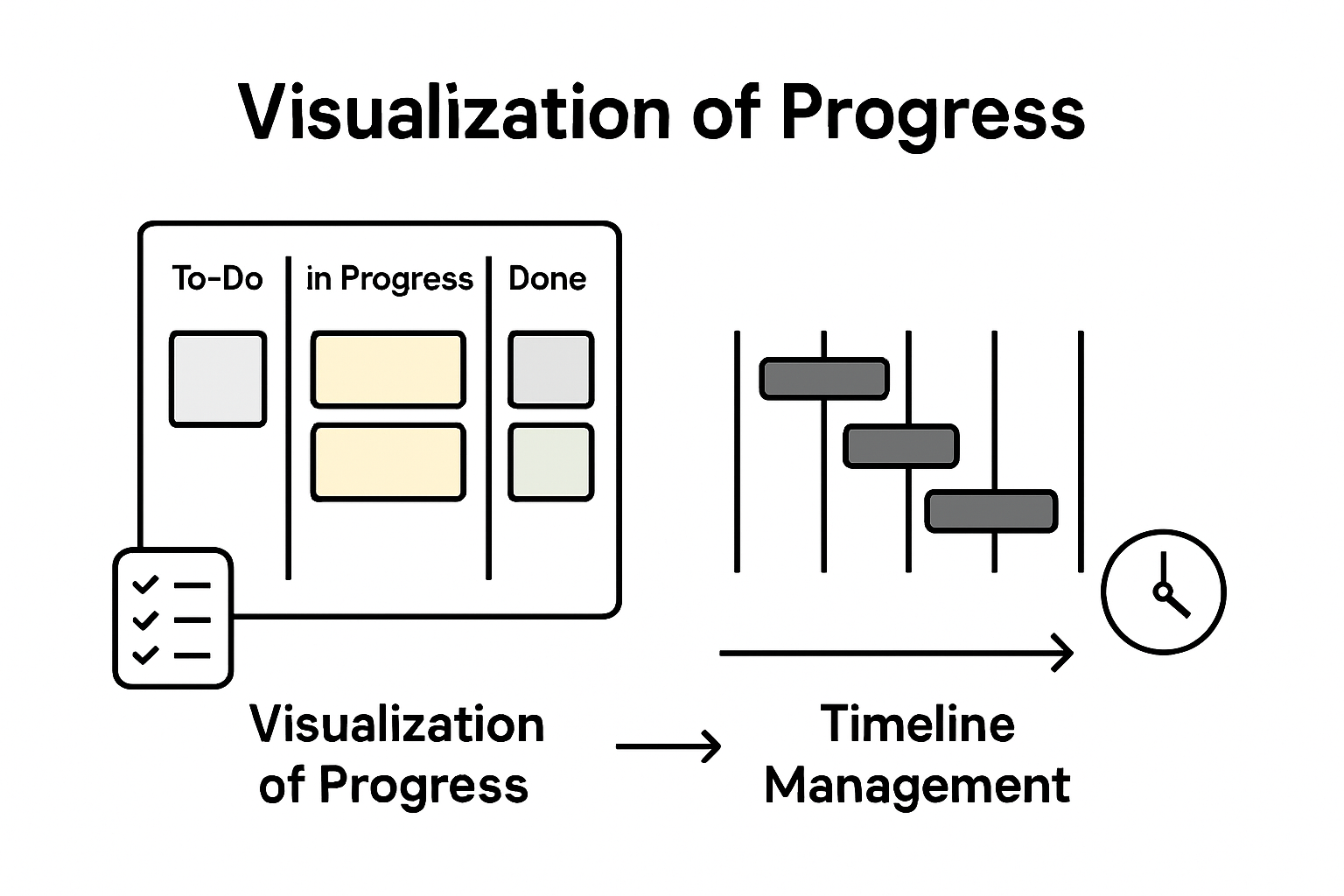
The fundamental structure of a Gantt chart involves two primary axes. The vertical axis lists specific project tasks or activities, while the horizontal axis represents time intervals. Each task is represented by a horizontal bar whose length indicates the task’s duration and placement shows its position within the overall project timeline. Modern Gantt charts have evolved beyond basic scheduling, now incorporating advanced features like task dependency tracking, resource allocation visualization, and real-time progress monitoring.
Originally developed by mechanical engineer Henry Gantt in the early 20th century, these charts were initially used in manufacturing and construction industries to improve workforce productivity and project scheduling. Project management tools like these help teams achieve several critical objectives:
Visualize entire project timelines at a glance
Identify potential scheduling conflicts
Track task dependencies and interconnections
Allocate resources more effectively
Communicate project status transparently
Today, Gantt charts remain an indispensable tool for project managers across industries, enabling precise planning, efficient communication, and strategic project execution.
Visualizing Project Timelines and Dependencies
Effective project management hinges on understanding complex task relationships and schedules. Visualizing task dependencies and timelines transforms abstract project plans into clear, actionable roadmaps that enable teams to navigate intricate workflow challenges with precision.
Gantt charts excel at revealing the intricate web of task interconnections through sophisticated visual mechanisms. By displaying tasks as horizontal bars along a chronological axis, these charts illuminate not just individual task durations, but also critical relationships between different project components. Managers can instantly recognize which tasks must be completed before others can begin, identify potential bottlenecks, and understand the sequence of work required to drive project completion.
The Precedence Diagram Method provides additional depth to project visualization, using graphical representations to map out task sequences and interdependencies. Project scheduling techniques like these help teams understand complex workflow dynamics by:
Highlighting sequential task relationships
Identifying critical path activities
Revealing potential scheduling constraints
Showing parallel work opportunities
Demonstrating resource allocation requirements
By translating complex project data into intuitive visual formats, Gantt charts and precedence diagrams empower project managers to make strategic decisions, optimize workflow efficiency, and maintain clear communication across teams.
Key Benefits for Teams and Individuals
Gantt charts deliver transformative advantages for both individual professionals and collaborative teams, revolutionizing how work gets planned and executed. Project management strategies that enhance team coordination provide clarity, reduce miscommunication, and create a shared understanding of project dynamics.
For individual professionals, Gantt charts serve as powerful personal productivity tools. They enable precise time management by breaking complex projects into manageable segments, allowing workers to visualize their workload, prioritize tasks, and track progress with unprecedented clarity. By presenting a comprehensive overview of project timelines, these charts help individuals identify potential time conflicts, allocate personal resources more strategically, and maintain a holistic view of their professional commitments.
Teams benefit equally dramatically from Gantt chart implementation. These visual tools create a transparent, unified workspace where every team member can instantly understand:
Overall project scope and timeline
Individual task responsibilities
Critical path and interdependencies
Potential scheduling conflicts
Resource allocation requirements
Moreover, Gantt charts foster a culture of accountability and collaborative transparency. They transform abstract project plans into concrete, shareable roadmaps that align team efforts, minimize misunderstandings, and create a shared mental model of project progression. By providing a single source of truth, these charts eliminate ambiguity and empower teams to work more cohesively toward common objectives.
Comparing Gantt Charts to Alternative Methods
Project management methodologies offer diverse approaches to tracking and planning work, with each technique providing unique insights and capabilities. Project scheduling algorithms like the Critical Path Method demonstrate the sophisticated landscape of project planning tools, each designed to address specific organizational needs and complexity levels.
While Gantt charts excel at providing visual timelines and intuitive task representations, alternative methods like the Critical Path Method (CPM) and Precedence Diagram Method (PDM) offer complementary perspectives on project management. CPM focuses intensely on identifying the longest sequence of dependent tasks, pinpointing exactly which activities most directly impact project completion time. This approach differs significantly from Gantt charts by emphasizing mathematical precision over visual representation.
Each project management technique brings distinct advantages to the table. Diagramming methods for tracking project dependencies reveal the intricate connections between tasks through different visual languages:
Ultimately, the most effective project management approach depends on specific project requirements, team dynamics, and organizational complexity. Successful project managers often blend multiple techniques, leveraging the strengths of each method to create comprehensive, adaptable planning strategies.
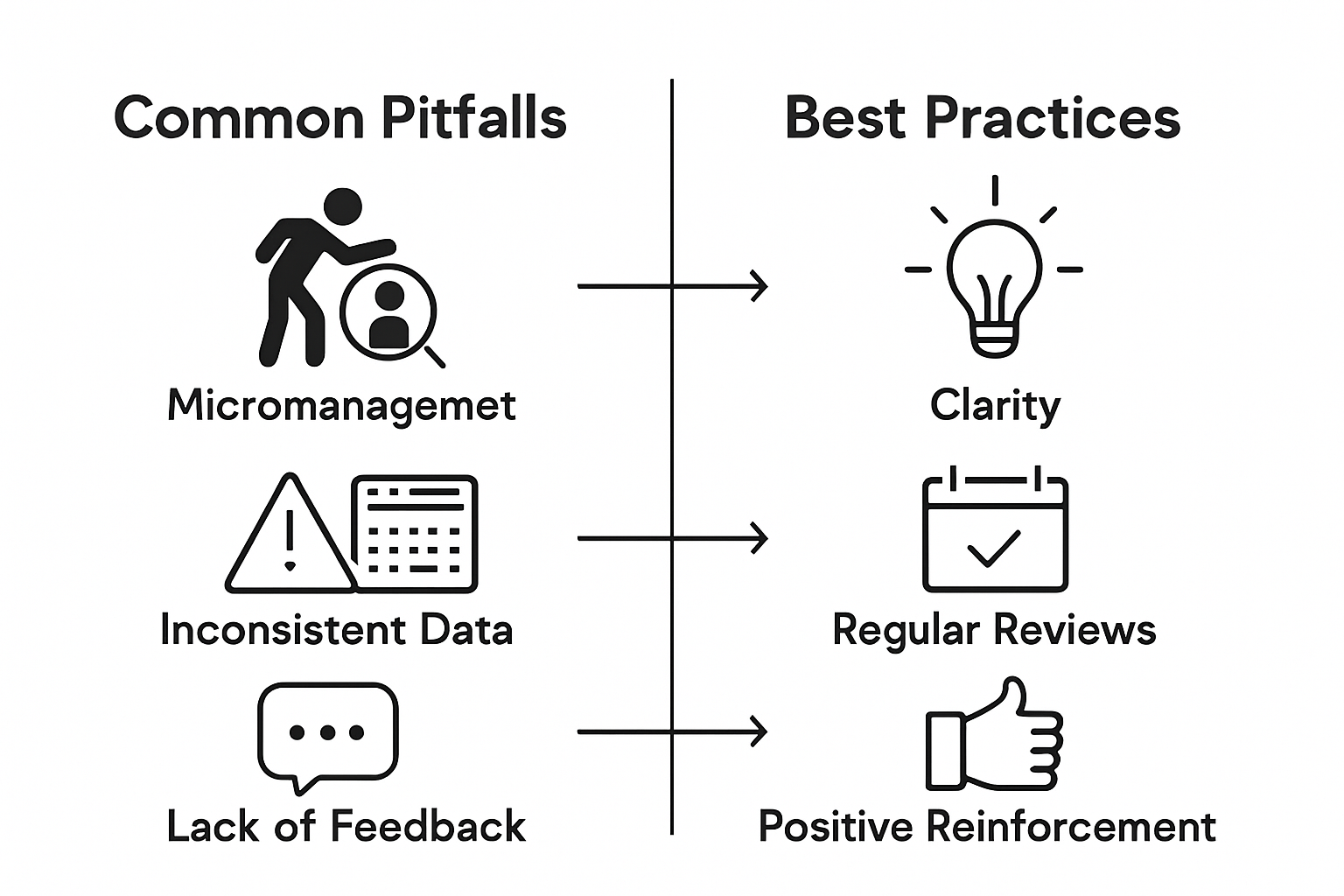
Common Pitfalls When Using Gantt Charts
Project visualization tools like Gantt charts can become double-edged swords when implemented without careful consideration. Navigating complex project management challenges requires understanding potential limitations that can undermine even the most well-intentioned planning efforts.
One significant pitfall emerges when teams rely exclusively on Gantt charts without complementary planning techniques. These visual tools can create a false sense of precision, masking the inherent unpredictability of project work. Managers might mistake the chart’s structured appearance for guaranteed predictability, overlooking the dynamic nature of real-world task completion. This can lead to unrealistic expectations, rigid thinking, and decreased adaptability when inevitable project variations occur.
The most critical challenges in Gantt chart implementation include:
Overcomplicating visual representations
Failing to account for task interdependencies
Neglecting resource constraints
Assuming linear task progression
Ignoring potential bottlenecks and risks
Not updating charts regularly
Misrepresenting actual task complexity
Successful project managers recognize that Gantt charts are powerful tools but not infallible solutions. They continuously validate visual representations against actual progress, remain flexible in their approach, and supplement Gantt charts with additional project management methodologies to create robust, adaptive planning strategies.
Transform Your Project Planning with Powerful Visualization and Prioritization Tools
Managing complex projects often leads to confusion when timelines and task dependencies are unclear. This article highlights how Gantt charts clarify project schedules and identify critical paths, but also points out common pitfalls like overcomplication and ignoring resource constraints. If you have ever struggled with balancing detailed project visuals alongside effective prioritization and accountability, you understand how crucial an integrated solution is.
TaskQuadrant.io bridges these challenges by combining clear project timeline visualization through interactive Gantt charts with a smart task prioritization system based on the Eisenhower Matrix. By simplifying task management and highlighting what is truly urgent and important, it helps individuals and teams avoid bottlenecks while maintaining focus on their highest-impact activities. Its intuitive interface means you can get started quickly without complex setup and easily monitor progress via visual dashboards.
Explore how TaskQuadrant.io can improve your project execution and personal productivity right now.
Stop letting confusing schedules and undefined priorities slow you down. Visit TaskQuadrant.io to organize your projects effectively, track goals clearly, and automate recurring work with ease. Start prioritizing like a pro and gain the confidence to tackle every task with clarity and control today.
Frequently Asked Questions
What is a Gantt chart and how is it used in project planning?
A Gantt chart is a visual project management tool that represents project schedules with tasks displayed as horizontal bars along a timeline. It helps teams understand task durations, dependencies, and overall project progression.
What are the key benefits of using Gantt charts for individual professionals?
Gantt charts enhance individual productivity by breaking complex projects into manageable tasks, allowing for better time management, prioritization, and tracking of progress.
How do Gantt charts compare to other project management methods?
Gantt charts focus on visualizing timelines and task durations, while methods like the Critical Path Method emphasize task sequencing and dependencies. Each method serves different purposes in project planning.
What common pitfalls should be avoided when using Gantt charts?
Common pitfalls include overcomplicating visuals, neglecting task interdependencies, and failing to update charts regularly. It’s important to use Gantt charts alongside other planning techniques for best results.
Most American professionals spend nearly half their workday on unplanned tasks, losing valuable time and focus. When demands constantly pile up, it becomes challenging to keep projects on track. With clear strategies for defining objectives, prioritizing work, and tracking progress, anyone can cut the clutter and reclaim hours each week. This practical guide shows how to build a streamlined system that boosts productivity and empowers every American worker to achieve better results.
Use Specific, Measurable, Achievable, Relevant, and Time-bound goals to create actionable targets and track progress.
2. Utilize the Eisenhower Matrix
Categorize tasks by urgency and importance to prioritize effectively and focus on high-impact activities.
3. Create intuitive workflows
Design workflows that streamline processes and reduce complexity to enhance productivity and minimize bottlenecks.
4. Implement visual dashboards
Develop dashboards that provide real-time updates on task progress, using visual indicators for clarity and efficiency.
5. Commit to continuous improvement
Regularly review and optimize your task management practices using the Plan-Do-Check-Act cycle to eliminate inefficiencies.
Step 1: Define key tasks and objectives
Defining key tasks and objectives is the foundational blueprint for successful productivity. By creating clear, strategic targets, you transform abstract goals into actionable roadmaps that guide your work and measure progress.
Start by adopting the SMART criteria framework for setting objectives that are Specific, Measurable, Achievable, Relevant, and Time-bound. This approach ensures your goals are not just wishful thinking but concrete, trackable targets. For instance, instead of saying “I want to improve my work performance,” frame it as “I will increase my project completion rate by 20% over the next quarter by implementing structured daily planning.”
To systematically approach task definition, leverage Management by Objectives principles which recommend aligning individual goals with broader organizational or personal outcomes. Break down larger objectives into smaller, manageable tasks. Ask yourself key questions like: What exactly needs to be accomplished? What specific actions will move me closer to this goal? What metrics will demonstrate successful completion?
Pro tip: Always include a timeline and specific success indicators for each task. Vague objectives lead to scattered efforts, while precise targets create focused momentum.
With your key tasks and objectives clearly defined, you are now ready to move into prioritization and strategic planning.
Step 2: Prioritize activities using the Eisenhower Matrix
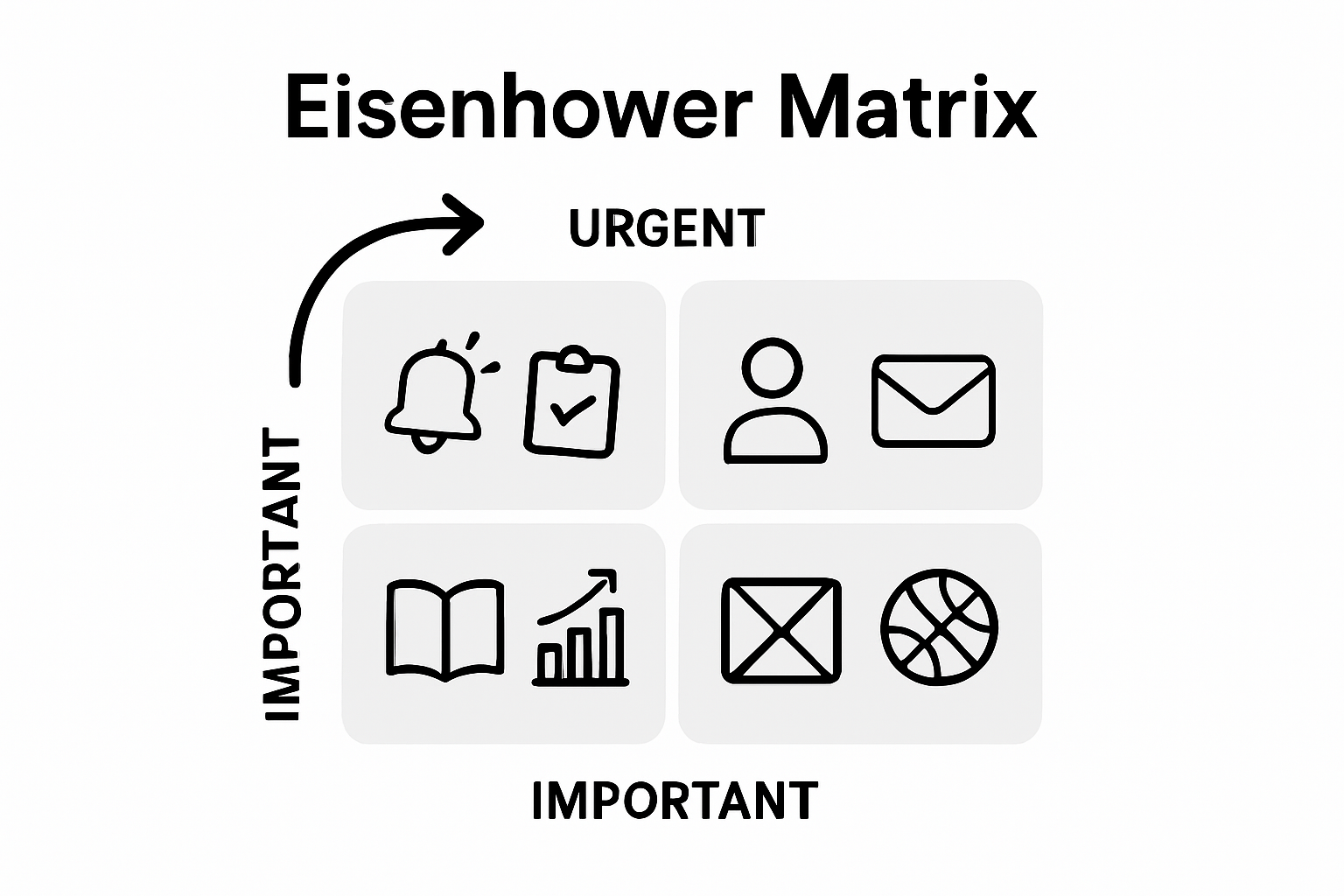
The Eisenhower Matrix transforms how you approach task management by providing a strategic framework for evaluating and organizing your workload. This powerful time management tool helps you distinguish between tasks that truly matter and those that merely consume your energy.
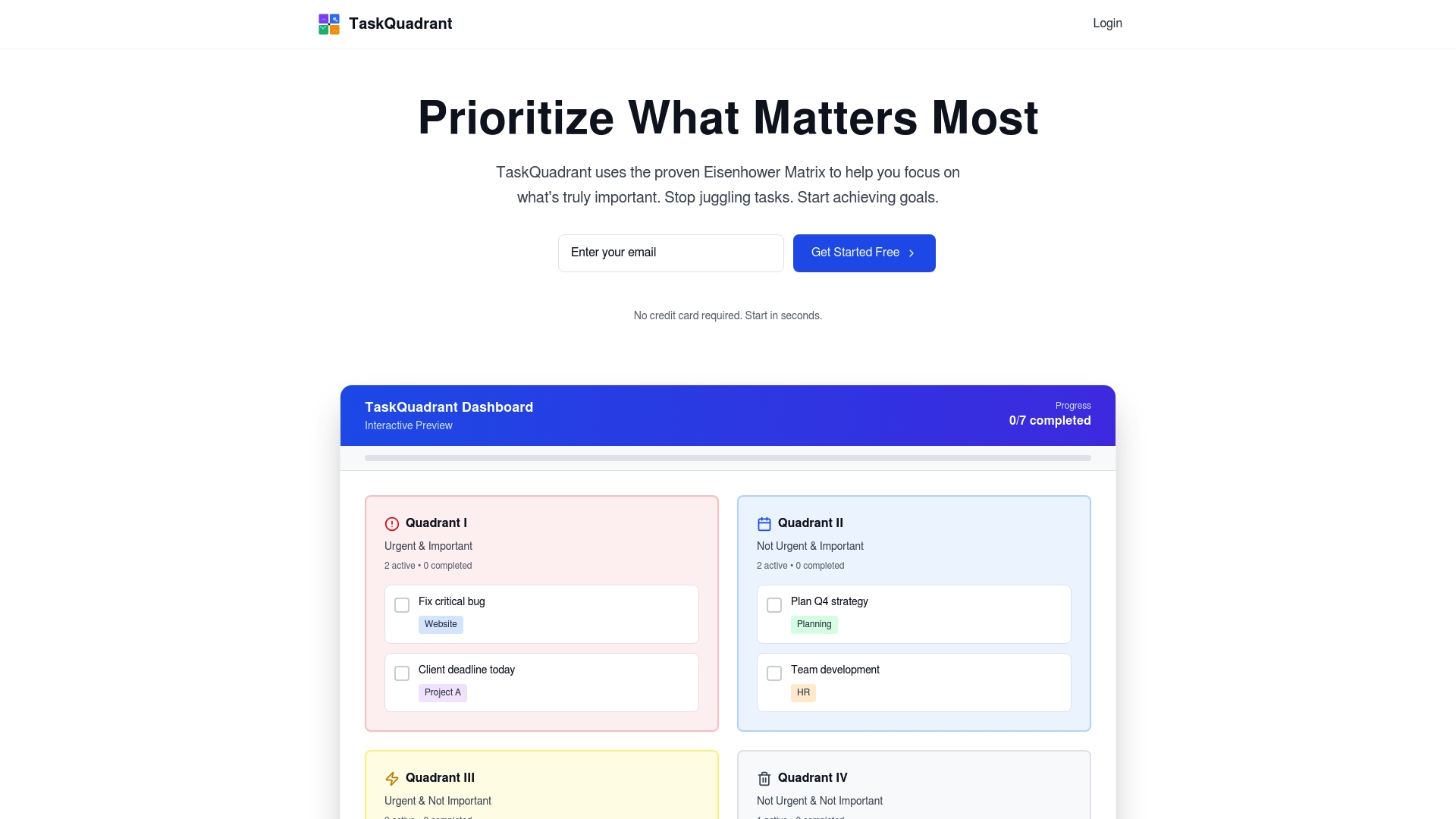
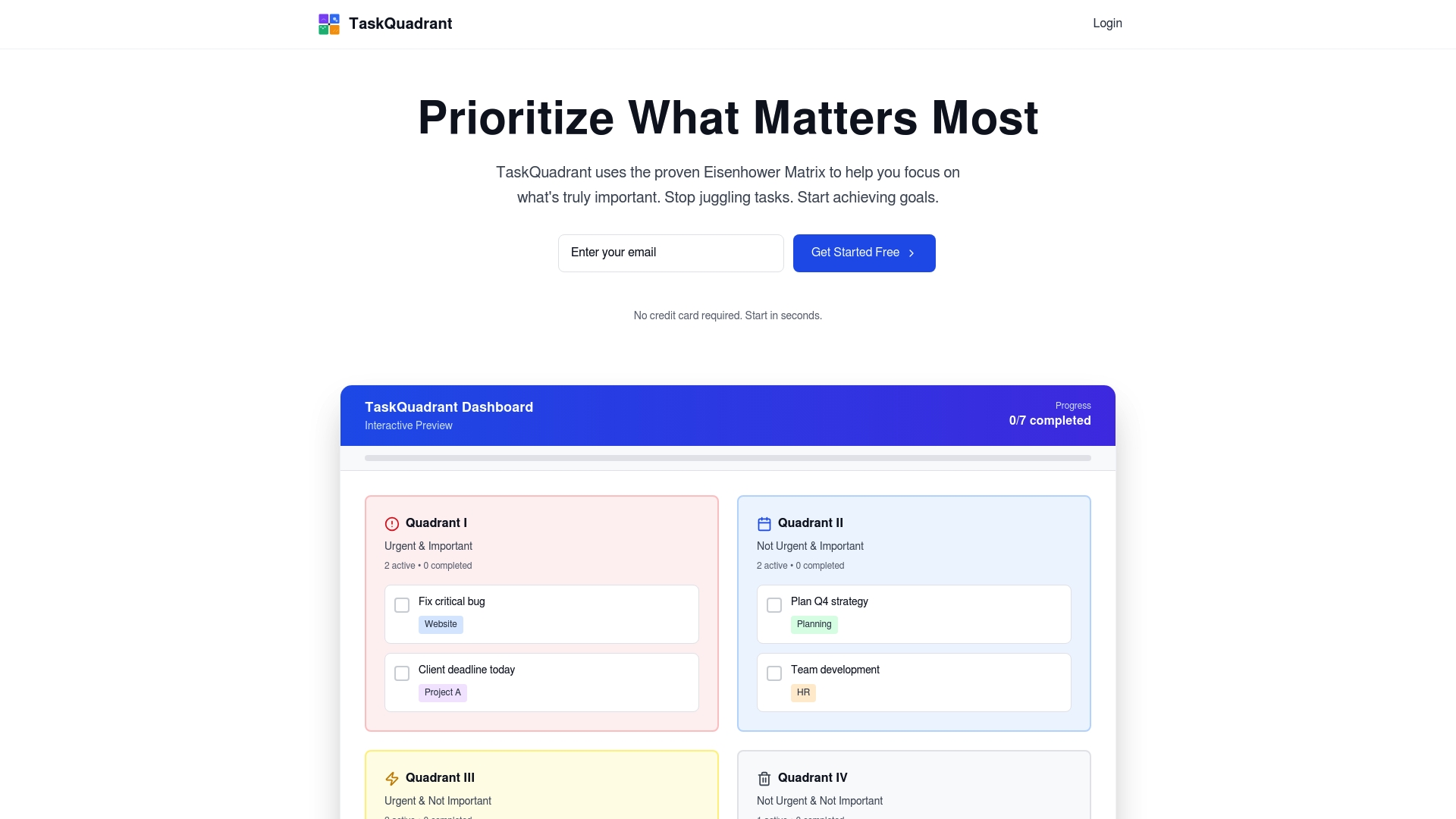
To effectively use the matrix, divide your tasks into four distinct quadrants based on their urgency and importance. Quadrant 1 contains critical and time-sensitive tasks that require immediate attention. Quadrant 2 focuses on important but not urgent activities like strategic planning and personal development. Quadrant 3 includes urgent but less important tasks that often feel pressing but can be delegated. Quadrant 4 captures low-priority tasks that should be minimized or eliminated.
When applying the decision matrix approach, systematically evaluate each task by asking two key questions: How urgent is this task? How important is this task to my overall goals? By consistently applying this method, you will reduce decision fatigue, focus on high-impact activities, and create a more intentional workflow.
Pro tip: Spend 80% of your time in Quadrant 2 activities to proactively manage your goals and prevent future emergencies.
With your tasks now strategically prioritized, you are prepared to move forward with focused and purposeful execution.
Step 3: Organize tasks with intuitive workflows
Creating intuitive workflows transforms chaos into systematic productivity. Your goal is to design a workflow process that moves tasks seamlessly from initiation to completion, eliminating unnecessary complexity and maximizing efficiency.
Start by mapping out your typical task sequence using visual techniques like flowcharts or mind maps. Identify natural progression points and potential bottlenecks in your current approach. When applying business process modeling principles, focus on creating logical connections between tasks that minimize cognitive load and streamline decision making. Group similar activities together, establish clear handoff points, and create consistent triggers that automatically move tasks through different stages of completion.
Break down complex projects into modular components with defined input and output requirements. This approach allows you to create repeatable systems that can be easily adjusted and scaled as your workload or priorities change. Implement clear status indicators or color coding to quickly communicate task progress and reduce communication overhead.
Pro tip: Review and optimize your workflow quarterly to ensure it continues meeting your evolving productivity needs.
With an intuitive workflow in place, you are now prepared to track and monitor your task progression systematically.
Step 4: Track progress with visual dashboards
Visual dashboards transform abstract performance data into actionable insights. Your goal is to create a business dashboard) that provides an instant snapshot of your task progress, enabling quick decision making and strategic adjustments.
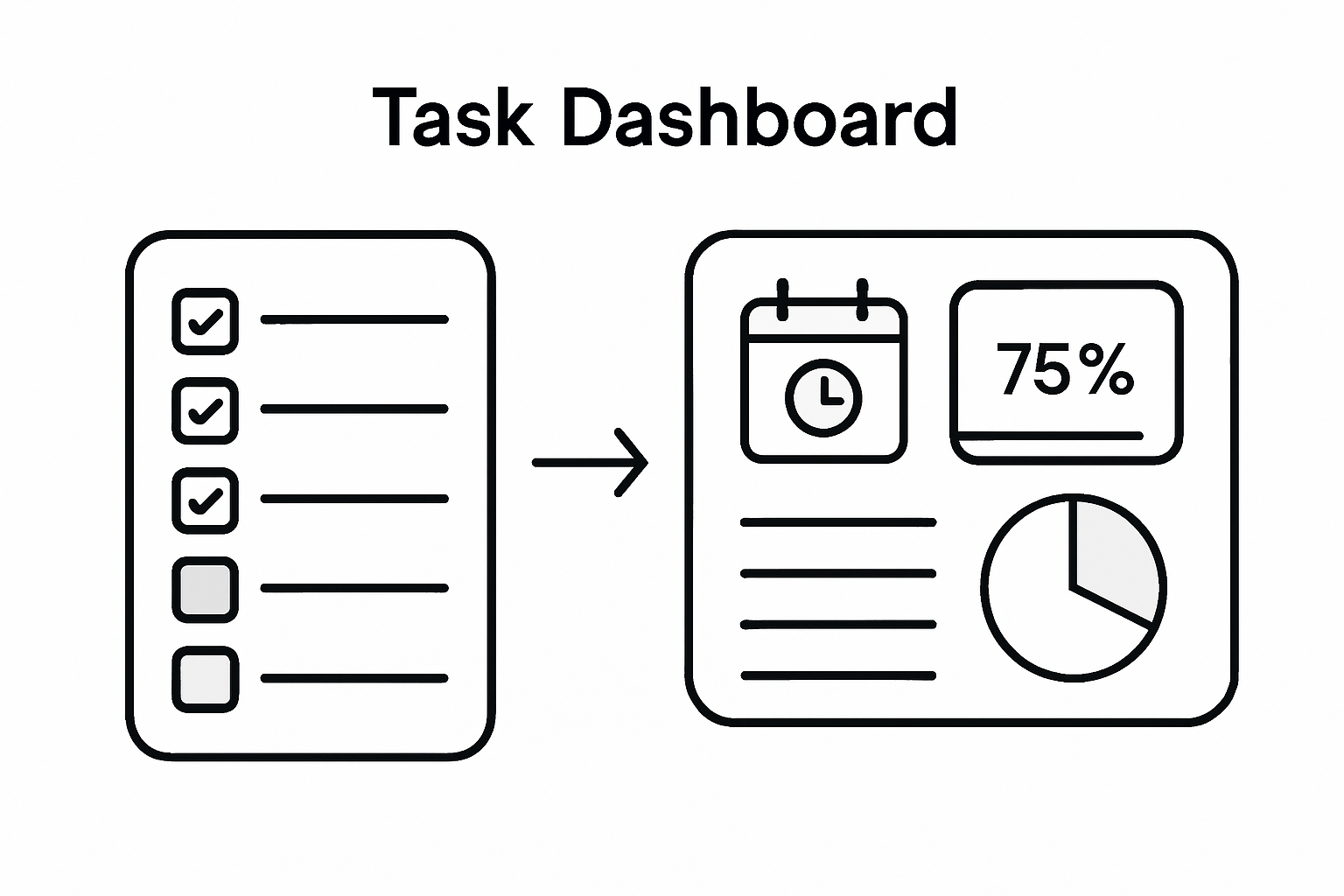
Design your dashboard to highlight key performance indicators that matter most to your workflow. Focus on metrics that directly reflect task completion rates, time investment, and overall productivity. Use color coding to create immediate visual recognition colors like green for completed tasks, yellow for in progress, and red for overdue activities. Incorporate graphical representations such as progress bars, pie charts, and trend lines that quickly communicate your advancement toward project goals.
Implement real time tracking mechanisms that update automatically, reducing manual data entry and providing continuous visibility into your work patterns. Configure your dashboard to show both micro level task details and macro level project progression, allowing you to zoom in and out of your performance landscape. Customize view settings to match your specific work style and information processing preferences.
Pro tip: Review your dashboard weekly to identify productivity trends and potential optimization opportunities.
With a comprehensive visual tracking system in place, you are now equipped to analyze and improve your task management strategy continuously.
Step 5: Review and optimize your task process
Optimizing your task management approach is an ongoing journey of incremental improvements. Your goal is to implement a continuous improvement process that systematically identifies and eliminates inefficiencies in your workflow.
Adopt the Plan-Do-Check-Act cycle as your primary optimization framework. In the planning phase, analyze your current task management performance and identify specific areas for enhancement. During the execution phase, implement targeted changes and carefully monitor their impact. The checking phase involves rigorous assessment of these modifications comparing actual results against expected outcomes. Finally, in the action phase, standardize successful improvements or reset and retry alternative strategies.
Create a monthly review ritual where you critically examine your productivity metrics. Look for patterns in task completion times, identify recurring bottlenecks, and assess the effectiveness of your current prioritization methods. Pay special attention to tasks that consistently get delayed or consume more time than anticipated. Consider experimenting with different techniques like time blocking, batching similar tasks, or adjusting your working environment to support more efficient work patterns.
Pro tip: Treat your task management system as a living document that evolves with your changing professional demands.
By committing to continuous refinement, you transform task management from a static process into a dynamic, adaptive strategy that grows alongside your professional capabilities.
Take Control of Your Productivity with Smart Task Management
Managing tasks effectively and prioritizing with clarity can be overwhelming. The article highlights the struggle to define clear objectives, prioritize using the Eisenhower Matrix, and track progress visually to avoid scattered focus and decision fatigue. If you want to move beyond theory and empower your productivity with a proven system that organizes your workload intuitively, TaskQuadrant.io offers exactly that. Our platform brings the Eisenhower Matrix to life by automatically sorting your tasks by urgency and importance, helping you focus on what truly matters.
Start transforming your task management today by visiting TaskQuadrant.io. See how easy it is to set SMART goals, create visual workflows, and track progress on dynamic dashboards. The longer you wait, the more decision fatigue grows. Take the first step to regain control and boost your productivity now.
Frequently Asked Questions
How can I define key tasks and objectives for better productivity?
To define key tasks and objectives, start by using the SMART criteria: make your goals Specific, Measurable, Achievable, Relevant, and Time-bound. Transform vague ambitions into concrete targets, like increasing your project completion rate by 20% over the next quarter.
What is the Eisenhower Matrix and how can it help prioritize tasks?
The Eisenhower Matrix is a time management tool that helps you categorize tasks based on urgency and importance. Divide your tasks into four quadrants to focus on critical activities while delegating or minimizing less important ones, ensuring you spend about 80% of your time on Quadrant 2 tasks.
How do I create an intuitive workflow for managing tasks?
To create an intuitive workflow, map out the sequence of your typical tasks using flowcharts or mind maps. Organize tasks logically and break larger projects into manageable steps to streamline decision-making and reduce complexity.
What should I include in a visual dashboard for tracking task progress?
A visual dashboard should highlight key performance indicators that reflect task completion rates and overall productivity. Use color coding and graphical representations like progress bars to quickly communicate status and make adjustments as necessary.
How can I implement continuous improvement in my task management process?
To implement continuous improvement, follow the Plan-Do-Check-Act cycle: analyze your current performance and implement changes, then assess their impact. Set aside time monthly to review productivity metrics and identify areas for enhancement, aiming for incremental improvements.
Finding the right tools to tackle projects or daily tasks can feel overwhelming with so many choices on the market. Some options promise simplicity and speed, while others offer deep customization and powerful features. Whether you want a visual way to manage your workload, automation for repeated routines, or advanced planning with calendars and mind maps, there is a solution designed to match nearly any style of working. Ready to see which approach fits your needs best and might surprise you with unexpected benefits
TaskQuadrant is a focused task management platform that applies the Eisenhower Matrix to turn overwhelm into clear priorities. It combines visual dashboards, mind maps, and Gantt charts into a single, low-friction workspace so you can prioritize, plan, and execute without a complex setup. The result is a tool aimed squarely at professionals and teams who need fast onboarding, reliable automation, and visual clarity to reduce decision fatigue.
Core Features
TaskQuadrant centers around four core capabilities: Eisenhower-matrix prioritization, interactive visual dashboards, mind maps that convert into actionable projects and tasks, and timeline visualization via Gantt charts. It includes recurring-task automation and the ability to export and share reports in PNG and PDF formats. Project templates and collaboration tools round out the offering, making the platform useful for both solo contributors and growing teams.
Pros
Rapid onboarding and no complex setup: You can start organizing tasks immediately without lengthy configuration, which saves time and reduces friction for busy teams.
Visual and intuitive interface: Dashboards, color-coded quadrants, and mind maps make priorities obvious at a glance, helping you see what matters without scrolling through lists.
Multiple planning tools in one place: With mind maps, automatic conversion to projects, and Gantt charts, you can brainstorm, plan timelines, and track progress without switching apps.
Automation with recurring tasks: Built-in recurring-task support automates routine workflows so your team spends less time recreating repetitive items.
Flexible plans for individuals and teams: Tiered pricing accommodates solo professionals who need a free or low-cost option and teams that require more advanced features.
Who It’s For
TaskQuadrant is ideal for professionals, project managers, and teams who want a straightforward, visual approach to prioritization and project planning. If you lead campaigns, coordinate recurring routines like standups and reviews, or need a quick way to turn brainstorming into an organized plan, TaskQuadrant fits naturally into your workflow. It’s especially valuable for users who value clarity and speed over feature overload.
Unique Value Proposition
TaskQuadrant’s real advantage is the combination of the Eisenhower Matrix with mind-map-driven project creation and visual dashboards—an uncommon blend that turns strategic thinking into execution. Rather than forcing indirect prioritization or buried labels, TaskQuadrant places urgency and importance front and center, then lets you sketch ideas in a mind map and instantly convert them into tasks and project timelines. This reduces decision friction and shortens the loop from idea to deliverable. The platform also emphasizes simplicity: quick onboarding, minimal setup, and direct exports (PNG/PDF) mean stakeholders get clear reports fast. For teams that need both high-level prioritization and detailed timelines, TaskQuadrant replaces the need to patch together multiple specialized apps, delivering a cohesive workflow that saves time and keeps focus.
Real World Use Case
A marketing team uses TaskQuadrant to brainstorm campaign concepts in mind maps, convert selected ideas into projects, prioritize tasks with the Eisenhower quadrants, and then schedule milestones with Gantt charts. Recurring tasks automate weekly standups and review notes, while PNG/PDF exports provide polished status summaries for stakeholders.
Pricing
Free plan available with limited features; Pro plan at $4.99 per month; Enterprise plan at $9.99 per month.
Todoist is a lightweight, widely adopted to-do list app trusted by more than 50 million professionals for personal and team productivity. It excels at fast task capture via natural language, clear Today and Upcoming views, and straightforward team collaboration. The app balances simplicity with power, but advanced customization and full feature access are gated behind paid plans. If you want a dependable, long-term task hub that won’t overwhelm new users, Todoist delivers — with trade-offs for power users.
Core Features
Todoist’s core capabilities center on rapid task entry and flexible organization: natural language task input, Today and Upcoming views for short- and mid-term planning, custom filters to surface priority tasks, scheduling with due dates and calendar visualization, and recurring task management to automate routine work. The platform also supports team workflows, template reuse, and enterprise-grade security, which positions it as both a personal planner and a lightweight team workspace.
Quick note.
Pros
Fast task capture with natural language: Typing “Submit report tomorrow at 9am” turns into a scheduled task instantly, which cuts friction when ideas strike.
Clear planning views and filters: Today and Upcoming screens plus custom filters let you focus on what matters now without losing sight of longer-term work.
Team collaboration and shared workspaces: Shared projects and templates make onboarding teammates and standardizing processes straightforward and repeatable.
Enterprise-grade security and compliance: Organizations get security controls suitable for professional use, which helps when handling sensitive workflows.
Broad templates and integrations: A variety of ready-made templates and integrations reduce setup time and help you adapt Todoist to common workflows quickly.
Cons
Pricing can block feature parity: Several advanced capabilities are available only on paid tiers, which means free users may quickly hit limits.
Paid plans required for team features: To unlock full team collaboration and management features, you need a Pro or Business subscription billed per user.
Advanced customization has a learning curve: Power users who want deep filters, automation, or complex recurring rules will face setup time and configuration decisions.
Who It’s For
Todoist fits individuals and teams that want a dependable, easy-to-adopt task manager rather than a heavyweight project management suite. It works best for professionals who prioritize fast capture, recurring task automation, and simple collaboration across small to medium teams.
Unique Value Proposition
Todoist’s strength is its blend of speed and clarity: natural language input plus concise planning views make capturing and scheduling tasks almost instantaneous. Combined with templates and enterprise security, it becomes a practical single-pane solution for both personal productivity and light team coordination.
Real World Use Case
A group of project managers uses Todoist to share project templates, assign recurring pre-launch checklists, and track milestone due dates in Upcoming views. Automation of repeating tasks reduces manual follow-up and keeps onboarding consistent for new members.
Pricing
A Free plan offers basic features; paid plans begin at $5 per user/month for Pro and $8 per user/month for Business when billed yearly, with monthly billing options also available.
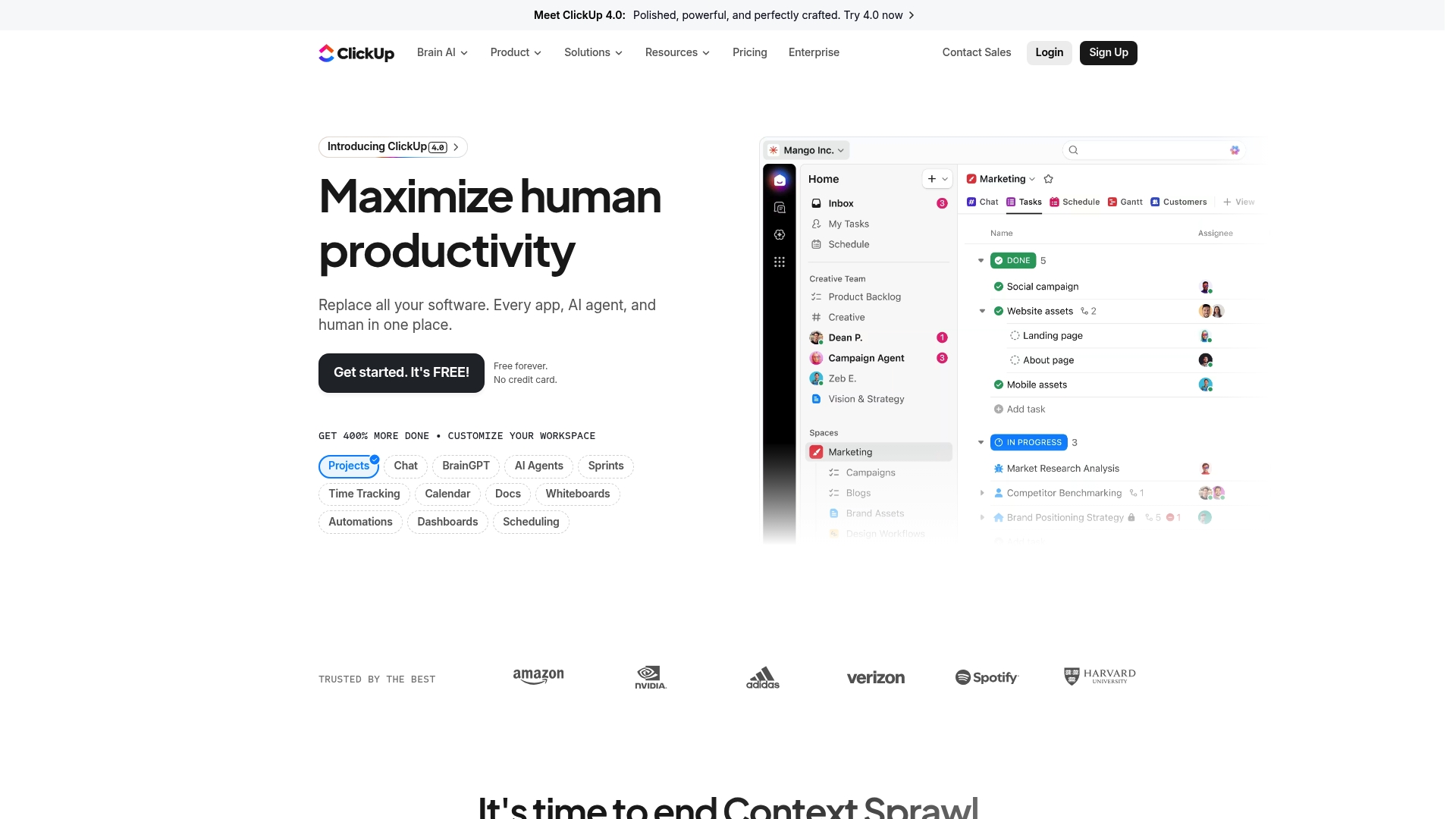
ClickUp is a comprehensive productivity platform that consolidates project management, AI assistance, and collaboration tools into a single workspace. It aims to reduce app switching by bringing Docs, whiteboards, calendars, time tracking, automations, and dashboards under one roof. There’s a generous Free Forever tier, and paid plans start affordably, but the breadth of features can feel overwhelming at first. Bottom line: powerful and flexible, best for teams willing to invest time in setup and adoption.
Core Features
ClickUp’s core capabilities focus on end-to-end work management: project and task tracking with multiple views, built-in time tracking, calendars and scheduling, collaborative Docs and whiteboards, plus automations and dashboards for reporting and workflow optimization. The platform also integrates AI-powered assistance—branded tools help generate content, suggest automations, and speed routine work. In short, ClickUp packs planning, execution, and analysis tools into one ecosystem designed to replace several single-purpose apps.
Pros
All-in-one platform replacing multiple apps: ClickUp centralizes tasks, docs, and tracking so you can cut down on app context switching and consolidate vendor contracts.
Wide range of features and integrations: From calendars to Gantt-style views and dashboards, ClickUp supports diverse workflows across teams and connects with common tools your organization already uses.
AI-powered tools like Brain for automation and assistance: Built-in AI features accelerate drafting, task generation, and routine automation, saving time on repetitive work.
Free forever option available: The Free Forever tier gives teams meaningful access to core features so you can evaluate the platform without upfront cost.
Trusted by over 10 million teams: A large user base indicates mature feature sets and continuous investment in the product.
Cons
Can be overwhelming with the number of features for new users: The interface and options can create decision fatigue during initial setup, requiring a deliberate onboarding plan.
Pricing can be high for large teams on the enterprise plan: While individual paid tiers start affordably, enterprise-level customization and scale drive costs upward for bigger organizations.
Some features may require a steep learning curve: Advanced automations, reporting, and custom workflows take time to master and may need a dedicated admin or champion.
Who It’s For
ClickUp is best for teams and organizations of various sizes that want a unified platform to streamline work, automate tasks, and improve productivity. If your group juggles multiple tools, manages cross-functional projects, or needs robust reporting and AI assistance, ClickUp scales from solo contributors to enterprise teams—provided you allocate time for configuration and training.
Unique Value Proposition
ClickUp’s strongest proposition is consolidation: it combines planning, documentation, automation, and AI-driven assistance into one extensible workspace. That unified approach reduces friction from tool sprawl and enables teams to build consistent processes and measurable dashboards without stitching many apps together.
Real World Use Case
A marketing team uses ClickUp to coordinate campaigns by managing content calendars, assigning tasks, tracking deadlines, collaborating in Docs, and automating handoffs between design and publishing—keeping everything visible in one environment to reduce missed deadlines and repetitive status meetings.
Pricing
Free forever with optional paid plans starting at $7 per user per month (billed annually) and custom enterprise solutions available for larger organizations.
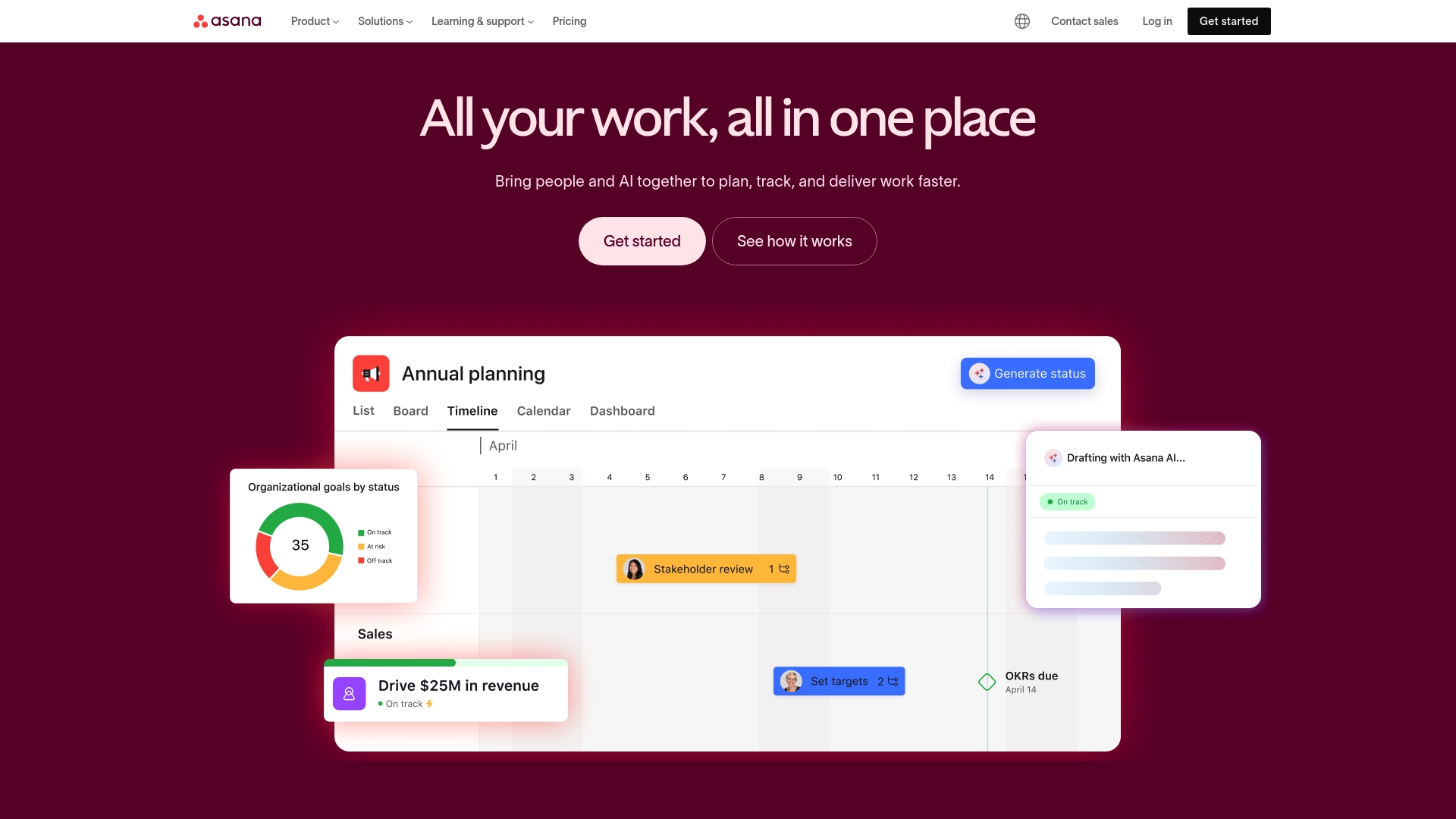
Asana is a mature work management platform that helps teams organize, track, and manage work with clarity and accountability. It combines list, board, and calendar views with automation, goal tracking, resource planning, and advanced reporting to support teams from startup scrums to enterprise programs. The interface is approachable and customizable, but advanced capabilities can create a learning curve and higher cost for large organizations. Bottom line: powerful and versatile, best for teams that need enterprise-grade features and broad integrations.
Core Features
Asana’s core capabilities center on flexible task and project management across list, board, and calendar views, plus workflow automation to reduce routine work. Goal tracking and organizational planning help align work to strategy, while resource management and capacity planning guide who does what and when. Advanced reporting and dashboards surface progress and bottlenecks, and a large integration ecosystem connects Asana to many other tools your team already uses.
Short. Practical.
Pros
Comprehensive work management features tailored for teams of all sizes: Asana provides structured task lists, Kanban-style boards, and calendar views that support both day-to-day work and longer initiatives.
Strong integration ecosystem with over 300 apps: You can link Asana to communication, file storage, and developer tools, keeping work centralized across platforms.
User-friendly interface and customizable workflows: The layout and templates let teams adopt workflows quickly and adapt fields, rules, and sections to match existing processes.
Supports goal alignment and strategic planning within teams: Built-in goal tracking helps translate high-level objectives into measurable work and milestones.
Enterprise-grade security and compliance features: For larger organizations, Asana offers controls and safeguards needed for governance and data protection.
Cons
Pricing can be high for larger teams or enterprise features: Per-user fees and tiered plans mean costs can escalate as you add users or need advanced capabilities.
Some advanced features require steep learning curve: Automation, resource planning, and custom reporting take time to configure effectively and may need administrator expertise.
Features may be too complex for very small or personal use: Solo users or tiny teams may find the breadth of features unnecessary and prefer a simpler tool.
Dependence on internet connectivity for real-time updates: Because Asana is cloud-based, offline or intermittent connections reduce functionality and can interrupt workflows.
Who It’s For
Asana fits teams of all sizes that want a cloud-based, scalable work management system with strong collaboration and reporting tools. It’s especially useful if you need integrations with other enterprise applications, centralized goal tracking, and the ability to automate repetitive workflows. If you value structure and control over simplicity, Asana will likely meet your needs.
Unique Value Proposition
Asana’s strength lies in combining flexible task views, organizational goal tracking, and a robust automation layer within a single platform. That blend makes it easier to move from high-level strategy to day-to-day execution without stitching together multiple point solutions.
Real World Use Case
A marketing team uses Asana to coordinate campaigns: they create project templates for content production, assign tasks with deadlines, automate approval steps, and monitor campaign health via dashboards to keep launches on schedule.
Pricing
Free for basic features; paid plans start at $10.99 per user/month for the Starter plan, $24.99 per user/month for the Business plan, with custom pricing available for enterprise requirements.
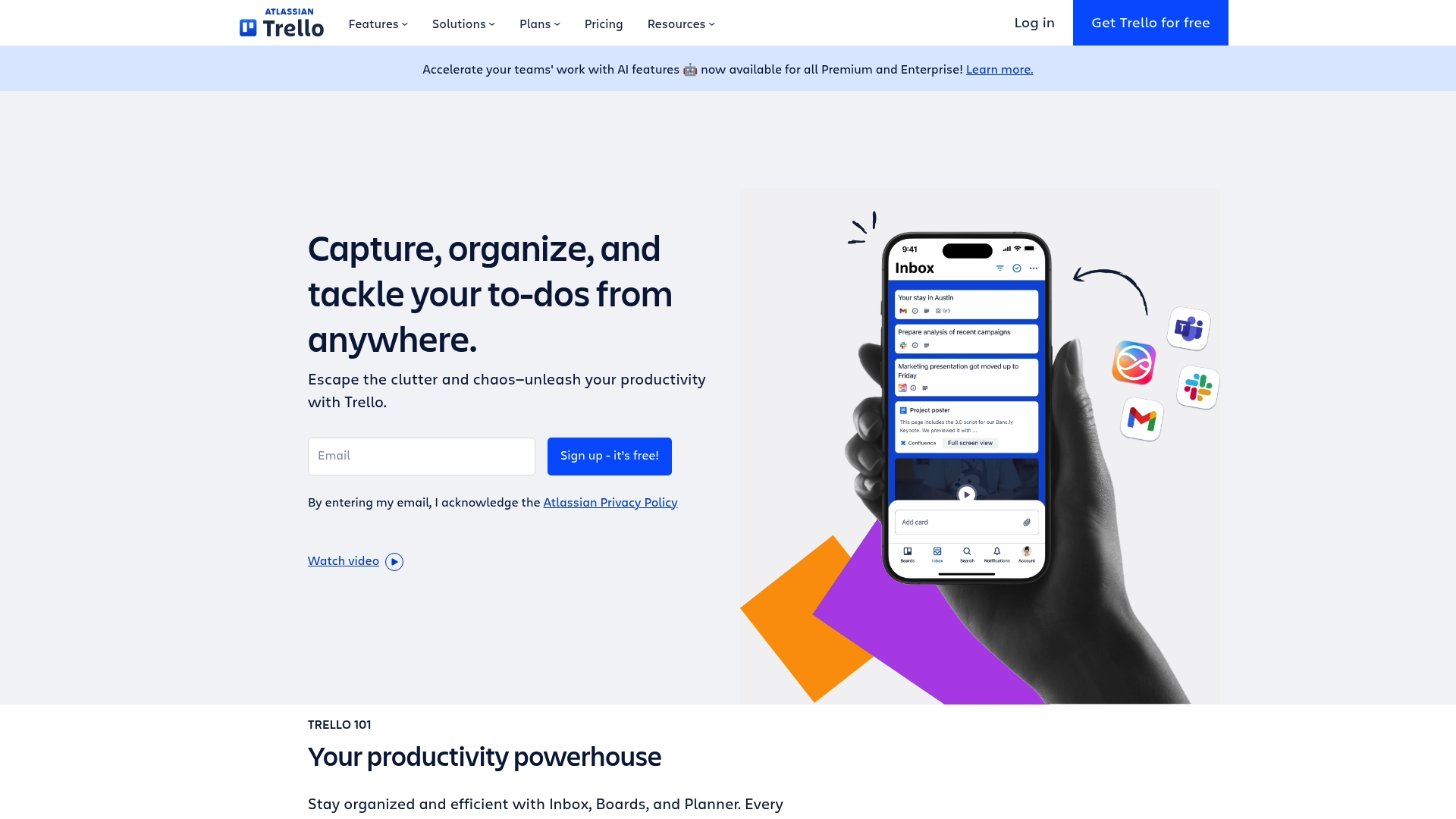
Trello is a visually driven task and project organizer that makes it easy for teams and individuals to manage work with minimal setup. Its board-and-card model is intuitive, which speeds onboarding and keeps daily workflows visible at a glance. Automation and integrations extend its usefulness beyond simple checklists, but teams with heavier storage or advanced needs may need paid plans. Overall, Trello is excellent for teams that value visual clarity and straightforward collaboration.
Core Features
Trello centers on visual boards and cards for task and project management, letting you map workflows in a familiar Kanban-style layout. It supports automation of repetitive tasks, templates for common project types, activity logs and notifications, and collaboration tools such as comments and attachments. Power-Ups enable integrations with other apps and tools to centralize work, while templates and simple signup help teams get started quickly.
Pros
User-friendly and visually intuitive interface: The board-and-card layout reduces friction for new users and keeps priorities visible without heavy configuration.
Flexible plans for different team sizes and needs: A free tier and tiered paid options let individuals and growing teams pick the plan that fits their budget and feature needs.
Wide range of integrations and automation options: Power-Ups and built-in automation let you connect other tools and automate routine actions, saving time on repetitive work.
Supports remote and hybrid work arrangements: Activity logs, notifications, and collaboration features make it easy for distributed teams to stay aligned and exchange context.
Strong security and administrative controls: Enterprise-oriented controls and admin features help teams maintain governance as they scale across departments.
Cons
Some advanced features require paid plans: Key capabilities such as higher-power automation, advanced admin controls, or extended Power-Up use may be gated behind paid tiers, which could impact adoption for budget-conscious teams.
Limited storage on lower-tier plans: Storage limits on entry-level plans can force teams to upgrade or manage attachments externally to avoid hitting caps.
Can become cluttered with many boards and cards if not managed well: Without disciplined board hygiene or naming conventions, visual boards can grow chaotic and undermine clarity rather than enhance it.
Who It’s For
Trello is ideal for teams and individuals who want an easy-to-use, visual collaboration platform to organize tasks and projects across roles and functions. It fits small teams, marketing groups, content creators, freelancers, and departments in larger organizations that prefer lightweight workflows and rapid adoption over heavy process enforcement.
Unique Value Proposition
Trello’s unique value lies in its simplicity and visual clarity: it converts complex project activity into boards you can scan at a glance, while offering enough automation and integration to scale workflows without losing the straightforward experience that teams appreciate.
Real World Use Case
A marketing team uses Trello to plan campaigns, track content production, and collaborate across departments. They apply templates for recurring campaign setups, use Power-Ups to link assets, and automate status updates so handoffs occur smoothly between writers, designers, and managers.
Pricing
Free plan available; paid plans start at $5/user/month for Standard, $10/user/month for Premium, and custom pricing for Enterprise.
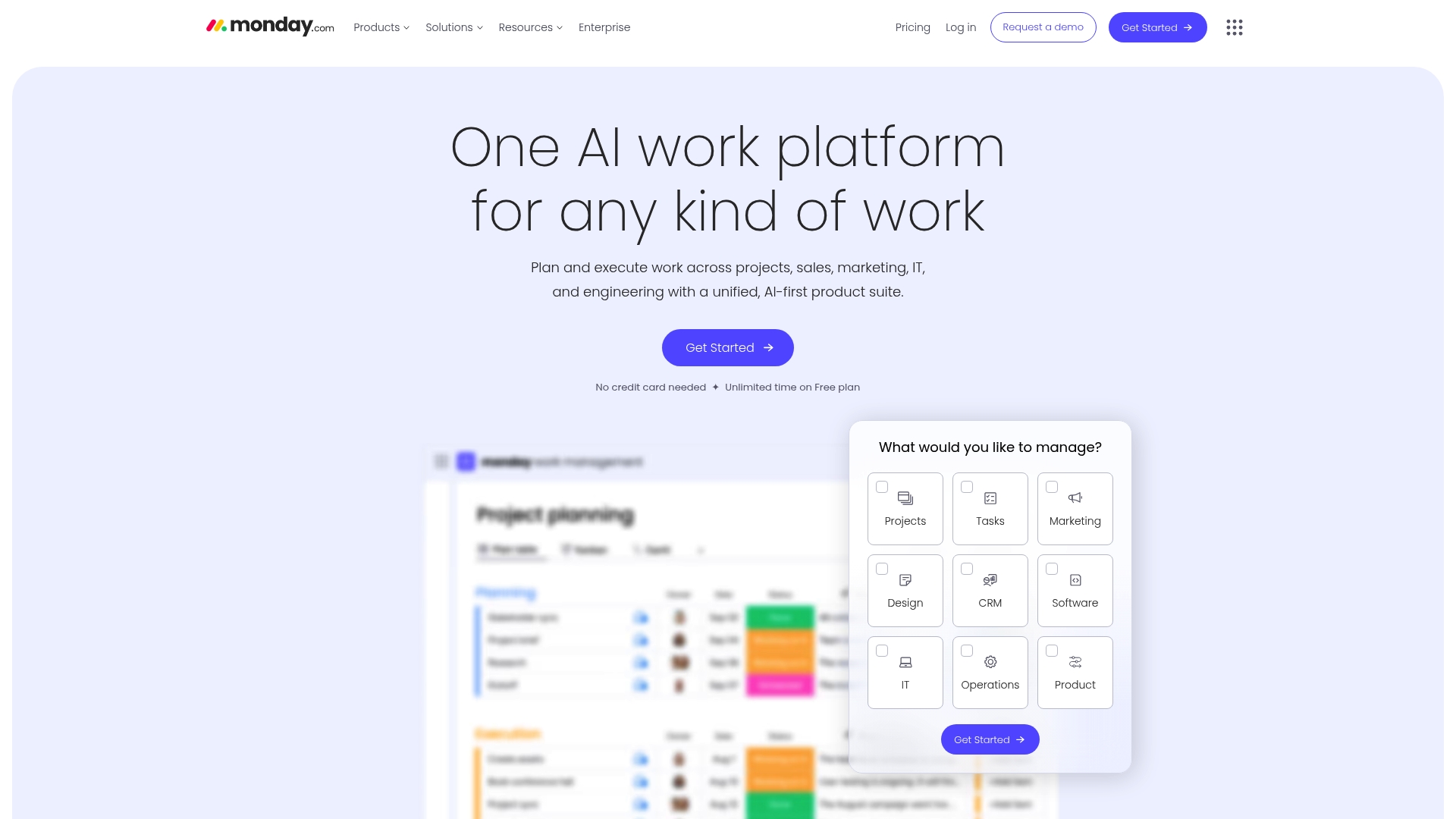
Monday.com is an AI-powered work platform that centralizes project management, CRM, development workflows, and service operations in one place. It emphasizes customizable workflows, automation, and AI-driven insights to reduce manual work and surface project risks. Trusted by over 60% of the Fortune 500, it scales from departmental teams to enterprise portfolios. If you need a single platform to unite varied teams and data, Monday.com is a strong contender.
Core Features
Monday.com consolidates work management for diverse use cases: project and portfolio oversight, CRM tracking, development lifecycle coordination, and service management with automation. The platform layers AI-powered risk detection and analytics on top of customizable workflows, so teams can automate routine actions and surface insights without building complex integrations from scratch. Integrations and templates speed onboarding, while automation rules and AI insights aim to keep teams focused on outcomes rather than status updates.
Pros
Highly customizable workflows: You can tailor boards, automations, and templates to match complex processes rather than forcing teams to adapt to rigid structures.
AI capabilities for automation and insights: Built-in AI assists with risk detection and project analytics, helping teams catch issues earlier and prioritize work more effectively.
Broad range of integrations and features: The platform supports cross-functional workflows by connecting CRM, development, and service processes within one environment.
Suitable for enterprise-scale organizations: Monday.com’s feature set and scale make it a practical choice for larger organizations managing multiple portfolios.
User-friendly interface with extensive templates: The interface and prebuilt templates reduce onboarding friction for teams moving into a unified work platform.
Cons
Pricing complexity based on features and team size: Costs vary by plan and seat, and feature availability across tiers can make total pricing hard to estimate upfront.
Potentially overwhelming due to feature richness for smaller teams: The breadth of capabilities can feel excessive for simple task lists or solo users who need minimal tooling.
Some advanced features only available on higher-tier plans: Key AI and enterprise-grade functions may require the Pro or Enterprise levels, increasing the overall investment.
Who It’s For
Monday.com fits medium to large organizations and teams that require a configurable, AI-enabled work management platform capable of integrating multiple tools and supporting complex workflows. If your team coordinates cross-department initiatives, maintains CRM processes, or manages software delivery at scale, this platform is built to adapt to those demands.
Unique Value Proposition
Monday.com combines broad functional coverage with AI-driven insights and deep customization, offering a single system to run project work, customer pipelines, and service operations together. That convergence—plus enterprise readiness—lets organizations reduce tool sprawl and surface automated insights across teams.
Real World Use Case
A multinational corporation uses Monday.com to coordinate several project teams, automate recurring administrative tasks, monitor project risks with AI insights, and produce real-time reports for executives—shortening decision cycles and centralizing status data.
Pricing
Pricing starts with a free plan that includes basic features and then progresses through tiered paid plans—Standard, Pro, and Enterprise—with per-seat costs and additional capabilities unlocked at higher tiers. Exact pricing varies by team size and selected features.
To Do (by Microsoft) is a lightweight, no-cost task manager that keeps the focus on simplicity and daily productivity. It syncs across devices via Microsoft accounts and supports voice-driven input through the built-in “hey copilot” integration, which speeds quick additions and brainstorming. If you want a straightforward way to prioritize personal and work tasks without a steep learning curve, To Do delivers. It is not a full project management suite, though, so don’t expect advanced collaboration or timeline features.
Core Features
To Do centers on task organization and prioritization with a user-friendly interface that makes list creation and daily planning fast and visual. Key capabilities include voice command integration using the phrase “hey copilot” for hands-free task entry, deep platform integration with the Microsoft ecosystem for seamless syncing, and cross-device accessibility so your lists follow you. The app emphasizes straightforward to-do list workflows rather than complex project structures.
Pros
Easy to use and integrate with Microsoft accounts: The app links directly to your Microsoft Account, which reduces setup friction and keeps tasks synced across devices.
Supports voice commands for hands-free operation: Using “hey copilot” lets you add tasks, ask questions, or talk through ideas without typing, which speeds capture.
Focuses on task prioritization and organization: Built-in list and prioritization tools help you separate must-do items from lower-priority work efficiently.
Accessible across devices with Microsoft account syncs: Changes made on one device appear across your phone, tablet, and desktop, so you always have the latest list.
Free to use: There is no cost barrier, making it an attractive option for individuals and teams already in the Microsoft ecosystem.
Cons
Limited feature set compared to more comprehensive project management tools: The app lacks advanced features like Gantt charts, detailed dependencies, and in-depth reporting.
Dependence on Microsoft ecosystem for full functionality: To get the smoothest experience you generally need to use other Microsoft services, which can lock you into the platform.
Requires internet connection for syncing and full features: Offline functionality is limited, so reliable access to the internet is necessary for seamless sync.
Who It’s For
To Do is ideal for individuals and professionals who want a simple, integrated task manager inside the Microsoft ecosystem. If you already use Microsoft Teams, Outlook, or Office apps and need a lightweight way to organize daily tasks and reminders, this tool fits neatly into that workflow. It’s also a good pick for people who prefer voice-driven capture.
Unique Value Proposition
The unique value of To Do lies in its blend of zero cost, tight Microsoft integration, and voice-command capabilities. It trades complexity for clarity: you get fast task capture, prioritized lists, and device sync without training or heavy configuration.
Real World Use Case
An employee uses To Do to organize daily tasks, set reminders, and coordinate with team members through Microsoft Teams. They add new action items by saying “hey copilot,” quickly check off completed items during the day, and rely on synced lists when switching devices.
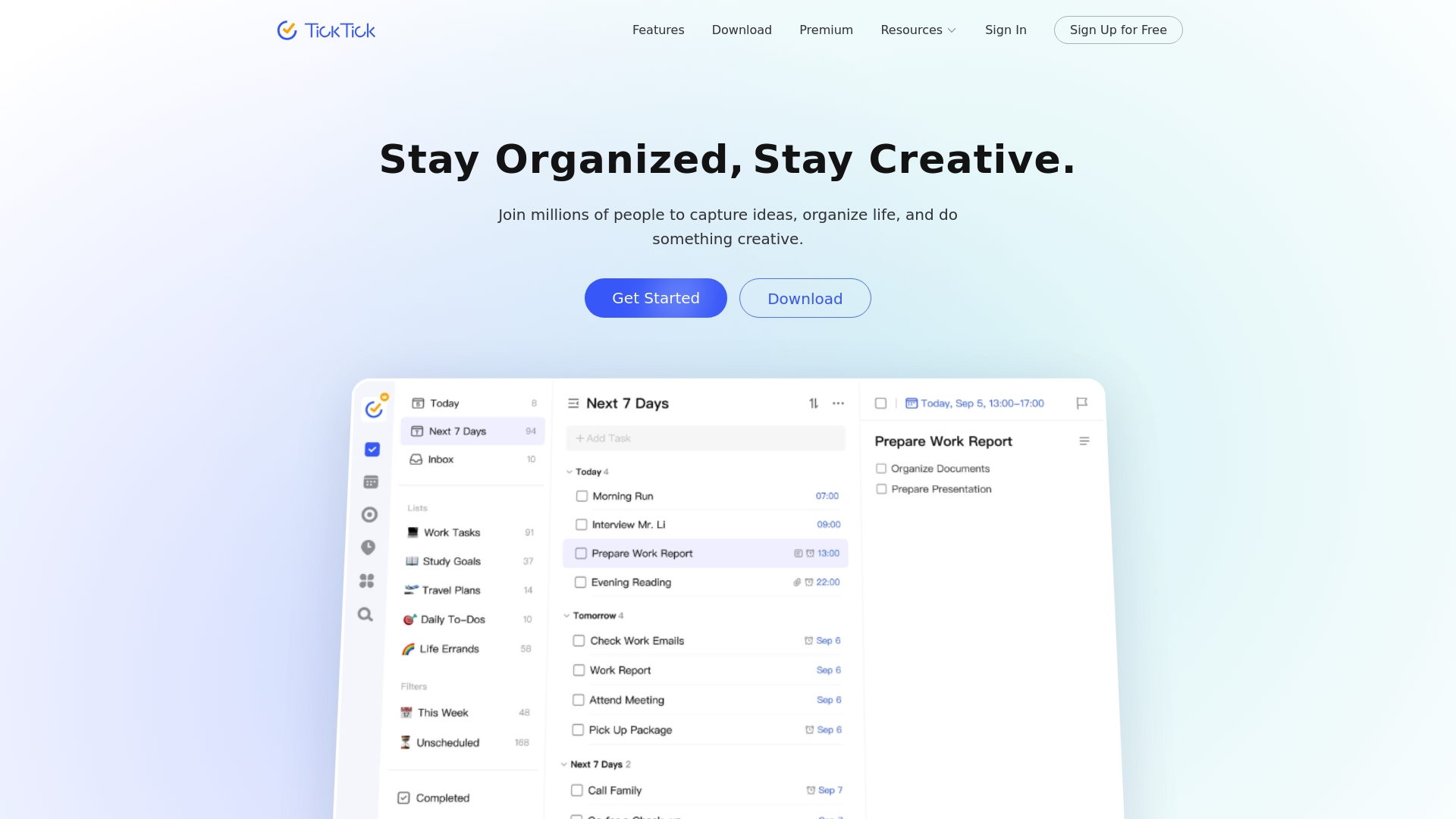
TickTick is an all-in-one task management app that combines to-do lists, rich calendar views, habit tracking, and a Pomodoro timer into a single, cross-device workspace. It helps you capture ideas, prioritize work with tools like the Eisenhower matrix and Kanban, and keep focus with built-in timers. For individuals and small teams who want a compact but feature-rich productivity hub, TickTick strikes a strong balance between functionality and simplicity. Expect a short learning curve if you explore its deeper customization and collaboration features.
Core Features
TickTick’s core capabilities center on flexible task organization and time management: traditional to-do lists, calendar views (monthly, weekly, daily, agenda), and rich planning modes such as Kanban, timeline, and an Eisenhower matrix. It also includes a Pomodoro timer for focused sessions, a habit tracker to build routines, smart time recognition and input filtering for quick entry, repeat reminders with custom rules, keyboard shortcuts, list sharing and collaboration, subscription to external calendars, task statistics and progress tracking, themes for personalization, and seamless cross-platform sync across phones, tablets, and computers.
Pros
Comprehensive feature set in one app: TickTick combines tasks, calendar, habits, and a Pomodoro timer so you don’t need separate tools to manage daily work and routines.
Cross-device real-time sync: Changes on one device appear on others instantly, which keeps your workflow continuous whether you’re on a phone, tablet, or desktop.
Multiple planning views for prioritization: Calendar, Kanban, timeline, and Eisenhower matrix views give clear visual options for planning and prioritizing work.
Collaboration and sharing: You can share lists and collaborate on tasks, which helps small teams coordinate without complex setup.
Customizable interface and themes: Personalization options let you tailor the experience to your workflow and visual preferences.
Cons
May have a learning curve due to extensive features: New users can feel overwhelmed when they first encounter the range of views, timers, and customization options.
Some advanced features require a premium subscription: Certain capabilities such as advanced reminders, additional themes, or enhanced statistics are gated behind the paid plan.
Interface could be overwhelming for newcomers: The dense feature set can make initial navigation feel cluttered until you streamline the layout to your needs.
Who It’s For
TickTick is ideal for individuals and small teams who want a single app to manage personal tasks, daily planning, and simple team collaboration. It suits productivity enthusiasts and professionals who value multiple planning views and built-in focus tools without needing enterprise-level complexity.
Unique Value Proposition
TickTick’s unique value lies in packaging diverse productivity tools—task lists, calendar planning, habit tracking, and Pomodoro focus—into a single, synced experience across devices, with multiple visual planning modes like the Eisenhower matrix for prioritization.
Real World Use Case
A user organizes daily tasks, sets reminders for appointments, tracks habits like exercise, and uses the Pomodoro timer for focused work blocks while sharing project lists with a small team; all items stay synchronized across phone, tablet, and desktop.
Pricing
Free version available with an optional premium subscription for additional features.
Here is a comprehensive comparison of popular task management tools. This table summarizes their core features, pros, cons, pricing, and ideal user scenarios to help you choose the best platform for your needs.
Product
Features
Pros
Cons
Pricing
TaskQuadrant
Eisenhower Matrix, Mind Maps, Gantt Charts, Automation
Rapid onboarding, Visual interface, Multiple tools in one
Higher-tier features may be required for full use
Free, Pro $4.99/mo, Enterprise $9.99/mo
Todoist
Natural language input, Custom filters, Recurring tasks
Fast capture, Clear views, Team collaboration
Features restricted on free plan, Learning curve for advanced customization
Free, Pro $5/mo, Business $8/mo
ClickUp
Project tracking, AI tools, Time tracking, Dashboards
All-in-one app, Real-time sync, Collaboration and sharing
Learning curve, Some features require premium plan
Free, Premium subscription available
Prioritize Smarter and Work More Efficiently with TaskQuadrant
The “Best 8 Task Management Software Comparison – Expert Review 2025” highlights common challenges professionals face including decision fatigue, complex setups, and juggling multiple planning tools. If you are struggling to organize your workload and find clarity in urgent versus important tasks, you are not alone. The article emphasizes the power of the Eisenhower Matrix to simplify prioritization and reduce overwhelm — a core strength of TaskQuadrant. Our platform uniquely combines this matrix with visual mind maps and Gantt charts to help you turn ideas into actionable projects effortlessly.
Take control of your productivity now by exploring how TaskQuadrant delivers rapid onboarding, automated recurring tasks, and visual dashboards that keep your goals in clear focus. Whether you are an individual professional or part of a growing team, TaskQuadrant offers flexible plans tailored to your needs. Visit TaskQuadrant.io to start prioritizing effectively. Learn more about our approach to the Eisenhower Matrix and discover how our project organization features can transform your workflow today.
Frequently Asked Questions
What are the main features to look for in task management software?
To ensure efficient project tracking, prioritize software that offers key features like task prioritization, time tracking, and collaboration tools. Evaluate your team’s specific needs and select software that includes features relevant to your workflows, such as Gantt charts or Kanban boards.
How can task management software improve team productivity?
Task management software enhances team productivity by centralizing task organization and reducing communication friction. Implement visual tools like dashboards and calendars within the software to help team members stay aligned on deadlines and project status.
What should I consider when choosing a task management tool for my team?
Consider factors such as team size, project complexity, and budget when selecting a task management tool. Analyze compatibility with existing workflows and evaluate trial versions to assess which software best meets your team’s specific requirements.
How do I transition my team to a new task management software?
To transition your team, first, choose software that allows for quick onboarding with user-friendly interfaces. Schedule training sessions and set clear expectations for implementation, aiming for full adoption within 30–60 days to maximize efficiency and minimize disruptions.
Are there free task management tools that my team can use?
Yes, many task management tools offer free versions with essential features suitable for small teams or personal use. Test out different options to find a tool that provides basic functionality without cost before considering paid plans for advanced features.
How can I assess the effectiveness of a task management tool?
To assess effectiveness, regularly gather feedback from your team about the software’s usability and impact on their workflows. Monitor key metrics like project completion rates and time savings, aiming for noticeable improvements, such as a ~20% increase in task efficiency after the first few months.
Finding the right tools to tackle projects or daily tasks can feel overwhelming with so many choices on the market. Some options promise simplicity and speed, while others offer deep customization and powerful features. Whether you want a visual way to manage your workload, automation for repeated routines, or advanced planning with calendars and mind maps, there is a solution designed to match nearly any style of working. Ready to see which approach fits your needs best and might surprise you with unexpected benefits
TaskQuadrant is a focused task management platform that applies the Eisenhower Matrix to turn overwhelm into clear priorities. It combines visual dashboards, mind maps, and Gantt charts into a single, low-friction workspace so you can prioritize, plan, and execute without a complex setup. The result is a tool aimed squarely at professionals and teams who need fast onboarding, reliable automation, and visual clarity to reduce decision fatigue.
Core Features
TaskQuadrant centers around four core capabilities: Eisenhower-matrix prioritization, interactive visual dashboards, mind maps that convert into actionable projects and tasks, and timeline visualization via Gantt charts. It includes recurring-task automation and the ability to export and share reports in PNG and PDF formats. Project templates and collaboration tools round out the offering, making the platform useful for both solo contributors and growing teams.
Pros
Rapid onboarding and no complex setup: You can start organizing tasks immediately without lengthy configuration, which saves time and reduces friction for busy teams.
Visual and intuitive interface: Dashboards, color-coded quadrants, and mind maps make priorities obvious at a glance, helping you see what matters without scrolling through lists.
Multiple planning tools in one place: With mind maps, automatic conversion to projects, and Gantt charts, you can brainstorm, plan timelines, and track progress without switching apps.
Automation with recurring tasks: Built-in recurring-task support automates routine workflows so your team spends less time recreating repetitive items.
Flexible plans for individuals and teams: Tiered pricing accommodates solo professionals who need a free or low-cost option and teams that require more advanced features.
Who It’s For
TaskQuadrant is ideal for professionals, project managers, and teams who want a straightforward, visual approach to prioritization and project planning. If you lead campaigns, coordinate recurring routines like standups and reviews, or need a quick way to turn brainstorming into an organized plan, TaskQuadrant fits naturally into your workflow. It’s especially valuable for users who value clarity and speed over feature overload.
Unique Value Proposition
TaskQuadrant’s real advantage is the combination of the Eisenhower Matrix with mind-map-driven project creation and visual dashboards—an uncommon blend that turns strategic thinking into execution. Rather than forcing indirect prioritization or buried labels, TaskQuadrant places urgency and importance front and center, then lets you sketch ideas in a mind map and instantly convert them into tasks and project timelines. This reduces decision friction and shortens the loop from idea to deliverable. The platform also emphasizes simplicity: quick onboarding, minimal setup, and direct exports (PNG/PDF) mean stakeholders get clear reports fast. For teams that need both high-level prioritization and detailed timelines, TaskQuadrant replaces the need to patch together multiple specialized apps, delivering a cohesive workflow that saves time and keeps focus.
Real World Use Case
A marketing team uses TaskQuadrant to brainstorm campaign concepts in mind maps, convert selected ideas into projects, prioritize tasks with the Eisenhower quadrants, and then schedule milestones with Gantt charts. Recurring tasks automate weekly standups and review notes, while PNG/PDF exports provide polished status summaries for stakeholders.
Pricing
Free plan available with limited features; Pro plan at $4.99 per month; Enterprise plan at $9.99 per month.
Todoist is a lightweight, widely adopted to-do list app trusted by more than 50 million professionals for personal and team productivity. It excels at fast task capture via natural language, clear Today and Upcoming views, and straightforward team collaboration. The app balances simplicity with power, but advanced customization and full feature access are gated behind paid plans. If you want a dependable, long-term task hub that won’t overwhelm new users, Todoist delivers — with trade-offs for power users.
Core Features
Todoist’s core capabilities center on rapid task entry and flexible organization: natural language task input, Today and Upcoming views for short- and mid-term planning, custom filters to surface priority tasks, scheduling with due dates and calendar visualization, and recurring task management to automate routine work. The platform also supports team workflows, template reuse, and enterprise-grade security, which positions it as both a personal planner and a lightweight team workspace.
Quick note.
Pros
Fast task capture with natural language: Typing “Submit report tomorrow at 9am” turns into a scheduled task instantly, which cuts friction when ideas strike.
Clear planning views and filters: Today and Upcoming screens plus custom filters let you focus on what matters now without losing sight of longer-term work.
Team collaboration and shared workspaces: Shared projects and templates make onboarding teammates and standardizing processes straightforward and repeatable.
Enterprise-grade security and compliance: Organizations get security controls suitable for professional use, which helps when handling sensitive workflows.
Broad templates and integrations: A variety of ready-made templates and integrations reduce setup time and help you adapt Todoist to common workflows quickly.
Cons
Pricing can block feature parity: Several advanced capabilities are available only on paid tiers, which means free users may quickly hit limits.
Paid plans required for team features: To unlock full team collaboration and management features, you need a Pro or Business subscription billed per user.
Advanced customization has a learning curve: Power users who want deep filters, automation, or complex recurring rules will face setup time and configuration decisions.
Who It’s For
Todoist fits individuals and teams that want a dependable, easy-to-adopt task manager rather than a heavyweight project management suite. It works best for professionals who prioritize fast capture, recurring task automation, and simple collaboration across small to medium teams.
Unique Value Proposition
Todoist’s strength is its blend of speed and clarity: natural language input plus concise planning views make capturing and scheduling tasks almost instantaneous. Combined with templates and enterprise security, it becomes a practical single-pane solution for both personal productivity and light team coordination.
Real World Use Case
A group of project managers uses Todoist to share project templates, assign recurring pre-launch checklists, and track milestone due dates in Upcoming views. Automation of repeating tasks reduces manual follow-up and keeps onboarding consistent for new members.
Pricing
A Free plan offers basic features; paid plans begin at $5 per user/month for Pro and $8 per user/month for Business when billed yearly, with monthly billing options also available.
ClickUp is a comprehensive productivity platform that consolidates project management, AI assistance, and collaboration tools into a single workspace. It aims to reduce app switching by bringing Docs, whiteboards, calendars, time tracking, automations, and dashboards under one roof. There’s a generous Free Forever tier, and paid plans start affordably, but the breadth of features can feel overwhelming at first. Bottom line: powerful and flexible, best for teams willing to invest time in setup and adoption.
Core Features
ClickUp’s core capabilities focus on end-to-end work management: project and task tracking with multiple views, built-in time tracking, calendars and scheduling, collaborative Docs and whiteboards, plus automations and dashboards for reporting and workflow optimization. The platform also integrates AI-powered assistance—branded tools help generate content, suggest automations, and speed routine work. In short, ClickUp packs planning, execution, and analysis tools into one ecosystem designed to replace several single-purpose apps.
Pros
All-in-one platform replacing multiple apps: ClickUp centralizes tasks, docs, and tracking so you can cut down on app context switching and consolidate vendor contracts.
Wide range of features and integrations: From calendars to Gantt-style views and dashboards, ClickUp supports diverse workflows across teams and connects with common tools your organization already uses.
AI-powered tools like Brain for automation and assistance: Built-in AI features accelerate drafting, task generation, and routine automation, saving time on repetitive work.
Free forever option available: The Free Forever tier gives teams meaningful access to core features so you can evaluate the platform without upfront cost.
Trusted by over 10 million teams: A large user base indicates mature feature sets and continuous investment in the product.
Cons
Can be overwhelming with the number of features for new users: The interface and options can create decision fatigue during initial setup, requiring a deliberate onboarding plan.
Pricing can be high for large teams on the enterprise plan: While individual paid tiers start affordably, enterprise-level customization and scale drive costs upward for bigger organizations.
Some features may require a steep learning curve: Advanced automations, reporting, and custom workflows take time to master and may need a dedicated admin or champion.
Who It’s For
ClickUp is best for teams and organizations of various sizes that want a unified platform to streamline work, automate tasks, and improve productivity. If your group juggles multiple tools, manages cross-functional projects, or needs robust reporting and AI assistance, ClickUp scales from solo contributors to enterprise teams—provided you allocate time for configuration and training.
Unique Value Proposition
ClickUp’s strongest proposition is consolidation: it combines planning, documentation, automation, and AI-driven assistance into one extensible workspace. That unified approach reduces friction from tool sprawl and enables teams to build consistent processes and measurable dashboards without stitching many apps together.
Real World Use Case
A marketing team uses ClickUp to coordinate campaigns by managing content calendars, assigning tasks, tracking deadlines, collaborating in Docs, and automating handoffs between design and publishing—keeping everything visible in one environment to reduce missed deadlines and repetitive status meetings.
Pricing
Free forever with optional paid plans starting at $7 per user per month (billed annually) and custom enterprise solutions available for larger organizations.
Asana is a mature work management platform that helps teams organize, track, and manage work with clarity and accountability. It combines list, board, and calendar views with automation, goal tracking, resource planning, and advanced reporting to support teams from startup scrums to enterprise programs. The interface is approachable and customizable, but advanced capabilities can create a learning curve and higher cost for large organizations. Bottom line: powerful and versatile, best for teams that need enterprise-grade features and broad integrations.
Core Features
Asana’s core capabilities center on flexible task and project management across list, board, and calendar views, plus workflow automation to reduce routine work. Goal tracking and organizational planning help align work to strategy, while resource management and capacity planning guide who does what and when. Advanced reporting and dashboards surface progress and bottlenecks, and a large integration ecosystem connects Asana to many other tools your team already uses.
Short. Practical.
Pros
Comprehensive work management features tailored for teams of all sizes: Asana provides structured task lists, Kanban-style boards, and calendar views that support both day-to-day work and longer initiatives.
Strong integration ecosystem with over 300 apps: You can link Asana to communication, file storage, and developer tools, keeping work centralized across platforms.
User-friendly interface and customizable workflows: The layout and templates let teams adopt workflows quickly and adapt fields, rules, and sections to match existing processes.
Supports goal alignment and strategic planning within teams: Built-in goal tracking helps translate high-level objectives into measurable work and milestones.
Enterprise-grade security and compliance features: For larger organizations, Asana offers controls and safeguards needed for governance and data protection.
Cons
Pricing can be high for larger teams or enterprise features: Per-user fees and tiered plans mean costs can escalate as you add users or need advanced capabilities.
Some advanced features require steep learning curve: Automation, resource planning, and custom reporting take time to configure effectively and may need administrator expertise.
Features may be too complex for very small or personal use: Solo users or tiny teams may find the breadth of features unnecessary and prefer a simpler tool.
Dependence on internet connectivity for real-time updates: Because Asana is cloud-based, offline or intermittent connections reduce functionality and can interrupt workflows.
Who It’s For
Asana fits teams of all sizes that want a cloud-based, scalable work management system with strong collaboration and reporting tools. It’s especially useful if you need integrations with other enterprise applications, centralized goal tracking, and the ability to automate repetitive workflows. If you value structure and control over simplicity, Asana will likely meet your needs.
Unique Value Proposition
Asana’s strength lies in combining flexible task views, organizational goal tracking, and a robust automation layer within a single platform. That blend makes it easier to move from high-level strategy to day-to-day execution without stitching together multiple point solutions.
Real World Use Case
A marketing team uses Asana to coordinate campaigns: they create project templates for content production, assign tasks with deadlines, automate approval steps, and monitor campaign health via dashboards to keep launches on schedule.
Pricing
Free for basic features; paid plans start at $10.99 per user/month for the Starter plan, $24.99 per user/month for the Business plan, with custom pricing available for enterprise requirements.
Trello is a visually driven task and project organizer that makes it easy for teams and individuals to manage work with minimal setup. Its board-and-card model is intuitive, which speeds onboarding and keeps daily workflows visible at a glance. Automation and integrations extend its usefulness beyond simple checklists, but teams with heavier storage or advanced needs may need paid plans. Overall, Trello is excellent for teams that value visual clarity and straightforward collaboration.
Core Features
Trello centers on visual boards and cards for task and project management, letting you map workflows in a familiar Kanban-style layout. It supports automation of repetitive tasks, templates for common project types, activity logs and notifications, and collaboration tools such as comments and attachments. Power-Ups enable integrations with other apps and tools to centralize work, while templates and simple signup help teams get started quickly.
Pros
User-friendly and visually intuitive interface: The board-and-card layout reduces friction for new users and keeps priorities visible without heavy configuration.
Flexible plans for different team sizes and needs: A free tier and tiered paid options let individuals and growing teams pick the plan that fits their budget and feature needs.
Wide range of integrations and automation options: Power-Ups and built-in automation let you connect other tools and automate routine actions, saving time on repetitive work.
Supports remote and hybrid work arrangements: Activity logs, notifications, and collaboration features make it easy for distributed teams to stay aligned and exchange context.
Strong security and administrative controls: Enterprise-oriented controls and admin features help teams maintain governance as they scale across departments.
Cons
Some advanced features require paid plans: Key capabilities such as higher-power automation, advanced admin controls, or extended Power-Up use may be gated behind paid tiers, which could impact adoption for budget-conscious teams.
Limited storage on lower-tier plans: Storage limits on entry-level plans can force teams to upgrade or manage attachments externally to avoid hitting caps.
Can become cluttered with many boards and cards if not managed well: Without disciplined board hygiene or naming conventions, visual boards can grow chaotic and undermine clarity rather than enhance it.
Who It’s For
Trello is ideal for teams and individuals who want an easy-to-use, visual collaboration platform to organize tasks and projects across roles and functions. It fits small teams, marketing groups, content creators, freelancers, and departments in larger organizations that prefer lightweight workflows and rapid adoption over heavy process enforcement.
Unique Value Proposition
Trello’s unique value lies in its simplicity and visual clarity: it converts complex project activity into boards you can scan at a glance, while offering enough automation and integration to scale workflows without losing the straightforward experience that teams appreciate.
Real World Use Case
A marketing team uses Trello to plan campaigns, track content production, and collaborate across departments. They apply templates for recurring campaign setups, use Power-Ups to link assets, and automate status updates so handoffs occur smoothly between writers, designers, and managers.
Pricing
Free plan available; paid plans start at $5/user/month for Standard, $10/user/month for Premium, and custom pricing for Enterprise.
Monday.com is an AI-powered work platform that centralizes project management, CRM, development workflows, and service operations in one place. It emphasizes customizable workflows, automation, and AI-driven insights to reduce manual work and surface project risks. Trusted by over 60% of the Fortune 500, it scales from departmental teams to enterprise portfolios. If you need a single platform to unite varied teams and data, Monday.com is a strong contender.
Core Features
Monday.com consolidates work management for diverse use cases: project and portfolio oversight, CRM tracking, development lifecycle coordination, and service management with automation. The platform layers AI-powered risk detection and analytics on top of customizable workflows, so teams can automate routine actions and surface insights without building complex integrations from scratch. Integrations and templates speed onboarding, while automation rules and AI insights aim to keep teams focused on outcomes rather than status updates.
Pros
Highly customizable workflows: You can tailor boards, automations, and templates to match complex processes rather than forcing teams to adapt to rigid structures.
AI capabilities for automation and insights: Built-in AI assists with risk detection and project analytics, helping teams catch issues earlier and prioritize work more effectively.
Broad range of integrations and features: The platform supports cross-functional workflows by connecting CRM, development, and service processes within one environment.
Suitable for enterprise-scale organizations: Monday.com’s feature set and scale make it a practical choice for larger organizations managing multiple portfolios.
User-friendly interface with extensive templates: The interface and prebuilt templates reduce onboarding friction for teams moving into a unified work platform.
Cons
Pricing complexity based on features and team size: Costs vary by plan and seat, and feature availability across tiers can make total pricing hard to estimate upfront.
Potentially overwhelming due to feature richness for smaller teams: The breadth of capabilities can feel excessive for simple task lists or solo users who need minimal tooling.
Some advanced features only available on higher-tier plans: Key AI and enterprise-grade functions may require the Pro or Enterprise levels, increasing the overall investment.
Who It’s For
Monday.com fits medium to large organizations and teams that require a configurable, AI-enabled work management platform capable of integrating multiple tools and supporting complex workflows. If your team coordinates cross-department initiatives, maintains CRM processes, or manages software delivery at scale, this platform is built to adapt to those demands.
Unique Value Proposition
Monday.com combines broad functional coverage with AI-driven insights and deep customization, offering a single system to run project work, customer pipelines, and service operations together. That convergence—plus enterprise readiness—lets organizations reduce tool sprawl and surface automated insights across teams.
Real World Use Case
A multinational corporation uses Monday.com to coordinate several project teams, automate recurring administrative tasks, monitor project risks with AI insights, and produce real-time reports for executives—shortening decision cycles and centralizing status data.
Pricing
Pricing starts with a free plan that includes basic features and then progresses through tiered paid plans—Standard, Pro, and Enterprise—with per-seat costs and additional capabilities unlocked at higher tiers. Exact pricing varies by team size and selected features.
To Do (by Microsoft) is a lightweight, no-cost task manager that keeps the focus on simplicity and daily productivity. It syncs across devices via Microsoft accounts and supports voice-driven input through the built-in “hey copilot” integration, which speeds quick additions and brainstorming. If you want a straightforward way to prioritize personal and work tasks without a steep learning curve, To Do delivers. It is not a full project management suite, though, so don’t expect advanced collaboration or timeline features.
Core Features
To Do centers on task organization and prioritization with a user-friendly interface that makes list creation and daily planning fast and visual. Key capabilities include voice command integration using the phrase “hey copilot” for hands-free task entry, deep platform integration with the Microsoft ecosystem for seamless syncing, and cross-device accessibility so your lists follow you. The app emphasizes straightforward to-do list workflows rather than complex project structures.
Pros
Easy to use and integrate with Microsoft accounts: The app links directly to your Microsoft Account, which reduces setup friction and keeps tasks synced across devices.
Supports voice commands for hands-free operation: Using “hey copilot” lets you add tasks, ask questions, or talk through ideas without typing, which speeds capture.
Focuses on task prioritization and organization: Built-in list and prioritization tools help you separate must-do items from lower-priority work efficiently.
Accessible across devices with Microsoft account syncs: Changes made on one device appear across your phone, tablet, and desktop, so you always have the latest list.
Free to use: There is no cost barrier, making it an attractive option for individuals and teams already in the Microsoft ecosystem.
Cons
Limited feature set compared to more comprehensive project management tools: The app lacks advanced features like Gantt charts, detailed dependencies, and in-depth reporting.
Dependence on Microsoft ecosystem for full functionality: To get the smoothest experience you generally need to use other Microsoft services, which can lock you into the platform.
Requires internet connection for syncing and full features: Offline functionality is limited, so reliable access to the internet is necessary for seamless sync.
Who It’s For
To Do is ideal for individuals and professionals who want a simple, integrated task manager inside the Microsoft ecosystem. If you already use Microsoft Teams, Outlook, or Office apps and need a lightweight way to organize daily tasks and reminders, this tool fits neatly into that workflow. It’s also a good pick for people who prefer voice-driven capture.
Unique Value Proposition
The unique value of To Do lies in its blend of zero cost, tight Microsoft integration, and voice-command capabilities. It trades complexity for clarity: you get fast task capture, prioritized lists, and device sync without training or heavy configuration.
Real World Use Case
An employee uses To Do to organize daily tasks, set reminders, and coordinate with team members through Microsoft Teams. They add new action items by saying “hey copilot,” quickly check off completed items during the day, and rely on synced lists when switching devices.
TickTick is an all-in-one task management app that combines to-do lists, rich calendar views, habit tracking, and a Pomodoro timer into a single, cross-device workspace. It helps you capture ideas, prioritize work with tools like the Eisenhower matrix and Kanban, and keep focus with built-in timers. For individuals and small teams who want a compact but feature-rich productivity hub, TickTick strikes a strong balance between functionality and simplicity. Expect a short learning curve if you explore its deeper customization and collaboration features.
Core Features
TickTick’s core capabilities center on flexible task organization and time management: traditional to-do lists, calendar views (monthly, weekly, daily, agenda), and rich planning modes such as Kanban, timeline, and an Eisenhower matrix. It also includes a Pomodoro timer for focused sessions, a habit tracker to build routines, smart time recognition and input filtering for quick entry, repeat reminders with custom rules, keyboard shortcuts, list sharing and collaboration, subscription to external calendars, task statistics and progress tracking, themes for personalization, and seamless cross-platform sync across phones, tablets, and computers.
Pros
Comprehensive feature set in one app: TickTick combines tasks, calendar, habits, and a Pomodoro timer so you don’t need separate tools to manage daily work and routines.
Cross-device real-time sync: Changes on one device appear on others instantly, which keeps your workflow continuous whether you’re on a phone, tablet, or desktop.
Multiple planning views for prioritization: Calendar, Kanban, timeline, and Eisenhower matrix views give clear visual options for planning and prioritizing work.
Collaboration and sharing: You can share lists and collaborate on tasks, which helps small teams coordinate without complex setup.
Customizable interface and themes: Personalization options let you tailor the experience to your workflow and visual preferences.
Cons
May have a learning curve due to extensive features: New users can feel overwhelmed when they first encounter the range of views, timers, and customization options.
Some advanced features require a premium subscription: Certain capabilities such as advanced reminders, additional themes, or enhanced statistics are gated behind the paid plan.
Interface could be overwhelming for newcomers: The dense feature set can make initial navigation feel cluttered until you streamline the layout to your needs.
Who It’s For
TickTick is ideal for individuals and small teams who want a single app to manage personal tasks, daily planning, and simple team collaboration. It suits productivity enthusiasts and professionals who value multiple planning views and built-in focus tools without needing enterprise-level complexity.
Unique Value Proposition
TickTick’s unique value lies in packaging diverse productivity tools—task lists, calendar planning, habit tracking, and Pomodoro focus—into a single, synced experience across devices, with multiple visual planning modes like the Eisenhower matrix for prioritization.
Real World Use Case
A user organizes daily tasks, sets reminders for appointments, tracks habits like exercise, and uses the Pomodoro timer for focused work blocks while sharing project lists with a small team; all items stay synchronized across phone, tablet, and desktop.
Pricing
Free version available with an optional premium subscription for additional features.
Here is a comprehensive comparison of popular task management tools. This table summarizes their core features, pros, cons, pricing, and ideal user scenarios to help you choose the best platform for your needs.
Product
Features
Pros
Cons
Pricing
TaskQuadrant
Eisenhower Matrix, Mind Maps, Gantt Charts, Automation
Rapid onboarding, Visual interface, Multiple tools in one
Higher-tier features may be required for full use
Free, Pro $4.99/mo, Enterprise $9.99/mo
Todoist
Natural language input, Custom filters, Recurring tasks
Fast capture, Clear views, Team collaboration
Features restricted on free plan, Learning curve for advanced customization
Free, Pro $5/mo, Business $8/mo
ClickUp
Project tracking, AI tools, Time tracking, Dashboards
All-in-one app, Real-time sync, Collaboration and sharing
Learning curve, Some features require premium plan
Free, Premium subscription available
Prioritize Smarter and Work More Efficiently with TaskQuadrant
The “Best 8 Task Management Software Comparison – Expert Review 2025” highlights common challenges professionals face including decision fatigue, complex setups, and juggling multiple planning tools. If you are struggling to organize your workload and find clarity in urgent versus important tasks, you are not alone. The article emphasizes the power of the Eisenhower Matrix to simplify prioritization and reduce overwhelm — a core strength of TaskQuadrant. Our platform uniquely combines this matrix with visual mind maps and Gantt charts to help you turn ideas into actionable projects effortlessly.
Take control of your productivity now by exploring how TaskQuadrant delivers rapid onboarding, automated recurring tasks, and visual dashboards that keep your goals in clear focus. Whether you are an individual professional or part of a growing team, TaskQuadrant offers flexible plans tailored to your needs. Visit TaskQuadrant.io to start prioritizing effectively. Learn more about our approach to the Eisenhower Matrix and discover how our project organization features can transform your workflow today.
Frequently Asked Questions
What are the main features to look for in task management software?
To ensure efficient project tracking, prioritize software that offers key features like task prioritization, time tracking, and collaboration tools. Evaluate your team’s specific needs and select software that includes features relevant to your workflows, such as Gantt charts or Kanban boards.
How can task management software improve team productivity?
Task management software enhances team productivity by centralizing task organization and reducing communication friction. Implement visual tools like dashboards and calendars within the software to help team members stay aligned on deadlines and project status.
What should I consider when choosing a task management tool for my team?
Consider factors such as team size, project complexity, and budget when selecting a task management tool. Analyze compatibility with existing workflows and evaluate trial versions to assess which software best meets your team’s specific requirements.
How do I transition my team to a new task management software?
To transition your team, first, choose software that allows for quick onboarding with user-friendly interfaces. Schedule training sessions and set clear expectations for implementation, aiming for full adoption within 30–60 days to maximize efficiency and minimize disruptions.
Are there free task management tools that my team can use?
Yes, many task management tools offer free versions with essential features suitable for small teams or personal use. Test out different options to find a tool that provides basic functionality without cost before considering paid plans for advanced features.
How can I assess the effectiveness of a task management tool?
To assess effectiveness, regularly gather feedback from your team about the software’s usability and impact on their workflows. Monitor key metrics like project completion rates and time savings, aiming for noticeable improvements, such as a ~20% increase in task efficiency after the first few months.
Most American projects fall behind schedule because early objectives and milestones are not clearly defined. Effective planning is at the heart of project success, whether you are launching a product or rolling out a new system. By nailing down transparent goals and precise steps, you can create a workflow that keeps your team focused and progress measurable. Discover how a structured approach transforms scattered ideas into a roadmap for real results.
Establish specific and measurable goals for the project to ensure clarity and direction.
2. Choose the right tracking tool
Select a project management platform that fits your team’s needs for effective tracking and collaboration.
3. Organize tasks with the Eisenhower Matrix
Use this framework to prioritize tasks based on urgency and importance, ensuring efficient action.
4. Monitor progress visually
Employ dashboards and Gantt charts to visualize project timelines and identify potential roadblocks.
5. Review and adjust plans regularly
Conduct thorough reviews to adapt strategies based on project performance and lessons learned.
Step 1: Define Project Objectives and Key Milestones
Successful project management starts with crystal clear objectives. You’ll learn how to map out precise project goals and identify crucial milestones that will guide your team’s progress from start to finish.
Next, break down your project into significant schedulable events that mark major phase completions or critical deliverables. These milestones act like checkpoints, allowing you to monitor project health and track progress. For example, a software development project might have milestones like “design prototype completed,” “initial user testing finished,” and “beta version launched.”
Pro tip: Make your milestones specific, time-bound, and directly connected to your core project objectives. Vague milestones lead to confusion and missed targets. Write them in a way that any team member can understand exactly what needs to be accomplished.
With clear objectives and milestones mapped out, you’re now ready to move into detailed project planning and resource allocation. Your roadmap is taking shape.
Step 2: Choose and Set Up a Tracking Tool or Platform
Picking the right project tracking tool can make or break your team’s productivity. In this section, you’ll discover how to select and implement a platform that transforms project management from complicated to seamless.
Pro tip: Always start with a free trial or limited version before committing. Involve key team members in the selection process to ensure widespread acceptance and smooth implementation.
Once you select your tracking tool, you are ready to set clear workflows and start mapping out your project’s progress systematically.
Step 3: Input Tasks and Organize with the Eisenhower Matrix
Turning your project vision into actionable steps requires strategic task organization. The Eisenhower Matrix provides a powerful framework for prioritizing work and maximizing productivity.
Project milestones help you map significant events and goals within your project’s lifecycle, and the Eisenhower Matrix takes this a step further by categorizing tasks based on their urgency and importance. Start by listing all your project tasks and then systematically sorting them into four quadrants: urgent and important, important but not urgent, urgent but not important, and neither urgent nor important.
Pro tip: Spend most of your time in quadrant two. By focusing on important but not urgent tasks, you prevent future crises and create a more balanced project workflow.
With your tasks strategically organized, you are now prepared to implement a systematic approach to project management and tracking.
Step 4: Monitor Progress Using Dashboards and Gantt Charts
Tracking project progress requires more than just good intentions. Visual tools like dashboards and Gantt charts transform complex project data into clear, actionable insights that keep your team aligned and motivated.
Project management tools offer sophisticated features for tracking task completion and collaboration across different team sizes and project complexities. Dashboards provide real time snapshots of your project status, displaying key performance indicators, task completion rates, and potential bottlenecks at a glance. Gantt charts take this a step further by visualizing task timelines, dependencies, and critical path milestones in a comprehensive visual format.
Project milestones play a crucial role in assessing progress and identifying potential roadblocks within your project’s lifecycle. When using Gantt charts, color code your milestones to quickly distinguish between completed, in progress, and upcoming tasks. This approach helps team members understand project momentum and quickly spot areas requiring immediate attention.
Pro tip: Update your dashboards and Gantt charts weekly. Consistent tracking prevents small delays from becoming major setbacks and keeps everyone synchronized.
With your progress now visually mapped and monitored, you are ready to make data driven decisions and keep your project moving forward smoothly.
Step 5: Review Results and Adjust Plans as Needed
Successful project management is not about perfect execution but continuous adaptation. This final stage transforms your raw project data into meaningful insights that drive future success.
Project milestones serve as critical checkpoints for evaluating progress and identifying potential bottlenecks. During your review, compare actual outcomes against your initial project timeline and goals. Were key milestones met? If not, dig deeper to understand the root causes. Were the challenges related to resource allocation, skill gaps, or unexpected external factors?
Pro tip: Create a structured feedback loop. Document lessons learned from each project review to build institutional knowledge and prevent similar challenges in future initiatives.
With insights gathered and adjustments planned, you are now equipped to transform current challenges into future opportunities.
Boost Your Project Tracking With TaskQuadrant
Tracking project progress accurately while prioritizing tasks effectively can be challenging for professionals and teams. This article highlights key hurdles like defining clear milestones, organizing tasks with the Eisenhower Matrix, and visualizing progress through dashboards and Gantt charts. If you find yourself needing a simple way to categorize urgent versus important activities and keep your projects aligned to goals, you’re not alone.
Experience how TaskQuadrant.io transforms project management by combining manual task input, mind mapping, and automatic Eisenhower Matrix prioritization. You gain visual dashboards that track progress in real time and Gantt charts to monitor timelines against milestones. Reduce decision fatigue, stay focused on what matters most, and adapt your plan seamlessly with tools built specifically for professionals and growing teams. Ready to keep your projects on track and your goals within reach Visit TaskQuadrant.io now and start your free plan to organize and track your projects better today.
Frequently Asked Questions
How can I define project objectives effectively?
To define project objectives effectively, begin by identifying the main purpose of your project and the outcomes you want to achieve. Write clear and measurable goals, such as “complete the website redesign by the end of the quarter” to guide your project planning.
What is the Eisenhower Matrix and how do I use it for task organization?
The Eisenhower Matrix is a tool to help prioritize tasks based on urgency and importance. List all your tasks and categorize them into four quadrants, then focus primarily on tasks that are important but not urgent to prevent future crises and maintain productivity.
How do I choose the right project tracking tool for my team?
To choose the right project tracking tool, evaluate your team’s specific needs, including size, budget, and required features. Test various tools using free trials to find one that offers an intuitive interface and aligns with your project complexity before making a commitment.
What should I include in my project dashboard?
Your project dashboard should include key performance indicators, task completion rates, and visual summaries of progress toward milestones. Regularly update this information to reflect current status, helping your team stay aligned and informed about project health.
How can I monitor project progress effectively?
You can monitor project progress effectively by using visual tools like Gantt charts and dashboards. Update these tools weekly to gain insights into task status, dependencies, and areas needing attention, which helps you make timely adjustments to keep the project on track.
What steps should I take to review project results?
To review project results, analyze the quality of deliverables and team performance against your original goals. Document key insights and lessons learned to improve future projects and create a feedback loop that enhances your team’s capabilities.
Over 60 percent of American professionals admit to feeling overwhelmed by daily work demands. Task overload is not just stressful, it erodes productivity and job satisfaction. The Eisenhower Matrix cuts through that chaos with a clear prioritization system that helps you focus on what truly matters. By mastering this practical framework, you can transform your workday, reduce stress, and consistently make progress on your most important goals.
Use the Eisenhower Matrix to categorize tasks by urgency and importance to enhance focus and clarity.
2. Reduce Decision Fatigue
Limit daily decisions about task management by classifying tasks into four clear quadrants for efficient action.
3. Focus on High-Impact Tasks
Prioritize tasks that contribute to long-term goals instead of getting caught in a cycle of urgency and reactivity.
4. Support Teamwork Through Delegation
Identify tasks that can be delegated, freeing your time for more critical activities and enhancing team collaboration.
5. Enhance Flexibility in Task Management
Regularly assess and adjust task priorities based on changing circumstances to maintain productivity and adaptability.
1. Clarifies Priorities for Daily Task Management
The Eisenhower Matrix provides professionals a strategic framework for transforming chaotic workdays into structured, purposeful productivity. By systematically categorizing tasks based on urgency and importance, you gain unprecedented clarity in managing your daily workload.
Understanding task priorities is more than just making a simple to-do list. Professional task management research demonstrates that effective prioritization directly correlates with increased work efficiency and reduced stress levels. The matrix helps you quickly distinguish between tasks that demand immediate attention and those that can be strategically postponed or delegated.
Practically implementing this approach means evaluating each task through two critical lenses: urgency and importance. Urgent and important tasks receive immediate focus. Less urgent but important tasks get scheduled for dedicated time blocks. Urgent but less important tasks might be delegated. And tasks that are neither urgent nor important? Those get eliminated entirely.
This method eliminates decision fatigue by creating a clear visual roadmap for your workday. Instead of feeling overwhelmed by an endless list of responsibilities, you’ll have a structured system that guides you toward high-impact activities. Professionals who consistently apply the Eisenhower Matrix report significant improvements in time management, stress reduction, and overall work quality.
Real world application looks like this: At the start of each day or week, quickly sort your tasks into four quadrants. Color code or use visual markers to quickly identify which tasks require your immediate energy and which can wait. This simple yet powerful sorting mechanism transforms how you approach work productivity.
2. Reduces Decision Fatigue with Simple Categorization
Mental energy is a finite resource most professionals unknowingly waste through constant decision making. The Eisenhower Matrix provides a powerful solution by transforming complex task prioritization into a simple binary classification system.
Cognitive research on productivity reveals that decision making itself consumes significant mental resources. By applying a straightforward urgent and important framework, the matrix eliminates the mental gymnastics of constant reprioritization. Imagine reducing hundreds of daily micro decisions to just two fundamental questions: Is this task urgent? Is this task important?
The categorization process is remarkably simple. Tasks get sorted into four clear quadrants: urgent and important, important but not urgent, urgent but not important, and neither urgent nor important. This systematic approach means you spend less time wondering what to do next and more time actually doing meaningful work.
Practical implementation requires minimal mental overhead. At the start of your day or week, quickly evaluate each task through these binary lenses. Urgent and important tasks get immediate attention. Important but not urgent tasks get scheduled. Urgent but unimportant tasks potentially get delegated. Tasks falling in the neither urgent nor important category get eliminated entirely.
Professionals who consistently use this method report significant reductions in workplace stress and marked improvements in productivity. By removing the constant mental negotiation about what to do next, you free up cognitive bandwidth for high level thinking and creative problem solving. The Eisenhower Matrix transforms task management from an exhausting mental marathon into a streamlined, energy efficient process.
3. Boosts Productivity by Focusing on What Matters
Productivity is not about doing more tasks, but about executing the right tasks that drive meaningful progress. The Eisenhower Matrix transforms your work approach from reactive firefighting to strategic goal achievement.
Team productivity research demonstrates that professionals waste significant energy on low impact activities. By systematically sorting tasks based on genuine importance, you create space for strategic work that generates real value.
The key is understanding the difference between urgent tasks that demand immediate attention and truly important tasks that advance your long term objectives. Most professionals get trapped in a cycle of constant interruptions and reactive work. The matrix provides a clear escape route by helping you distinguish between tasks that merely feel urgent and those that are genuinely important.
Practical implementation means ruthlessly protecting time for high impact activities. Urgent and important tasks get immediate attention. Important but not urgent tasks receive dedicated time blocks for deep work. This approach ensures you are consistently moving toward meaningful goals instead of being perpetually overwhelmed by reactive tasks.
Professionals who adopt this method report significant improvements in work quality, reduced stress, and a sense of genuine accomplishment. By focusing on what truly matters, you transform your workday from a series of scattered responses to a purposeful journey of strategic achievement. The Eisenhower Matrix is not just a productivity tool, it is a framework for professional excellence.
4. Supports Effective Delegation and Teamwork
Teamwork breaks down when individual contributors become bottlenecks, overwhelmed by tasks that could be efficiently distributed. The Eisenhower Matrix provides a strategic framework for intelligent task allocation and collaborative productivity.
Collaborative productivity research reveals that successful teams systematically distinguish between tasks requiring individual expertise and those that can be effectively delegated. The matrix creates a clear visual roadmap for task distribution, enabling teams to optimize their collective performance.
The delegation quadrant becomes a powerful tool for team leaders and individual contributors alike. Tasks that are urgent but not important represent prime opportunities for strategic redistribution. This means identifying responsibilities that consume time but do not directly contribute to core strategic objectives. By consciously moving these tasks to team members with appropriate skills or bandwidth, you free up critical mental resources for high impact work.
Practical implementation requires honest assessment and transparent communication. Begin by mapping your current workload into the four quadrants. Identify tasks that are urgent but not critically important to your specific role. These become prime candidates for delegation. Communicate clearly with team members about the purpose and expectations of transferred tasks, ensuring they understand the context and desired outcomes.
Successful teams using the Eisenhower Matrix report significant improvements in collaboration, individual productivity, and overall team performance. By creating a shared understanding of task importance and urgency, you transform delegation from a reactive chore into a strategic team optimization process. The matrix becomes more than a personal productivity tool it becomes a collaborative framework for collective excellence.
5. Improves Long-Term Goal Achievement
Most professionals get trapped in a cycle of constant urgency, sacrificing strategic progress for immediate demands. The Eisenhower Matrix breaks this destructive pattern by creating intentional space for long term goal pursuit.
Strategic productivity research reveals that consistent focus on Quadrant 2 activities is the critical differentiator between successful professionals and those perpetually stuck in reactive mode. These important but not urgent tasks represent the strategic work that drives meaningful career and personal advancement.
Quadrant 2 encompasses activities like skill development, relationship building, planning, and preventive maintenance. These are the tasks most professionals chronically neglect because they do not demand immediate attention. Yet, they are the precise activities that compound over time to create significant professional transformation. Imagine dedicating consistent time to learning new skills, strategizing your career trajectory, or developing meaningful professional relationships.
Practical implementation requires intentional scheduling. Block specific time in your calendar for Quadrant 2 activities and treat these appointments with the same commitment you would a critical client meeting. This might mean weekly learning sessions, monthly strategic planning, or quarterly skill enhancement workshops. The key is consistency and protection of this strategic time.
Professionals who master Quadrant 2 activities report exponential growth in their careers. By systematically investing in activities that do not demand immediate attention but create substantial long term value, you transform your professional trajectory. The Eisenhower Matrix becomes more than a productivity tool it becomes a strategic framework for intentional professional development.
6. Minimizes Distractions and Low-Value Activities
Modern professionals are bombarded by endless low value activities that masquerade as productivity. The Eisenhower Matrix provides a ruthless filtering mechanism to eliminate these productivity vampires and reclaim your most precious resource: focused time.
Productivity elimination strategies demonstrate that successful professionals do not just manage time they systematically remove activities that contribute minimal value. The delete quadrant becomes your strategic weapon against workplace noise and unnecessary commitments.
This quadrant targets tasks that are neither urgent nor important. These are the activities that consume mental energy without producing meaningful results. Think endless meetings that lack clear objectives, repetitive administrative work that could be automated, social media scrolling during work hours, or responding to non critical emails that do not advance your core responsibilities.
Practical implementation requires radical honesty and consistent evaluation. Conduct a weekly audit of your activities, critically examining everything that falls into the delete quadrant. Ask yourself key questions: Does this activity directly contribute to my professional goals? Would my work suffer if I completely eliminated this task? Can this be automated, delegated, or simplified?
Professionals who master the delete quadrant report significant improvements in focus, energy, and overall job satisfaction. By systematically removing low value activities, you create space for meaningful work, strategic thinking, and personal growth. The Eisenhower Matrix transforms from a productivity tool into a powerful mechanism for professional clarity and intentional living.
7. Enhances Flexibility with Dynamic Task Adjustments
Productivity is not a static concept. The most successful professionals understand that task management requires constant recalibration and responsive strategy. The Eisenhower Matrix provides a dynamic framework for real time priority adjustments.
Task prioritization research reveals that rigid task management approaches fail in our rapidly changing professional environments. The matrix offers a fluid prioritization system that allows you to quickly reassess and redistribute your workload based on evolving circumstances.
The true power of this approach lies in its adaptability. Each task is not permanently locked into a single quadrant. As projects progress, external conditions change, or new information emerges, you can seamlessly move tasks between quadrants. An initially unimportant task might suddenly become urgent. A previously critical project might lose its strategic significance.
Practical implementation requires a weekly or even daily review process. Set aside dedicated time to reassess your task matrix. Look for tasks that have shifted in urgency or importance. Be prepared to move tasks between quadrants, delegate responsibilities, or eliminate activities that no longer align with your strategic objectives. This approach transforms task management from a static checklist to a dynamic, responsive system.
Professionals who embrace this flexible approach report greater resilience and effectiveness. By treating your task matrix as a living document that evolves with your work environment, you create a productivity system that adapts as quickly as your professional landscape changes. The Eisenhower Matrix becomes more than a tool it becomes a strategic navigation system for your professional journey.
Below is a comprehensive table summarizing the main strategies and benefits of using the Eisenhower Matrix discussed throughout the article.
Strategy
Implementation
Expected Results
Prioritization
Categorize tasks by urgency and importance.
Improved clarity, reduced stress, and enhanced productivity.
Decision Fatigue Reduction
Use a simple classification system for tasks.
Less mental strain and more time for meaningful work.
Productivity Focus
Focus on important tasks that drive long-term goals.
Better work quality and increased sense of accomplishment.
Effective Delegation
Identify and delegate urgent but less important tasks.
Improved teamwork and optimized performance.
Long-Term Goals
Schedule non-urgent but important tasks consistently.
Career growth and strategic professional development.
Distraction Minimization
Eliminate low-value tasks through the delete quadrant.
Enhanced focus and energy for high-impact activities.
Flexibility
Regularly reassess and adjust task priorities.
Adaptable workload management and greater resilience.
If you are struggling with managing urgent and important tasks or feeling overwhelmed by endless low-value activities the insights from “7 Key Benefits of the Eisenhower Matrix for Professionals” highlight exactly why a structured approach is essential. You need a tool that not only clarifies priorities but also dynamically adjusts as your work evolves while reducing decision fatigue and empowering strategic delegation.
Discover how TaskQuadrant.io leverages the Eisenhower Matrix to bring these benefits directly to your daily workflow. Our platform helps you categorize tasks automatically by urgency and importance, track your progress visually, and protect your time for what truly matters. Start prioritizing smarter today to improve productivity, reduce stress, and achieve your long-term goals with ease. Visit TaskQuadrant.io now to experience simplified task management and professional growth.
Explore the features that make prioritization seamless. Begin your journey with us and transform how you work.
Frequently Asked Questions
What is the Eisenhower Matrix and how does it help with task management?
The Eisenhower Matrix is a tool that categorizes tasks based on their urgency and importance. To get started, list your tasks and divide them into four quadrants, allowing you to focus on what truly matters in your daily work.
How can I use the Eisenhower Matrix to reduce decision fatigue?
By categorizing tasks into urgent and important quadrants, the Eisenhower Matrix simplifies your decision-making process. Take a moment each day to sort your tasks, which will help you spend less time deciding and more time executing.
What are the long-term benefits of regularly using the Eisenhower Matrix?
Consistent use of the Eisenhower Matrix fosters better prioritization skills, improved productivity, and lower stress levels. Schedule dedicated time each week to reflect on your tasks and adjust them according to their urgency and importance for ongoing professional growth.
Can the Eisenhower Matrix support effective delegation within my team?
Yes, it provides a clear framework for identifying which tasks can be delegated to others. Assess your workload weekly and communicate with your team about tasks that can be redistributed, freeing up time for higher-value work.
How can I apply the Eisenhower Matrix to achieve my long-term goals?
Focusing on Quadrant 2 activities—important but not urgent—enables you to work on your long-term objectives without getting sidetracked by day-to-day urgencies. Block regular time in your schedule for these activities, aiming for at least one dedicated session each week.
Is the Eisenhower Matrix suitable for adapting to changes in my tasks or workplace?
Absolutely, the Matrix is designed to be flexible, allowing for dynamic adjustments as your priorities shift. Regularly review your tasks to move them between quadrants based on current circumstances, ensuring you stay responsive to new developments.
Over half of American professionals admit they lack a reliable system for tracking progress at work. In an environment focused on results and performance, smart progress tracking has become more than just an option. It helps individuals and teams transform goals into concrete achievements, making sure every effort counts and obstacles are spotted early. Understanding what progress tracking really means—and how to do it well—can be the difference between chaos and lasting success.
Progress tracking is essential for monitoring performance and making data-driven decisions, helping teams proactively address challenges.
Methods and Tools
A combination of quantitative and qualitative techniques, along with digital tools, enhances the effectiveness of progress tracking across various domains.
Individual and Organizational Benefits
Systematic progress tracking fosters personal growth and improves team collaboration, accountability, and resource allocation.
Common Pitfalls
Avoiding measurement traps and setting unrealistic goals is crucial to ensuring that progress tracking remains a motivating and empowering process.
Defining Progress Tracking and Its Core Purpose
Progress tracking is a systematic approach to monitoring advancement, measuring performance, and understanding trajectory towards specific goals. At its core, this methodology provides professionals with a strategic framework for evaluating work, identifying potential obstacles, and making data-driven decisions.
In project management contexts, progress tracking serves as a critical mechanism for understanding performance metrics. Earned value management techniques demonstrate how combining scope, time, and cost measurements can offer objective insights into project advancement. By establishing clear benchmarks and regularly assessing performance against those standards, teams can proactively address challenges before they escalate.
The fundamental purpose of progress tracking extends beyond mere measurement. It enables individuals and organizations to:
Understand current performance levels
Predict potential roadblocks
Resource constraints
Time management issues
Skill gaps
Adjust strategies in real time
Maintain accountability across teams
Optimize resource allocation
While progress monitoring originated in academic settings to assess student performance, its principles have been widely adopted across professional domains. Whether managing complex software development projects or tracking personal productivity goals, the underlying mechanism remains consistent: establishing clear metrics, regular assessment, and strategic adaptation.
Successful progress tracking isn’t about creating additional bureaucracy. It’s about gaining clarity, maintaining momentum, and transforming abstract goals into tangible achievements. By implementing robust tracking mechanisms, professionals can transform uncertainty into strategic action.
Essential Methods and Tools for Tracking Progress
Progress tracking requires a strategic blend of methodological approaches and technological tools. Modern professionals have access to multiple techniques that can transform abstract goals into measurable outcomes, enabling precise performance evaluation and continuous improvement.
At the foundational level, progress monitoring techniques reveal how systematic documentation can illuminate growth trajectories. Professionals can leverage various methods such as:
Quantitative Tracking
Numeric goal measurements
Performance percentage indicators
Time-based metrics
Qualitative Assessment
Narrative progress reports
Skill development portfolios
Periodic review narratives
Digital Tools have revolutionized progress tracking, offering real-time insights and comprehensive analytics. Modern platforms integrate multiple tracking mechanisms, allowing seamless performance monitoring across different project dimensions. Longitudinal progress assessment methods demonstrate that consistent, systematic tracking provides more accurate performance insights than sporadic evaluations.
Successful progress tracking isn’t about micromanagement. It’s about creating transparent, objective frameworks that empower professionals to understand their development, recognize patterns, and make informed strategic adjustments. By combining robust methodological approaches with advanced technological tools, individuals and teams can transform potential into measurable, achievable results.
Top Benefits for Individuals and Teams
Progress tracking offers transformative advantages that extend far beyond simple performance measurement. By implementing systematic monitoring approaches, professionals can unlock profound insights that drive individual and collective growth, creating a culture of continuous improvement and strategic development.
At the individual level, progress tracking techniques enable professionals to gain unprecedented clarity about their performance trajectories. This methodical approach helps individuals:
Recognize personal strengths and weaknesses
Set realistic and achievable goals
Maintain consistent motivation
Develop targeted skill improvement strategies
Create data-driven personal development plans
Organizational Benefits are equally significant. Learning analytics demonstrate how systematic tracking can optimize team performance, communication, and collective strategic planning. Teams that embrace comprehensive progress monitoring experience enhanced:
Collaboration effectiveness
Resource allocation precision
Performance predictability
Accountability mechanisms
Transparent communication channels
The most powerful aspect of progress tracking is its ability to transform abstract potential into measurable outcomes. By providing clear, objective insights, individuals and teams can move beyond guesswork, making informed decisions that drive meaningful advancement. Ultimately, progress tracking is not about surveillance, but about empowerment—giving professionals the tools to understand their journey, recognize their growth, and strategically navigate their professional development.
Common Pitfalls and Mistakes to Avoid
Progress tracking, while powerful, can become counterproductive when implemented without strategic consideration. Professionals must navigate potential challenges that can undermine the effectiveness of their performance monitoring efforts.
Outcome mapping principles reveal critical insights into tracking methodologies, highlighting the importance of avoiding narrow, mechanistic approaches. Common mistakes that professionals and teams frequently encounter include:
Measurement Traps
Overemphasizing quantitative metrics
Ignoring qualitative performance indicators
Tracking irrelevant or superficial data points
Strategic Errors
Setting unrealistic or vague goals
Neglecting context and individual variations
Implementing one-size-fits-all tracking methods
Psychological Dynamics play a significant role in progress tracking effectiveness. Routine outcome measurement research demonstrates that tracking mechanisms can inadvertently create negative psychological responses if not carefully designed. Professionals must be mindful of potential demotivational factors such as:
Excessive performance scrutiny
Punitive tracking approaches
Lack of meaningful feedback loops
Disconnection between metrics and personal growth
Successful progress tracking requires a nuanced, human-centered approach. It’s not about creating a surveillance system, but developing a supportive framework that empowers individuals to understand their development, recognize patterns, and make informed adjustments. By avoiding these common pitfalls, professionals can transform progress tracking from a potentially demotivating exercise into a powerful tool for personal and organizational growth.
Choosing SaaS Solutions for Seamless Tracking
Selecting the right Software as a Service (SaaS) solution for progress tracking is a critical decision that can dramatically impact professional productivity and strategic planning. Modern professionals require tools that offer comprehensive, intuitive, and adaptable tracking capabilities across various performance dimensions.
All-in-one software solutions demonstrate the importance of holistic data integration, providing professionals with comprehensive insights into performance trajectories. When evaluating tracking platforms, critical considerations include:
Technical Requirements
Real-time data synchronization
Cross-platform compatibility
Robust security protocols
Intuitive user interface
Customizable dashboard configurations
Tracking Capabilities
Granular performance metrics
Automated reporting features
Comparative performance analysis
Predictive trend identification
Goal-tracking mechanisms
Integrated Analytics represent the next frontier of progress monitoring. Web-based administrative dashboards demonstrate how centralized platforms can transform raw data into actionable strategic insights. Professionals should prioritize solutions that:
Offer visual data representation
Support multiple tracking methodologies
Enable seamless collaboration
Provide export and integration options
Support personalized tracking approaches
Ultimately, the ideal SaaS tracking solution transcends mere data collection. It becomes a strategic partner in professional development, transforming complex performance data into clear, actionable intelligence that drives meaningful growth and continuous improvement.
Drive Smarter Productivity with Effective Progress Tracking
The article highlights a crucial challenge faced by professionals and teams: maintaining clear visibility on progress to avoid overwhelm and lost focus. Key pain points such as difficulty prioritizing tasks, lack of real-time insights, and ineffective goal setting resonate strongly with those aiming to transform abstract goals into measurable achievements. Concepts like progress tracking, dashboard visibility, and strategic goal adjustment are essential to working smarter instead of harder.
TaskQuadrant.io addresses these challenges head-on by offering a streamlined SaaS platform built around the Eisenhower Matrix for smart task prioritization. With features like visual progress dashboards, automated task categorization, and intuitive project timelines, users gain clarity and control over their workflows. This reduces decision fatigue and empowers individuals and teams to focus on what truly matters.
Experience how strategic progress tracking fuels productivity gains.
Transform your daily task management and goal setting instantly. Visit TaskQuadrant.io now to explore solutions that empower you to stay on track with priority-driven workflows and actionable insights. Start achieving your goals more efficiently today.
Frequently Asked Questions
What is progress tracking?
Progress tracking is a systematic approach to monitoring advancement and measuring performance against specific goals. It provides a framework for evaluating work, identifying obstacles, and making data-driven decisions.
Why is progress tracking important for productivity?
Progress tracking is crucial for productivity as it helps individuals and organizations understand current performance levels, predict potential roadblocks, adjust strategies in real-time, and maintain accountability, ultimately transforming goals into tangible achievements.
What methods can be used for effective progress tracking?
Effective methods for progress tracking include quantitative tracking with numeric measurements and performance indicators, as well as qualitative assessments such as narrative reports and skill development portfolios. Digital tools can further enhance these methods by providing real-time insights and analytics.
What are common mistakes to avoid when tracking progress?
Common mistakes to avoid in progress tracking include overemphasizing quantitative metrics, neglecting qualitative indicators, setting unrealistic goals, and implementing one-size-fits-all tracking methods. It’s important to create a supportive and adaptable framework for effective tracking.
Over 60 percent of American workers now rely on digital productivity tools to keep projects on track. Facing tight deadlines and collaborative demands, professionals must monitor their progress more closely than ever. Understanding how to effectively measure and visualize achievement can make the difference between clarity and confusion. This article unpacks the methods and benefits of progress tracking, offering insights to help anyone turn complex goals into clear, measurable results.
Implementing structured progress monitoring helps individuals and teams translate vague goals into measurable achievements, leading to optimized workflows.
Diverse Tracking Methodologies Exist
Various systems, such as Earned Value Management and predictive analytics, provide insights into project advancement and allow for proactive performance management.
Visual Tools Improve Awareness
Modern productivity tools utilize algorithms and visual interfaces to offer real-time insights, enhancing clarity on task completion and efficiency.
Integration with Prioritization Frameworks Boosts Efficiency
Combining progress tracking with frameworks like the Eisenhower Matrix allows for adaptive task management and improved prioritization strategies.
Defining Progress Tracking in Productivity Tools
Progress tracking represents a systematic approach to monitoring task completion, performance metrics, and goal advancement within professional environments. At its core, this methodology transforms abstract work objectives into measurable, observable milestones that enable individuals and teams to understand their real-time productivity trajectory. By implementing structured progress monitoring techniques, professionals can transform vague aspirations into concrete, trackable achievements.
Modern productivity tools leverage advanced algorithms and visual interfaces to capture granular performance data. These systems typically integrate features like task status indicators, time tracking, completion percentages, and goal progression visualizations. User-centered design principles have revolutionized how these tools capture and present productivity insights, moving beyond simple checklists to comprehensive performance analytics that provide actionable intelligence about work patterns and efficiency.
The fundamental components of effective progress tracking include real-time status updates, comparative performance metrics, trend analysis, and predictive projections. By breaking down complex projects into trackable segments, professionals can maintain clarity, reduce decision fatigue, and systematically advance toward their objectives. Visibility becomes the key mechanism through which individuals transform potential into tangible results, turning abstract goals into methodical, measurable progress. Tracking tools now offer unprecedented transparency, enabling workers to understand not just what they’ve accomplished, but how they can optimize their workflow for maximum productivity.
Key elements of comprehensive progress tracking encompass:
Automatic task status updates
Performance trend visualization
Goal completion percentage tracking
Time allocation insights
Comparative performance metrics
Through strategic implementation of these tracking mechanisms, professionals can transform their approach to work, converting passive effort into strategic, data-driven achievement.
Methods and Types of Progress Tracking Systems
Progress tracking systems encompass a diverse range of methodologies designed to measure and monitor project advancement across various professional domains. Application Usability Levels (AUL) framework represents a sophisticated approach that categorizes tracking methods based on their complexity, granularity, and strategic implementation. These systems range from simple task completion checkers to advanced predictive analytics platforms that offer nuanced insights into workflow dynamics.
One prominent method of progress tracking is Earned Value Management (EVM), a robust technique that objectively measures project performance by integrating scope, schedule, and cost parameters. Quantitative tracking systems typically employ metrics like planned value, actual cost, and earned value to provide a comprehensive view of project health. These approaches enable professionals to identify potential bottlenecks, forecast potential delays, and make data-driven strategic adjustments in real time.
Modern progress tracking methodologies can be categorized into several key types:
Quantitative Metrics Tracking
Qualitative Performance Assessment
Predictive Analytics Tracking
Real-time Collaborative Monitoring
Automated Progress Visualization
Technology-driven tracking systems now leverage machine learning algorithms and advanced visualization tools to transform raw performance data into actionable insights. By integrating multiple data points and creating dynamic dashboards, these systems provide unprecedented transparency into individual and team productivity. Professionals can now move beyond traditional tracking methods, utilizing sophisticated platforms that not only record progress but also suggest optimization strategies and predict potential workflow challenges.
The evolution of progress tracking reflects a fundamental shift from passive documentation to active performance management. Modern tools don’t just record what has been done; they provide intelligent, forward-looking perspectives that help professionals strategically navigate complex work environments. By embracing these advanced tracking methodologies, teams can transform data into a powerful strategic asset, driving continuous improvement and organizational excellence.
Benefits for Individuals, Teams, and Projects
Progress tracking delivers transformative benefits across multiple professional dimensions, empowering individuals, teams, and entire organizational ecosystems. Collaborative project interaction logs reveal how systematic monitoring can dramatically improve performance, accountability, and strategic alignment. By providing transparent, measurable insights into work processes, these tracking mechanisms create a comprehensive framework for understanding and optimizing professional productivity.
At the individual level, progress tracking enables professionals to gain unprecedented visibility into their personal performance metrics. Performance visualization allows workers to identify strengths, recognize potential improvement areas, and develop targeted strategies for enhanced efficiency. The Balanced Scorecard methodology demonstrates how granular tracking can transform abstract goals into concrete, actionable milestones, helping individuals maintain focus and motivation throughout complex projects.
Teams and organizational units benefit from progress tracking through enhanced communication, alignment, and collective accountability. These systems create shared understanding by:
Establishing clear performance benchmarks
Facilitating real-time collaborative insights
Enabling data-driven decision making
Promoting transparent communication
Identifying potential bottlenecks proactively
The strategic implementation of progress tracking transcends traditional performance management. Modern tracking approaches integrate advanced analytics, machine learning algorithms, and intuitive visualization tools to provide comprehensive insights. By converting raw data into actionable intelligence, organizations can create adaptive, responsive workflows that continuously optimize individual and collective performance. This evolution represents a fundamental shift from reactive reporting to proactive performance enhancement, empowering professionals to navigate increasingly complex work environments with unprecedented clarity and strategic precision.
Integrating Progress Tracking With the Eisenhower Matrix
The Eisenhower Matrix provides a powerful framework for task prioritization that becomes exponentially more effective when integrated with comprehensive progress tracking mechanisms. Progress, Plans, Problems (PPP) management techniques complement the matrix by offering structured methods for monitoring task advancement across different priority quadrants. This integration transforms the matrix from a static prioritization tool into a dynamic performance optimization system.
Quadrant-specific tracking enables professionals to monitor progress with unprecedented granularity. By applying targeted tracking approaches to each quadrant, individuals can develop nuanced strategies for managing urgent, important, non-urgent, and low-priority tasks. Getting Things Done methodologies further enhance this approach by providing additional frameworks for task management and workflow optimization.
The integration process involves several key strategic approaches:
Assigning specific tracking metrics to each quadrant
Creating visual dashboards that reflect matrix categorizations
Implementing real-time progress monitoring
Establishing adaptive prioritization protocols
Generating quadrant-specific performance reports
Advanced progress tracking transforms the Eisenhower Matrix from a conceptual framework into a living, adaptive system of professional productivity. By combining visual prioritization with granular performance monitoring, professionals can create a holistic approach to task management that dynamically adjusts to changing work environments. This integration represents a sophisticated approach to personal and professional productivity, enabling individuals to move beyond simple task lists and develop strategic, data-driven workflow optimization techniques.
Common Pitfalls and How to Overcome Them
Remote worker experiences with task management tools reveal numerous challenges that can undermine effective progress tracking. Tracking system failures often emerge from fundamental misunderstandings about implementation, measurement, and personal productivity dynamics. Professionals frequently encounter obstacles that transform potentially powerful tracking mechanisms into sources of frustration and diminished performance.
The most prevalent pitfalls in progress tracking include:
Over-complicated tracking systems
Inconsistent data entry
Lack of meaningful metrics
Excessive time spent on tracking
Neglecting qualitative performance indicators
Longitudinal research using diary studies demonstrates that successful progress tracking requires a nuanced, adaptive approach. Strategic mitigation involves developing flexible tracking systems that balance quantitative measurement with qualitative insights. Professionals must create frameworks that provide meaningful data without becoming burdensome administrative tasks that consume valuable productive time.
Overcoming these challenges requires a multifaceted strategy. Effective progress tracking demands continuous refinement, personalized approaches, and a deep understanding of individual and organizational productivity patterns. Successful implementers recognize that tracking is not about creating additional work, but about generating actionable insights that streamline performance and illuminate potential improvement pathways. By adopting a dynamic, responsive approach to progress monitoring, professionals can transform potentially restrictive tracking systems into powerful tools for personal and professional growth.
Unlock True Productivity With Smart Progress Tracking
The article highlights common challenges professionals face with progress tracking including overwhelming systems, inconsistent data entry, and lack of meaningful insights. It stresses the importance of integrating structured approaches like the Eisenhower Matrix and displaying clear, real-time progress to stay focused and motivated. If you often feel stuck amid complex workflows or struggle to prioritize tasks effectively while tracking progress, a solution that simplifies these processes can transform your productivity.
TaskQuadrant.io is designed precisely to overcome these barriers by combining powerful progress tracking with intuitive task prioritization based on the Eisenhower Matrix. With automated quadrant categorization, visual dashboards, and goal setting features, TaskQuadrant.io helps you maintain clarity and momentum without added complexity. Explore how its straightforward interface supports recurring task automation, project timeline visualization, and performance reporting to keep both individuals and teams aligned and accountable.
Start enhancing your productivity today by visiting TaskQuadrant.io.
Take control of your professional workflow and reduce decision fatigue. Try TaskQuadrant.io now and see how easy smart progress tracking and effective task management can be.
Frequently Asked Questions
What is progress tracking in professional productivity?
Progress tracking is a systematic approach to monitoring task completion, performance metrics, and goal advancement, transforming abstract objectives into measurable milestones that help individuals and teams assess their productivity.
What are the key components of effective progress tracking?
Key components include real-time status updates, performance trend visualization, goal completion percentage tracking, time allocation insights, and comparative performance metrics, all of which enhance clarity and decision-making.
How can progress tracking methods improve team collaboration?
Progress tracking systems enhance team collaboration by establishing clear performance benchmarks, facilitating real-time insights, enabling data-driven decisions, promoting transparent communication, and proactively identifying potential bottlenecks.
What are common pitfalls to avoid in progress tracking?
Common pitfalls include over-complicating tracking systems, inconsistent data entry, lack of meaningful metrics, excessive time spent on tracking, and neglecting qualitative performance indicators. To overcome these, focus on creating flexible, user-friendly systems that deliver actionable insights.