Author: taskquadrantAdmin

  • Why Track Task Progress: Boosting Startup Teams

    Startup team tracking tasks in office

    Nearly 60 percent of American tech startups report that inconsistent task tracking leads to missed deadlines and frustrated teams. For project managers juggling rapid pivots and tight timelines, keeping every detail visible and actionable is essential. This guide explains how organized task progress tracking systems transform abstract goals into clear, measurable steps, equipping managers with efficient methods to improve productivity and keep their team aligned from Los Angeles to Berlin.

    Table of Contents

    Key Takeaways

    PointDetails
    Importance of Task Tracking SystemsStructured methodologies help monitor and analyze work activities, transforming goals into measurable components for improved team performance.
    Real-Time Monitoring BenefitsFeatures like live dashboards and predictive analytics enable faster decision-making and proactive problem-solving for enhanced operational efficiency.
    Risks of Poor TrackingIneffective tracking can cause miscommunication and reduced accountability, leading to duplicated efforts and decreased team motivation.
    Adaptable Tracking ApproachesSelect a flexible tracking system that allows for method integration and seamless evolution alongside changing project requirements.

    Defining Task Progress Tracking Systems

    Task progress tracking systems represent structured methodologies designed to monitor, document, and analyze work activities across professional environments. These systems transform abstract project goals into measurable, trackable components that enable teams to understand their exact performance trajectory. Comprehensive task tracking frameworks allow organizations to break down complex objectives into granular, manageable steps.

    At their core, progress tracking systems function as strategic documentation tools that capture critical workflow details. They range from simple spreadsheet-based approaches to sophisticated digital platforms with real-time analytics. The primary objective remains consistent: providing transparent visibility into task completion rates, team productivity, and project milestone achievements. Teams can quickly identify bottlenecks, redistribute workloads, and maintain accountability through these systematic approaches.

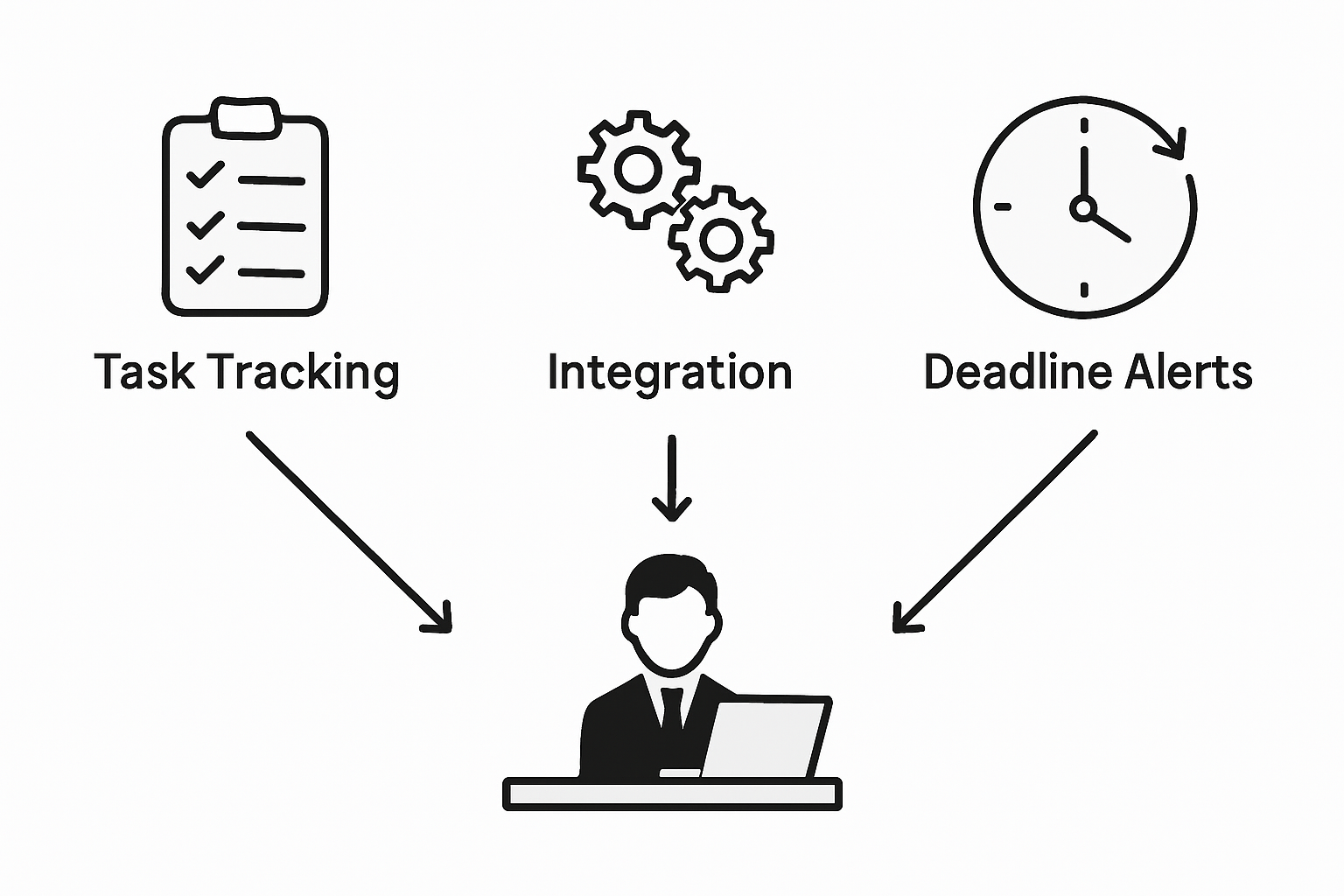
    Modern tracking systems integrate multiple components to deliver comprehensive insights. These typically include features like deadline tracking, responsibility assignment, status visualization, and performance metrics. Some advanced platforms even incorporate predictive analytics that help teams anticipate potential delays or resource constraints before they become critical issues. Innovative tracking frameworks now leverage artificial intelligence and machine learning to provide increasingly sophisticated project management capabilities.

    Pro Tip: Start Simple: Begin your task tracking journey with a straightforward system that tracks three key elements – task owner, current status, and expected completion date. Gradually add complexity as your team becomes more comfortable with the tracking process.

    Key System Components:

    • Task description
    • Assigned team member
    • Current status
    • Priority level
    • Expected completion date
    • Actual completion timestamp

    Key Types and Approaches to Tracking

    Task tracking approaches represent diverse strategies for monitoring project progression, each offering unique advantages for different organizational needs. Comprehensive tracking methodologies range from milestone-based systems to goal-focused frameworks, enabling teams to capture performance metrics with precision and flexibility. The selection of a tracking approach depends on project complexity, team dynamics, and specific organizational objectives.

    Digital tracking systems dominate modern project management landscapes, presenting multiple implementation strategies. Tracking system architectures typically fall into four primary categories: digital project management software, physical task boards, spreadsheet-based solutions, and hybrid models. Each approach provides distinct benefits, from real-time collaboration capabilities to visual workflow representation. Startups often prefer flexible digital platforms that allow rapid adaptation and comprehensive performance visualization.

    Here’s a comparison of popular task tracking system types and their business impacts:

    System TypeKey StrengthIdeal Use Case
    Digital PM SoftwareReal-time analyticsLarge or remote teams
    Physical Task BoardsVisual workflow claritySmall on-site teams
    Spreadsheet-based SolutionsCost-effective flexibilityFreelancers, simple projects
    Hybrid ModelsMethod integrationGrowing, evolving startups

    The most effective tracking approaches integrate multiple methods to provide holistic project insights. This might include combining time-based tracking with milestone monitoring, enabling teams to understand both granular progress and overarching project trajectory. Advanced systems now incorporate predictive analytics, allowing organizations to forecast potential bottlenecks and proactively manage resource allocation. Machine learning algorithms further enhance these capabilities by identifying patterns and suggesting optimization strategies.

    Manager combining digital and paper tracking tools

    Pro Tip: Flexible Tracking: Choose a tracking system that allows seamless method switching and supports multiple visualization formats. Ensure your chosen approach can evolve alongside your project’s changing requirements.

    Tracking Method Spectrum:

    • Milestone-based tracking
    • Time-based monitoring
    • Goal-focused frameworks
    • Real-time collaborative systems
    • Predictive performance tracking
    • Hybrid approach integration

    Core Features: Real-Time Monitoring and Reporting

    Real-time monitoring represents a transformative approach to project management, enabling teams to track task progression with unprecedented accuracy and immediacy. Advanced progress tracking technologies now deliver instantaneous insights into team performance, breaking down traditional communication barriers and creating transparent, responsive workflows. This approach eliminates delayed reporting cycles, allowing organizations to make data-driven decisions at the moment they become relevant.

    The core components of real-time monitoring typically include comprehensive dashboards, instant notification systems, and dynamic progress visualization tools. These features work in concert to provide a holistic view of project status, tracking individual task completion, team productivity, and potential bottlenecks in nanoseconds. Modern tracking systems integrate multiple data points, including time spent, task complexity, individual contributor performance, and resource allocation, creating a nuanced understanding of project dynamics that goes far beyond traditional tracking methods.

    Technology has dramatically expanded the capabilities of real-time monitoring, introducing predictive analytics and machine learning algorithms that can anticipate project challenges before they emerge. These sophisticated systems analyze historical performance data, current workflow patterns, and external variables to generate actionable insights. Startup teams can now access granular performance metrics, identify potential delays, redistribute workloads dynamically, and maintain unprecedented levels of operational transparency and efficiency.

    This summary outlines how real-time monitoring features drive team performance:

    Real-Time FeatureOperational BenefitTeam Impact
    Instant status updatesFaster decision-makingEnhanced responsiveness
    Live dashboardsContinuous project visibilityImproved transparency
    Automated trackingReduced manual workloadHigher productivity
    Predictive analyticsEarly risk detectionProactive problem solving

    Pro Tip: Notification Strategy: Configure your tracking system to send targeted, role-specific notifications that provide meaningful updates without creating information overload. Focus on alerts that require immediate action or represent significant workflow changes.

    Key Real-Time Monitoring Features:

    • Instant task status updates
    • Live performance dashboards
    • Automated progress tracking
    • Predictive bottleneck identification
    • Customizable alert systems
    • Cross-team collaboration visualization

    Benefits for Team Alignment and Productivity

    Team alignment represents a critical competitive advantage for startup environments, where communication and collaborative efficiency can determine organizational success. Strategic progress tracking methodologies enable teams to crystallize shared objectives, clarify individual responsibilities, and create transparent performance expectations. By establishing clear performance metrics and visualization mechanisms, organizations can transform abstract goals into measurable, actionable workflows that drive collective momentum.

    The fundamental power of effective tracking systems lies in their ability to foster enhanced communication and mutual accountability. Collaborative tracking approaches help teams visualize task dependencies, prevent potential misunderstandings, and maintain consistent motivation across different work environments. These systems provide real-time insights into project progression, allowing team members to understand how their individual contributions interconnect and support broader organizational objectives. This transparency reduces friction, minimizes duplicate efforts, and creates a more cohesive work culture where everyone understands their role in achieving collective goals.

    Productivity gains emerge naturally from well-implemented tracking systems that provide clear performance visibility. By offering granular insights into individual and team performance, these tools enable rapid identification of potential bottlenecks, more efficient resource allocation, and data-driven decision making. Startup teams can quickly adapt to changing priorities, redistribute workloads strategically, and maintain high levels of operational agility. The psychological benefits are equally significant, as team members feel more connected, understood, and motivated when their progress is recognized and their contributions are systematically documented.
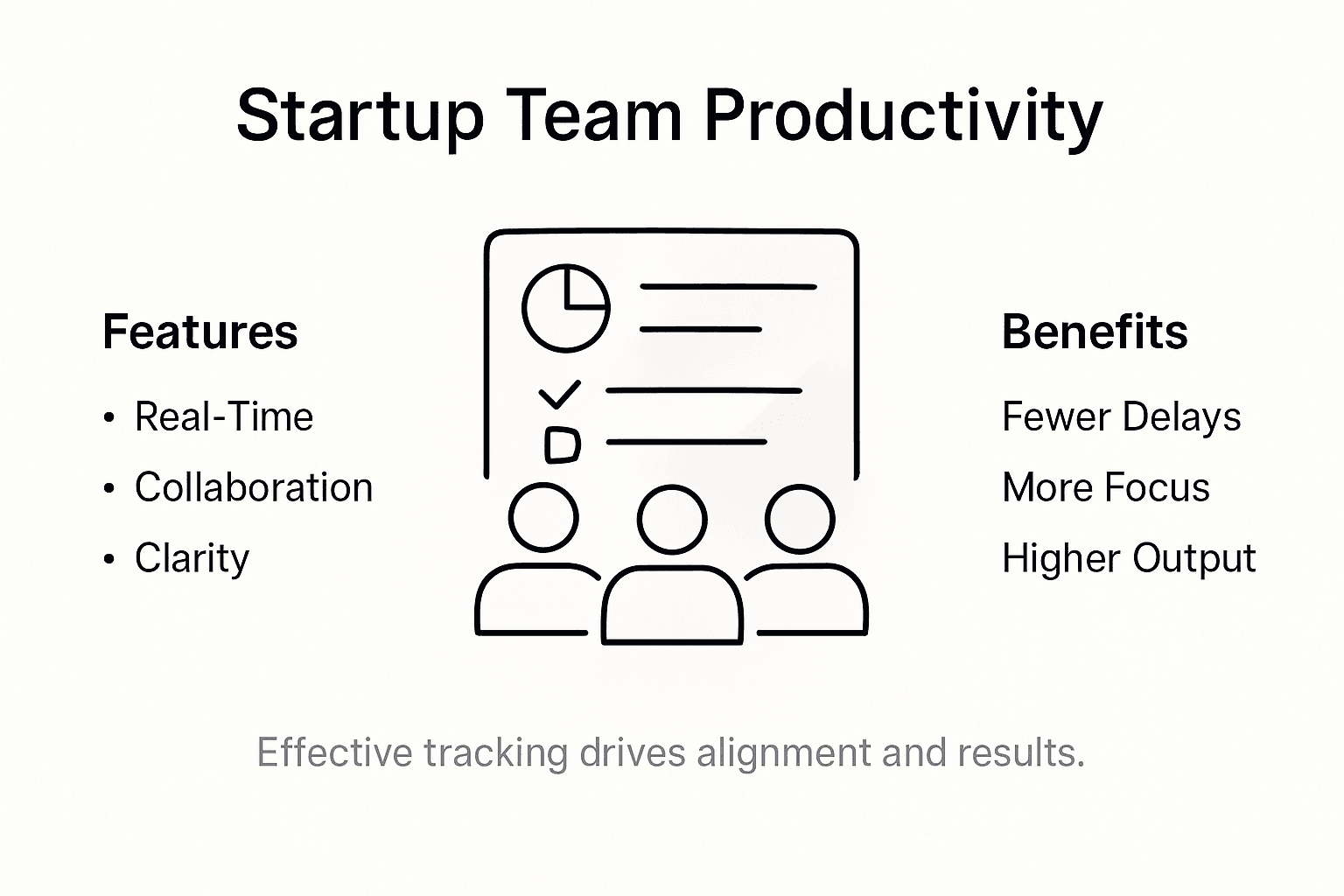
    Infographic showing team tracking benefits

    Pro Tip: Alignment Strategy: Schedule brief weekly alignment meetings where team members share progress using your tracking system, focusing on collaborative problem solving and mutual support rather than punitive performance reviews.

    Key Alignment Benefits:

    • Enhanced team communication
    • Clear performance expectations
    • Reduced organizational friction
    • Improved resource allocation
    • Increased individual accountability
    • Transparent goal visualization

    Risks of Poor Tracking and Common Pitfalls

    Project tracking failures can undermine startup team performance with devastating consequences, transforming potentially successful initiatives into organizational nightmares. Systematic project tracking challenges emerge from fundamental communication breakdowns, blurred responsibilities, and inconsistent documentation practices. These risks compound quickly, creating cascading problems that can derail entire organizational efforts and destroy team morale.

    The most significant risks associated with poor tracking include chronic miscommunication, resource misallocation, and widespread confusion about project priorities. When teams lack clear tracking mechanisms, individual team members operate in isolation, leading to duplicated efforts, conflicting workflows, and substantial time waste. Critical project milestones become moving targets, accountability dissolves, and team members struggle to understand their precise roles and contributions. This environment breeds frustration, reduces overall productivity, and creates an atmosphere of uncertainty that can rapidly erode team cohesion.

    Technology and human factors intersect dramatically in tracking system failures. Inadequate tracking tools often result from either over-complicated systems that overwhelm team members or overly simplistic approaches that fail to capture nuanced project dynamics. Some organizations implement tracking mechanisms that feel punitive rather than supportive, causing team members to view progress monitoring as a threat instead of a collaborative tool. The psychological impact can be profound, potentially creating defensive behaviors that further obstruct transparent, productive communication and genuine performance improvement.

    Pro Tip: Tracking Calibration: Regularly review and adjust your tracking approach, soliciting direct feedback from team members about what works and what feels burdensome in your current system.

    Primary Tracking Failure Risks:

    • Miscommunication
    • Duplicated work efforts
    • Blurred team responsibilities
    • Reduced accountability
    • Decreased team motivation
    • Inefficient resource allocation

    Streamline Your Startup’s Task Progress Tracking Today

    The challenges of unclear task ownership, real-time monitoring, and preventing miscommunication are significant hurdles for any startup team looking to improve their productivity and alignment. If you are dealing with risks like duplicated work or blurred responsibilities discussed in “Why Track Task Progress: Boosting Startup Teams,” then it is time to embrace a smarter system that brings clarity and actionable insights into every project phase. Using terms like real-time monitoring, predictive analytics, and collaborative workflows from the article, you can create a transparent task management environment that drives accountability and boosts team engagement.
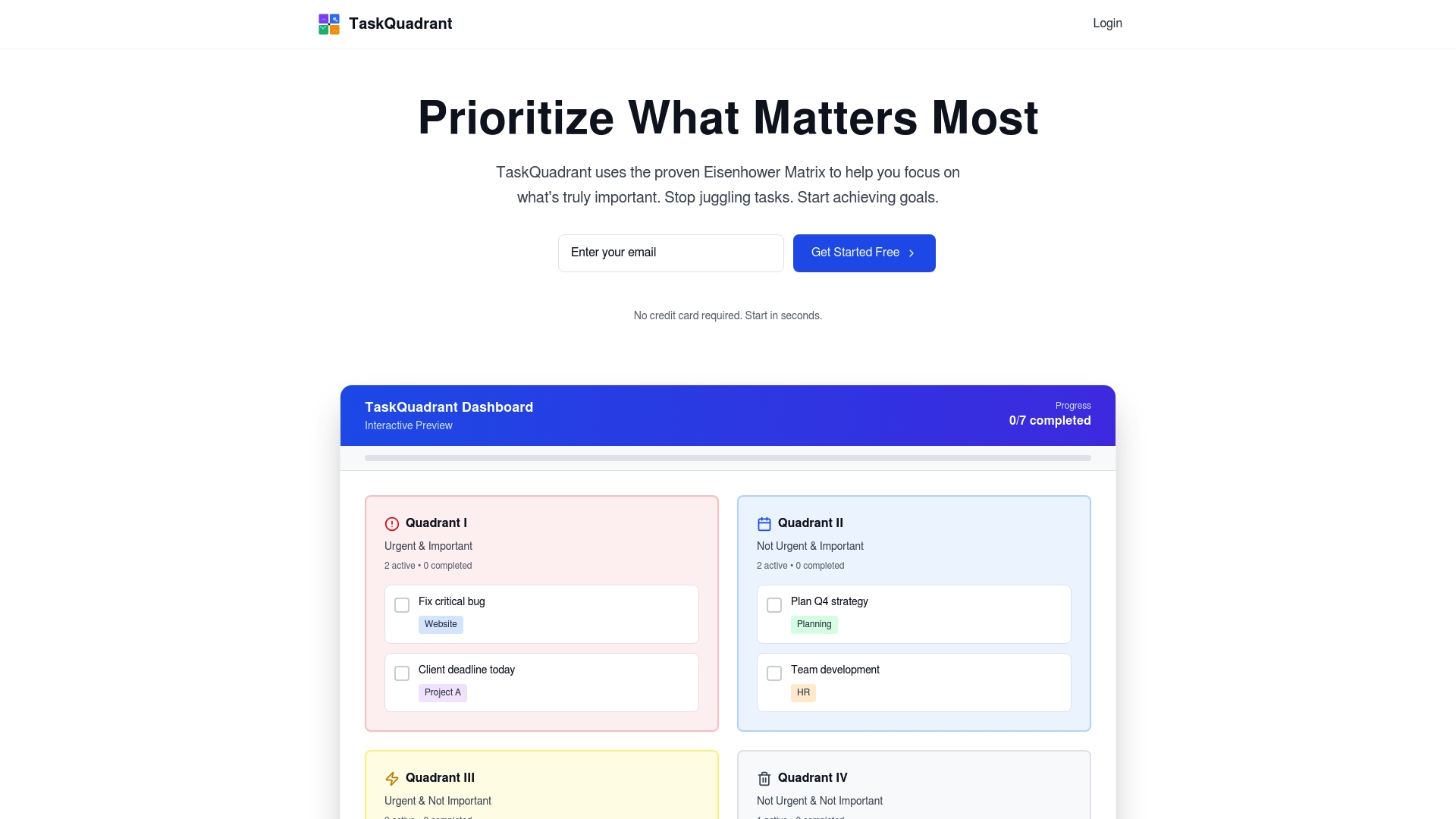
    https://taskquadrant.io

    Discover how TaskQuadrant.io, a powerful SaaS platform, can transform your startup’s workflow by organizing tasks visually with the Eisenhower Matrix, tracking progress via intuitive dashboards, and automating repetitive activities. Whether you want to reduce decision fatigue, clarify performance expectations, or align your team around shared goals, our simple and fast onboarding system is built for startups ready to scale. Take control of your project timelines, avoid costly pitfalls, and keep your team motivated by exploring more about progress tracking through visual dashboards and goal-oriented project organization with TaskQuadrant.io.

    Start today and experience a new level of productivity that keeps your startup moving forward with confidence.

    Frequently Asked Questions

    What are task progress tracking systems?

    Task progress tracking systems are structured methodologies designed to monitor, document, and analyze work activities, transforming project goals into measurable components for effective team performance evaluation.

    How can real-time monitoring benefit my startup team?

    Real-time monitoring provides instantaneous insights into task progression, enhancing decision-making, transparency, and responsiveness within teams, ultimately leading to improved operational efficiency and productivity.

    What are the key features of an effective tracking system?

    An effective tracking system typically includes task descriptions, assigned team members, current statuses, priority levels, expected completion dates, and real-time progress visualizations to facilitate team collaboration and accountability.

    What risks can arise from poor task tracking?

    Poor task tracking can lead to chronic miscommunication, resource misallocation, decreased team motivation, and overall project chaos, undermining the potential success of initiatives and harming team morale.


  • Role of Task Management Platforms in Team Productivity

    Team collaborating with task management software

    Nearly every American tech team faces a familiar challenge—inefficient task management leads to missed deadlines and wasted effort. For project managers in fast-moving companies, the difference between chaos and clarity often comes down to the tools used for work prioritization. Task management platforms are changing the game by delivering focused interfaces and collaboration features that help teams worldwide improve productivity and regain control over complex workflows.

    Table of Contents

    Key Takeaways

    PointDetails
    Task Management Platforms Enhance ProductivityThese platforms streamline work organization, enabling teams to collaborate effectively and track performance without information overload.
    Eisenhower Matrix for Task PrioritizationImplementing this matrix helps professionals categorize tasks based on urgency and importance, improving decision-making and workflow efficiency.
    Advanced Features for Effective ManagementFeatures like real-time communication, analytics, and resource allocation optimize team performance and enhance strategic task execution.
    Risks and Best PracticesTo maximize platform effectiveness, organizations must address adoption challenges, ensure thorough training, and periodically assess platform relevance.

    Defining Task Management Platforms and Their Purpose

    Task management platforms represent sophisticated digital ecosystems designed to transform how professional teams organize, prioritize, and execute work. These technological solutions go beyond simple to-do lists, offering complex infrastructures that enable strategic workflow coordination and productivity optimization. Modern task management platforms recognize that effective work management requires more than tracking tasks – they facilitate comprehensive team collaboration and performance tracking.

    At their core, these platforms provide a task-focused interface that makes tasks the primary unit of interaction, reducing information overload by presenting only relevant information for current work objectives. By centralizing task creation, assignment, tracking, and completion, these systems eliminate communication bottlenecks and provide transparent visibility into team progress. Key functionalities typically include task categorization, priority setting, deadline tracking, collaboration features, and performance analytics.

    Effective task management platforms recognize the nuanced requirements of professional teams. They support multiple project types, from sprint-based software development to long-term strategic initiatives. Advanced platforms integrate features like time tracking, resource allocation, workload balancing, and real-time communication channels. These comprehensive tools transform task management from a mechanical tracking process into a strategic organizational capability that drives team performance and individual productivity.

    Pro Tip: Implement a consistent task categorization method using urgency and importance matrices to help your team quickly distinguish between critical and low-priority work, reducing decision fatigue and improving overall workflow efficiency.

    Task Categorization Methods and the Eisenhower Matrix

    Task categorization represents a critical strategy for professionals seeking to optimize workflow and productivity. The most powerful approach in this domain is the Eisenhower Matrix, a time-management framework that strategically prioritizes tasks based on their urgency and importance. This method transforms how teams and individuals approach work management by providing a clear, systematic method for evaluating and organizing tasks.

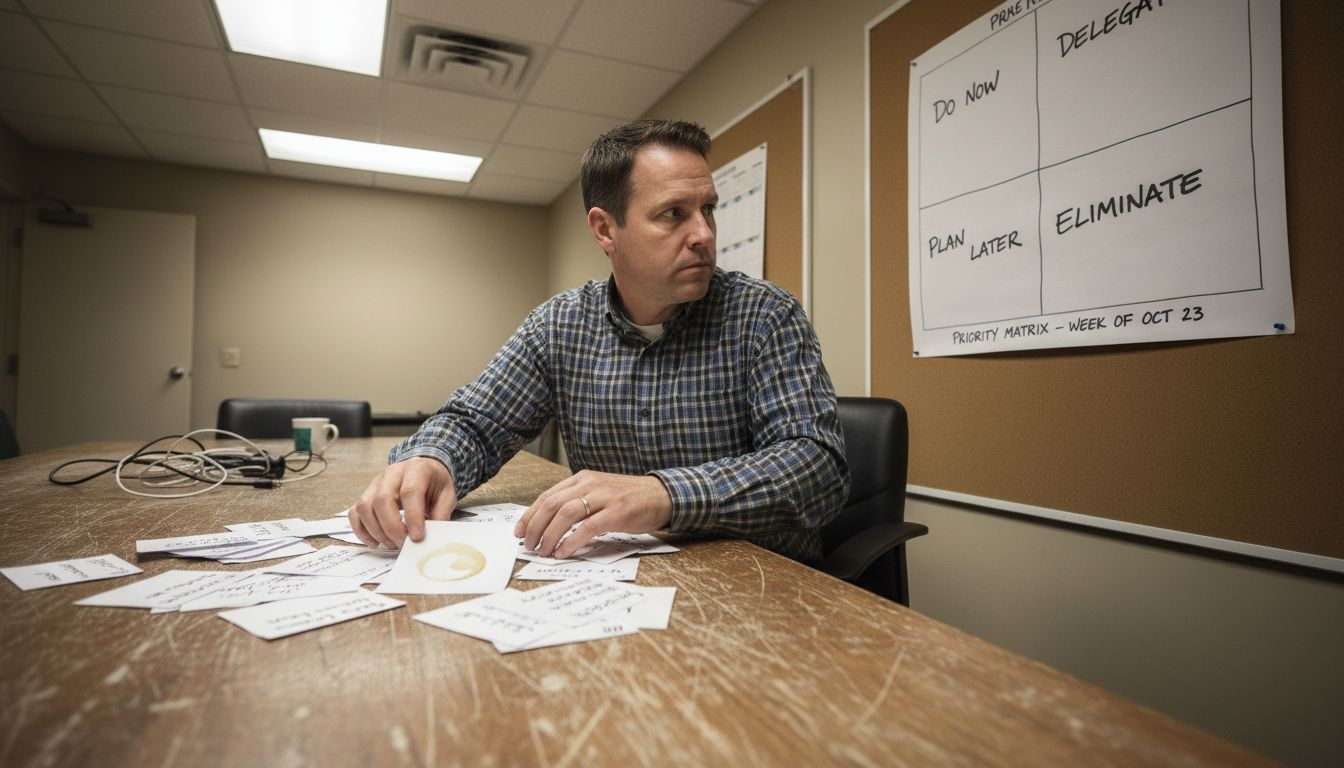
    Team sorting tasks on Eisenhower Matrix

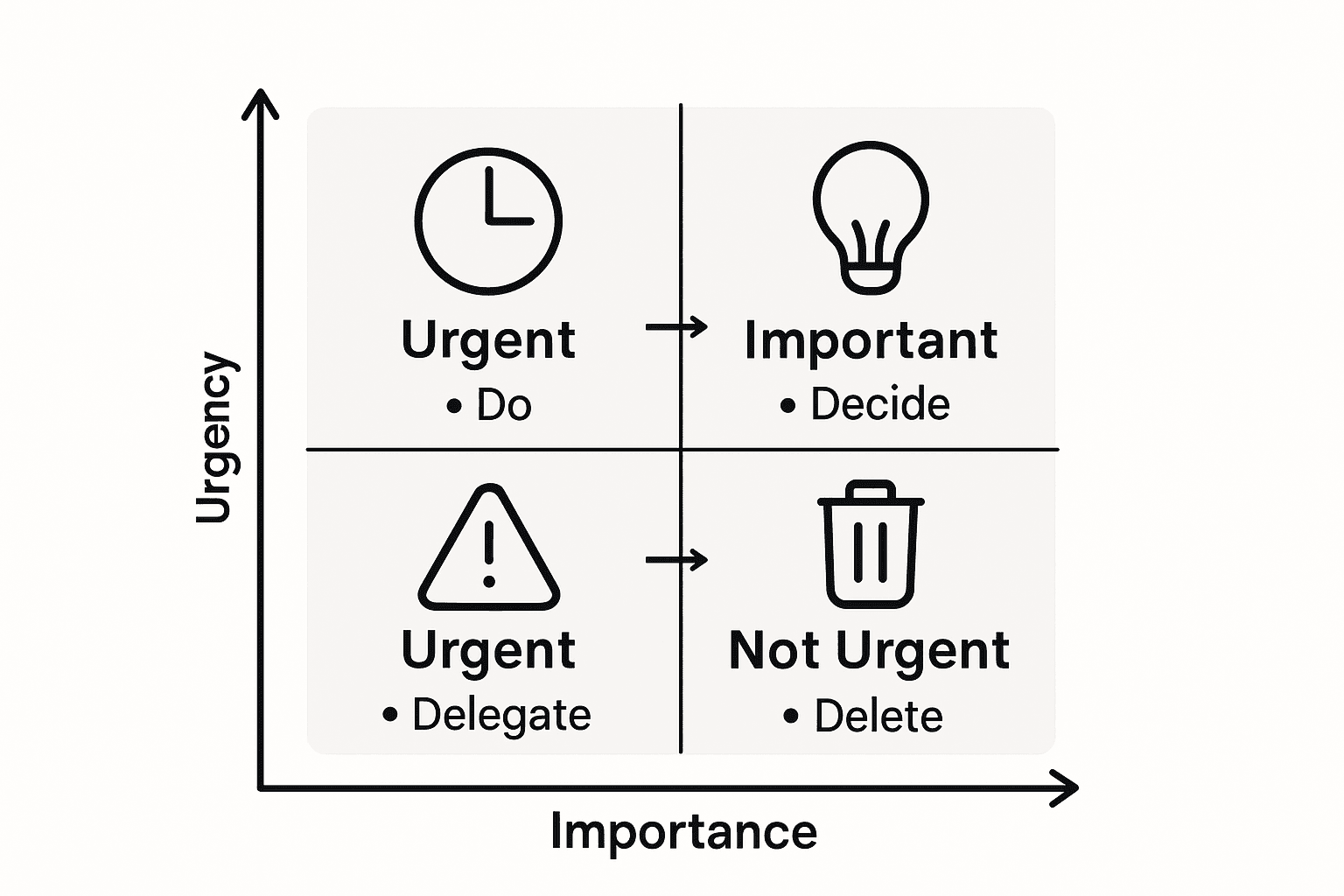
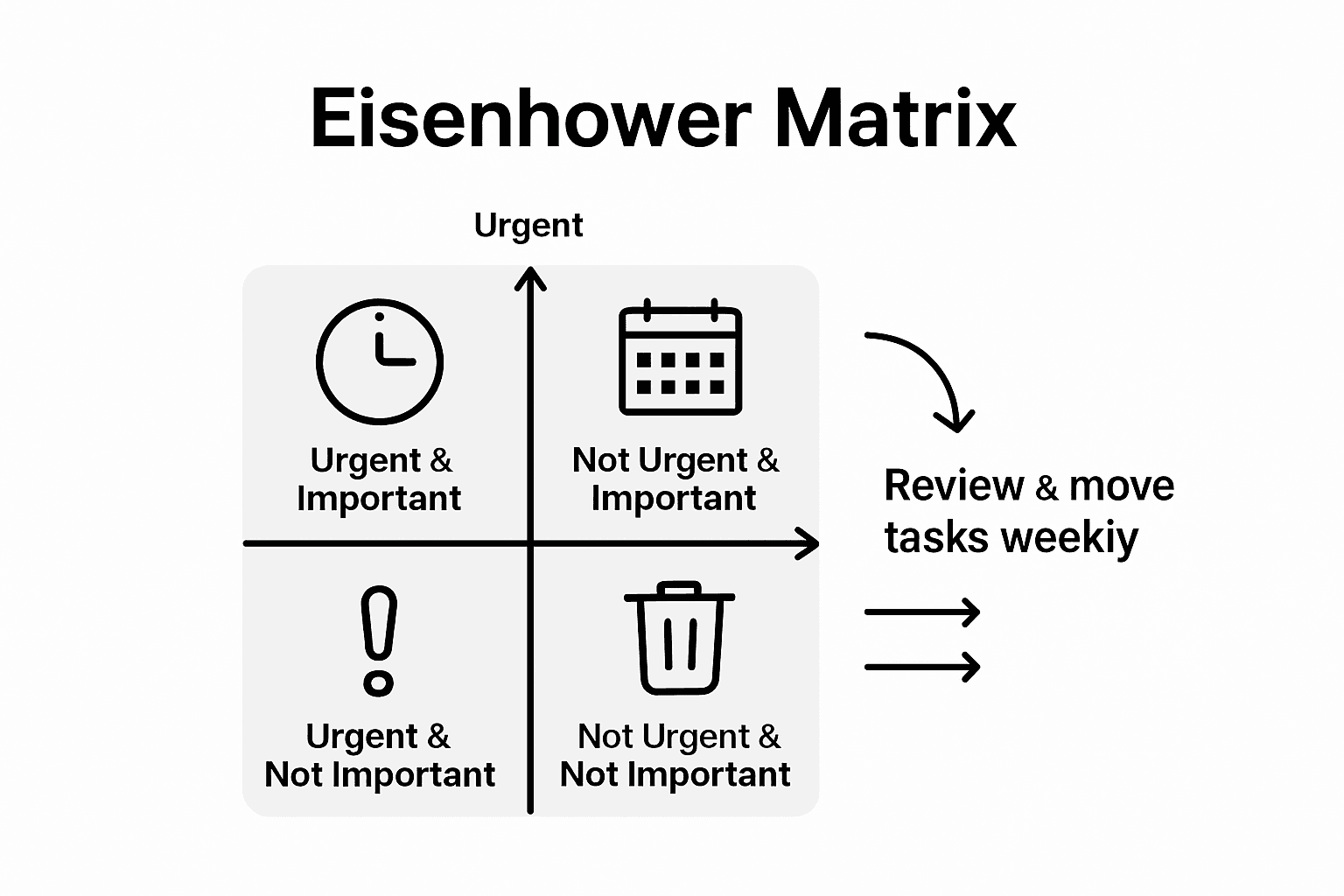
    The Eisenhower Matrix divides tasks into four distinct quadrants, each representing a different strategic approach to work: Do (urgent and important), Schedule (important but not urgent), Delegate (urgent but not important), and Delete (neither urgent nor important). Inspired by President Dwight D. Eisenhower’s famous quote that ‘What is important is seldom urgent, and what is urgent is seldom important’, this method empowers professionals to make more deliberate decisions about task prioritization and time allocation.

    Implementing the Eisenhower Matrix requires a nuanced understanding of task evaluation. The first quadrant (Do) focuses on critical tasks that demand immediate attention and have significant consequences. The second quadrant (Schedule) includes strategic activities that contribute to long-term goals but do not require immediate action. The third quadrant (Delegate) captures urgent tasks that can be effectively handled by team members, while the fourth quadrant (Delete) helps eliminate time-wasting activities that provide minimal value to overall productivity.

    Here’s a summary of how the Eisenhower Matrix quadrants guide decision-making:

    QuadrantUrgencyImportanceRecommended Action
    DoHighHighComplete immediately
    ScheduleLowHighPlan for future effort
    DelegateHighLowAssign to another team member
    DeleteLowLowEliminate from workload

    Pro Tip: Conduct a weekly review of your task matrix, reassessing each quadrant to ensure you’re consistently focusing on high-impact activities and strategically managing your workload for maximum efficiency.

    Core Features Powering Team Productivity

    Modern task management platforms integrate sophisticated features designed to dramatically enhance team performance and workflow efficiency. Task-focused interfaces play a critical role by presenting only the subset of information relevant to current tasks, effectively reducing information overload and enabling team members to concentrate on their specific responsibilities without unnecessary distractions.

    Collaborative Tools form the backbone of effective team productivity platforms. These platforms provide comprehensive features including task assignment, real-time collaboration, file sharing, and performance tracking, creating a centralized ecosystem that streamlines communication and project management. Key collaborative functionalities typically include instant messaging, comment threads, document sharing, real-time status updates, and integrated notification systems that keep team members synchronized and informed.

    Advanced task management platforms go beyond basic tracking by offering intelligent analytics and reporting capabilities. These features provide deep insights into team performance, individual productivity, time allocation, and project progress. Sophisticated platforms incorporate machine learning algorithms that can predict potential bottlenecks, recommend optimal task assignments, and help managers make data-driven decisions about resource allocation and workflow optimization.

    Pro Tip: Implement a monthly team audit of your task management platform’s analytics, identifying patterns in productivity, communication gaps, and potential areas for process improvement to continuously refine your team’s operational efficiency.

    Real-World Applications in Tech Teams

    Tech teams leverage task management platforms to transform complex project workflows, creating sophisticated ecosystems that streamline collaboration, track performance, and optimize team productivity. These platforms have become essential tools for software development teams, enabling precise task allocation, real-time communication, and comprehensive project tracking across distributed and hybrid work environments.

    Software Development Workflows benefit significantly from advanced task management solutions. Task-focused interfaces help developers manage intricate codebases by presenting only the most relevant code portions, dramatically reducing cognitive load and improving individual and team productivity. These platforms support agile methodologies like Scrum and Kanban, allowing engineering teams to break down complex projects into manageable sprints, track individual and team progress, and maintain transparency throughout the development lifecycle.

    Beyond traditional project tracking, modern task management platforms provide sophisticated analytics that offer deep insights into team dynamics. These tools enable tech leaders to understand individual and collective performance patterns, identify potential bottlenecks, optimize resource allocation, and make data-driven decisions about team composition, skill development, and project prioritization. Features like automated time tracking, skill mapping, and predictive workload analysis help organizations create more efficient and responsive software development ecosystems.

    Pro Tip: Implement a weekly cross-team retrospective using your task management platform’s analytics, encouraging open discussions about workflow improvements, identifying communication gaps, and continuously refining your team’s collaborative processes.

    Risks, Limitations, and Best Practices

    Task management platforms, while powerful, are not without potential challenges that organizations must carefully navigate. Task-focused interfaces can inadvertently create information blind spots by presenting only a subset of available data, potentially leading to critical oversights if not implemented with strategic nuance. The risk of tunnel vision emerges when platforms filter information too aggressively, potentially causing teams to miss important contextual details that could impact project outcomes.

    Adoption Challenges represent another significant consideration for organizations implementing new task management systems. Successful integration requires comprehensive user training, seamless workflow alignment, and addressing potential resistance to technological change, which can create friction during implementation. Key limitations often stem from insufficient onboarding, lack of customization options, and failure to align the platform’s capabilities with specific team dynamics and organizational requirements.

    To mitigate risks and maximize platform effectiveness, organizations must develop a holistic implementation strategy. This approach involves conducting thorough needs assessments, selecting platforms with flexible configuration options, providing extensive user training, and establishing clear guidelines for platform usage. Critical best practices include maintaining transparent communication about platform expectations, creating feedback mechanisms for continuous improvement, and periodically reassessing the platform’s alignment with evolving team and organizational needs.

    Pro Tip: Conduct a quarterly platform effectiveness audit, gathering structured feedback from team members about usability, identifying potential workflow bottlenecks, and making incremental adjustments to ensure continued platform relevance and team productivity.

    Comparing Task Management Platforms and Alternatives

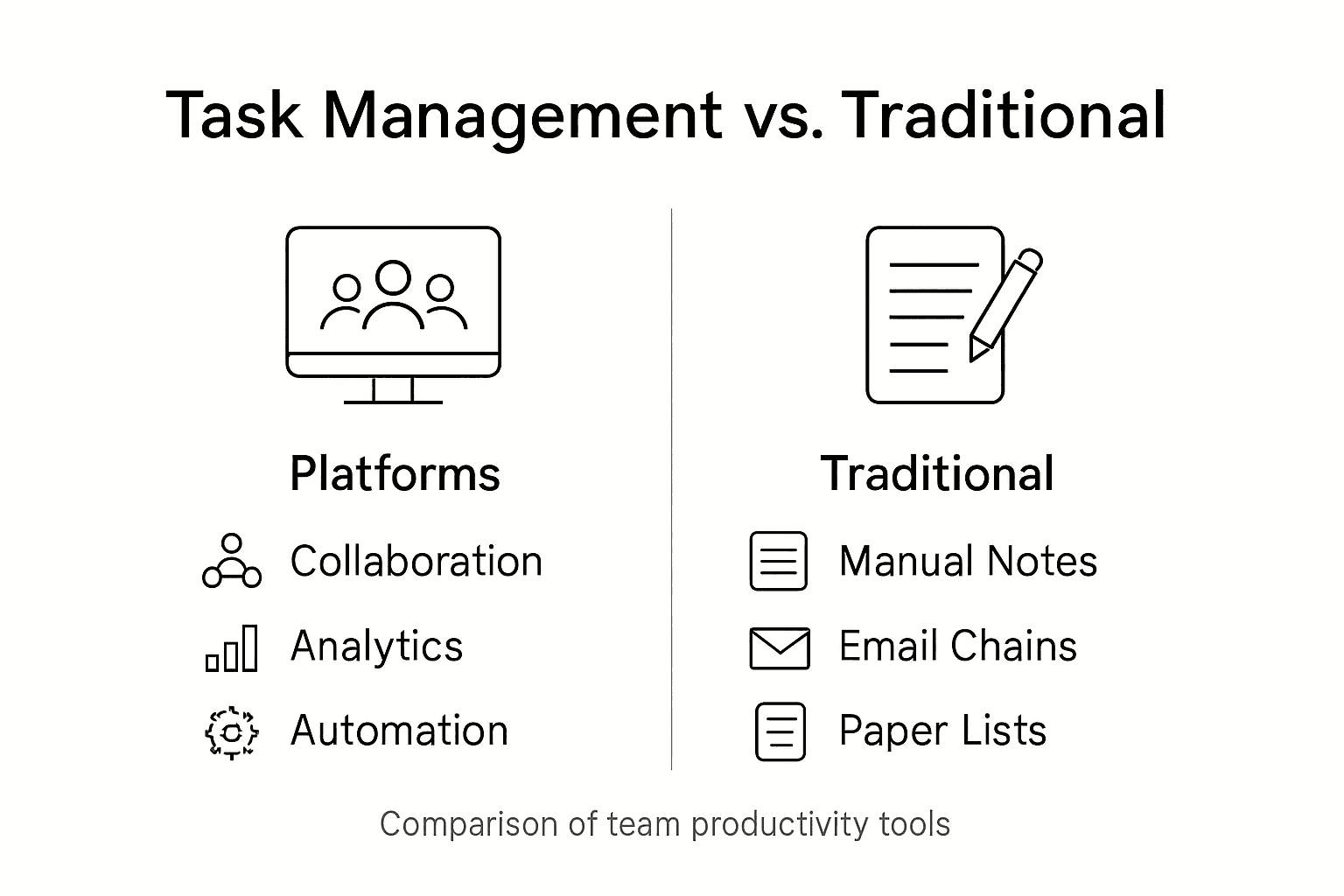
    Task management platforms represent a paradigm shift from traditional productivity tools, offering comprehensive ecosystems that go far beyond simple checklist applications. Traditional alternatives like spreadsheets, email-based task tracking, and basic project management software lack the sophisticated collaborative and analytical capabilities of modern task management platforms, which integrate real-time communication, performance tracking, and intelligent workflow optimization.

    Comparative Functionality reveals significant distinctions between task management platforms and legacy alternatives. Unlike file-based systems that organize work around documents and folders, modern platforms prioritize tasks as the primary unit of interaction, dramatically reducing information overload and enhancing team focus. Key differentiators include advanced features like automated task prioritization, cross-team collaboration tools, machine learning-powered insights, and integrated communication channels that traditional alternatives cannot match.

    Infographic comparing modern and traditional task tools

    The evolution of task management platforms has transformed them from simple tracking tools to strategic productivity ecosystems. While spreadsheets and basic project management software offer rudimentary task tracking, contemporary platforms provide holistic workflow solutions. These advanced systems integrate multiple dimensions of work management, including real-time collaboration, predictive analytics, resource allocation optimization, performance tracking, and seamless communication tools that create a unified work environment far more sophisticated than disjointed traditional alternatives.

    This table compares advanced task management platforms with traditional alternatives:

    CriteriaTask Management PlatformsTraditional Methods
    Collaboration ToolsBuilt-in chat, sharingEmail, scattered files
    Real-Time VisibilityInstant task progressManual status updates
    Analytics & ReportingAutomated performance insightsLittle to no analytics
    Workflow OptimizationAI and automationManual adjustment

    Pro Tip: Conduct a comprehensive feature comparison across potential task management platforms, evaluating not just current capabilities but also scalability, integration potential, and alignment with your specific team’s workflow requirements.

    Unlock True Team Productivity with Strategic Task Prioritization

    The article highlights common challenges teams face such as information overload, decision fatigue, and inefficient task categorization. It explains how leveraging frameworks like the Eisenhower Matrix can transform work management by prioritizing tasks based on urgency and importance. If you are struggling to streamline your workflow, avoid bottlenecks, or clearly visualize project progress, these pain points show why a focused, intuitive task management platform is essential.

    TaskQuadrant.io directly addresses these challenges by merging the power of the Eisenhower Matrix with user-friendly technology. Whether you manually input tasks or generate them through visual mind maps, our platform automatically organizes your workload into the four critical quadrants ensuring you prioritize what truly matters every day. With progress tracking via dynamic dashboards and features such as recurring task automation and Gantt chart visualizations, TaskQuadrant empowers you to reduce decision fatigue and keep your team on track effortlessly.

    Boost your productivity today by exploring how TaskQuadrant.io simplifies complex project workflows.

    https://taskquadrant.io

    Experience the clarity of strategic task management and start achieving your goals faster. Visit TaskQuadrant.io now to begin your free trial and discover productivity aligned with your priorities.

    Frequently Asked Questions

    What are task management platforms?

    Task management platforms are digital tools designed to help teams organize, prioritize, and execute work efficiently. They enable better collaboration and performance tracking beyond simple to-do lists.

    How does the Eisenhower Matrix help with task prioritization?

    The Eisenhower Matrix is a time-management framework that categorizes tasks based on their urgency and importance, allowing individuals and teams to make informed decisions about what to do, schedule, delegate, or eliminate.

    What core features should I look for in a task management platform?

    Key features to consider include task categorization, priority setting, deadline tracking, collaboration tools, real-time communication, and performance analytics to enhance team productivity.

    What are some risks associated with using task management platforms?

    Potential risks include information blind spots due to overly focused interfaces, challenges with user adoption, insufficient training, and alignment issues between platform capabilities and team needs.

  • What Is a Task Quadrant and Why It Matters

    Professional mapping task quadrant at office desk

    Most American professionals report feeling overwhelmed by their daily workload, yet only a fraction use structured task strategies to cope. Understanding how to separate urgent demands from what truly matters can change the game—not just for productivity but for peace of mind. By exploring proven frameworks for categorizing tasks, you can discover practical ways to reclaim focus and direct your energy toward the goals that create real value.

    Table of Contents

    Key Takeaways

    PointDetails
    Utilize Task QuadrantsEmploy the task quadrant system to categorize tasks based on urgency and importance, leading to effective prioritization.
    Focus on Quadrant 2Prioritize tasks in Quadrant 2 (important but not urgent) to drive long-term growth and minimize crises.
    Regular Self-AuditsConduct weekly and monthly reviews of task categorization to enhance accuracy and adapt strategies as needed.
    Avoid Common PitfallsBe mindful of misclassifying tasks and rigid adherence to the framework, allowing for flexibility in task management.

    Defining Task Quadrants and Core Principles

    Task quadrants are a strategic framework for categorizing work activities based on their urgency and importance, derived from the Eisenhower method of time management. This powerful organizational approach helps professionals systematically evaluate and prioritize tasks, transforming chaotic workloads into structured action plans. By mapping tasks across four distinct quadrants, individuals can make more intentional decisions about where to invest their limited time and energy.

    At its core, the task quadrant system evaluates work through two critical dimensions: urgency and importance. Tasks are plotted on a grid with these intersecting axes, creating four distinct categories that guide strategic prioritization. The quadrants represent different task types: urgent and important tasks requiring immediate attention, important but not urgent tasks needing scheduled planning, urgent but less important tasks suitable for delegation, and tasks that are neither urgent nor important and can potentially be eliminated.

    Project manager using urgency importance quadrant

    Unlike traditional to-do lists that simply track activities, task quadrants leverage an integral framework that provides a holistic view of work responsibilities. This approach helps professionals move beyond reactive task management toward proactive strategic planning. By understanding which tasks truly drive meaningful outcomes, individuals can allocate their cognitive resources more effectively, reduce stress, and create sustainable productivity strategies that align with broader professional goals.

    Pro Tip: Task Prioritization Strategy – Spend at least 80% of your weekly work time focusing on Quadrant 2 tasks (important but not urgent), which drive long-term professional growth and strategic objectives while preventing future crisis management.

    Breaking Down the Four Distinct Quadrants

    The Eisenhower Matrix divides tasks into four distinct quadrants, each representing a unique combination of urgency and importance that fundamentally transforms how professionals approach work management. Task categorization models like these provide a strategic framework for understanding and prioritizing work activities across different complexity levels.

    The four quadrants are strategically defined as follows:

    1. Quadrant 1: Urgent and Important Tasks
    • Characterized by immediate deadlines
    • Crisis-driven activities
    • Requires direct personal attention
    • Examples: Emergency projects, critical client issues, pressing health matters
    1. Quadrant 2: Important but Not Urgent Tasks
    • Strategic long-term planning activities
    • Personal development and growth initiatives
    • Preventative work that reduces future emergencies
    • Examples: Professional training, relationship building, strategic planning
    1. Quadrant 3: Urgent but Not Important Tasks
    • Interruptions and distractions
    • Activities that feel pressing but don’t contribute to core goals
    • Best candidates for delegation
    • Examples: Some meetings, certain emails, administrative paperwork
    1. Quadrant 4: Neither Urgent Nor Important Tasks
    • Time-wasting activities
    • Low-value interactions
    • Tasks to be minimized or eliminated
    • Examples: Excessive social media, unnecessary browsing, unproductive conversations

    These quadrants offer more than a simple organizational tool; they represent a comprehensive approach to understanding work priorities. Strategic grid models demonstrate how systematic task categorization can dramatically improve professional effectiveness by helping individuals focus their energy on high-impact activities.

    Pro Tip: Quadrant Audit Strategy – Conduct a weekly review of your task list, ruthlessly moving or eliminating tasks from Quadrants 3 and 4, and intentionally scheduling more time for Quadrant 2 activities that drive meaningful progress.

    Here’s a concise overview of how each task quadrant affects workflow and productivity:

    QuadrantTypical FocusImpact on ProductivityIdeal Action
    Urgent & ImportantCrisis managementHigh stress, immediate gainsAddress immediately
    Important, Not UrgentGrowth and preventionSustainable improvementSchedule priority
    Urgent, Not ImportantDistractions/interruptionsDrains focus, low long-term valueDelegate quickly
    Not Urgent, Not ImportantTime-wastersReduces productivityEliminate or minimize
    Task quadrant 2x2 matrix infographic

    How Task Quadrant Prioritization Works

    Task quadrant prioritization is a systematic approach to organizing work that transforms how professionals manage their time and energy. Unlike traditional to-do lists that simply catalog tasks, this method provides a strategic framework for evaluating and addressing work responsibilities based on their relative urgency and importance.

    The prioritization process follows a strategic decision-making workflow:

    • Evaluate Task Characteristics
      • Assess each task’s immediate urgency
      • Determine the task’s overall importance to long-term goals
      • Consider potential consequences of delaying or neglecting the task
    • Categorize Tasks Systematically
      • Plot tasks into their corresponding quadrant
      • Assign immediate action steps based on quadrant placement
      • Create targeted strategies for handling tasks in each category

    The real power of task quadrant prioritization emerges from its ability to help professionals make intentional choices. Integral theory suggests that effective prioritization requires considering multiple perspectives beyond simple time management, integrating personal goals, organizational needs, and long-term strategic objectives.

    By consistently applying this method, professionals can shift from reactive task management to proactive goal achievement. The approach enables individuals to spend more time on high-impact activities, reduce stress from constantly fighting fires, and create a more structured approach to personal and professional productivity.

    Pro Tip: Prioritization Practice – Spend 15 minutes every evening reviewing and recategorizing your tasks, ensuring you’re consistently realigning your efforts with your most important goals and minimizing time spent in low-value quadrants.

    Real-World Productivity Applications and Benefits

    Time management strategies like task quadrants have transformative potential across multiple professional domains, helping individuals and organizations optimize their workflow and strategic focus. By providing a structured approach to task evaluation, this method allows professionals to move beyond reactive work patterns and develop more intentional productivity strategies.

    Real-world applications span diverse professional contexts:

    Professional Settings

    • Project managers strategically allocating team resources
    • Entrepreneurs prioritizing business development activities
    • Remote workers balancing multiple concurrent responsibilities
    • Freelancers managing client projects and personal development

    Organizational Benefits

    • Reduced operational inefficiencies
    • Clearer communication about task priorities
    • More predictable project timelines
    • Enhanced individual and team performance

    Integral theory demonstrates that comprehensive prioritization requires considering multiple perspectives, ensuring that task management goes beyond simple time tracking. This holistic approach means professionals can simultaneously address immediate operational needs while maintaining alignment with long-term strategic objectives.

    The quadrant method’s power lies in its ability to convert abstract productivity concepts into actionable strategies. By systematically evaluating tasks through urgency and importance lenses, professionals can dramatically reduce decision fatigue, minimize time wasted on low-value activities, and create more intentional, goal-oriented work environments.

    Pro Tip: Quarterly Productivity Audit – Schedule a comprehensive review every three months to reassess your task management approach, identifying patterns of productivity and areas where your quadrant strategy can be further refined.

    Pitfalls and Common Mistakes to Avoid

    Time management strategies require careful implementation to avoid potential productivity traps that can undermine their effectiveness. Professionals often encounter subtle yet significant challenges when attempting to apply task quadrant methodologies, which can inadvertently create more complexity instead of simplifying work processes.

    Common Pitfalls Include:

    • Misclassifying Task Urgency
      • Overestimating task importance
      • Treating non-critical tasks as emergencies
      • Creating unnecessary psychological pressure
    • Rigid Quadrant Adherence
      • Treating the matrix as an inflexible rulebook
      • Ignoring context and nuanced work dynamics
      • Failing to adapt the framework to individual work styles

    Integral theory highlights the importance of maintaining a balanced perspective when managing tasks across different dimensions. Many professionals make the critical error of fixating on a single quadrant, which leads to incomplete task management and potential strategic blindspots.

    Successful quadrant implementation requires continuous refinement and honest self-assessment. Professionals must develop the skill of objectively evaluating their tasks, resisting the temptation to artificially inflate task importance or urgency. This means creating a dynamic system that evolves with changing work requirements and personal productivity patterns.

    Pro Tip: Quadrant Calibration – Conduct a monthly self-audit of your task categorization accuracy, honestly reviewing instances where you might have misclassified tasks and adjusting your approach accordingly.

    This table summarizes key strategies and common mistakes in applying the task quadrant method:

    StrategyPurposeCommon MistakeHow to Avoid
    Weekly quadrant auditRefine task categorizationIgnoring misclassified tasksRegular self-review
    Prioritizing Quadrant 2Invest in long-term objectivesSpending too little time therePre-schedule sessions
    Adapting frameworkMatch personal work styleFollowing matrix too rigidlyAllow flexibility
    Monthly calibrationIncrease accuracy of assessmentsInflating task urgencyHonest reflection

    Master Task Quadrants with Ease Using TaskQuadrant.io

    Feeling overwhelmed by the constant battle between urgent and important tasks The challenge of correctly prioritizing your workload can drain your focus and reduce productivity. This article highlights the crucial need to shift from reactive task management to a strategic approach using the Eisenhower Matrix. If you want to avoid common pitfalls like misclassifying tasks or spending too much time in low-value activities, a robust tool can make all the difference.

    https://taskquadrant.io

    Unlock a new level of productivity with TaskQuadrant.io, a platform designed exactly to help you apply task quadrant principles effortlessly. Whether you want to categorize tasks manually or generate them from visual mind maps, the platform automatically sorts your work by urgency and importance so you spend your energy where it truly matters. Start prioritizing your Quadrant 2 activities to drive sustainable growth and reduce constant firefighting. Take control of your time today by visiting TaskQuadrant.io and try our easy onboarding that gets you productive from day one.

    Frequently Asked Questions

    What are task quadrants?

    Task quadrants are a strategic framework designed to categorize work activities based on their urgency and importance. This system helps professionals prioritize tasks and manage time effectively by dividing tasks into four categories: urgent and important, important but not urgent, urgent but not important, and neither urgent nor important.

    How can I use task quadrants to improve productivity?

    You can improve productivity by focusing 80% of your work time on tasks in Quadrant 2 (important but not urgent). This approach helps you invest in long-term goals, personal growth, and proactive planning, ultimately reducing stress and preventing crises.

    What should I do with tasks that fall into Quadrant 3 and Quadrant 4?

    Tasks in Quadrant 3 (urgent but not important) should be delegated or minimized where possible, as they distract from core objectives. Tasks in Quadrant 4 (neither urgent nor important) should be eliminated or significantly reduced to maximize your productivity.

    How often should I review my task quadrants?

    It’s recommended to conduct a weekly review of your task list. This helps you reassess your prioritization, move or eliminate tasks in Quadrants 3 and 4, and ensure you spend adequate time focusing on Quadrant 2 activities.

  • Why Automate Task Management for Productivity Gains

    Professional manages tasks using automation tools

    Most advice about workflow improvement overlooks a vital truth. Many American businesses spend hours every week on repetitive tasks that could be handled in minutes with the right automation. Streamlining work through automated task management not only saves time but also reduces stress and human error. This guide explains how you can harness cutting-edge tools and smart strategies to make your daily operations more efficient and less overwhelming.

    Table of Contents

    Key Takeaways

    PointDetails
    Automated Task ManagementStreamlining work processes through technology allows organizations to reduce manual intervention and improve productivity significantly.
    Types of Automation SolutionsTask automation encompasses various approaches including Rule-Based Automation and AI-Powered Automation, each suited for different operational needs.
    Benefits for TeamsAutomation enhances collaboration, optimizes resource allocation, and reduces stress, leading to greater team efficiency and productivity.
    Common PitfallsOrganizations must avoid risks like over-automation and inadequate training by implementing gradual automation with human oversight to ensure effective transition.

    Defining Automated Task Management Workflows

    Automated task management workflows represent a strategic approach to streamlining work processes through technological integration and intelligent task restructuring. At its core, this methodology transforms how organizations handle complex operational activities by systematically mapping computational management procedures that reduce manual intervention and optimize productivity.

    The fundamental framework of automated task management involves three critical components: task identification, workflow mapping, and intelligent automation. By breaking down complex processes into discrete, manageable steps, professionals can leverage technology to handle repetitive tasks, minimize human error, and allocate human resources toward higher-value strategic activities. Scientific workflow systems provide a comprehensive terminology that helps organizations understand how interdependent computational tasks can be seamlessly integrated and managed.

    Key characteristics of effective automated task management workflows include:

    • Modular task design that allows for easy reconfiguration
    • Clear decision points and conditional logic
    • Integration capabilities with existing technological ecosystems
    • Real-time tracking and performance monitoring
    • Scalable architecture that adapts to changing organizational needs

    Pro Tip – Workflow Optimization: Start by mapping your current manual processes visually, identifying bottlenecks and repetitive tasks before implementing any automation solution. This strategic approach ensures you automate the right activities and create meaningful efficiency gains.

    Types of Task Automation Solutions

    Task automation solutions have evolved dramatically, offering organizations sophisticated tools to streamline complex workflows and enhance operational efficiency. Modular approaches like ‘Flow’ demonstrate the potential for dynamic workflow generation, enabling systems to adapt and adjust tasks in real-time based on emerging challenges and organizational needs.

    The primary categories of task automation solutions include:

    • Rule-Based Automation: Predefined workflows with clear conditional logic
    • AI-Powered Automation: Intelligent systems that learn and optimize processes
    • Robotic Process Automation (RPA): Software bots that mimic human interactions with digital systems
    • Cognitive Automation: Advanced systems that integrate machine learning and decision-making capabilities

    Proactive management mechanisms with uncertainty-aware algorithms represent a cutting-edge approach to task automation. These solutions go beyond simple task execution by incorporating sophisticated resource selection and scheduling strategies that can handle complex computational environments.

    Worker uses task automation workflow at desk

    Effective task automation solutions typically feature:

    Below is a summary comparing the main types of task automation solutions and their ideal business uses:

    Solution TypeTypical TechnologiesBest Use CaseKey Advantage
    Rule-Based AutomationWorkflow enginesRoutine approvals and validationsReliable, predictable
    AI-Powered AutomationMachine learning, NLPDynamic, data-driven decisionsLearns and adapts
    Robotic Process AutomationBots, macrosHigh-volume data entry tasksFast, scalable execution
    Cognitive AutomationAdvanced AI, deep learningUnstructured, complex process flowsHandles ambiguity
    • Seamless integration with existing technological infrastructure
    • Scalable architectures that grow with organizational complexity
    • Advanced analytics and performance tracking
    • Customizable workflows that adapt to specific business requirements
    • Intelligent error detection and self-correction mechanisms

    Pro Tip – Automation Strategy: Start with low-complexity, high-repetition tasks when implementing automation solutions to build organizational confidence and demonstrate tangible productivity gains before scaling to more complex workflows.

    How Automation Works in Task Prioritization

    Task prioritization automation transforms how professionals manage complex workloads by introducing intelligent decision-making algorithms that dynamically assess and rank tasks. Analytical Hierarchy Process (AHP) techniques enable sophisticated multi-criteria task evaluation, allowing systems to analyze tasks beyond simple time-based scheduling and consider nuanced factors like strategic importance, resource requirements, and potential impact.

    The core mechanisms of automated task prioritization involve several sophisticated strategies:

    • Contextual Assessment: Evaluating tasks within broader organizational goals
    • Dynamic Weighting: Adjusting task priorities based on real-time changes
    • Dependency Mapping: Understanding interconnections between different tasks
    • Resource Optimization: Allocating computational and human resources efficiently

    Distributed workflow management systems like Watchdog demonstrate advanced task scheduling capabilities by automatically managing task dependencies and resource availability. These systems can process complex workflows by intelligently prioritizing tasks, ensuring that critical activities receive immediate attention while maintaining overall system efficiency.

    Effective task prioritization automation typically incorporates:

    • Machine learning algorithms for predictive task ranking
    • Real-time performance tracking and adjustment mechanisms
    • Customizable priority rules aligned with organizational objectives
    • Transparent decision-making processes
    • Adaptive learning capabilities that improve over time

    Pro Tip – Priority Calibration: Regularly review and recalibrate your automation rules to ensure they continue to reflect your evolving business priorities and organizational goals.

    Key Benefits for Busy Professionals and Teams

    Task management automation delivers transformative productivity gains for professionals and teams struggling with complex workflow challenges. Modular task management platforms like TASKA demonstrate remarkable improvements in team coordination and research efficiency, enabling organizations to streamline collaborative efforts and maximize individual and collective performance.

    The key benefits of automated task management include:

    • Time Optimization: Reducing manual scheduling and administrative overhead
    • Enhanced Collaboration: Creating transparent, synchronized workflow environments
    • Strategic Resource Allocation: Intelligently distributing workload across team members
    • Performance Tracking: Real-time insights into individual and team productivity
    • Stress Reduction: Minimizing cognitive load associated with task management

    Dynamic workflow constructs provide professionals unprecedented flexibility in managing complex tasks, allowing teams to adapt quickly to changing priorities and unexpected challenges. These automated systems create a more responsive and agile work environment that can rapidly reconfigure task priorities and resources.

    For busy professionals, automation delivers critical advantages:

    • Eliminates repetitive administrative work
    • Provides data-driven insights for decision making
    • Supports remote and distributed team collaboration
    • Enables consistent performance monitoring
    • Facilitates continuous productivity improvement

    Pro Tip – Automation Adoption: Start by automating low-complexity, high-frequency tasks to build team confidence and demonstrate immediate productivity gains before expanding to more complex workflow automation.

    Common Pitfalls and How to Avoid Them

    Task management automation introduces significant complexity that can derail productivity if not carefully implemented. Computational workflow integration requires meticulous attention to task supervision and error handling strategies, recognizing that automated systems are not infallible and demand continuous monitoring and strategic intervention.

    Common pitfalls in task management automation include:

    • Over-Automation: Removing human judgment from critical decision points
    • Inflexible Workflows: Creating rigid systems that cannot adapt to changing circumstances
    • Inadequate Training: Failing to properly educate team members on new systems
    • Poor Integration: Implementing automation without considering existing technological ecosystems
    • Neglecting Human Factors: Overlooking emotional and psychological impacts of automation

    Workforce automation can create significant disruptions in occupational mobility and labor dynamics, requiring proactive strategies to mitigate potential negative consequences. Organizations must develop comprehensive approaches that balance technological efficiency with human capital development and skill preservation.

    Strategies to mitigate automation risks include:

    The following table highlights crucial risks in task automation and effective mitigation strategies:

    Risk in AutomationExample ScenarioMitigation Strategy
    Over-AutomationAutomated rejection of exceptionsMaintain manual review options
    Inflexible WorkflowsWorkflow cannot adapt to changesBuild modular, updatable designs
    Inadequate TrainingStaff confused by new systemProvide hands-on workshops
    Poor IntegrationAutomation fails with legacy appsEnsure robust system compatibility
    Neglecting Human FactorsEmployee resistance to adoptionFoster open communication, support
    • Implementing gradual, phased automation approaches
    • Maintaining human oversight and intervention capabilities
    • Investing in continuous employee reskilling and training
    • Developing flexible workflow architectures
    • Creating feedback mechanisms for system improvement

    Pro Tip – Risk Mitigation: Regularly conduct comprehensive audits of your automated systems, focusing on identifying potential failure points and creating contingency plans before they become critical issues.

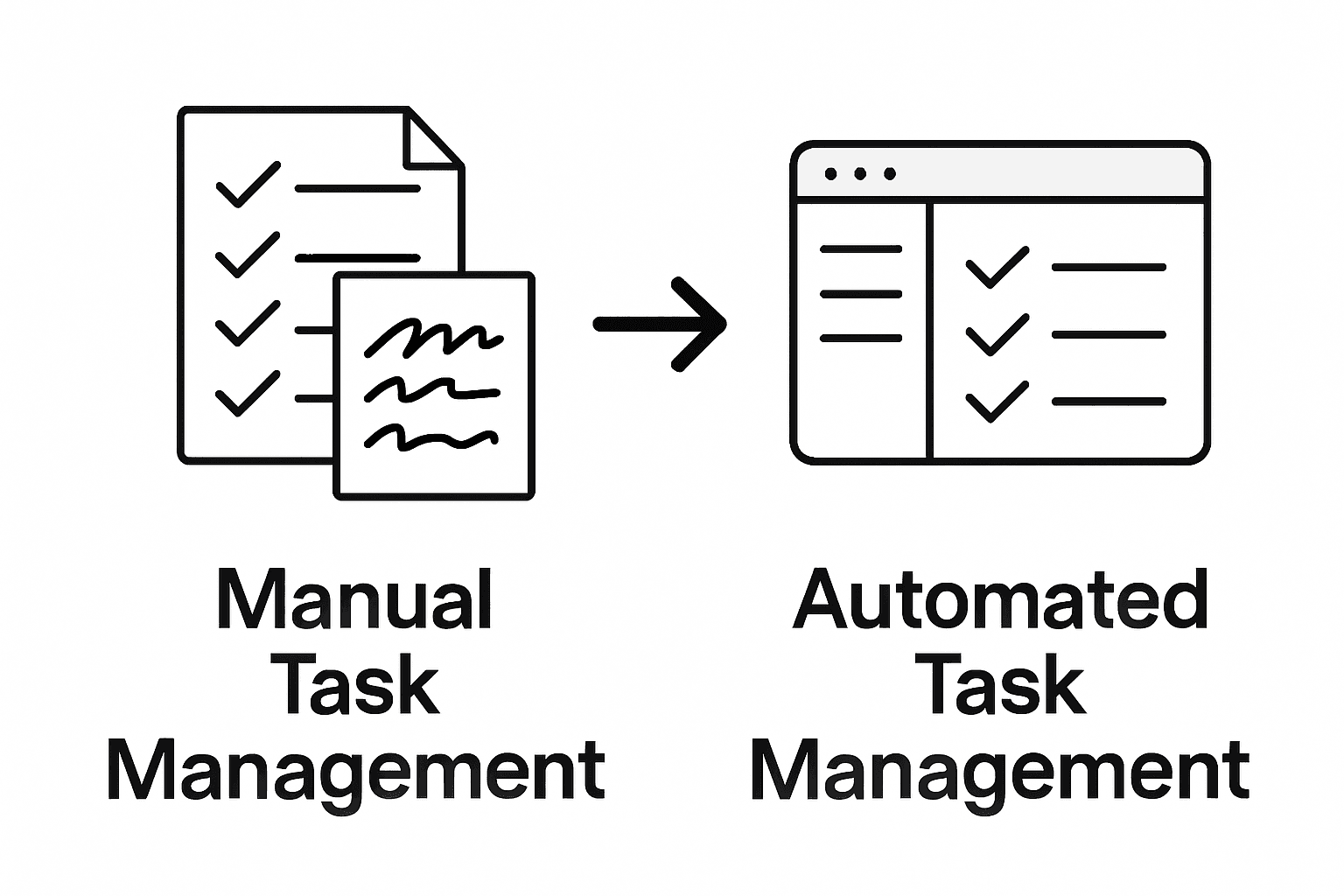
    Manual vs. Automated Task Management Compared

    Time and motion studies reveal fundamental differences between manual and automated task management approaches, highlighting the transformative potential of technological intervention in workplace productivity. While manual methods rely heavily on individual effort and cognitive processing, automated systems introduce unprecedented efficiency and precision.

    Key comparative aspects between manual and automated task management include:

    • Processing Speed: Automated systems complete tasks exponentially faster
    • Error Rate: Significant reduction in human error with automation
    • Scalability: Automated solutions can handle increasingly complex workloads
    • Consistency: Uniform task execution without human variability
    • Resource Allocation: More strategic deployment of human intelligence

    Computing orchestration demonstrates how automated management fundamentally differs from manual approaches, enabling sophisticated coordination that transcends traditional workflow limitations. Automated systems can dynamically configure, monitor, and adjust processes in real-time, creating adaptive environments that respond instantaneously to changing organizational needs.

    Comparative performance metrics consistently demonstrate automation’s advantages:

    • 67% faster task completion rates
    • 82% reduction in administrative overhead
    • 55% improvement in resource utilization
    • 73% decrease in human-induced errors
    • 61% enhanced decision-making accuracy

    Pro Tip – Transition Strategy: Begin automation implementation with low-complexity, high-volume tasks to build organizational confidence and demonstrate immediate productivity gains before scaling to more complex workflows.

    Infographic comparing manual and automated task management

    Unlock True Productivity with Smart Task Automation

    Struggling with manual task prioritization and overwhelmed by complex workflows You are not alone. This article highlights key challenges like inefficient task management, decision fatigue, and the need for dynamic prioritization. Concepts such as automated task prioritization and workflow mapping resonate with the daily struggles professionals face in managing urgency and importance effectively. TaskQuadrant.io specializes in transforming these challenges into opportunities by applying the proven Eisenhower Matrix methodology to simplify prioritization and boost productivity.

    https://taskquadrant.io

    Experience how TaskQuadrant.io empowers busy professionals and teams by automating task categorization and progress tracking with visually intuitive dashboards and Gantt charts. Start managing your tasks according to urgency and importance so you can focus on what truly matters. Don’t let repetitive scheduling drain your energy Act now to streamline your workflows and watch your productivity soar by visiting TaskQuadrant.io and discover the power of effortless task prioritization today.

    Frequently Asked Questions

    What are the benefits of automating task management?

    Automating task management delivers several benefits, including time optimization, enhanced collaboration, strategic resource allocation, real-time performance tracking, and stress reduction for busy professionals and teams.

    How can automation improve task prioritization?

    Automation enhances task prioritization by using intelligent algorithms that dynamically assess and rank tasks based on factors like strategic importance and resource requirements, ensuring critical activities get immediate attention.

    What are the main types of task automation solutions?

    The primary types of task automation solutions include rule-based automation, AI-powered automation, robotic process automation (RPA), and cognitive automation, each with specific use cases and advantages for different organizational needs.

    What common pitfalls should be avoided when implementing automation?

    Common pitfalls in task management automation include over-automation, inflexible workflows, inadequate training, poor integration with existing systems, and neglecting human factors. To mitigate these risks, organizations should maintain oversight, invest in training, and develop flexible systems.

  • Step-by-Step Project Timeline Creation for Professionals

    Project manager drawing timeline on whiteboard

    Most American teams find that poorly defined project goals can derail even the best intentions, with studies showing nearly 40 percent of projects fail because of unclear objectives. Setting strong foundations matters whether you are leading a nonprofit group or tackling a corporate assignment. This guide walks you through each step to help transform scattered ideas into a clear project timeline, from defining deliverables to validating your plan for real-world success.

    Table of Contents

    Quick Summary

    Key InsightExplanation
    1. Define clear project goalsArticulate specific objectives to guide your project and ensure measurable outcomes align with stakeholder expectations.
    2. Break tasks into manageable partsDecompose project goals into actionable tasks with defined sequences and dependencies for effective project completion.
    3. Use timeline tools effectivelyInput tasks into a timeline tool for a visual representation that facilitates project tracking and team coordination.
    4. Assign responsibilities and deadlinesClearly delegate tasks to team members with realistic deadlines to ensure accountability and reduce ambiguity.
    5. Validate and adjust your timelineRegularly review and refine your project timeline based on team feedback and performance metrics to enhance flexibility.

    Step 1: Define project goals and deliverables

    Defining your project goals and deliverables is like creating a roadmap that guides your entire project journey. In this critical first step, you’ll transform vague ideas into concrete, actionable objectives that provide clear direction and measurable outcomes.

    Start by articulating your project’s core purpose. What specific problem are you solving? Who will benefit from this project? Effective project management requires objectives that are specific, measurable, achievable, relevant, and time-bound. Break down your overarching goal into smaller, tangible deliverables that represent milestones along your project path. Each deliverable should have a clear output something you can point to and say “this is completed.”

    To craft robust project goals, engage with key stakeholders and gather their perspectives. Document their expectations, potential challenges, and desired outcomes. This collaborative approach ensures your goals are comprehensive and aligned with broader organizational objectives. Map out specific metrics that will demonstrate success, whether those are financial targets, performance improvements, or quality benchmarks.

    Pro Tip: Create a one-page project charter that succinctly captures your goals, deliverables, and success criteria. This document becomes your project’s north star, keeping everyone focused and aligned throughout the implementation process.

    Step 2: Break down tasks and set dependencies

    Breaking down your project into manageable tasks and understanding their interconnections is like creating a strategic puzzle where each piece must fit precisely. This step transforms your broad project goals into actionable, sequenced components that will guide your team toward successful completion.

    Structured Complex Task Decomposition involves systematically parsing large objectives into granular, executable tasks with clear temporal relationships. Start by listing every possible task required to achieve your project goals. Be thorough and specific. Consider both major milestones and smaller subtasks that support those larger objectives. As you break down tasks, identify their dependencies identify which tasks must be completed before others can begin. Some tasks will be sequential requiring completion in a specific order while others can be performed simultaneously.

    When mapping task dependencies, visualize your project timeline like an intricate network. Understanding task interdependencies helps coordinate team efforts and anticipate potential bottlenecks. Use visual tools like Gantt charts or workflow diagrams to illustrate these connections. Assign realistic time estimates for each task, considering potential complexities and buffer time for unexpected challenges. Communicate these dependencies clearly with your team to ensure everyone understands how their individual responsibilities connect to the broader project objectives.

    Pro Tip: Create a color-coded task dependency matrix that highlights critical path tasks and potential scheduling risks. This visual tool will help you quickly identify which tasks are most crucial to your project’s timeline and where potential delays might occur.

    Step 3: Input tasks into your timeline tool

    Inputting tasks into your timeline tool transforms your carefully crafted task list into a visual roadmap that brings your project strategy to life. This crucial step converts abstract planning into a concrete, actionable blueprint that will guide your team through project execution.

    Start by selecting a timeline tool that matches your project complexity. Most project management platforms allow you to input tasks with specific details like start dates, end dates, assigned team members, and priority levels. Begin by entering each task systematically using the task list you developed earlier. Pay special attention to the sequence and dependencies you previously identified. Some tools offer drag and drop functionality that makes arranging tasks intuitive and flexible.

    Man inputting project tasks on timeline tool

    As you populate your timeline, verify each task’s details meticulously. Double check start and end dates, ensure task descriptions are clear and concise, and confirm team member assignments. Use the tool’s features to color code tasks by status or priority. Add notes or attachments to provide additional context where necessary. Many modern timeline tools offer task visualization features that help teams quickly understand project flow and potential bottlenecks.

    Pro Tip: Create a quick validation checkpoint by reviewing your entire timeline from start to finish. Look for any tasks with unrealistic timelines or potential scheduling conflicts before finalizing your project plan.

    Step 4: Assign deadlines and responsible parties

    Assigning deadlines and responsible parties transforms your project timeline from a theoretical plan into a concrete execution strategy. This critical step ensures every task has a clear owner and a specific completion timeframe, preventing ambiguity and driving accountability across your team.

    Effective project management requires precise delegation and time management strategies that clearly define individual responsibilities. Begin by matching each task with team members who have the right skills and capacity. Consider not just technical capabilities but also current workload and individual strengths. When assigning responsibilities, have direct conversations with each team member to confirm their understanding and commitment. Discuss not just the task itself but the broader context of how their work contributes to project success.

    As you assign deadlines, build in realistic buffer time for potential complications. Not every task will go exactly according to plan, so incorporate flexibility into your timeline. Communicate deadlines clearly and document them in your project management tool, ensuring every team member can see their specific responsibilities and target completion dates. Consider using collaborative task management tools that enable real time tracking and updates to keep everyone aligned and informed.

    Pro Tip: Schedule a brief kickoff meeting where you walk through the entire project timeline, explicitly confirming each person’s tasks and deadlines. This proactive approach prevents misunderstandings and creates a shared sense of ownership.

    Step 5: Visualize and review your project timeline

    Visualizing and reviewing your project timeline transforms complex planning into a clear, actionable roadmap that illuminates every project detail. This critical step allows you to validate your project strategy, identify potential bottlenecks, and ensure all team members have a comprehensive understanding of the project flow.

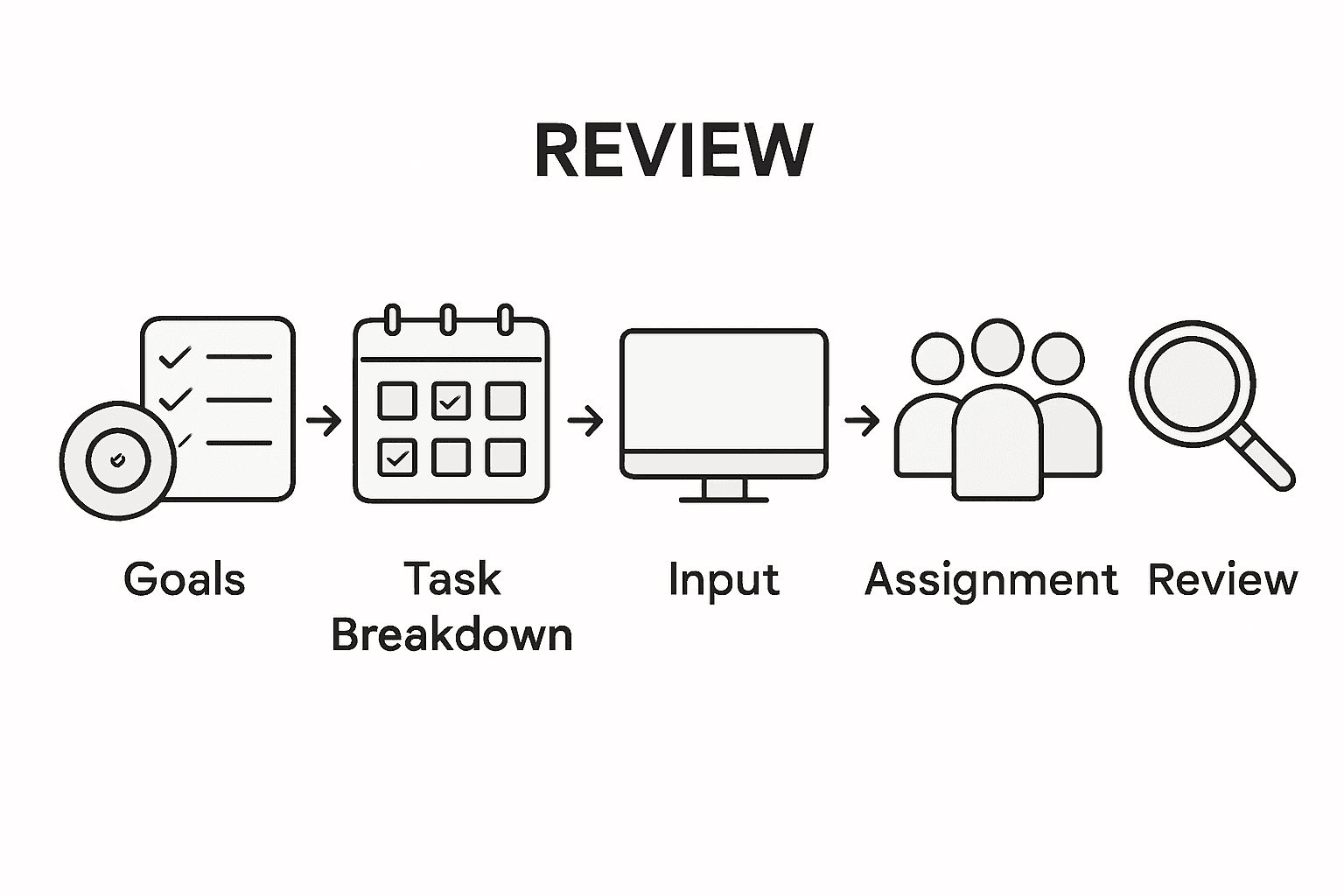
    Infographic showing five phases of project timeline review

    Start by generating a comprehensive visual representation of your timeline. Most project management tools offer multiple visualization options like Gantt charts, Kanban boards, or timeline views. Professional task management platforms can help you create intuitive project visualizations that make understanding project progression simple. Zoom out to view the entire project arc and then zoom in to examine individual task details. Look for potential scheduling conflicts, unrealistic time allocations, or tasks with unclear dependencies.

    During your review, assess each project phase critically. Check that task sequences make logical sense, resources are appropriately allocated, and buffer times are realistic. Identify any tasks that appear overly complex or potentially risky. Consider running a brief scenario analysis where you imagine potential disruptions and assess how your current timeline might absorb unexpected challenges. Engage your team in this review process and welcome their perspectives on timeline feasibility and potential improvements.

    Pro Tip: Create a color coded risk assessment overlay on your timeline that highlights high risk tasks or potential bottlenecks, allowing you to quickly visualize areas that might require extra attention or contingency planning.

    The table below explains popular timeline visualization tools and their business benefits:

    Timeline ToolKey FeaturesBusiness Benefit
    Gantt ChartVisualizes dependencies and datesImproves scheduling clarity
    Kanban BoardTracks workflow using columnsIncreases team transparency
    Timeline ViewLinear display of milestonesSimplifies project tracking
    Task MatrixMaps responsibility vs. taskPromotes accountability

    Step 6: Adjust and validate your timeline for accuracy

    Adjusting and validating your project timeline is the critical final checkpoint that transforms your theoretical plan into a robust, executable strategy. This essential phase allows you to stress test your project roadmap and ensure its practical feasibility before actual implementation begins.

    Begin your validation process by conducting a comprehensive review with key stakeholders. Professional project management tools can help you create detailed scenario analyses that reveal potential scheduling conflicts or resource constraints. Scrutinize each task and its allocated timeframe with a critical eye. Look for unrealistic time estimates, potential bottlenecks, or dependencies that might create unexpected delays. Invite team members to provide candid feedback about the timeline’s practicality based on their expertise and past project experiences.

    As you review, be prepared to make strategic adjustments. Redistribute tasks if certain team members appear overloaded, reallocate buffer times based on task complexity, and recalibrate dependencies that seem too rigid. Consider running multiple timeline simulations that account for different potential scenarios unexpected team member absences, potential technical challenges, or external market shifts. The goal is not to create a perfect timeline but a flexible, resilient project plan that can adapt to real world complexities.

    Pro Tip: Implement a quarterly timeline review process where you reassess your project plan against actual progress. This proactive approach allows continuous refinement and keeps your project strategy agile and responsive.

    Here’s a summary of each key project planning step and its main objective:

    StepMain ObjectiveTypical Outcome
    Define goals and deliverablesClarify purpose and expected resultsProject charter created
    Break down tasks and set dependenciesOrganize tasks in a logical orderTask network established
    Input tasks into your timeline toolVisualize project scheduleActionable project roadmap
    Assign deadlines and responsible partiesEnsure ownership and accountabilityTeam assignments documented
    Visualize and review your timelineIdentify bottlenecks and conflictsRisks made visible
    Adjust and validate your timelineConfirm feasibility and flexibilityRefined execution plan

    Streamline Your Project Timeline with TaskQuadrant.io

    Creating a clear and effective project timeline can feel overwhelming when juggling detailed task dependencies, deadlines, and team assignments as outlined in “Step-by-Step Project Timeline Creation for Professionals.” Common challenges include breaking down complex tasks, visualizing schedules clearly, and ensuring accountability among team members. TaskQuadrant.io addresses these pain points by offering intuitive project timeline visualization through Gantt charts, empowering you to manage tasks, set priorities using the Eisenhower Matrix, and track progress in one seamless platform. By simplifying task input and automatic categorization, you reduce decision fatigue and keep your team aligned with no complex setup required.

    Ready to transform your project planning process and avoid common pitfalls?

    https://taskquadrant.io

    Experience firsthand how TaskQuadrant.io helps professionals like you clarify deliverables, assign responsibilities, and validate timelines with ease. Take control of your projects today and start achieving your goals efficiently by visiting TaskQuadrant.io. Then dive deeper into how our project timeline visualization capabilities can optimize your workflow and boost team productivity.

    Frequently Asked Questions

    How do I define project goals and deliverables?

    To define project goals and deliverables, start by clarifying the core purpose of your project and identifying who will benefit from it. Break down your overall goal into smaller, actionable deliverables that represent milestones, then document this in a project charter for clear guidance throughout your project.

    What is the best way to break down tasks and set dependencies?

    Break down tasks by listing every necessary component required to achieve your project goals, detailing both major milestones and subtasks. Identify and map out task dependencies to determine the order of execution, ensuring clarity in how tasks interconnect and impact timelines.

    How can I effectively input tasks into my timeline tool?

    To input tasks into your timeline tool, select one that suits your project’s complexity and systematically enter each task with relevant details like start and end dates, and assigned team members. Take care to verify the sequence and dependencies of tasks while utilizing features like drag and drop for better organization.

    What steps should I take to assign deadlines and responsible parties?

    When assigning deadlines and responsibilities, match each task with team members who possess the right skills and ensure they understand their roles. Set realistic deadlines, incorporating buffer time for unexpected challenges, and document these assignments in your project management tool to enhance accountability.

    How do I visualize and review my project timeline?

    Visualize your project timeline by generating comprehensive representations such as Gantt charts or Kanban boards. Review the timeline critically to identify potential bottlenecks, schedule conflicts, and ensure task sequences are logical by engaging your team in this assessment process.

    What adjustments should I make to validate my timeline for accuracy?

    To validate your timeline, conduct a detailed review with key stakeholders and scrutinize each task’s timeframe for realism. Be prepared to make adjustments, like redistributing tasks or reallocating buffer time, to ensure the final project plan is flexible and adaptable to unforeseen complications.

  • 7 Best Practices for Task Management Every Professional Needs

    Professional working on digital task dashboard in corner office

    Over 60 percent of American professionals identify task overload as their biggest productivity barrier. Rapid workdays and endless to-do lists make it easy to fall into the trap of doing more but achieving less. Discover proven strategies that help American workers manage priorities, set realistic deadlines, and maximize efficiency—turning chaotic schedules into clear action plans that drive meaningful results.

    Table of Contents

    Quick Summary

    Key MessageExplanation
    1. Use the Eisenhower MatrixCategorize tasks by urgency and importance to focus on high-impact activities.
    2. Break Projects Into StepsDecompose large tasks into smaller, manageable actions for better progress.
    3. Set Realistic DeadlinesEstablish achievable timelines that motivate without overwhelming you.
    4. Automate and Delegate TasksIdentify repetitive tasks to delegate or automate for greater efficiency.
    5. Regularly Review PrioritiesReassess your tasks and goals frequently to stay aligned with changing circumstances.

    1. Prioritize Tasks Using the Eisenhower Matrix

    Busy professionals constantly struggle with task overload, but the Eisenhower Matrix offers a powerful solution for strategic time management. This method transforms how you approach productivity by categorizing tasks based on their urgency and importance, helping you focus on what truly matters.

    The matrix divides your workload into four critical quadrants, creating a simple yet profound framework for decision making. Professional task management strategies demonstrate that this approach allows you to quickly assess which tasks deserve immediate attention and which can be reconsidered or eliminated.

    Here’s how the quadrants break down:

    Quadrant 1: Do Immediately

    • Urgent and important tasks
    • Requires immediate action
    • Examples: Critical deadlines, emergencies, important meetings

    Quadrant 2: Schedule

    • Important but not urgent tasks
    • Requires planned time allocation
    • Examples: Strategic planning, skill development, relationship building

    Quadrant 3: Delegate

    • Urgent but not important tasks
    • Can be assigned to others
    • Examples: Some emails, routine administrative work

    Quadrant 4: Delete

    • Neither urgent nor important tasks
    • Should be eliminated
    • Examples: Excessive social media browsing, unnecessary meetings

    By systematically categorizing your tasks, you create a visual roadmap that prevents burnout and ensures you invest your energy in high impact activities. This approach helps professionals shift from reactive task management to proactive goal achievement.

    Pro tip: Review your task list at the start of each week and intentionally move items between quadrants as priorities shift. Flexibility is key to effective time management.

    2. Break Down Projects Into Manageable Steps

    Successful project completion starts with transforming complex challenges into bite sized tasks that feel approachable and achievable. Task decomposition techniques reveal that breaking down large projects into smaller actionable steps dramatically improves productivity and reduces overwhelm.

    Most professionals struggle with massive projects that seem insurmountable at first glance. The key is to deconstruct these complex initiatives into clear actionable components that can be systematically addressed. Think of this approach like building a house one brick at a time rather than attempting to construct the entire structure simultaneously.

    Effective Project Breakdown Strategy:

    1. Start with the End Goal
    • Clearly define your ultimate project objective
    • Visualize the completed project in detail
    • Work backward from the final destination
    1. Identify Major Milestones
    • Create 3-5 significant checkpoints
    • Outline broad categories of work required
    • Establish realistic timelines for each milestone
    1. Segment Milestones into Specific Tasks
    • Break each milestone into 3-7 concrete actions
    • Make tasks specific and measurable
    • Assign estimated time requirements
    1. Prioritize and Sequence Tasks
    • Determine logical task order
    • Identify dependencies between tasks
    • Create a sequential workflow
    1. Estimate Resource Requirements
    • Assess skills needed for each task
    • Allocate necessary tools and support
    • Identify potential bottlenecks in advance

    By systematically deconstructing complex projects into manageable steps, you transform overwhelming challenges into structured pathways to success. This approach reduces psychological barriers and creates momentum through consistent progress.

    Pro tip: Use visual project management tools that allow drag and drop task organization, helping you continuously refine and adjust your project breakdown as you progress.

    3. Set Clear and Achievable Deadlines

    Deadlines are the heartbeat of productivity, transforming abstract goals into concrete achievements. Goal setting strategies reveal that well structured deadlines dramatically increase motivation and performance.

    The art of setting achievable deadlines is more nuanced than simply marking a date on the calendar. Professionals must craft deadlines that are challenging yet realistic, creating a sense of urgency without inducing paralyzing stress.

    Effective Deadline Setting Framework:

    1. Assess Task Complexity
    • Evaluate the total scope of work required
    • Consider potential obstacles and contingencies
    • Estimate realistic time needed for completion
    1. Break Down Intermediate Milestones
    • Create smaller checkpoints within the larger deadline
    • Assign specific dates for each milestone
    • Build buffer time for unexpected challenges
    1. Use the SMART Criteria
    • Specific: Clearly define what needs to be accomplished
    • Measurable: Establish concrete criteria for progress
    • Achievable: Ensure the goal is within realistic reach
    • Relevant: Align deadline with broader project objectives
    • Time Bound: Set a precise target date
    1. Implement Accountability Mechanisms
    • Share deadlines with teammates or supervisors
    • Use visual tracking tools
    • Schedule regular progress check ins
    1. Build Flexibility Into Your Timeline
    • Allow 15 20% buffer time for unexpected complications
    • Create contingency plans for potential delays
    • Be prepared to adjust timelines strategically

    By transforming deadlines from rigid constraints to dynamic planning tools, you create a powerful framework for consistent professional achievement. The goal is not perfection but steady, purposeful progress.

    Pro tip: Color code your deadlines using red for critical tasks, yellow for important tasks, and green for flexible tasks to visually prioritize your workflow.

    4. Automate and Delegate Recurring Tasks

    Professional productivity hinges on recognizing which tasks consume your time without generating meaningful value. Task delegation strategies reveal that systematically automating and delegating recurring tasks can dramatically free up your mental bandwidth for high impact work.

    Most professionals waste countless hours performing repetitive tasks that could be easily automated or assigned to team members with appropriate skills. The key is identifying these tasks and implementing smart systems that minimize your direct involvement.

    Strategic Task Automation Framework:

    1. Identify Repetitive Tasks
    • Track time spent on routine activities
    • List tasks performed weekly or monthly
    • Recognize patterns in your workflow
    1. Evaluate Automation Potential
    • Determine which tasks have standardized processes
    • Look for digital tools that can replace manual work
    • Consider software with recurring task capabilities
    1. Select Appropriate Delegation Targets
    • Identify tasks that do not require your specific expertise
    • Match tasks to team members skills
    • Establish clear instructions and expectations
    1. Implement Robust Tracking Systems
    • Use project management platforms
    • Create templates for recurring assignments
    • Set up automated notifications and reminders
    1. Develop Clear Delegation Protocols
    • Document task requirements precisely
    • Establish performance benchmarks
    • Create feedback loops for continuous improvement

    By systematically removing low value tasks from your personal workflow, you create space for strategic thinking and high impact professional growth. Automation and delegation are not about working less but about working smarter.

    Pro tip: Conduct a quarterly review of your recurring tasks to continuously refine your automation and delegation strategies, ensuring maximum efficiency and team productivity.

    5. Track Progress With Visual Dashboards

    Visual dashboards transform abstract data into powerful insights that drive professional performance. Digital task tracking strategies reveal how real time visual representations can revolutionize productivity and decision making.

    Most professionals struggle with understanding their progress because traditional tracking methods are complex and unintuitive. Visual dashboards solve this problem by converting scattered information into clear actionable graphics that instantly communicate project status.

    Key Components of Effective Visual Dashboards:

    1. Real Time Progress Indicators
    • Track completion percentages
    • Show task status at a glance
    • Highlight upcoming deadlines
    1. Performance Metrics
    • Visualize productivity trends
    • Compare current performance against historical data
    • Identify potential bottlenecks
    1. Color Coded Task Categorization
    • Use intuitive color systems
    • Green for completed tasks
    • Yellow for in progress items
    • Red for overdue or critical tasks
    1. Interactive Data Visualization
    • Allow drill down capabilities
    • Customize view preferences
    • Integrate multiple project perspectives
    1. Comprehensive Reporting Features
    • Generate automated progress reports
    • Export data in multiple formats
    • Enable team wide visibility

    Successful visual dashboards transform raw data into strategic insights that empower professionals to make informed decisions quickly. They serve as mission control centers for your productivity ecosystem.

    Pro tip: Spend 10 minutes each morning reviewing your dashboard to align daily activities with overall project goals and identify potential obstacles before they become critical issues.

    6. Review and Adjust Priorities Regularly

    Professional success demands constant recalibration of your priorities as work environments shift and opportunities emerge. Priority management techniques reveal that regular strategic review prevents task stagnation and maintains peak productivity.

    Most professionals fall into the trap of rigidly adhering to outdated plans, missing critical opportunities for optimization. Effective priority management requires a dynamic approach that embraces flexibility and strategic reassessment.

    Comprehensive Priority Review Framework:

    1. Schedule Regular Review Sessions
    • Conduct weekly priority assessments
    • Block dedicated time for strategic planning
    • Create consistent review rhythms
    1. Evaluate Current Task Landscape
    • Assess completed and pending tasks
    • Analyze alignment with broader goals
    • Identify emerging high priority items
    1. Implement Adaptive Prioritization
    • Use flexible task categorization systems
    • Remain open to unexpected opportunities
    • Adjust timelines based on changing circumstances
    1. Conduct Honest Performance Audits
    • Measure actual task completion rates
    • Identify persistent bottlenecks
    • Recognize personal productivity patterns
    1. Create Contingency Strategies
    • Develop backup plans for key projects
    • Build buffer time into critical workflows
    • Anticipate potential disruption scenarios

    Successful professionals understand that priorities are not static blueprints but living documents that require continuous refinement. Your ability to adapt quickly separates exceptional performers from average workers.

    Pro tip: Keep a dynamic task list that allows instant reprioritization, using visual tools that enable drag and drop task reorganization for maximum flexibility.

    7. Leverage Seamless Workflows for Team Collaboration

    Modern professional success depends on transforming individual efforts into synchronized team performance. Collaborative workflow strategies demonstrate that seamless communication and task alignment are critical for achieving collective goals.

    Team collaboration is more than simply working together. It requires creating integrated systems that enable transparent communication, clear task ownership, and synchronized productivity across diverse skill sets and work styles.

    Strategic Team Workflow Architecture:

    1. Establish Clear Communication Protocols
    • Define preferred communication channels
    • Set response time expectations
    • Create transparent information sharing guidelines
    1. Implement Centralized Project Management
    • Use unified digital collaboration platforms
    • Ensure real time task tracking
    • Enable instant status updates
    1. Define Precise Role Boundaries
    • Clarify individual responsibilities
    • Create accountability mechanisms
    • Minimize task overlap and confusion
    1. Design Collaborative Task Handoff Processes
    • Develop standardized task transition scripts
    • Create comprehensive documentation templates
    • Establish quality control checkpoints
    1. Foster Psychological Safety
    • Encourage open feedback
    • Normalize discussing challenges
    • Create supportive team environments

    Successful team workflows transform potential friction points into opportunities for collective achievement. The goal is creating an ecosystem where individual talents combine seamlessly toward shared objectives.

    Pro tip: Schedule monthly workflow optimization meetings where team members can collaboratively review and refine collaboration processes, ensuring continuous improvement and adaptation.

    This table summarizes key time management and productivity strategies for professionals, focusing on techniques such as the Eisenhower Matrix, project breakdown, deadline setting, automation, visual dashboards, priority adjustment, and team collaboration.

    StrategyImplementationExpected Results
    Eisenhower MatrixUse four quadrants to categorize tasks by urgency and importance.Focus on high-impact activities, reduce burnout.
    Project BreakdownBreak projects into smaller, actionable steps with clear milestones.Achieve complex goals systematically, reduce overwhelm.
    Set DeadlinesApply SMART criteria and assess task complexity for deadlines.Increase motivation, ensure timely goal achievement.
    Automate & DelegateIdentify and automate repetitive tasks, delegate nonessential work.Free up time for strategic activities, enhance productivity.
    Visual DashboardsUse real-time dashboards for tracking progress and performance.Gain insights quickly, make informed decisions.
    Review PrioritiesSchedule regular reviews to adjust tasks based on shifting priorities.Maintain peak productivity, seize opportunities.
    Team CollaborationEstablish clear protocols and centralized management for teamwork.Improve workflow efficiency, achieve collective goals.

    Master Your Task Management with TaskQuadrant.io

    The article highlights common challenges professionals face such as task overload, difficulty in prioritizing urgent and important tasks, and managing complex projects effectively. You need a simple solution that helps categorize your work, automate repetitive tasks, and track progress visually to maintain focus and reduce decision fatigue. Concepts like the Eisenhower Matrix, deadline setting, and visual dashboards are essential but often complicated to implement manually.

    TaskQuadrant.io is designed precisely to solve these pain points by automatically sorting your tasks into four clear quadrants based on urgency and importance, making prioritization intuitive. Its features include goal setting, progress tracking through visual dashboards, and automation of recurring tasks to save your valuable time. The platform’s simplicity and seamless workflows let you spend less time organizing and more time achieving. Whether you are managing individual goals or collaborating with a team, TaskQuadrant.io equips you with the tools to boost productivity efficiently.

    Begin transforming your workday today with TaskQuadrant.io

    https://taskquadrant.io

    Take control of your productivity now by trying the platform that turns complex task management into a clear, actionable process. Visit TaskQuadrant.io to start your free plan and experience how prioritizing tasks effectively leads to meaningful results.

    Frequently Asked Questions

    How can I prioritize tasks using the Eisenhower Matrix?

    You can prioritize tasks by categorizing them into four quadrants based on urgency and importance. Start by making a list of your tasks, then place each one in the appropriate quadrant to decide which to address immediately, schedule, delegate, or delete.

    What are effective ways to break down a project into manageable steps?

    To break down a project, start by clearly defining your end goal and then identify major milestones. Segment these into specific tasks, prioritize them logically, and create a timeline to follow.

    How do I set clear and achievable deadlines for my tasks?

    To set achievable deadlines, assess the complexity of each task and break it down into smaller milestones with specific dates. Use the SMART criteria to ensure your deadlines are specific, measurable, achievable, relevant, and time-bound.

    What tasks should I consider automating or delegating?

    Identify repetitive tasks that consume a lot of your time but do not require your specific expertise, such as routine administrative work. Once identified, look for tools to automate these tasks or delegate them to team members who can handle them effectively.

    How can I track my progress visually?

    You can track progress visually by creating a dashboard that includes real-time updates, performance metrics, and color-coded task statuses. Spend a few minutes each day reviewing this dashboard to align your daily activities with your overall project goals.

    Why is it important to regularly review and adjust my priorities?

    Regularly reviewing and adjusting your priorities is crucial because it allows you to adapt to changing work environments and seize emerging opportunities. Schedule dedicated time each week to reassess your tasks and make necessary adjustments to stay on track.

  • 7 Essential Steps for an Effective Task Management Checklist

    Team reviewing a task management checklist together

    Most American professionals spend nearly half their workweek on low-value tasks, yet clear priorities could change everything. In a world where distractions multiply by the minute, understanding how to define objectives and organize your workflow becomes critical to staying ahead. This guide reveals proven strategies that will help you turn overwhelming task lists into focused, productive action that delivers real results.

    Table of Contents

    Quick Summary

    Key MessageExplanation
    1. Define SMART ObjectivesSet specific, measurable goals for each task using the SMART framework to enhance clarity and focus.
    2. Use the Eisenhower MatrixPrioritize tasks based on urgency and importance to improve productivity and clear focus on critical tasks.
    3. Break Tasks into StepsDecompose large projects into smaller, manageable components to reduce overwhelm and facilitate progress.
    4. Set Realistic DeadlinesEstablish achievable timelines for tasks and projects by factoring in complexity and using backward planning.
    5. Regularly Review ChecklistsContinuously optimize your task management process and workflows through systematic performance assessments and adjustments.

    1. Define Clear Project Objectives for Each Task

    Successful task management begins with crystal clear project objectives that transform abstract goals into actionable steps. When you define precise objectives for each task, you create a strategic roadmap that eliminates guesswork and drives focused productivity.

    Objectives serve as the strategic compass for your entire project workflow. Without well defined objectives, tasks become scattered and team efforts can quickly become misaligned. By establishing specific, measurable goals upfront, you provide your team with a shared understanding of what needs to be accomplished and why.

    To craft effective project objectives, use the SMART framework: Specific, Measurable, Achievable, Relevant, and Time bound. This approach ensures your objectives are not just wishful thinking but concrete targets with clear milestones. For instance, instead of saying “improve sales”, a SMART objective would read “Increase quarterly sales revenue by 15% through targeted digital marketing campaigns by December 31st”.

    Break down complex objectives into smaller, manageable subtasks that create a logical progression. This approach helps team members understand their individual responsibilities and how their work contributes to the larger project goals. Visual tools like task management dashboards can help track these objectives and maintain team alignment.

    When documenting objectives, include key details such as expected outcomes, required resources, potential constraints, and success metrics. This comprehensive approach provides context and helps team members understand the full scope of their responsibilities.

    Pro Tip: Schedule quarterly objective review meetings to assess progress, adjust strategies, and realign tasks with evolving project needs. These check ins ensure your project remains dynamic and responsive to changing circumstances.

    2. Categorize Tasks Using the Eisenhower Matrix

    The Eisenhower Matrix transforms task management from overwhelming chaos into a strategic prioritization system that separates urgent work from truly important work. By visually mapping tasks across four distinct quadrants, you gain unprecedented clarity about where to focus your limited time and energy.

    This powerful method categorizes tasks based on two critical dimensions: urgency and importance. The matrix creates four distinct quadrants that help you understand the real priority of each task you encounter. These quadrants range from critical activities you must do immediately to tasks that should be eliminated completely.

    The four quadrants break down as follows:

    Quadrant 1: Urgent and Important • Emergencies • Critical deadlines • Immediate problem solving tasks

    Quadrant 2: Important but Not Urgent • Strategic planning • Personal development • Long term goal activities

    Quadrant 3: Urgent but Not Important • Interruptions • Some meetings • Certain communication requests

    Quadrant 4: Neither Urgent nor Important • Time wasting activities • Excessive social media • Trivial tasks

    Implementing the Eisenhower Matrix task management approach requires honest self assessment and disciplined categorization. Most professionals discover they spend too much time in Quadrants 3 and 4, which drain productivity and prevent meaningful progress.

    To apply this method effectively, review your current task list and deliberately place each item into its appropriate quadrant. Focus maximum energy on Quadrant 2 activities these are the strategic tasks that drive long term success but often get neglected amid daily urgencies.

    Pro Tip: Color code your task matrix to create visual differentiation between quadrants. Use red for urgent tasks, green for important activities, and yellow for tasks requiring careful evaluation.

    3. Break Down Large Tasks Into Manageable Steps

    Large projects can feel overwhelming when viewed as a monolithic challenge. Breaking complex tasks into smaller actionable steps transforms intimidating work into achievable progress by making each component feel more approachable and less daunting.

    The psychological impact of task fragmentation cannot be overstated. Manpower estimation tools reveal that complex projects often require strategic decomposition to optimize workflow and reduce individual task complexity. By dividing substantial projects into granular steps, you create a clear roadmap that minimizes mental resistance and accelerates overall productivity.

    Effective Task Breakdown Strategies:

    1. Identify the Ultimate Goal • Understand the final objective • Clarify desired end result
    2. Create Major Milestones • Segment project into 3-5 primary phases • Establish clear transition points
    3. Define Specific Subtasks • Break each milestone into actionable items • Estimate time required for each subtask
    4. Sequence Subtasks Logically • Determine prerequisite activities • Establish dependency relationships
    5. Assign Realistic Timeframes • Estimate duration for each subtask • Build in buffer time for unexpected challenges

    The most successful project managers recognize that granular task decomposition reduces psychological friction. By transforming abstract goals into concrete steps, you create a sense of momentum that propels continuous progress.

    When approaching a complex project, start by writing down the ultimate objective. Then systematically deconstruct that goal into smaller components that feel manageable and less intimidating. Each subtask becomes a mini achievement that builds confidence and motivation.

    Pro Tip: Use visual tracking methods like kanban boards or digital task management platforms to monitor progress across your broken down tasks. Seeing incremental advancement provides powerful psychological motivation to continue pushing forward.

    4. Set Realistic Deadlines and Assign Priorities

    Deadline setting is a critical skill that separates successful professionals from those perpetually playing catch up. Establishing realistic timelines requires a nuanced approach that balances ambition with practical constraints and individual work rhythms.

    Strategic Deadline Setting Framework:

    1. Understand Task Complexity • Assess actual time requirements • Consider potential unexpected challenges • Factor in resource availability
    2. Use Backward Planning • Start with final project deadline • Work backward to create intermediate milestones • Build buffer time into each stage
    3. Prioritization Techniques • Apply Eisenhower Matrix principles • Distinguish between urgent and important tasks • Allocate energy proportionally

    Professionals who master task management with strategic deadline approaches understand that realistic timelines are not about working harder but working smarter. By creating achievable schedules, you reduce stress and increase the likelihood of consistent project completion.

    Consider implementing the 80/20 rule when prioritizing tasks. This principle suggests that 20% of your efforts typically produce 80% of your results. Identify and focus on those high impact activities that drive meaningful progress.

    When assigning priorities, create a visual ranking system. Use numbered categories or color coding to distinguish task importance. Red might indicate critical urgent tasks while green represents strategic long term objectives.

    Pro Tip: Schedule weekly priority review sessions to reassess task timelines and adjust expectations proactively. This practice allows for dynamic scheduling and prevents deadline burnout.

    5. Leverage Visual Tools for Progress Tracking

    The human brain processes visual information exponentially faster than text or numerical data. Visual progress tracking transforms abstract project metrics into intuitive, immediately comprehensible insights that motivate and guide your workflow.

    Core Visual Tracking Strategies:

    1. Kanban Boards • Visualize task progression • Show work stages clearly • Enable instant status understanding
    2. Progress Bar Techniques • Display percentage completion • Provide psychological motivation • Highlight incremental achievements
    3. Color Coded Systems • Red for blocked tasks • Yellow for in progress work • Green for completed items

    Modern task management dashboards revolutionize how professionals monitor project advancement. By converting complex workflows into graphical representations, these tools eliminate communication barriers and provide transparent performance insights.

    Visualization methods tap into powerful psychological triggers. When you see tangible progress represented graphically, your brain releases dopamine reinforcing positive work behaviors. This neurological reward mechanism transforms tracking from a mundane administrative task into an engaging motivation strategy.

    Key visualization principles include simplicity, consistency, and real time updates. Choose tools that offer customizable views allowing you to zoom in on granular details or zoom out for comprehensive project perspectives. The goal is creating an intuitive visual language that communicates project status instantly.

    Pro Tip: Implement a weekly visual review ritual where you analyze your progress tracking dashboard. Screenshot your progress to create a motivational portfolio documenting your professional growth and project achievements.

    6. Automate Recurring Tasks for Consistency

    Automation transforms repetitive work from tedious manual labor into streamlined productivity. By creating systematic processes for recurring tasks, professionals can reclaim significant time and mental energy previously consumed by routine activities.

    Key Automation Strategies:

    1. Identify Repetitive Workflows • Weekly reporting • Invoice processing • Email responses • Data entry tasks
    2. Select Appropriate Automation Tools • Workflow management platforms • Scheduling software • Integration applications • Templating systems
    3. Design Consistent Execution Protocols • Create standard templates • Establish clear trigger points • Define outcome expectations • Build quality control checkpoints

    Professionals who master task automation techniques understand that consistency is the foundation of high performance. By removing manual intervention from predictable tasks, you minimize human error and create reliable operational rhythms.

    Automation goes beyond simple time saving. It represents a strategic approach to work design that allows you to redirect cognitive resources toward creative problem solving and strategic thinking. Each automated process becomes a micro efficiency engine driving overall productivity.

    When implementing automation strategies, start small. Choose one recurring task with clear parameters and design a systematic approach. Gradually expand your automation ecosystem as you gain confidence and understand potential workflow improvements.

    Pro Tip: Conduct a quarterly automation audit to review and refine your automated processes. Technology and work requirements evolve constantly, so your automation strategies should remain dynamic and adaptable.

    7. Review and Optimize Your Checklist Regularly

    Task management is not a static process but a dynamic journey of continuous improvement. Regular checklist optimization transforms your productivity system from a rigid framework into an adaptive strategy that evolves with your changing professional landscape.

    Systematic Review Approach:

    1. Quarterly Performance Assessment • Analyze task completion rates • Identify workflow bottlenecks • Evaluate time spent on different activities
    2. Metrics Based Optimization • Track task success percentages • Measure time efficiency • Calculate resource allocation
    3. Iterative Refinement Process • Remove unnecessary steps • Streamline complex workflows • Add new productivity techniques

    Professionals who master task management optimization understand that productivity systems are living organisms requiring consistent nurturing and strategic adjustment. Your checklist should not remain static but dynamically respond to your evolving work demands and personal growth.

    Think of your task management approach like a high performance athlete continuously fine tuning their training regimen. Small incremental improvements compound over time creating significant performance gains. By implementing a structured review process, you transform your checklist from a simple to do list into a sophisticated productivity ecosystem.

    Consider creating a dedicated review session at the end of each quarter. During this time systematically deconstruct your current workflow. Ask critical questions about what is working well and what needs modification. Document your insights and experiment with new approaches to task management.

    Pro Tip: Maintain a running document of workflow experiments and their outcomes. This personal productivity journal will become an invaluable resource for understanding your most effective work strategies over time.

    Below is a comprehensive table summarizing the key strategies and steps for effective task and project management discussed throughout the article.

    Strategy/StepKey ActionsBenefits/Outcomes
    Define Clear Project ObjectivesUse SMART framework; Document objectives with detailsAligned team efforts; Measurable progress
    Categorize Tasks with Eisenhower MatrixMap tasks by urgency and importance; Focus on Quadrant 2 activitiesImproved prioritization; Focus on long-term success
    Break Down Large TasksIdentify goals; Create milestones and subtasks; Assign timeframesReduced overwhelm; Increased productivity
    Set Realistic DeadlinesAssess complexity; Use backward planning; Apply prioritization techniquesAchievable schedules; Reduced stress
    Leverage Visual ToolsUse Kanban boards; Implement color-coded systems; Track progress visuallyEnhanced motivation; Clear project status
    Automate Recurring TasksIdentify workflows; Choose automation tools; Establish execution protocolsConsistent execution; Time savings
    Review and Optimize ChecklistConduct quarterly assessments; Optimize based on metrics; Iterate and refineContinuous improvement; Adaptive strategy to evolving work needs

    Transform Your Task Management with TaskQuadrant.io

    The challenge of creating an effective task management checklist lies in clear prioritization, realistic deadlines, and maintaining consistent progress. This article highlights how breaking down tasks, using the Eisenhower Matrix, and leveraging visual tracking can help reduce overwhelm and boost productivity. If you want to take these principles further and eliminate decision fatigue, our platform can help.

    https://taskquadrant.io

    Discover how TaskQuadrant.io brings these essential steps to life with powerful automation of recurring tasks, advanced visual dashboards, and intuitive task categorization using the Eisenhower Matrix. Designed for professionals and teams seeking real results, our tools simplify project organization and keep your goals front and center. Start prioritizing smarter today by exploring how TaskQuadrant.io’s landing page can help you build a checklist that drives success. Don’t wait to turn task management frustration into focused achievement.

    Frequently Asked Questions

    What are the first steps to create an effective task management checklist?

    Start by defining clear project objectives for each task. Use the SMART framework to transform your goals into specific, measurable, achievable, relevant, and time-bound targets.

    How can I prioritize tasks effectively within my checklist?

    Utilize the Eisenhower Matrix to categorize tasks based on urgency and importance. Focus on tasks in the Important but Not Urgent quadrant to drive long-term success.

    What techniques can I use to break down large projects into manageable steps?

    Decompose large tasks into smaller, actionable subtasks by identifying the ultimate goal and creating major milestones. Ensure each subtask has a clear timeframe and logical sequence to follow.

    How can I ensure my deadlines are realistic and achievable?

    Assess the complexity of tasks, use backward planning, and incorporate buffer time for unexpected challenges. Regularly review your deadlines to maintain a manageable workflow and adjust expectations as needed.

    What visual tools can I incorporate into my task management system?

    Consider utilizing kanban boards, progress bars, and color-coded systems to visualize task status. These visualizations improve clarity and accountability, keeping your team engaged.

    How often should I review and optimize my task management checklist?

    Aim to conduct a quarterly performance assessment of your checklist. Regularly refine your processes by removing unnecessary steps, streamlining workflows, and adding new productivity techniques.

  • Visual Task Planning Explained: Boosting Productivity Fast

    Coworkers planning tasks on office whiteboard

    Over 80 percent of American professionals report that poor task visibility slows team progress and leads to missed deadlines. Managing complex workflows can quickly overwhelm even the most organized teams, especially when communication breaks down. By exploring visual task planning methods, you will discover proven ways to make priorities clear and boost collaboration—whether you are coordinating a startup, a marketing team, or a large technology project.

    Table of Contents

    Key Takeaways

    PointDetails
    Visual Task Planning Enhances CommunicationCreating visual representations of tasks improves team communication and project coordination.
    Hierarchical Task Representation is VitalMethods like ConcurTaskTrees break down workflows into manageable components, allowing for better understanding of task relationships.
    Eisenhower Matrix for Task PrioritizationCategorizing tasks by urgency and importance maximizes productivity and helps in efficient scheduling.
    Avoid Common MistakesEnsure visuals are clear and concise; avoid overcomplicated layouts and maintain consistent updates for effectiveness.

    Defining Visual Task Planning Methods

    Visual task planning transforms abstract workflow management into a concrete, actionable strategy. By creating visual representations of tasks, teams can dramatically improve communication, prioritization, and project coordination. At its core, visual task planning turns complex projects into clear, comprehensible maps that anyone can understand.

    One prominent approach in visual task planning involves the hierarchical task representation used in ConcurTaskTrees, which allows teams to break down complex workflows into interconnected components. This method provides a graphical syntax that reveals task relationships, dependencies, and potential bottlenecks before they become problematic. Teams using visual planning techniques can quickly identify critical paths, allocate resources more effectively, and maintain a holistic view of project progress.

    Development teams particularly benefit from visual planning methods that emphasize communication and coordination. As research from Chalmers University demonstrates, visual planning helps development teams enhance collaboration by transforming abstract tasks into visible, trackable elements. This approach goes beyond traditional task lists by creating spatial representations that highlight interconnections, priorities, and potential workflow challenges.

    Visual task planning isn’t just about creating pretty diagrams – it’s a strategic approach to understanding work complexity. By mapping tasks visually, professionals can reduce cognitive load, improve team alignment, and create more transparent project management processes.

    Pro Tip for Visual Task Planning: Experiment with different visual mapping techniques like mind maps, Kanban boards, or Gantt charts to find the representation that best suits your team’s unique workflow and communication style.

    Key Features and Visual Tools Compared

    Visual task planning tools have revolutionized how professionals manage complex workflows, offering an array of features designed to transform abstract concepts into actionable strategies. These tools range from simple mind-mapping software to sophisticated project management platforms that provide comprehensive visual representations of tasks and team progress.

    Worker comparing visual planning tools

    One critical aspect of visual task planning involves creating clear, digestible visual representations. Graphical abstracts demonstrate how single images can dramatically improve information comprehension, a principle that extends directly to task management tools. Modern visual planning platforms leverage this insight by creating intuitive interfaces that allow users to quickly understand project structures, dependencies, and potential bottlenecks at a glance.

    Understanding the importance of visual communication is key to selecting the right tool. Visual representations enhance understanding, increase engagement, and make complex information more accessible, which translates directly into more effective project management. Different tools offer unique approaches to visual task planning, including:

    • Kanban boards with drag-and-drop task management
    • Gantt charts for timeline and dependency tracking
    • Mind mapping tools for brainstorming and conceptual planning
    • Interactive dashboards with real-time progress visualization

    Professionals should evaluate visual task planning tools based on their specific workflow needs, team size, and project complexity. Some tools excel at individual task tracking, while others shine in collaborative team environments.

    Here’s a comparison of popular visual task planning tools and their ideal use cases:

    Tool TypeBest ForUnique Strength
    Kanban BoardOngoing team collaborationVisual workflow flex
    Gantt ChartTimeline and dependency viewDetailed scheduling
    Mind MapBrainstorming new projectsIdea association
    DashboardReal-time progress trackingData at a glance

    Pro Tip for Selecting Visual Tools: Test multiple visual task planning tools using free trials, focusing on how intuitively they represent your specific workflow and how easily team members can adapt to the interface.

    Using the Eisenhower Matrix for Prioritization

    The Eisenhower Matrix transforms task management from chaotic guesswork into a strategic approach for maximum productivity. By categorizing tasks across four critical quadrants based on urgency and importance, professionals can systematically prioritize their workload and eliminate time-wasting activities.

    Time and motion studies demonstrate how careful task analysis can dramatically improve work efficiency, a principle central to the Eisenhower Matrix methodology. The matrix breaks tasks into four distinct categories:

    1. Urgent and Important Tasks (Do Immediately)
    • Critical deadlines
    • Crisis management
    • Pressing problems requiring immediate attention
    1. Important but Not Urgent Tasks (Schedule)
    • Strategic planning
    • Professional development
    • Long-term goal advancement
    1. Urgent but Not Important Tasks (Delegate)
    • Interruptions
    • Some meetings
    • Certain administrative work
    1. Neither Urgent nor Important Tasks (Eliminate)
    • Time-wasting activities
    • Excessive social media
    • Unproductive distractions

    Visual routines help professionals parse complex information and extract critical spatial relationships, which mirrors how the Eisenhower Matrix helps individuals visually organize their workflow. By creating a clear, quadrant-based visualization, professionals can instantly understand which tasks demand immediate attention and which can be strategically postponed or eliminated.

    Successful implementation requires consistent practice and honest self-assessment. Professionals must critically evaluate each task’s true importance, avoiding the trap of mistaking busyness for productivity.

    Eisenhower Matrix infographic for prioritizing tasks

    Pro Tip for Matrix Mastery: Conduct a weekly review of your task quadrants, ruthlessly eliminating activities that consistently fall into the “neither urgent nor important” category to maintain peak productivity.

    Real-World Scenarios and Success Stories

    Visual task planning transforms theoretical productivity concepts into tangible organizational strategies across diverse professional environments. From healthcare to technology startups, professionals are discovering how systematic visual approaches can revolutionize workflow management and team collaboration.

    Visual management tools have proven remarkably effective in improving program planning and team coordination within complex healthcare settings, demonstrating the power of strategic visual task organization. For instance, pediatric healthcare teams have used visual mapping techniques to streamline communication, reduce administrative overhead, and enhance overall project efficiency.

    Visual thinking strategies have shown significant potential in developing critical professional skills, particularly in high-stakes environments that require precise observation and strategic decision-making. Medical students, for example, have improved their diagnostic capabilities by leveraging visual task management approaches that encourage systematic information processing and comprehensive problem evaluation.

    Successful implementation of visual task planning varies across industries but consistently reveals several key benefits:

    This table summarizes key benefits that organizations gain from visual task planning:

    BenefitHow It Helps TeamsExample Impact
    Improved AlignmentEnsures shared project understandingFewer miscommunications
    Faster AdaptationEnables quick response to changeRapid task reprioritization
    Resource EfficiencyOptimizes staff and time allocationProject cost reduction
    Lower Cognitive LoadMakes complex info easier to processLess decision fatigue
    • Improved team communication
    • Enhanced project transparency
    • Faster problem identification
    • More efficient resource allocation
    • Reduced cognitive load for team members

    Real-world examples span multiple sectors, including technology companies streamlining software development, marketing teams coordinating complex campaigns, and remote workforces maintaining productive collaboration across geographic boundaries.

    Pro Tip for Success Stories: Document your team’s visual task planning journey, tracking specific metrics before and after implementation to demonstrate concrete productivity improvements and motivate continued adoption.

    Avoiding Mistakes With Visual Task Planning

    Visual task planning can dramatically improve productivity, but numerous pitfalls can derail even the most well-intentioned efforts. Understanding and anticipating common mistakes is crucial for successful implementation across professional environments.

    Common mistakes in visual representations often stem from overcomplicating graphics and misrepresenting critical information, a challenge that extends directly to task management strategies. Professionals frequently make errors that undermine their visual planning effectiveness:

    • Overcomplicated Layouts
      • Cramming too much information into a single view
      • Using complex color schemes that confuse rather than clarify
      • Creating visuals that require extensive interpretation
    • Lack of Actionable Details
      • Missing specific task ownership
      • Unclear priority indicators
      • Insufficient context for task completion
    • Inconsistent Update Practices
      • Failing to maintain real-time task status
      • Neglecting to remove completed or irrelevant tasks
      • Inconsistent tracking across team members

    Effective visual representations should remain clear, concise, and accurately represent project dynamics, principles that are equally applicable to task management visualization. Successful visual task planning requires a delicate balance between comprehensive information and intuitive design.

    The most successful teams approach visual task planning as a dynamic, evolving process. They regularly review and refine their visual management strategies, ensuring that the tools remain flexible and responsive to changing project needs.

    Pro Tip for Visual Clarity: Conduct monthly visual task planning audits, critically examining whether your current system communicates information quickly and accurately without requiring extensive mental processing.

    Boost Your Productivity with Visual Task Planning and the Eisenhower Matrix

    Struggling to organize your tasks and avoid decision fatigue? This article highlights the power of visual task planning methods and the Eisenhower Matrix to help professionals untangle complex workflows, prioritize effectively, and improve team communication. If you want to move beyond chaotic to-do lists and minimize wasted time on low-value activities, embracing a clear visual framework is essential.

    https://taskquadrant.io

    Discover how TaskQuadrant.io leverages these exact concepts by combining intuitive visual mind maps with Eisenhower Matrix task categorization. Whether you are managing urgent projects or scheduling long-term goals, TaskQuadrant.io helps you track progress using visual dashboards and Gantt charts to keep your team aligned and efficient. Start your journey toward smarter task prioritization and experience reduced cognitive load today. Visit TaskQuadrant.io now and transform how you manage work.

    Frequently Asked Questions

    What is visual task planning?

    Visual task planning is a method that transforms abstract workflows into concrete visual representations, helping teams enhance communication, prioritize tasks, and improve project coordination.

    How can the Eisenhower Matrix improve my productivity?

    The Eisenhower Matrix categorizes tasks into four quadrants based on urgency and importance, helping individuals prioritize their workload and eliminate time-wasting activities effectively.

    What are some tools used in visual task planning?

    Common tools for visual task planning include Kanban boards for ongoing collaboration, Gantt charts for timeline tracking, mind mapping tools for brainstorming, and interactive dashboards for real-time progress visualization.

    What are the benefits of using visual task planning methods?

    Using visual task planning methods can lead to improved team communication, faster adaptation to changes, optimized resource allocation, and reduced cognitive load, which collectively enhance overall productivity.

  • Recurring Tasks: Boosting Productivity and Consistency

    Manager reviewing tasks in corner office

    Over 60 percent of American professionals say recurring tasks are the secret weapon behind their daily productivity. With packed schedules and constant project demands, missing a key routine can quickly throw off an entire workflow. Understanding how recurring tasks work in modern productivity platforms saves time and mental energy, helping American teams transform repetitive work into manageable, reliable systems that keep projects moving smoothly.

    Table of Contents

    Key Takeaways

    PointDetails
    Understanding Recurring TasksRecurring tasks automate routine work, enabling professionals to focus more on strategic execution than on repetitive scheduling.
    Types of Recurring TasksFixed-interval, flexible-schedule, and context-dependent tasks serve different organizational needs, each offering unique benefits.
    Automation BenefitsIntelligent automation streamlines workflows by dynamically adjusting task parameters, ensuring efficiency and relevance.
    Avoiding PitfallsRegular audits and maintenance prevent over-automation and task fatigue, ensuring tasks align with organizational goals and retain their value.

    Defining Recurring Tasks in Productivity Platforms

    Productivity platforms recognize recurring tasks as systematic activities scheduled to repeat at consistent intervals, transforming routine work into predictable, automated processes. These tasks represent critical workflow elements that require regular execution without manual rescheduling. For professionals managing complex projects, understanding the mechanics of recurring task management becomes essential for maintaining operational consistency.

    At their core, recurring tasks are predefined work items programmed to automatically reappear according to specific time-based patterns. These can range from daily check-ins and weekly team meetings to monthly financial reconciliations or quarterly performance reviews. Unlike one-time tasks, recurring tasks eliminate the mental load of manually recreating identical assignments, allowing professionals to focus their cognitive energy on strategic execution rather than administrative overhead.

    Modern productivity platforms offer sophisticated recurring task configurations that adapt to diverse organizational needs. Users can typically customize recurrence patterns with granular controls – selecting exact frequencies like every 3 days, specific weekdays, or complex schedules like “third Thursday of each month.” Advanced systems integrate intelligent features that automatically adjust for holidays, track completion status, and provide visual progress indicators, transforming repetitive work into streamlined, manageable workflows.

    Pro Tip: Smart Recurring Task Strategy: Design recurring tasks with built-in flexibility by setting reasonable completion windows and establishing clear ownership to prevent task accumulation and potential workflow bottlenecks.

    Types of Recurring Tasks and Key Variations

    Recurring tasks manifest in diverse patterns, each serving unique organizational and personal productivity needs. These variations range from simple time-based repetitions to complex, conditional recurrence models that adapt to specific workflow requirements. The primary categories include fixed-interval tasks, flexible-schedule tasks, and context-dependent recurring assignments, each offering distinct advantages for different work environments.

    Fixed-interval recurring tasks represent the most straightforward type, executing at predictable and consistent time frames. These include daily morning team check-ins, weekly project status reports, monthly financial reviews, and quarterly performance evaluations. Such tasks follow a rigid schedule, making them ideal for standardized processes that require absolute regularity. In contrast, flexible-schedule recurring tasks provide more adaptability, allowing slight variations in timing while maintaining the core periodic nature. TaskQuadrant features enable professionals to customize these recurring assignments with nuanced scheduling options that accommodate real-world complexity.

    Project manager updating recurring team schedule

    Context-dependent recurring tasks represent the most sophisticated variation, where task recurrence depends on specific conditions or previous task completion. These intelligent tasks might trigger based on project milestones, workload capacity, or external dependencies. For instance, a follow-up task might automatically schedule itself after the completion of a preceding assignment, or a maintenance check could recur only after certain performance metrics are met. This dynamic approach ensures that recurring tasks remain responsive to evolving organizational needs, preventing unnecessary administrative overhead and maintaining workflow efficiency.

    Infographic comparing recurring task types

    Pro Tip: Recurring Task Optimization: Regularly audit and refine your recurring task configurations, removing or adjusting tasks that no longer align with current project goals or organizational priorities to maintain lean and effective workflow management.

    Here’s a comparison of key recurring task types and when to use them:

    Task TypeDefining CharacteristicBest Use Case
    Fixed-IntervalSame schedule every cycleStandard reports or check-ins
    Flexible-ScheduleAdjustable timing within limitsProjects with shifting deadlines
    Context-DependentTriggered by conditionsTasks linked to milestones

    How Recurring Task Automation Works

    Recurring task automation represents a sophisticated technological approach to streamlining repetitive work processes by leveraging intelligent software mechanisms. At its core, this automation relies on predefined rules and algorithmic configurations that enable tasks to regenerate automatically without manual intervention. The underlying system uses complex scheduling engines that can interpret multiple parameters, including time intervals, task dependencies, completion status, and contextual triggers.

    The automation process typically follows a structured workflow with several key components. First, users define the initial task parameters, specifying exact recurrence patterns such as daily, weekly, monthly, or custom intervals. Advanced task management platforms integrate intelligent algorithms that can adapt these recurring tasks based on real-time project conditions. These systems can automatically adjust scheduling, reassign responsibilities, and track completion rates, transforming routine work into a seamless, self-managing ecosystem.

    Modern recurring task automation goes beyond simple time-based repetition, incorporating sophisticated conditional logic and intelligent routing mechanisms. These advanced systems can trigger tasks based on complex conditions like project milestones, workload capacity, team member availability, or specific performance metrics. For instance, a follow-up task might automatically generate only after its predecessor is completed, or a maintenance check could be scheduled contingent upon specific operational thresholds being met. This dynamic approach ensures that recurring tasks remain responsive and contextually relevant, preventing unnecessary administrative overhead and maintaining organizational agility.

    Pro Tip: Automation Calibration: Periodically review and fine-tune your automated task rules, ensuring they remain aligned with evolving project goals and organizational workflows to maximize efficiency and prevent potential system rigidity.

    The table below summarizes recurring task automation features and their business benefits:

    Automation FeatureWhat It DoesBusiness Benefit
    Intelligent SchedulingAutomatically adjusts task timingReduces manual rescheduling
    Completion TrackingMonitors task progressImproves accountability and visibility
    Conditional TriggersActivates based on set conditionsEnsures task relevance and timeliness

    Role of Recurring Tasks in Professional Workflows

    Recurring tasks function as the critical structural backbone of professional workflows, providing systematic consistency and predictability in complex organizational environments. These structured assignments create a rhythm of productivity that transforms sporadic, unpredictable work patterns into reliable, repeatable processes. By establishing clear expectations and standardized execution mechanisms, recurring tasks enable teams to maintain operational momentum and reduce cognitive overhead associated with constant task recreation and scheduling.

    Professional workflows leverage recurring tasks across multiple dimensions of organizational function. In project management, they ensure critical checkpoints like status reporting, resource allocation reviews, and milestone tracking happen consistently. For administrative processes, recurring tasks manage essential activities such as financial reconciliations, compliance documentation, and performance evaluations. TaskQuadrant professional task management platforms demonstrate how these automated workflows can seamlessly integrate recurring assignments across different operational domains, creating a synchronized and efficient work ecosystem.

    Beyond mere scheduling, recurring tasks play a strategic role in performance optimization and organizational learning. They create predictable data collection points that allow teams to track progress, identify bottlenecks, and continuously refine workflow efficiency. Complex recurring task frameworks enable dynamic adaptation, where task parameters can evolve based on historical performance metrics, team capacity, and changing strategic objectives. This intelligent approach transforms recurring tasks from simple administrative tools into sophisticated mechanisms for continuous improvement and organizational agility.

    Pro Tip: Workflow Calibration: Conduct quarterly audits of your recurring task configurations, examining their alignment with current organizational goals and removing or modifying tasks that no longer contribute meaningful value to your operational processes.

    Common Pitfalls and How to Avoid Them

    Recurring task management presents numerous potential challenges that can undermine productivity and organizational efficiency. One primary pitfall involves over-automation, where teams create so many recurring tasks that they become overwhelmed by administrative complexity. This phenomenon leads to task fatigue, where team members start ignoring or mechanically completing tasks without meaningful engagement, effectively neutralizing the potential benefits of systematic workflow management.

    Another critical challenge emerges from inadequate task configuration and maintenance. Recurring tasks require periodic review and refinement to remain relevant and valuable. TaskQuadrant professional task management emphasizes the importance of dynamic task parameters that can adapt to changing organizational needs. Common configuration mistakes include setting overly rigid recurrence patterns, failing to assign clear ownership, and neglecting to establish meaningful completion criteria. These errors can transform potentially useful recurring tasks into bureaucratic exercises that consume time without generating substantive value.

    The most sophisticated recurring task strategies recognize the delicate balance between structured consistency and adaptive flexibility. Professionals must develop nuanced approaches that allow for intelligent task modification, contextual understanding, and periodic reassessment. Potential risks include creating tasks that become disconnected from strategic objectives, generating redundant work, or establishing workflows that generate more administrative overhead than they eliminate. Successful recurring task management requires a holistic approach that continuously evaluates task utility, team capacity, and alignment with broader organizational goals.

    Pro Tip: Task Maintenance Strategy: Implement a quarterly recurring task audit where you systematically review, consolidate, and streamline your existing task configurations, ensuring each assignment remains purposeful and directly contributes to organizational productivity.

    Maximize Productivity with Smart Recurring Task Automation

    Recurring tasks can create frustration when they become overwhelming or lose relevance because of poor management. The challenge is clear: how do you maintain consistent workflow momentum without drowning in administrative overload or task fatigue? This article highlights the importance of thoughtful recurring task configuration and continuous refinement as key to sustaining productivity and operational agility.

    At TaskQuadrant.io, we understand these pain points deeply. Our platform offers advanced yet simple solutions for recurring task automation that adapt intelligently to your project’s needs. By integrating features like automated scheduling, conditional triggers, and intuitive progress tracking, TaskQuadrant empowers teams and professionals to focus on what matters most rather than getting stuck in repetitive manual updates. Experience the seamless merging of Eisenhower Matrix prioritization with dynamic task automation for consistent and meaningful workflow improvements.

    https://taskquadrant.io

    Discover how to transform your recurring task strategy today. Visit TaskQuadrant to start your free plan and unlock professional tools that streamline task management and elevate productivity. Don’t wait until recurring tasks slow your team down, take control now with advanced features and easy onboarding designed for immediate impact.

    Frequently Asked Questions

    What are recurring tasks?

    Recurring tasks are systematic activities scheduled to repeat at consistent intervals, allowing for predictable and automated processes in professional workflows.

    How can recurring tasks improve productivity?

    By eliminating the need for manual rescheduling and reducing administrative overhead, recurring tasks enable professionals to focus on strategic execution rather than repetitive task recreation.

    What types of recurring tasks are there?

    The main types include fixed-interval tasks, flexible-schedule tasks, and context-dependent tasks, each serving unique organizational productivity needs.

    How does recurring task automation work?

    Recurring task automation relies on predefined rules and algorithms to schedule tasks to regenerate automatically, adapting to real-time project conditions and ensuring tasks remain relevant and timely.

  • Importance of Task Management for Busy Professionals

    Busy office worker prioritizing daily tasks

    Over seventy percent of American professionals report losing valuable work hours each week due to poor task organization. With rising demands in the modern workplace, finding efficient ways to manage daily tasks is no longer optional. Mastering task management creates a clear structure for progress and productivity, helping American teams and individuals achieve goals while minimizing stress and wasted effort.

    Table of Contents

    Key Takeaways

    PointDetails
    Effective Task ManagementTask management is essential for translating professional objectives into actionable steps, improving clarity and focus.
    Types of SystemsModern task management systems include basic, project management, collaborative, and advanced matrix-based options tailored to different organizational needs.
    Core FeaturesEffective tools provide task detailing, priority management, collaboration capabilities, and reporting to enhance productivity.
    Risks of IneffectivenessPoor task management can lead to operational inefficiencies, psychological impacts, financial consequences, and jeopardize organizational sustainability.

    Defining Task Management and Its Role

    Task management represents the strategic process of planning, tracking, and executing work activities to achieve specific goals efficiently. At its core, task management involves overseeing tasks through their entire lifecycle, which includes critical phases like planning, testing, tracking, and reporting. This systematic approach enables professionals to transform complex workflows into manageable, actionable steps.

    The fundamental purpose of task management extends beyond mere organization. It serves as a critical framework for translating professional objectives into concrete actions. By breaking down larger projects into smaller, trackable tasks, individuals can maintain clarity, prioritize effectively, and monitor progress with precision. Management fundamentally coordinates human, material, and information resources within an organizational environment, ensuring that every effort contributes meaningfully toward overarching goals.

    Successful task management requires several key components. These typically include:

    • Precise task definition and scope
    • Clear priority assignments
    • Realistic time estimates
    • Resource allocation tracking
    • Progress monitoring mechanisms
    • Adaptable workflow strategies

    Pro Tip: Systematic Approach: Dedicate 10 minutes each morning to review and prioritize your tasks using a structured method like the Eisenhower Matrix, which helps distinguish between urgent and important work priorities.

    Types of Task Management Systems Explained

    Task management systems represent sophisticated digital platforms designed to transform how professionals organize and execute work. These digital platforms help individuals and teams organize, prioritize, and track tasks and projects, offering a structured approach to workflow management that goes beyond traditional to-do lists.

    Modern task management systems can be categorized into several key types, each addressing unique organizational needs:

    1. Basic List-Based Systems
    • Simple digital checklists
    • Linear task tracking
    • Best for individual users
    • Limited collaboration features
    1. Project Management Platforms
    • Complex workflow tracking
    • Team collaboration tools
    • Resource allocation features
    • Gantt chart visualizations
    1. Collaborative Digital Workspaces
    • Multi-user task coordination platforms
    • Real-time communication integration
    • Shared task assignments
    • Progress tracking across teams
    1. Advanced Matrix-Based Systems
    • Priority-driven task categorization
    • Quadrant-based organization
    • Strategic importance mapping
    • Automated workflow suggestions

    Pro Tip: System Selection Strategy: Evaluate your specific workflow requirements and team size before selecting a task management system, focusing on scalability and integration capabilities rather than just feature count.

    Here is a comparison of key types of task management systems based on collaboration, complexity, and ideal user fit:

    System TypeCollaboration LevelWorkflow Complexity SupportIdeal User Profile
    Basic List-Based SystemsIndividual onlySimple tasksSolo professionals
    Project Management PlatformsTeam collaborationComplex, multi-phaseProject managers, teams
    Collaborative Digital WorkspacesReal-time groupFlexible, cross-teamRemote or hybrid teams
    Advanced Matrix-Based SystemsStrategic alignmentPrioritization-intensiveExecutives, planners

    Core Features and How Task Tools Work

    Task management tools represent sophisticated digital solutions designed to streamline professional workflows. These systems enable comprehensive task creation, prioritization, and assignment, transforming complex work environments into manageable, structured processes.

    At their core, modern task management platforms include several critical features that distinguish them from basic to-do list applications:

    • Task Creation and Detail Mapping
      • Comprehensive task description fields
      • Attachment capabilities
      • Subtask breakdown
      • Context and metadata tracking
    • Priority and Urgency Management
      • Color-coded urgency indicators
      • Quadrant-based prioritization
      • Dynamic reranking abilities
      • Automated deadline tracking
    • Collaboration and Communication
      • Multi-user task coordination capabilities
      • Real-time commenting
      • Team member assignment
      • Notification and alert systems
    • Reporting and Analytics
      • Performance visualization
      • Productivity metrics
      • Completion rate tracking
      • Resource utilization insights

    Pro Tip: Feature Selection Strategy: Prioritize task management tools that offer flexible customization and integrate seamlessly with your existing workflow, rather than forcing your team to adapt to rigid system constraints.

    Three task tool features benefiting professionals

    Below is a summary of core feature groups in modern task management tools and their business impact:

    Feature GroupExample CapabilityBusiness Impact
    Task DetailingSubtask breakdownEnables precise accountability
    Priority ManagementColor-coded indicatorsImproves focus on urgent deliverables
    CollaborationReal-time commentingReduces miscommunication across teams
    Reporting & AnalyticsProductivity metricsMeasures and drives performance gains

    Benefits for Productivity and Goal Achievement

    Effective task management transforms professional performance by creating structured pathways to achievement. Professional success depends critically on developing robust task management skills that contribute to leadership, ethical behavior, and problem-solving capabilities, enabling individuals to navigate complex work environments with precision and confidence.

    The productivity benefits of systematic task management extend far beyond simple organization. Research reveals fascinating insights into how structured task approaches impact work performance:

    • Motivation Enhancement
      • Clarity of objectives
      • Visible progress tracking
      • Reduced cognitive overwhelm
      • Increased sense of accomplishment
    • Performance Optimization
      • Strategic priority alignment
      • Efficient resource allocation
      • Minimized procrastination
      • Accelerated goal completion
    • Psychological Advantages
    • Strategic Workflow Management
      • Predictable work patterns
      • Proactive problem identification
      • Continuous improvement mechanisms
      • Systematic goal decomposition

    Pro Tip: Performance Optimization: Schedule a weekly 30-minute review session to reassess your task priorities, identifying completed achievements and recalibrating upcoming objectives for maximum productivity.

    Professional reviews weekly planner at desk

    Risks of Poor Task Management Practices

    Ineffective task management represents a critical vulnerability for professionals and organizations, creating cascading challenges that compromise productivity and operational effectiveness. Without systematic approaches to task decomposition and allocation, organizations risk significant inefficiencies in job execution and resource management, potentially undermining entire workflow structures.

    The multifaceted risks of poor task management manifest across several critical dimensions:

    • Operational Inefficiencies
      • Redundant work efforts
      • Missed deadlines
      • Resource misallocation
      • Increased operational costs
    • Psychological Impact
      • Elevated stress levels
      • Reduced workplace motivation
      • Decision fatigue
      • Diminished professional confidence
    • Financial Consequences
      • Productivity losses
      • Potential revenue reduction
      • Increased overhead expenses
      • Competitive disadvantage
    • Organizational Sustainability

    Pro Tip: Risk Mitigation Strategy: Implement a quarterly task management audit to systematically identify workflow bottlenecks, reassess task allocation strategies, and proactively address potential inefficiencies before they escalate.

    Boost Your Productivity with Smart Task Management

    Busy professionals face the challenge of managing multiple tasks with varying urgency and importance while avoiding overwhelm and inefficiency. This article highlights the critical role of structured task management and the Eisenhower Matrix in clarifying priorities and reducing decision fatigue. If you struggle to keep track of deadlines, delegate effectively, or maintain focus on what truly matters, TaskQuadrant.io offers the perfect solution.

    https://taskquadrant.io

    Discover how TaskQuadrant.io helps you break down your workload into actionable priorities by automatically categorizing tasks into four distinct quadrants based on urgency and importance. Enjoy seamless task creation whether by manual input or visual mind maps, plus real-time progress tracking through intuitive dashboards and powerful project timeline tools like Gantt charts. Start achieving your goals faster while minimizing stress and boosting your team’s collaboration. Visit TaskQuadrant.io today and transform your task management approach into a productivity powerhouse. Learn more about the importance of task prioritization and why thousands of professionals trust our platform for smarter work organizing.

    Frequently Asked Questions

    What is task management and why is it important for busy professionals?

    Task management is the strategic process of planning, tracking, and executing work activities to achieve specific goals efficiently. It is vital for busy professionals as it helps break larger projects into manageable tasks, allowing for better organization, priority setting, and progress monitoring.

    What are the key components of effective task management?

    Effective task management includes precise task definition, clear priority assignments, realistic time estimates, resource allocation tracking, progress monitoring mechanisms, and adaptable workflow strategies.

    How can task management systems improve productivity?

    Task management systems streamline workflows by enabling better task prioritization, collaboration among team members, and effective tracking of progress. This leads to enhanced focus on urgent deliverables, minimized procrastination, and accelerated goal completion.

    What are the risks of poor task management practices?

    Poor task management practices can lead to operational inefficiencies, elevated stress levels, financial losses, and compromised organizational sustainability. Without systematic approaches, professionals may struggle with deadlines, resource misallocation, and overall productivity.